
1. Introduction
Thank you for choosing the PALBY'S 24V Electric Go Kart. This manual provides essential information for the safe assembly, operation, and maintenance of your new go-kart. Please read it thoroughly before use and retain it for future reference. This go-kart is designed for children aged 6-12 years old, with a maximum load capacity of 110 lbs.
Safety First: Always ensure the child wears appropriate safety gear, including a helmet and safety belt, while operating the go-kart. Adult supervision is required at all times.
2. What's in the Box
Upon opening the package, verify that all components are present:
- Go Kart Chassis
- 4 Wheels
- Steering Wheel Assembly
- Seat
- Rear Spoiler
- Charger
- Assembly Tools (Screwdriver, Wrenches)
- Instruction Manual

Image: All components of the PALBY'S 24V Electric Go Kart laid out for assembly.
3. Assembly Instructions
Follow these steps carefully to assemble your go-kart. It is recommended to have two adults for some steps.
- Unpack Components: Carefully remove all parts from the packaging and lay them out on a clean, flat surface.
- Attach Front Axle: Secure the front axle to the main chassis using the provided screws and tools. Ensure it is firmly attached.
- Install Steering Column: Insert the steering column into its designated slot on the chassis and secure it with the appropriate fasteners.
- Connect Steering Wheel: Connect the wiring from the steering column to the steering wheel. Then, attach the steering wheel to the column, ensuring it clicks into place and is secure.
- Mount Rear Wheels: Slide the rear wheels onto the axle. Secure them with the washers and nuts provided. Ensure the wheels spin freely but are not loose.
- Mount Front Wheels: Attach the front wheels to the front axle using the provided hardware.
- Install Seat: Place the seat onto the chassis and secure it with the screws. Ensure the seat belt is properly routed.
- Attach Rear Spoiler: Secure the rear spoiler to the back of the go-kart using the provided screws.
- Connect Battery: Locate the battery compartment. Connect the red battery terminal to the red wire and the black battery terminal to the black wire. Ensure connections are tight.
Video: Detailed assembly guide for the electric go-kart, demonstrating each step from unpacking to final setup.
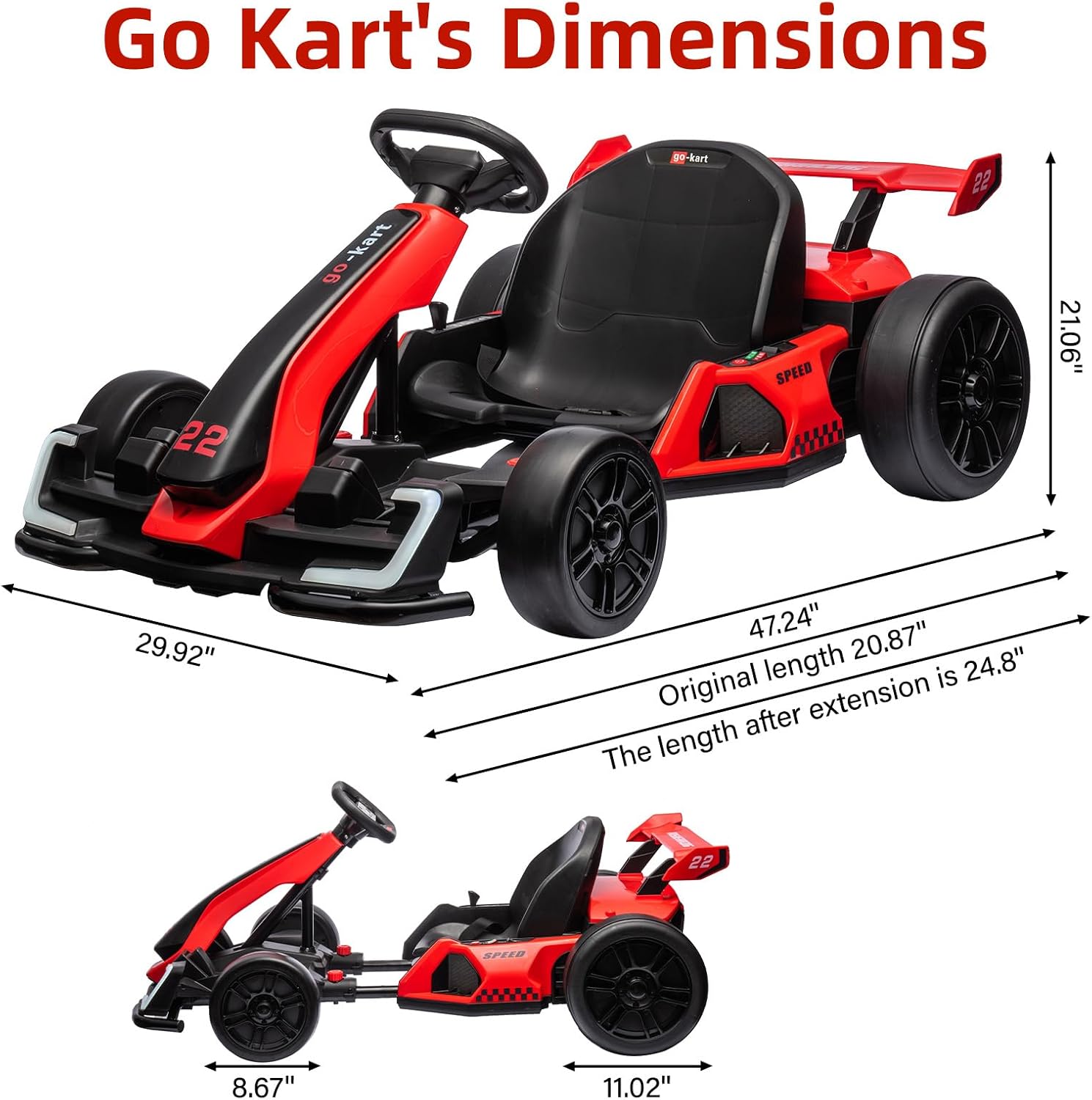
Image: Visual representation of the go-kart's dimensions: 47.24 inches (L) x 29.92 inches (W) x 21.06 inches (H).
4. Key Features
- Dual 150W Motors: Provides powerful propulsion for speeds up to 8 MPH.
- 24V Battery System: Ensures extended playtime and consistent power delivery.
- Slow Start Function: Reduces initial jerk for a smoother and safer start.
- Adjustable Seat: 3-level length adjustment to accommodate children of various heights.
- Safety Belt: Integrated safety belt for rider security.
- High/Low Speed Modes: Allows selection between different speed settings.
- Sport/Drift Modes: Offers varied driving experiences, including a drift function with specialized rear tires.
- Multifunctional Console: Features music playback, one-button start, USB interface, and MP3 player compatibility.
- LED Lights: Equipped with front and rear LED lights for enhanced visibility and aesthetics.
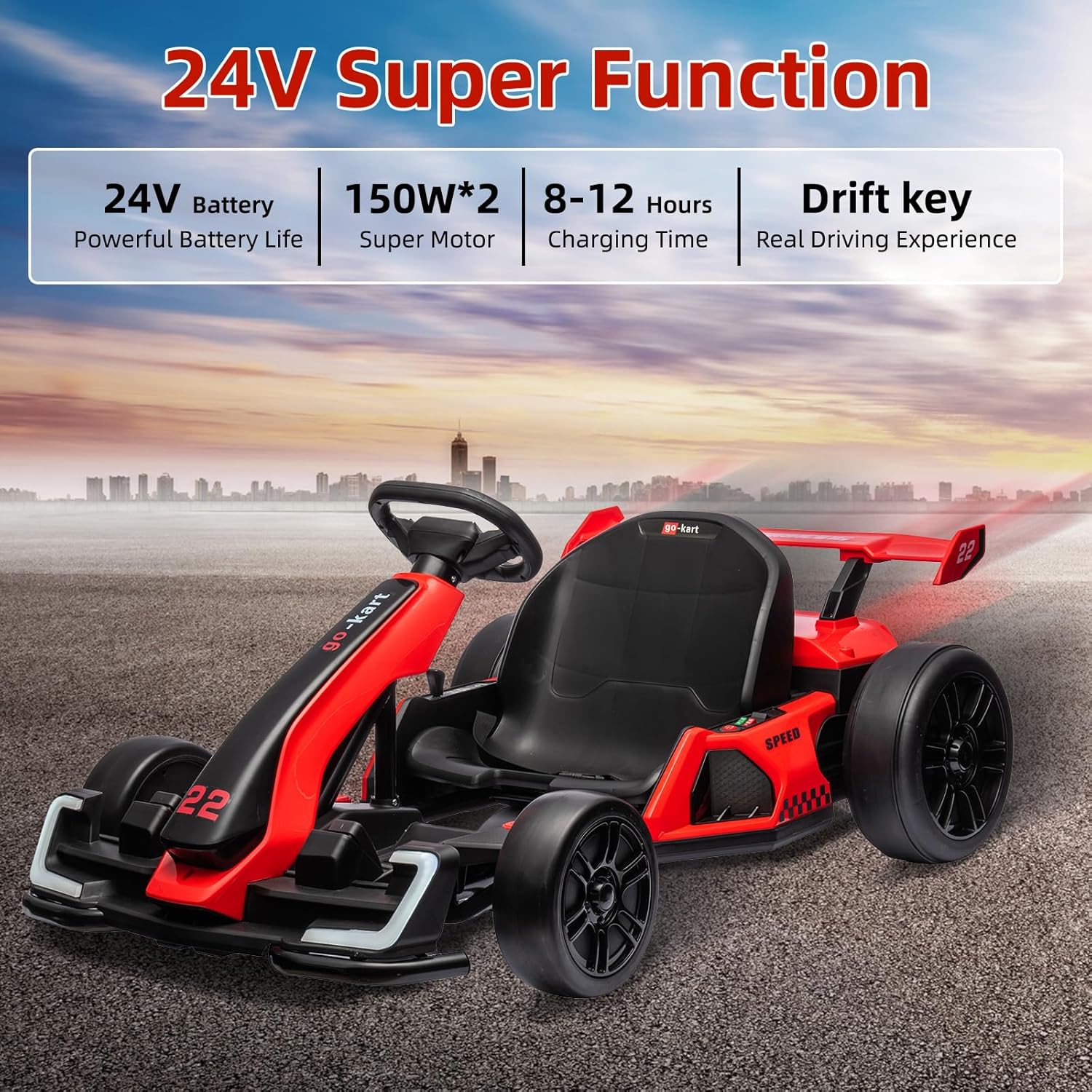
Image: Overview of key features: 24V battery, dual 150W motors, 8-12 hours charging time, and drift key for enhanced driving.

Image: Close-up of the go-kart's controls, including the accelerator pedal, forward and backward control lever, one-click start button, shift button, mode selection, and multi-function steering wheel with USB interface.
5. Operating Instructions
- Power On: Press the one-button start to power on the go-kart.
- Select Speed Mode: Use the shift button to toggle between high and low speed modes.
- Select Driving Mode: Choose between Sport mode for regular driving or Drift mode for controlled slides, using the mode selection button.
- Forward/Backward: Use the forward and backward control lever to select desired direction.
- Acceleration: Gently press the accelerator pedal to move forward. The slow start function will ensure a smooth acceleration.
- Braking: Release the accelerator pedal to brake and decelerate.
- Music & USB: The multifunctional console allows for music playback. You can use the built-in music, or connect a USB device for your own audio.
- Lights: The go-kart is equipped with front and rear lights that activate with power.
Video: Demonstration of the go-kart's operation, including starting, driving, and using various functions.
6. Adjustments
Seat Length Adjustment
The go-kart features a 3-level length adjustment for the seat to ensure a comfortable and safe fit for different child heights. To adjust:
- Locate the red adjustment knobs on either side of the seat.
- Unscrew both red knobs.
- Slide the seat to the desired position (forward or backward).
- Once the desired position is found, firmly screw the red knobs back in to secure the seat.
7. Maintenance
- Charging: Charge the go-kart for 8-12 hours before first use and after each use. Do not overcharge. Use only the provided charger.
- Cleaning: Wipe the go-kart with a damp cloth. Do not use harsh chemicals or abrasive cleaners. Avoid spraying water directly onto electrical components.
- Storage: Store the go-kart in a dry, cool place away from direct sunlight and moisture. If storing for an extended period, ensure the battery is fully charged and disconnect it.
- Inspection: Regularly check all screws, nuts, and connections to ensure they are tight. Inspect tires for wear and tear.
8. Troubleshooting
| Problem | Possible Cause | Solution |
|---|---|---|
| Go-kart does not move | Battery is low or disconnected. | Charge the battery or check battery connections. |
| Go-kart moves slowly | Low battery, heavy load, or rough terrain. | Charge battery, reduce load, or move to smoother surface. |
| Lights not working | Loose wiring or bulb issue. | Check wiring connections. If issue persists, contact support. |
| Unusual noise during operation | Loose parts or debris in moving components. | Inspect for loose parts and remove any debris. Tighten fasteners. |
9. Specifications
| Feature | Detail |
|---|---|
| Brand | PALBY'S |
| Model Name | HJS-AHL007-GOKART |
| Power | 24V |
| Motor Power | 2 x 150W |
| Max Speed | 8 MPH |
| Max Load | 110 lbs |
| Recommended Age | 6-12 years |
| Connectivity | USB |
| Control Method | Touch (buttons/pedals) |
| Item Weight | 54 Pounds |
| Material Type | Polypropylene |
| UPC | 198290527939 |
10. Warranty and Support
For warranty information or technical support, please refer to the contact details provided with your purchase documentation or visit the PALBY'S official website. Keep your proof of purchase for any warranty claims.