
1. Product Overview
This Lamshaw Magnetic Replacement Charger is specifically designed for the SOUYIE T98 Smart Watch (2.04 Inches). It features a magnetic connection for convenient charging and includes built-in short-circuit protection for safety.
The charger is compact and portable, making it suitable for use at home, in the office, in a car, or during travel.
2. Setup and Connection
To begin charging your SOUYIE T98 Smart Watch, follow these steps:
- Uncoil the charging cable. The cable features a USB-A connector on one end and a magnetic charging dock on the other.
- Connect the USB-A end of the cable to a compatible power source. This can be a computer's USB port, a laptop's USB port, a power bank, or a wall charger with a USB port.
- Align the magnetic charging dock with the charging contacts on the back of your SOUYIE T98 Smart Watch. The magnets will automatically attract and secure the connection.
- Ensure the magnets attract correctly. If the magnets repel, the device will not charge. Adjust the orientation of the charging dock until a secure magnetic connection is established.
- Once connected, the smartwatch display should indicate that it is charging.
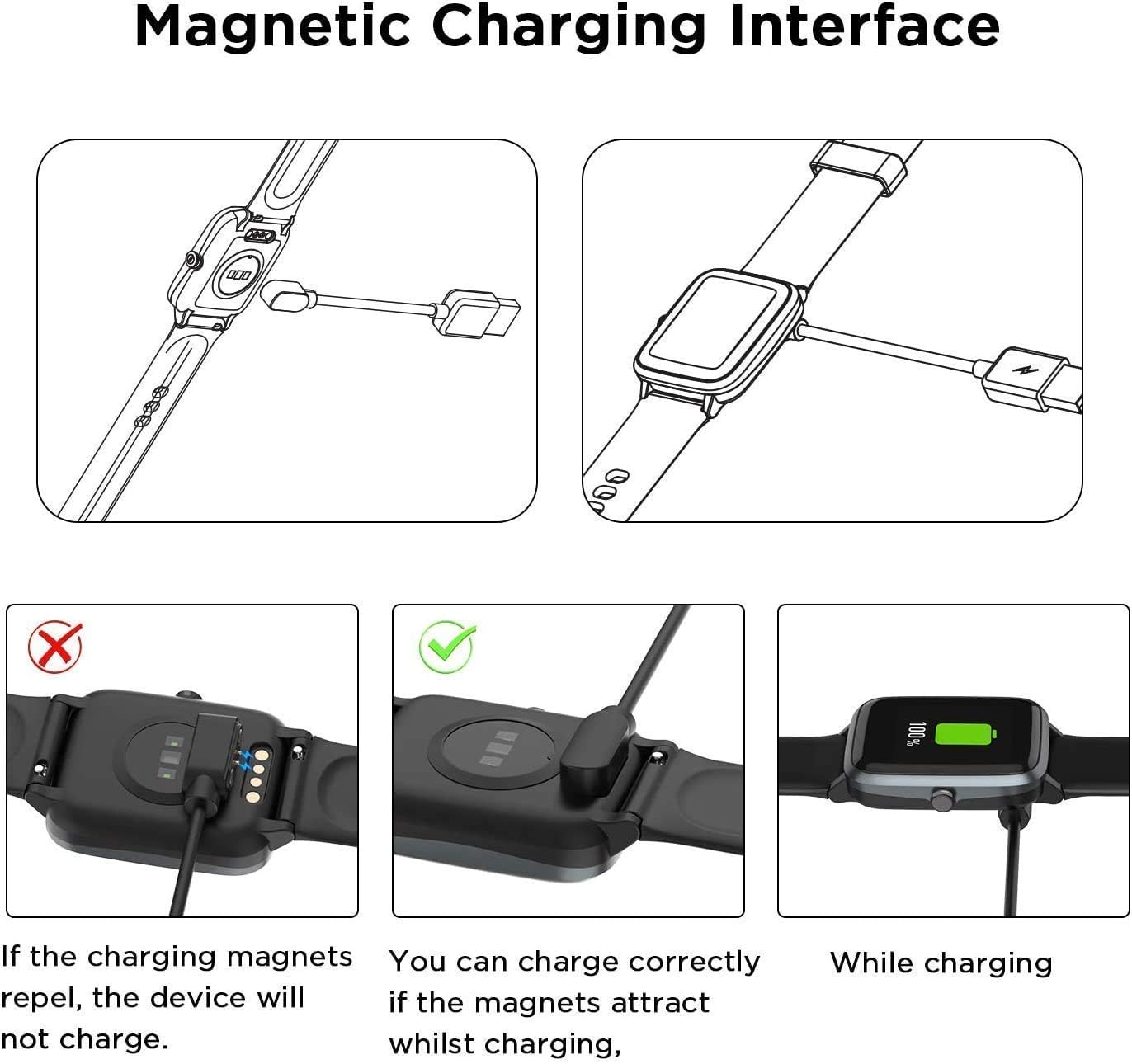
Image: This diagram illustrates the magnetic charging interface. It shows the correct way to connect the charger where magnets attract, and an incorrect way where magnets repel, preventing charging. A third image shows the watch actively charging.

Image: A close-up view of the magnetic charging pins and the standard USB-A connector of the Lamshaw charger cable.
Video: This video demonstrates the usage method for magnetic smartwatch chargers, showing how to properly connect the charger to a smartwatch.
3. Operating Instructions
The Lamshaw charger provides a reliable and efficient way to power your SOUYIE T98 Smart Watch.
- Charging Process: Once properly connected to a power source and your smartwatch, the charger will automatically begin charging. The smartwatch display will show the charging status.
- Short-Circuit Protection: The charger includes a built-in Short-circuit protection IC. This safety feature automatically cuts off the circuit in case of a short-circuit situation, preventing damage to the charger or your device. It also maintains safety if the charger remains plugged in after the watch is fully charged.
- Charging Time: A full charge typically takes approximately 2.5 hours when using a 1A output current power source.
- Multiple Charging Methods: You can charge your smartwatch using various common USB power sources, including laptops, desktop computers, power banks, and standard wall chargers.

Image: A SOUYIE T98 Smart Watch is shown charging from a laptop, highlighting the convenience of charging and the watch's battery life capabilities (30 days standby, 7 days usage).

Image: A pink SOUYIE T98 Smart Watch is connected to a laptop for charging, emphasizing the versatility of charging options.
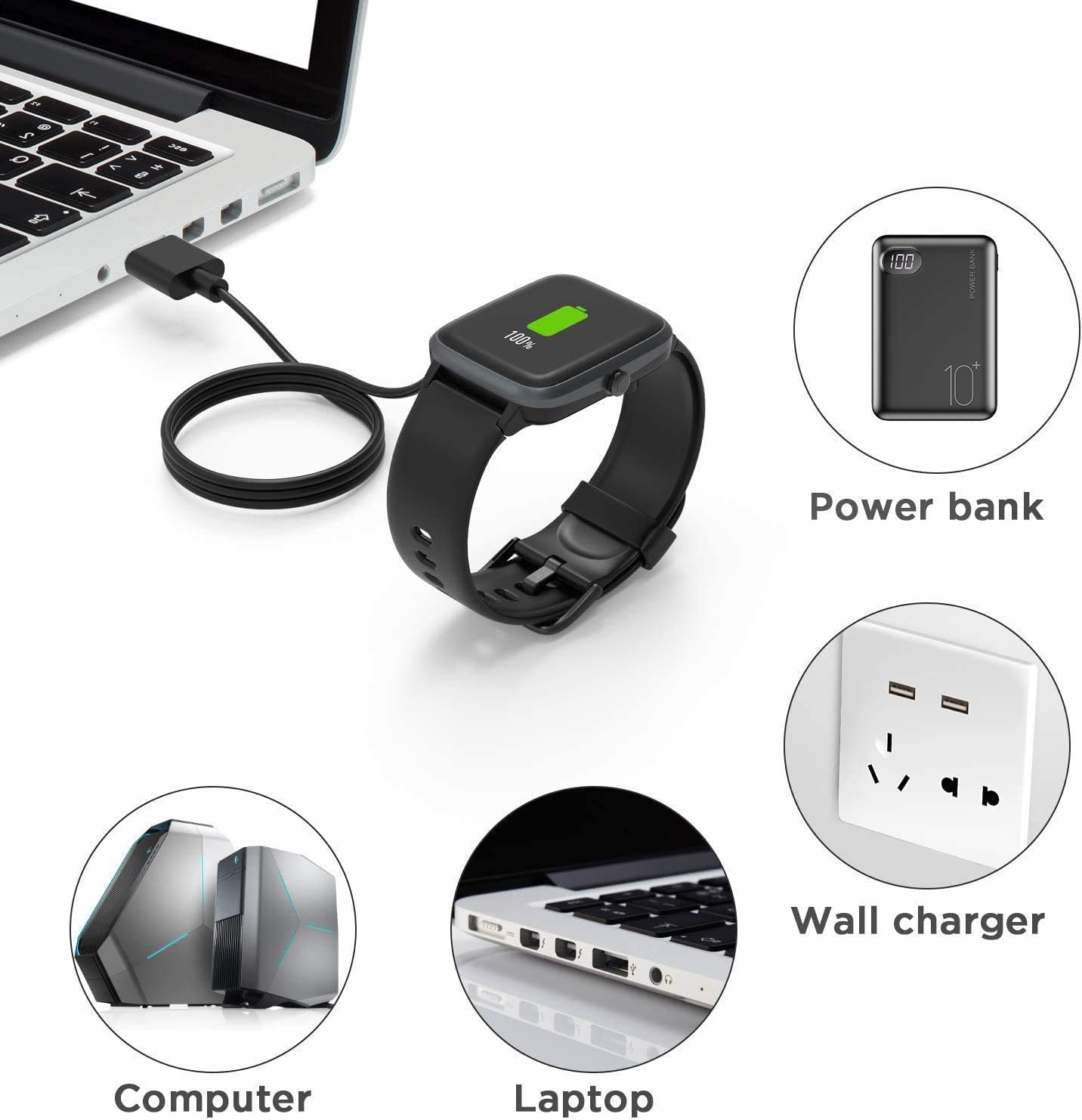
Image: This graphic displays the multiple charging methods available, including power banks, wall chargers, desktop computers, and laptops.

Image: The image shows the smartwatch charging, with a visual indicator stating that 2.5 hours are required for a full charge with a 1A output current.
4. Maintenance
To ensure the longevity and optimal performance of your Lamshaw Magnetic Replacement Charger, please observe the following maintenance guidelines:
- Cable Care: The charger features a flexible PVC cable. Avoid sharp bends, kinks, or excessive pulling on the cable to prevent internal damage.
- Cleaning: Keep the magnetic charging contacts and the USB connector clean and free from dust or debris. Use a soft, dry cloth for cleaning. Do not use liquids or abrasive cleaners.
- Storage: When not in use, store the cable in a cool, dry place. Its flexible design makes it easy to roll and store conveniently.
- Environmental Conditions: Avoid exposing the charger to extreme temperatures, direct sunlight, or high humidity.

Image: This image details the construction of the charger cable, pointing out the Pure Copper Probe for stable conduction, durable ABS+PC material, and the flexible PVC cable for easy storage. The cable length is specified as 3.3 feet (1 meter).
5. Troubleshooting
If you encounter issues while using your Lamshaw Magnetic Replacement Charger, refer to the following common solutions:
- Watch Not Charging:
- Ensure the magnetic charging dock is correctly aligned with the smartwatch's charging contacts. If the magnets repel, the connection is incorrect, and the watch will not charge. Adjust the dock's orientation until the magnets attract securely.
- Verify that the USB-A connector is fully inserted into a functional power source. Try a different USB port or power adapter if necessary.
- Check for any debris or obstruction on the charging contacts of both the charger and the smartwatch. Clean gently with a dry cloth if needed.
- Slow Charging:
- Ensure your power source provides adequate output (e.g., 1A for optimal charging speed). Charging from a low-power USB port (like some older computer ports) may result in slower charging.
- Confirm the cable and smartwatch contacts are clean and making full contact.
- Charger Overheating:
- While the charger has built-in short-circuit protection, if you notice excessive heat, immediately disconnect the charger from the power source and the smartwatch.
- Ensure the charger is used in a well-ventilated area.
6. Specifications
| Brand | Lamshaw |
| Model Number | SOUYIE T98 Charger Model |
| Compatible Devices | SOUYIE T98 Smart Watch (2.04 Inches) |
| Connector Type | Micro USB (USB-A to Magnetic Dock) |
| Special Feature | Short Circuit Protection |
| Cable Material | Flexible PVC |
| Probe Material | Pure Copper |
| Item Weight | 1.23 ounces |
| Package Dimensions | 6.06 x 3.39 x 0.28 inches |
7. Warranty and Support
For any questions, concerns, or support regarding your Lamshaw Magnetic Replacement Charger, please contact the seller or manufacturer directly through your purchase platform. Please refer to your purchase documentation for specific warranty details, as these may vary.
Keep your proof of purchase for any warranty claims.