
Introduction
This manual provides essential information for setting up, operating, maintaining, and troubleshooting your HP ProDesk 600 G4 SFF Desktop Computer. This compact desktop is equipped with an Intel Core i5-8500 processor, 32GB of RAM, and a 1TB NVMe Solid State Drive, running on Windows 11. It features integrated Wi-Fi and Bluetooth for versatile connectivity.
Please read this manual thoroughly to ensure proper use and to maximize the performance and longevity of your device.
Setup
Follow these steps to set up your HP ProDesk 600 G4 SFF Desktop Computer:
- Unpack Components: Carefully remove the desktop computer, wired keyboard, wired mouse, and power cord from the packaging.
- Connect Peripherals:
- Connect the wired keyboard and mouse to the available USB ports on the front or rear of the computer.
- Connect your monitor to one of the DisplayPort outputs on the rear of the computer. If your monitor uses HDMI, an adapter cable may be required (not included).
- Connect the power cord to the power input on the rear of the computer and then to a power outlet.
- Power On: Press the power button located on the front panel of the desktop. The computer will begin to boot up.
- Initial Windows 11 Setup: Follow the on-screen prompts to complete the Windows 11 setup process. This includes selecting your region, keyboard layout, and connecting to a network. The system includes a USB WiFi adapter and USB Bluetooth adapter for wireless connectivity.

Image: Front panel of the HP ProDesk 600 G4 SFF Desktop. This view shows the USB Type-C port, two USB 3.1 ports, two USB 2.0 ports, a universal audio jack, and the power button.
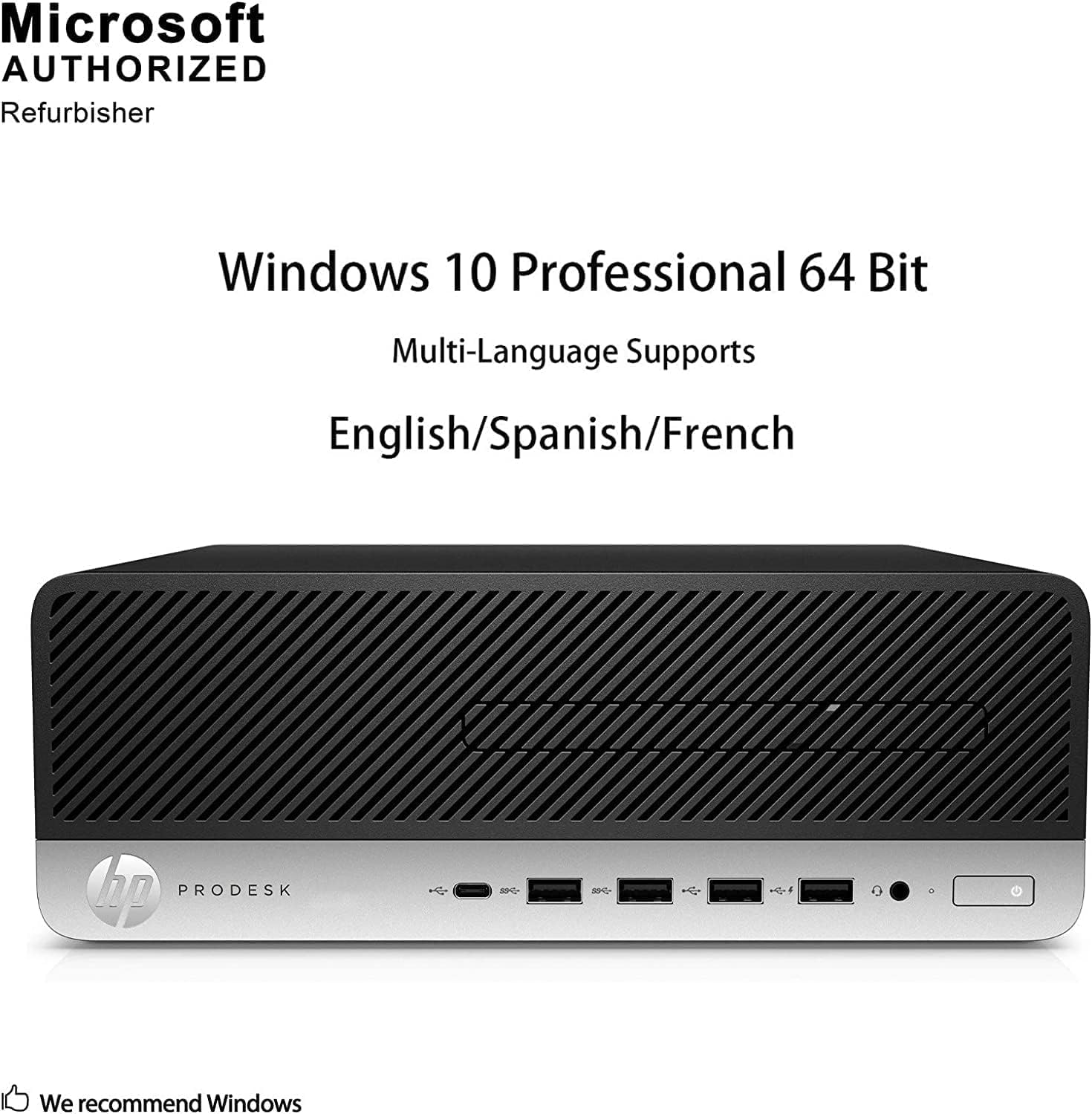
Image: Rear panel of the HP ProDesk 600 G4 SFF Desktop. This view highlights the audio I/O port, DisplayPorts, RJ-45 network jack, cable lock slot, four USB 3.1 ports, two USB 2.0 ports, and the power input.
Operating
Your HP ProDesk 600 G4 SFF Desktop Computer comes with Windows 11 pre-installed, offering a secure and productive computing environment.
- First Boot: After completing the initial setup, Windows 11 will load to the desktop.
- Internet Connectivity: Utilize the integrated Intel Wi-Fi or connect via Ethernet (RJ-45 port) for internet access. The system supports dual-band wireless connectivity.
- Bluetooth Devices: Connect Bluetooth-enabled devices such as headphones, speakers, or other peripherals using the integrated Bluetooth 4.0.
- Display Output: The desktop supports 4K (3840x2160) resolution via its DisplayPorts, providing high-quality visual output.
- USB Ports: A variety of USB 2.0, USB 3.0/3.1, and USB Type-C ports are available for connecting external devices like storage drives, printers, and other accessories.

Image: This image illustrates the convenience of the HP ProDesk's built-in Wi-Fi, eliminating the need for a physical network cable. Built-in Wi-Fi provides a stronger wireless signal and faster network speed, offering more convenient internet access without the clutter of wires.
Features & Specifications
The HP ProDesk 600 G4 SFF is designed for reliable performance in a compact form factor. Key features and specifications include:
- Processor: Intel Core i5-8500 (6-Core, 2.1GHz base, up to 3.5GHz turbo).
- Memory: 32GB DDR4 RAM, enabling smooth multitasking.
- Storage: 1TB NVMe M.2 Solid State Drive for fast boot-up and data transfer.
- Operating System: Windows 11.
- Graphics: Integrated Intel UHD Graphics 630, supporting up to 4K (3840x2160) resolution.
- Connectivity: Intel Wi-Fi (Dual Band AC/B/G/N) and Bluetooth 4.0.
- Ports: Multiple USB ports (USB 2.0, USB 3.0/3.1, USB Type-C), DisplayPort outputs, RJ-45 network jack, Universal Audio Jack, Audio I/O ports.
- Included Peripherals: Wired USB RGB Keyboard and Wired Mouse.
Detailed Specifications
| Feature | Specification |
|---|---|
| Brand | HP |
| Model Name | HP ProDesk 600 G4 |
| Operating System | Windows 11 |
| CPU Model | Core i5-8500 |
| CPU Speed | 2.1GHz (up to 3.5GHz) |
| Processor Count | 6 |
| RAM Memory Installed Size | 32 GB DDR4 |
| Memory Storage Capacity | 1 TB NVMe M.2 SSD |
| Graphics Coprocessor | Intel UHD Graphics 630 |
| Video Output Interface | DisplayPort |
| Display Resolution Maximum | 3840x2160 |
| Wireless Network Technology | Wi-Fi (Intel 7265 AC/B/G/N Dual Band) |
| Bluetooth Version | 4.0 |
| USB Ports | USB 2.0, USB 3.0/3.1, USB Type-C |
| Color | Black |
| Human-Interface Input | Wired USB RGB Keyboard, Wired Mouse |
Maintenance
Regular maintenance helps ensure the optimal performance and longevity of your desktop computer.
- Keep Clean: Regularly clean the exterior of the computer with a soft, dry cloth. Use compressed air to clear dust from vents and ports to prevent overheating. Ensure the computer is powered off and unplugged before cleaning.
- Software Updates: Keep your Windows 11 operating system and drivers updated. Windows Update automatically handles most OS updates, but you may need to manually check for driver updates from the HP support website.
- Data Backup: Regularly back up important data to an external drive or cloud storage to prevent data loss.
- Ventilation: Ensure the computer is placed in a well-ventilated area, free from obstructions that could block airflow to the vents.
Troubleshooting
If you encounter issues with your HP ProDesk 600 G4 SFF, consider the following basic troubleshooting steps:
- No Power: Ensure the power cord is securely connected to both the computer and the power outlet. Try a different outlet or power cord if available.
- No Display: Verify that the monitor is powered on and correctly connected to the computer's DisplayPort. Try connecting the monitor to a different DisplayPort if available.
- No Internet Connection: Check your Wi-Fi network status. Ensure the USB WiFi adapter is properly inserted. If using Ethernet, confirm the cable is securely connected to both the computer and the router/modem. Restart your router/modem.
- Peripheral Not Working: Ensure the keyboard, mouse, or other USB devices are securely plugged into a functional USB port. Try a different USB port.
- System Slowdown: Close unnecessary applications. Check for background processes that might be consuming resources. Ensure your system has enough free storage space.
- Operating System Issues: If Windows 11 is not functioning correctly, try restarting the computer. If problems persist, consider using Windows troubleshooting tools or performing a system restore.
For more advanced issues, consult the HP support website or contact customer service.
Warranty & Support
This renewed HP ProDesk 600 G4 SFF Desktop Computer typically includes a 90-day warranty, as specified by the vendor. Please refer to your purchase documentation for exact warranty terms and conditions.
For technical support, warranty claims, or service inquiries, please contact the vendor from whom you purchased this renewed product. Keep your proof of purchase readily available.


