
Introduction
This manual provides detailed instructions for the setup, operation, maintenance, and troubleshooting of your WARMTUYO 4K Night Vision Goggles, Model J50. This device is designed for enhanced viewing in low-light and complete darkness, offering 4K video recording, 36MP photo capture, and up to 16X digital zoom. Please read this manual thoroughly before using the device to ensure optimal performance and longevity.
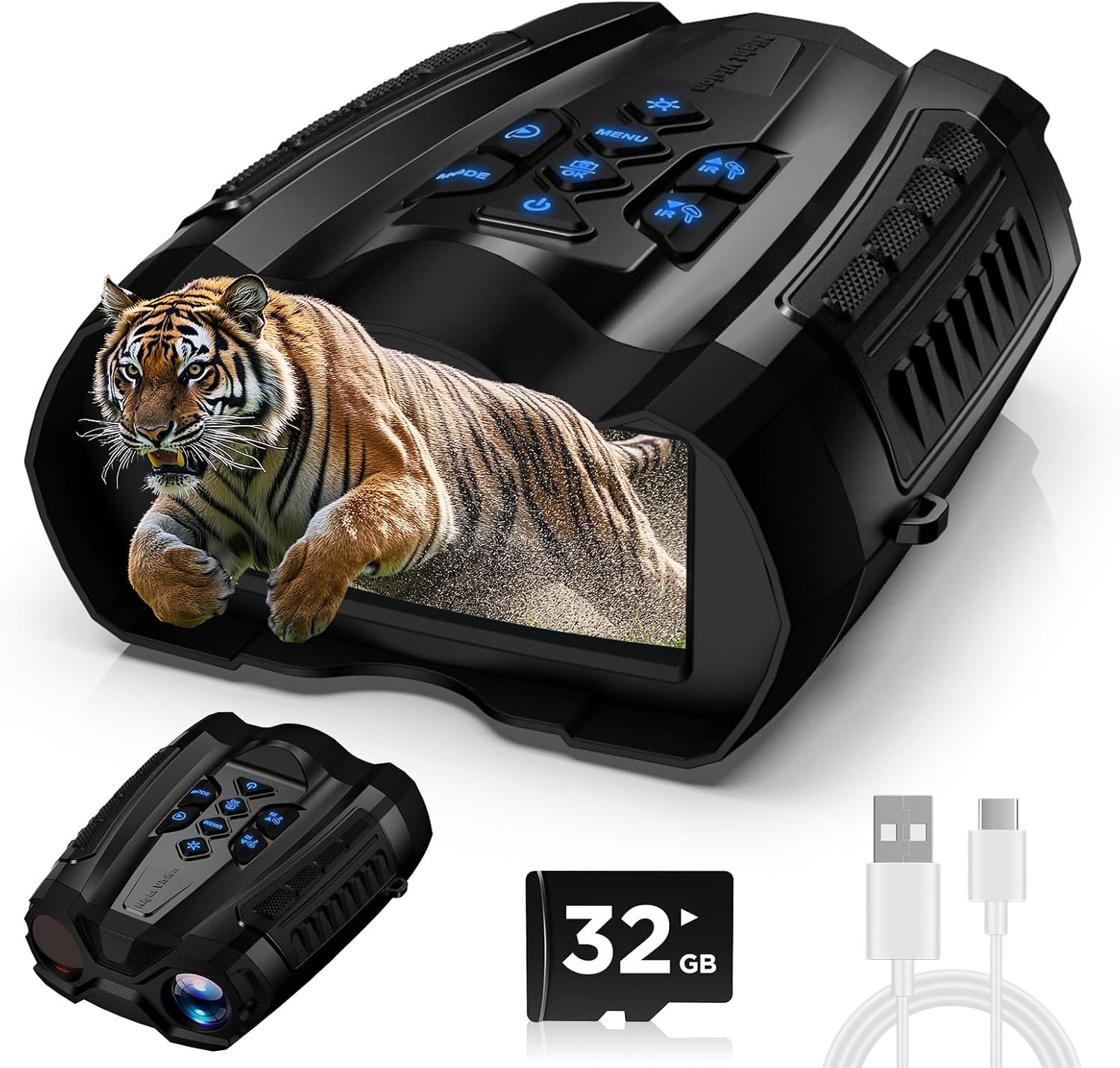
Image: WARMTUYO 4K Night Vision Goggles, Model J50, with included accessories.
What's Included
Verify that all items are present in the package:
- 1 x Night vision goggles
- 1 x Neck strap
- 1 x 32GB SD card
- 1 x Data cable
- 1 x User manual
Product Components and Controls
Familiarize yourself with the various parts and controls of your night vision goggles:
Top Panel Controls

Image: Top panel controls and infrared adjustment illustration.
- Power Button: Press and hold to turn the device on or off.
- Mode Button: Cycle through Photo, Video, and Playback modes.
- Menu Button: Access system settings.
- OK/Capture Button: Confirm selections in menus or capture photos/start/stop video recording.
- IR Up/Down Buttons: Adjust the infrared brightness level (9 levels available).
- Zoom Up/Down Buttons: Adjust the digital zoom level (up to 16X).
Bottom and Side Ports

Image: Device ports and features.
- USB-C Charging Port: For charging the internal 5000mAh battery.
- SD Card Slot: Insert the provided 32GB TF card for storage.
- Factory Switch (On/Off): A master power switch located under the protective cover. Ensure it is in the 'On' position for operation.
- Tripod Mount: Standard threaded mount for attaching to a tripod for stable viewing.
- Focus Wheel: Located on the bottom, adjust to achieve clear images.
Getting Started
1. Charging the Device
Before first use, fully charge the night vision goggles. Connect the provided USB-C cable to the charging port on the device and to a compatible USB power source. The charging indicator will show the charging status.
2. Inserting the SD Card
Locate the SD card slot under the protective rubber cover. Insert the provided 32GB TF card into the slot until it clicks into place. Ensure the card is inserted correctly to avoid damage.
3. Initial Power On
First, ensure the master 'On/Off' switch (under the rubber cover) is in the 'On' position. Then, press and hold the Power Button on the top panel until the 3.5-inch TFT HD display illuminates.
Operating Instructions
1. Adjusting Focus
To achieve a clear image, rotate the manual focus wheel located on the bottom of the device until the image on the display is sharp.

Image: Manual focus adjustment.
2. Selecting Operating Mode
Press the Mode button to switch between the following modes:
- Photo Mode: For capturing still images (up to 36MP).
- Video Mode: For recording video with audio (up to 4K resolution).
- Playback Mode: To review captured photos and videos.
3. Adjusting Infrared (IR) Brightness
In low-light or dark conditions, use the IR Up and IR Down buttons to adjust the infrared illuminator brightness. There are 9 levels of IR intensity to suit various ambient light conditions and viewing distances up to 300 meters.
4. Using Digital Zoom
Press the Zoom Up and Zoom Down buttons to apply digital magnification up to 16X. This allows for closer inspection of distant objects.

Image: Digital zoom in action.
5. Capturing Photos and Videos
In Photo or Video mode, press the OK/Capture button once to take a photo or to start/stop video recording. The captured media will be saved to the inserted SD card.

Image: Examples of 4K video and 36MP photo quality.
6. Accessing System Settings
Press the Menu button to enter the system settings. Use the navigation buttons (often the IR or Zoom buttons) to scroll through options such as Language, Time Setting, Screen Saver, Screen Brightness, Auto Power Off, and Date Tag. Press OK to select an option and make adjustments.
7. Night Vision Demonstration
Observe the device's performance in low-light conditions:
Video: Demonstration of the WARMTUYO 4K Night Vision Goggles in action, showcasing its night vision capabilities and ease of use.
Maintenance
- Cleaning: Use a soft, lint-free cloth to clean the lenses and display. Avoid abrasive materials or harsh chemicals.
- Storage: Store the device in a cool, dry place away from direct sunlight and extreme temperatures. Remove the SD card if storing for extended periods.
- Battery Care: Recharge the battery regularly, even if not in use, to maintain its health. Avoid fully discharging the battery frequently.
Troubleshooting
- Device not powering on: Ensure the master 'On/Off' switch is in the 'On' position and the battery is charged.
- Blurry image: Adjust the manual focus wheel until the image is clear. Ensure lenses are clean.
- Poor night vision: Increase the IR brightness level using the IR Up button. Ensure there are no obstructions to the IR illuminator.
- Cannot record/take photos: Check if the SD card is properly inserted and has sufficient free space.
Technical Specifications
| Feature | Specification |
|---|---|
| Product Dimensions | 6.7 x 5.5 x 0.1 inches |
| Item Weight | 1.38 pounds |
| Item Model Number | J50 |
| Batteries | 1 C batteries required. (included) |
| Brand | WARMTUYO |
| Special Feature | Focus Knob, High Magnification, Image Stabilization, Night Vision, Tripod Mountable |
| Objective Lens Diameter | 50 Millimeters |
| Magnification Maximum | 16 x |
Warranty and Support
For warranty information or technical support, please refer to the contact details provided with your product packaging or visit the official WARMTUYO website. Keep your purchase receipt for warranty claims.
Manufacturer: WARMTUYO
