
AcclaFit P5
AcclaFit Smartwatch P5 User Manual
Model: P5
1. Introduction
Thank you for choosing the AcclaFit Smartwatch P5. This manual provides essential information for setting up, operating, and maintaining your device. Please read it carefully to ensure optimal performance and longevity of your smartwatch.

Image: AcclaFit Smartwatch P5, showcasing its sleek design and display.
2. What's in the Box
- AcclaFit Smartwatch P5
- Charging Cable
- Instruction Manual
3. Setup Guide
3.1. App Installation
To unlock the full potential of your AcclaFit Smartwatch P5, download and install the 'H Band' application on your smartphone. The app is compatible with iOS 10.0/Android 5.0 or higher and Bluetooth 5.3 or higher.
- Scan the QR code provided in the watch's packaging or search for 'H Band' in your smartphone's app store (App Store for iOS, Google Play Store for Android).
- Alternatively, visit the official H Band website: https://www.vphband.com/hband/hband.html

Image: Illustration showing smartphone compatibility with Android 5.0+ and iOS 10.0+, along with a QR code for the 'H Band' app.
3.2. Initial Charging
Before first use, fully charge your smartwatch. Connect the magnetic charging cable to the charging points on the back of the watch and plug the USB end into a power adapter (not included) or a computer USB port.
3.3. Pairing with Your Smartphone
- Ensure Bluetooth is enabled on your smartphone.
- Open the 'H Band' app.
- Follow the in-app instructions to search for and connect to your AcclaFit Smartwatch P5.
- Confirm the pairing request on both your watch and smartphone.
4. Operating Instructions
4.1. Bluetooth Calls & Smart Notifications
The AcclaFit Smartwatch P5 allows you to make and receive calls directly from your wrist thanks to its built-in microphone and Hi-Fi speaker. It also displays SMS and SNS messages (Facebook, Twitter, WhatsApp, LinkedIn, Messenger, etc.) when synchronized with your smartphone. Notifications are delivered via vibration alerts.
Video: Demonstrates Bluetooth call functionality, heart rate monitoring, sleep tracking, customizable watch faces, IP68 water resistance, and various smart features of the AcclaFit Smartwatch P5.

Image: The smartwatch showing intelligent notifications and indicating ultra-long battery life.
4.2. Health Tracking
The smartwatch is equipped with a high-precision PPG sensor for comprehensive health monitoring:
- Heart Rate Monitoring: 24-hour heart rate tracking. Data can be stored for 7 days in the 'H Band' app to monitor long-term changes.
- SpO2 & Blood Pressure: Measured via a reflective light sensor on the wrist. Remain calm during measurements.
- Sleep Monitoring: Tracks sleep quality in three phases: Awake, Light Sleep, and Deep Sleep. Helps in improving sleep duration and quality.

Image: Visual representation of health metrics including blood pressure management, sleep tracking, heart rate notifications, and SpO2 monitoring.
4.3. Fitness Modes
The smartwatch supports over 140 professional and advanced workout modes, including Yoga, Swimming, HIIT, Running, Rope Skipping, Cycling, Badminton, Football, and more. It tracks activity data such as steps, active minutes, distance, and calorie consumption to help you monitor your training status in real-time.
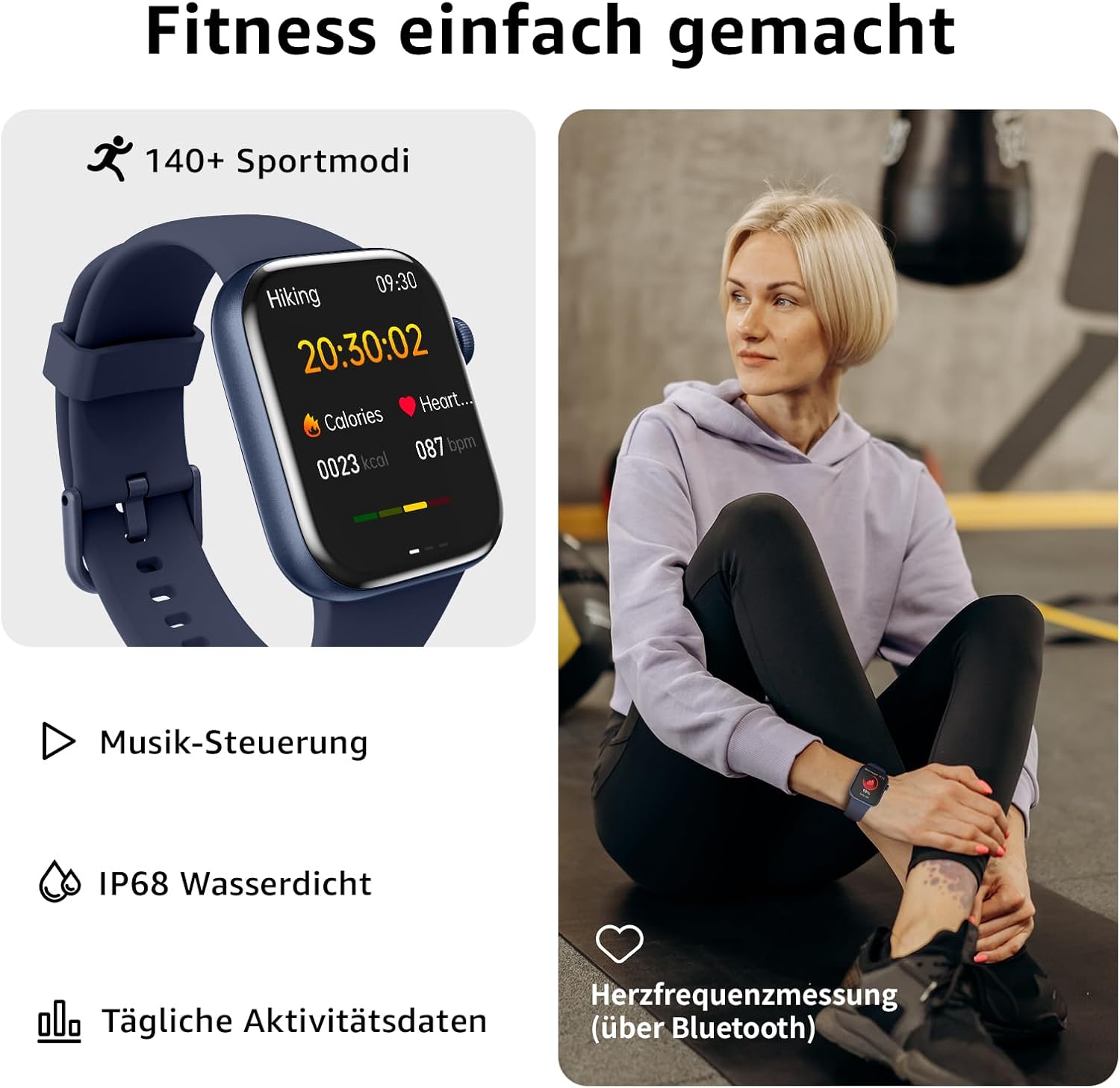
Image: Depicts the smartwatch's 140+ sport modes, music control, IP68 water resistance, daily activity data tracking, and heart rate measurement.
4.4. Customization & Other Features
- Customizable Watch Faces: Choose from over 100 watch face styles via the mobile application or use your own photos to personalize the display.
- Music Player: Control music playback directly from your smartwatch.
- Camera Remote: Remotely control your smartphone's camera.
- Additional Features: Female cycle tracking, voice assistant, flashlight, calculator, calorie monitor, pedometer, alarm, stopwatch, sedentary reminder, and weather display.
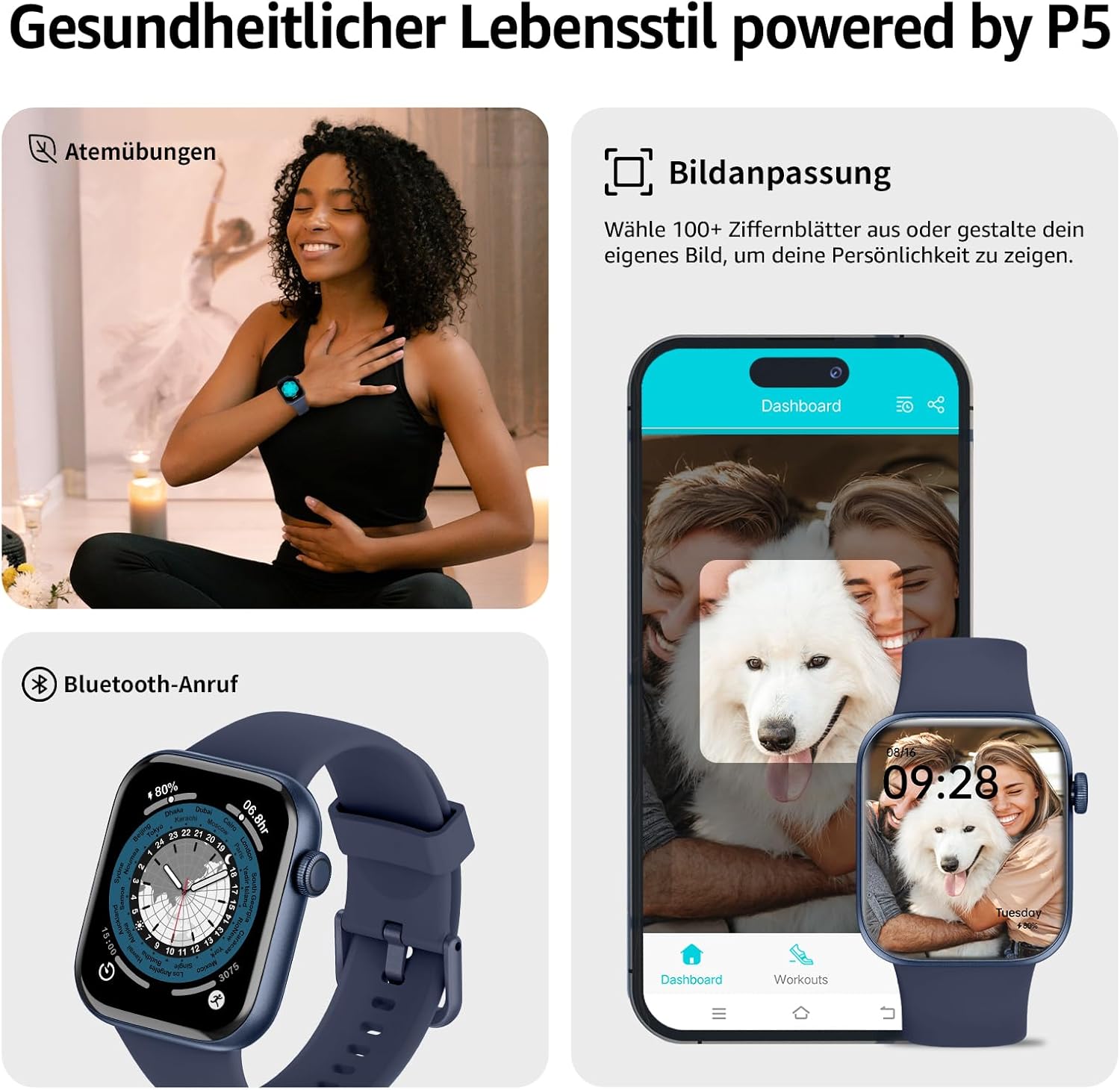
Image: Shows breathing exercises, Bluetooth call function, and the ability to customize watch faces with over 100 styles or personal photos.
5. Maintenance
5.1. Water Resistance (IP68)
The AcclaFit Smartwatch P5 is IP68 waterproof, meaning it has passed impressive water pressure cycle tests. You can wear it for hand washing, showering, swimming, and diving. Important: Do not wear it in hot water, including hot showers, as steam can damage the device.

Image: Illustrates the IP68 waterproof rating, indicating the watch can be worn while washing hands, bathing, or in the rain.
5.2. Cleaning
Regularly clean your smartwatch and strap to prevent skin irritation and maintain device hygiene. Use a soft, damp cloth. Avoid harsh chemicals or abrasive materials.
6. Troubleshooting
If you encounter any issues with your AcclaFit Smartwatch P5, please try the following common troubleshooting steps:
- Restart the Device: A simple restart can often resolve minor software glitches.
- Check Bluetooth Connection: Ensure your watch is properly connected to your smartphone's Bluetooth.
- Update App & Firmware: Make sure both the 'H Band' app and your smartwatch's firmware are updated to the latest versions.
- Re-pair Device: If connection issues persist, try unpairing and re-pairing the watch with your smartphone.
- Factory Reset: As a last resort, perform a factory reset on your watch (refer to in-app settings for this option). Note that this will erase all data on the watch.
For persistent issues, please contact AcclaFit customer support.
7. Specifications
| Feature | Specification |
|---|---|
| Product Dimensions | 27.6 x 7.3 x 1.6 cm; 90 Grams |
| Display Size | 1.85 Inch HD Display (4.7 cm) |
| Battery Capacity | 250 mAh |
| Normal Usage Time | 7 Days |
| Standby Time | 30 Days |
| Charging Time | 2 Hours |
| Water Resistance | IP68 |
| Connectivity | Bluetooth 5.3 |
| Compatibility | iOS 10.0+ / Android 5.0+ |
| Memory Capacity | 128 MB |
| Special Features | Activity Tracker, Multisport-Tracker, Music Player, SMS, Phone Calls, Touchscreen, Alarm Clock, Weather Forecast, Time Display, Cycle Tracking |
8. Warranty and Support
AcclaFit products come with a standard manufacturer's warranty. For detailed warranty information, technical support, or service inquiries, please refer to the contact information provided on the official AcclaFit website or within the 'H Band' application.
Please retain your proof of purchase for warranty claims.
Related documentsP5


Ask a question about this manual
Ask about setup, troubleshooting, compatibility, parts, safety, or missing instructions. Manuals+ will review the question and use this page’s manual context to help answer it.