
Geevon 240508-BK
Geevon Digital Atomic Alarm Clock
Model: 240508-BK
Introduction
The Geevon Digital Atomic Alarm Clock is a compact and versatile timekeeping device designed for various environments, including bedrooms, desks, and travel. It features automatic time synchronization, a clear digital display with backlight, temperature monitoring, and an alarm with a snooze function. This manual provides detailed instructions for setting up, operating, and maintaining your clock.

Image: Front view of the Geevon Digital Atomic Alarm Clock, displaying time, date, day of the week, and indoor temperature.
Product Features
- Atomic Clock Technology: Automatically receives daily WWVB updates for precise timekeeping.
- 10-Second Backlight: Provides temporary illumination for easy reading in low light conditions.
- Temperature Monitor: Displays indoor temperature in Celsius or Fahrenheit.
- Compact and Portable: Small size (3.54"x2.36"x1.06") ideal for travel and desk use.
- 5-Minute Snooze: Allows for an extended nap after the alarm sounds.
- User-Friendly Interface: Intuitive buttons for easy setup and operation.
- Locking Button: Prevents accidental button presses, especially useful during travel.

Image: Visual representation of the clock's key features, including time display, alarm, calendar, locking function, backlight, atomic time, DST, and temperature.
Setup
1. Battery Installation
The clock is powered by 2 AAA alkaline batteries (not included). To install:
- Gently slide off the battery compartment cover located on the back of the clock.
- Insert two AAA batteries, ensuring correct polarity (+ and -).
- Replace the battery compartment cover.
2. Initial Setup and Atomic Time Synchronization
Upon battery installation, the clock will automatically attempt to synchronize with the WWVB atomic time signal. This process may take several minutes to overnight, depending on your location and signal strength. It is recommended to place the clock near a window or in an open area for better reception.

Image: The clock displaying time, date, and temperature, highlighting its accurate atomic clock feature with auto DST and seven time zones.
3. Setting Time Zone and DST
After initial power-on or if atomic synchronization is not desired, you can manually set the time zone and Daylight Saving Time (DST) status.

Image: Rear view of the clock, indicating the functions of each button, including SET, Atomic Signal ON/OFF, Time Zone, and Temperature Unit switch.
- Press the "TIME ZONE" button (often labeled "UP/TIME ZONE") to cycle through the available time zones (e.g., AST, EST, CST, MST, PST, AKST, HAT). Select your local time zone.
- To enable or disable DST, locate the DST setting (often combined with the atomic signal button or a separate switch) and adjust as needed.
- To manually set time and alarm, press the "SET" button and use the UP/DOWN buttons to adjust values. Press SET again to confirm each setting.
Operating Instructions
1. Display Overview
The clock's display shows the current time (AM/PM indicator), date, day of the week, and indoor temperature.
2. Backlight Function
To activate the backlight, press any button on the clock. The backlight will illuminate for approximately 10 seconds, providing temporary visibility in dark environments.

Image: The clock's display with and without backlight, demonstrating its readability in different lighting conditions.
3. Alarm Setting and Snooze
To set the alarm:
- Press the "SET" button repeatedly until the alarm time flashes.
- Use the UP/DOWN buttons to adjust the alarm hour and minutes.
- Press "SET" to confirm.
- To activate/deactivate the alarm, use the dedicated Alarm ON/OFF button (often a bell icon).
When the alarm sounds, it will emit a gradually ascending "beeping" sound for 2 minutes. To activate the snooze function for an additional 5 minutes of sleep, press the "LIGHT/SNOOZE" button located on the top of the clock.
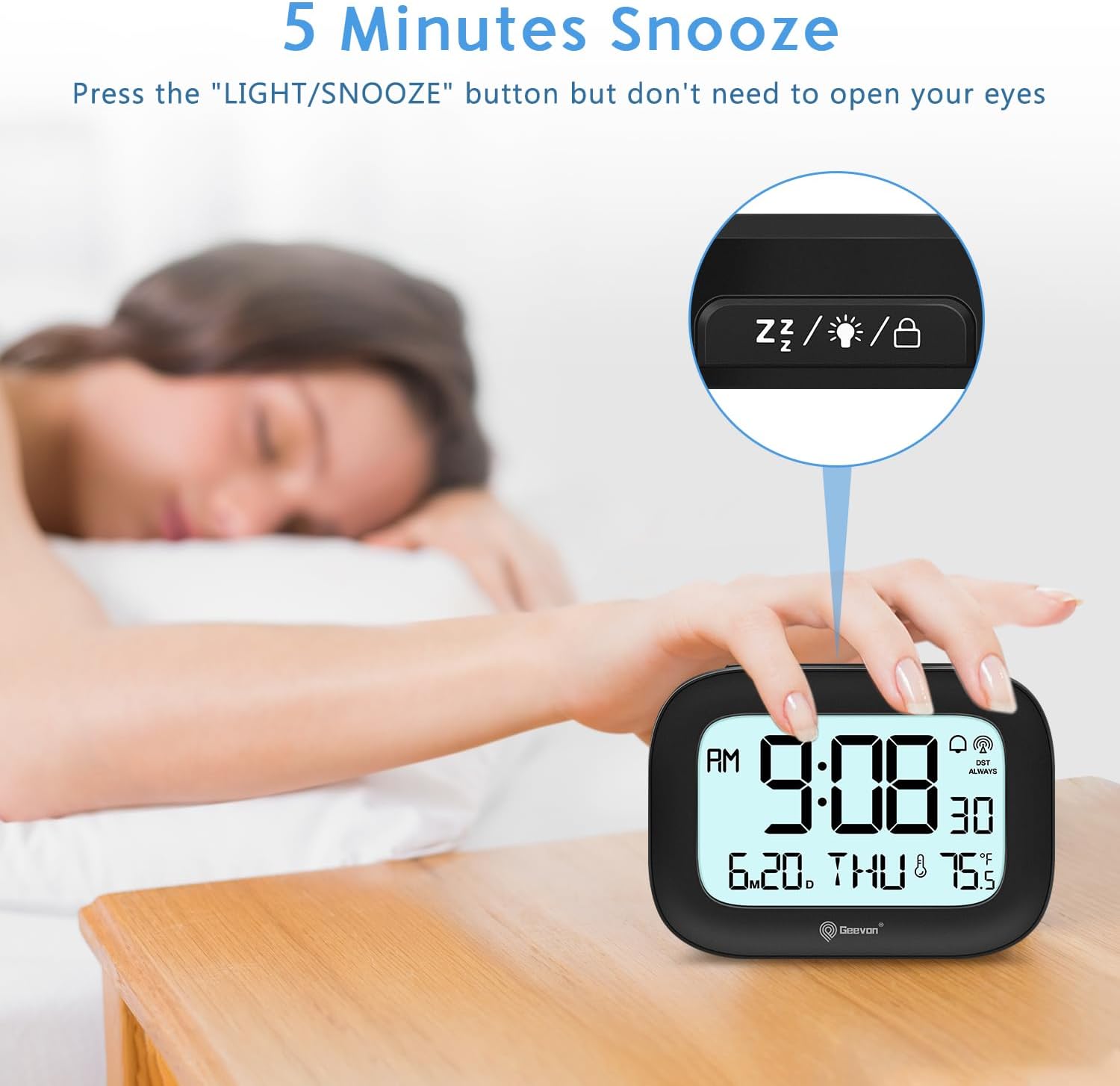
Image: A user activating the 5-minute snooze function by pressing the top button on the clock.
4. Temperature Unit Switching
To switch between Celsius (°C) and Fahrenheit (°F) temperature display, press the "°C/°F" button (often labeled "DOWN/°C/°F") on the back of the clock.
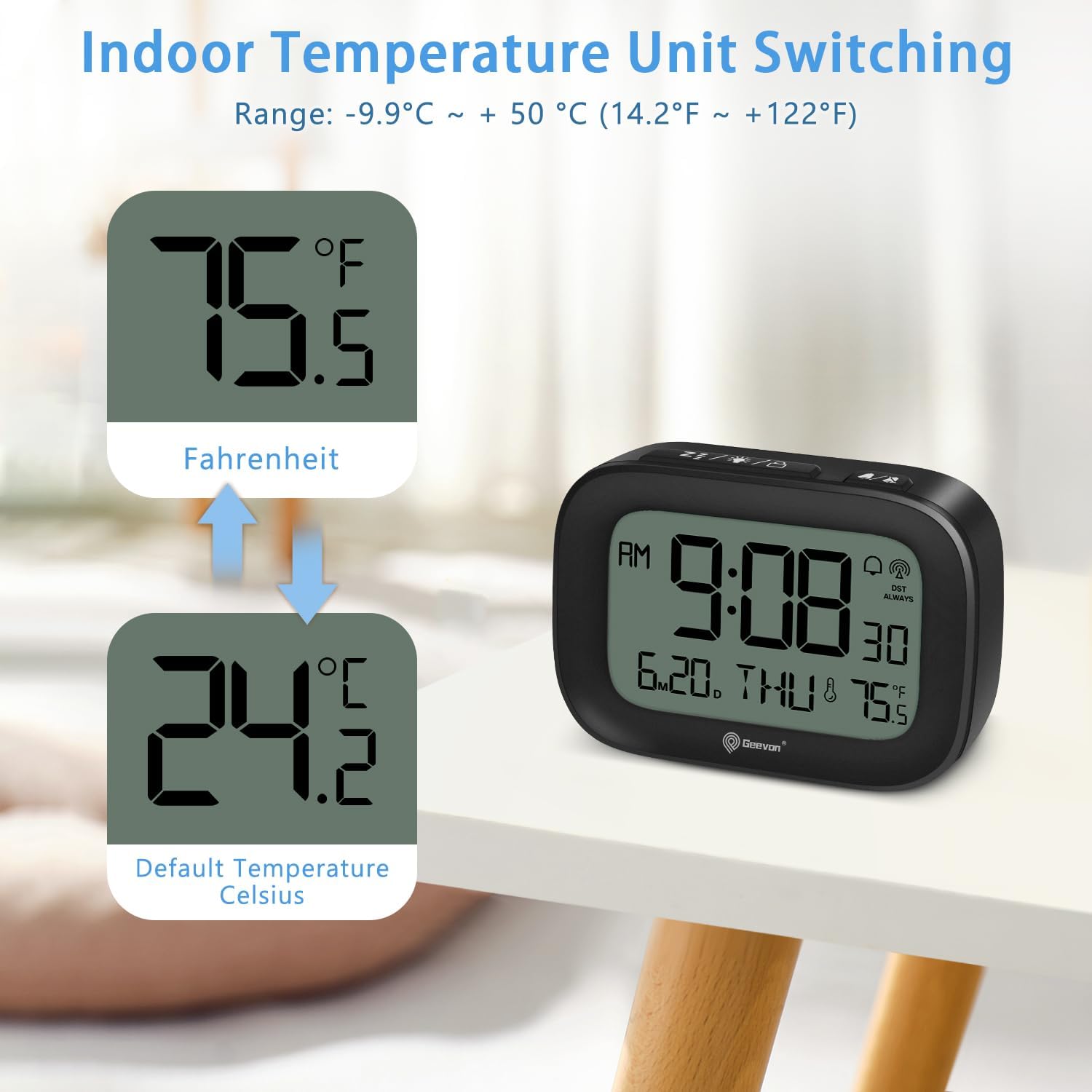
Image: The clock displaying temperature in both Fahrenheit and Celsius, illustrating the unit switching capability.
5. 12/24 Hour Format
The clock supports both 12-hour (AM/PM) and 24-hour (military) time formats. To switch, press the appropriate button during time setting or a dedicated button if available (refer to button diagram on back of clock).

Image: The clock displaying time in both 12-hour (AM/PM) and 24-hour (military) formats.
6. Locking Feature
To prevent accidental button presses, especially when traveling, utilize the locking feature. This is typically activated by a dedicated switch or by holding down a specific button (refer to the button diagram). When locked, the buttons will not respond to presses.

Image: The compact clock being stored, illustrating its portability and the locking feature to prevent accidental changes.
Maintenance
To ensure the longevity and optimal performance of your Geevon Digital Atomic Alarm Clock:
- Cleaning: Wipe the clock with a soft, dry cloth. Avoid using abrasive cleaners or solvents, as they may damage the display or casing.
- Battery Replacement: Replace batteries when the display dims or functions become erratic. Always replace both batteries at the same time with new AAA alkaline batteries.
- Storage: If storing the clock for an extended period, remove the batteries to prevent leakage.
Troubleshooting
| Problem | Possible Cause | Solution |
|---|---|---|
| Clock does not set time automatically / Atomic signal not received. | Weak WWVB signal due to location (e.g., metal roof, near electronics) or time of day. |
|
| Time is inaccurate (gaining/losing minutes). | Poor atomic signal reception or internal clock drift. |
|
| Alarm goes off randomly or unexpectedly. | Alarm accidentally activated or set to an unintended time. |
|
| Display is dim or blank. | Low batteries. | Replace batteries with new AAA alkaline batteries. |
Specifications
| Feature | Detail |
|---|---|
| Brand | Geevon |
| Model Number | 240508-BK |
| Color | Black |
| Display Type | Digital |
| Special Features | Atomic Function and DST, Temperature, Backlight, Alarm and Date, Locking |
| Product Dimensions | 3.78"W x 2.64"H (actual size: 3.54"x2.36"x1.06") |
| Power Source | Battery Powered (2 AAA batteries required, not included) |
| Material | Acrylonitrile Butadiene Styrene (ABS) |
| Item Weight | 3.84 ounces |
| Operation Mode | Atomic |
Warranty and Support
Warranty Information
This Geevon Digital Atomic Alarm Clock comes with a 12-month warranty from the date of purchase. Please retain your proof of purchase for warranty claims.
Customer Support
For any questions, issues, or technical support regarding your Geevon product, please contact Geevon customer service. We are committed to providing top-quality products and lifetime consulting services. Your satisfaction is our top concern.
Visit the Geevon Store on Amazon for more information and contact options.
Related documents240508-BK


Ask a question about this manual
Ask about setup, troubleshooting, compatibility, parts, safety, or missing instructions. Manuals+ will review the question and use this page’s manual context to help answer it.