
Introduction
This manual provides essential instructions for setting up, operating, maintaining, and troubleshooting your vivo V30 5G smartphone. Please read this guide thoroughly to ensure proper use and to maximize the device's capabilities.
What's in the Box
- 1 Unit Smartphone
- 1 Charger
- 1 Charging Cable
- 1 Case
Setup
Inserting SIM Cards
The vivo V30 5G supports dual Nano SIM cards. Follow these steps to insert your SIM cards:
- Locate the SIM card tray on the side of the device.
- Insert the SIM ejector tool into the small hole next to the tray and press firmly until the tray pops out.
- Place your Nano SIM cards into the designated slots on the tray, ensuring the gold contacts face downwards.
- Carefully reinsert the SIM card tray into the phone until it clicks into place.

Image: Illustration of inserting SIM cards into the vivo V30 5G SIM tray.
Initial Charging
Before first use, it is recommended to fully charge your vivo V30 5G. Use the provided charger and USB Type-C cable.
- Connect the USB Type-C cable to the charging port at the bottom of the phone.
- Connect the other end of the cable to the power adapter.
- Plug the power adapter into a wall outlet.
- The charging indicator will appear on the screen.

Image: Close-up of the vivo V30 5G's USB Type-C charging port.
Powering On/Off
- To Power On: Press and hold the Power button (located on the right side) until the vivo logo appears.
- To Power Off: Press and hold the Power button, then select "Power Off" from the options on the screen.
- To Restart: Press and hold the Power button, then select "Restart" from the options on the screen.
Operating Your vivo V30 5G
Basic Navigation
The vivo V30 5G features an intuitive Android operating system with touchscreen navigation.
- Tap: Touch the screen once to select an item or open an application.
- Swipe: Drag your finger across the screen to scroll through pages or content.
- Pinch: Use two fingers to zoom in or out on images and web pages.
- Long Press: Press and hold an item to access additional options or move icons.
Camera Functions
The vivo V30 5G is equipped with advanced camera systems for high-quality photography.
- Main Camera (50MP + 50MP): Utilize the dual rear cameras for detailed photos. The VCS True Colour Main Camera aims to capture accurate colors.
- Front Camera (50MP): The front camera features Eye AF for clear selfies and group shots.
- Aura Light Portrait: This feature provides studio-like lighting for portraits. Activate it within the camera app's portrait mode.
- AI Group Portrait: Designed to enhance clarity for multiple subjects in group photos.
- Shooting Modes: Access various modes like Portrait, Scene, and more through the camera interface.

Image: View of the vivo V30 5G's rear camera module with Aura Light.
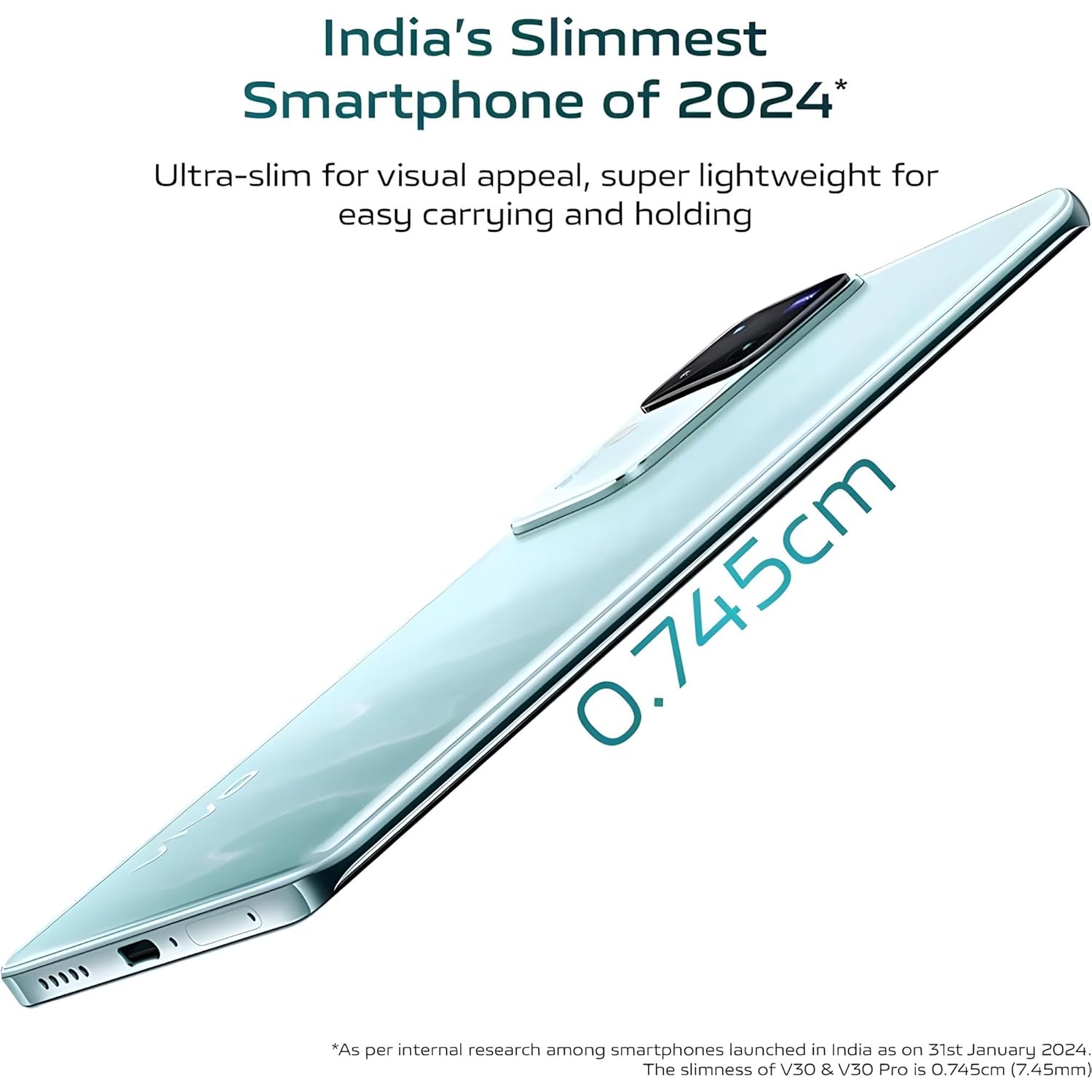
Image: The vivo V30 5G's display showing the front camera cutout.
Connectivity
- Wi-Fi: To connect to a Wi-Fi network, go to Settings > Network & internet > Wi-Fi, then select your desired network and enter the password if required.
- Bluetooth: To pair with a Bluetooth device, go to Settings > Connected devices > Bluetooth, turn on Bluetooth, and select the device from the available list.
- 5G Cellular: Ensure your SIM card supports 5G and your plan includes 5G data. The device will automatically connect to 5G networks when available.
- USB Type-C: Use the USB Type-C port for charging, data transfer, and connecting to other compatible devices.
Maintenance
Battery Care
To prolong the life of your 5000 mAh Lithium-Ion battery:
- Avoid exposing the device to extreme temperatures (very hot or very cold).
- Use only the original vivo charger and cable provided with the device.
- Do not leave the phone charging for extended periods after it has reached 100%.
- For optimal performance, try to keep the battery charge between 20% and 80%.
Cleaning Your Device
To clean your vivo V30 5G:
- Power off the device before cleaning.
- Use a soft, lint-free cloth, slightly dampened with water or a screen cleaner.
- Avoid using harsh chemicals, abrasive materials, or aerosol sprays.
- Do not allow moisture to enter openings such as the charging port or speaker grilles.
Troubleshooting Common Issues
This section addresses common issues you might encounter with your vivo V30 5G.
Device Not Turning On
- Ensure the battery is charged. Connect the charger and wait a few minutes before attempting to power on.
- Press and hold the Power button for at least 10-15 seconds to force a restart.
Poor Battery Life
- Check background app usage and close unnecessary applications.
- Reduce screen brightness or enable adaptive brightness.
- Disable Wi-Fi, Bluetooth, or GPS when not in use.
- Review battery usage in Settings > Battery to identify power-consuming apps.
Connectivity Issues (Wi-Fi/Bluetooth/5G)
- Wi-Fi: Restart your router. Forget the network in phone settings and reconnect.
- Bluetooth: Ensure both devices are in pairing mode and within range. Try unpairing and re-pairing.
- 5G: Check if you are in a 5G coverage area. Ensure mobile data is enabled and your SIM card is properly inserted.
- Try toggling Airplane Mode on and off to reset network connections.
Technical Specifications
| Feature | Specification |
|---|---|
| Brand | vivo |
| Model | V30 5G |
| Operating System | Android |
| Processor | Snapdragon 7 Gen 3 |
| RAM | 8 GB |
| Storage | 256 GB |
| Display Size | 17.22 cm (6.78 inch) Full HD+ |
| Display Type | AMOLED |
| Resolution | 1920 x 1080 |
| Rear Camera | 50MP + 50MP |
| Front Camera | 50MP |
| Battery Capacity | 5000 mAh (Lithium-Ion) |
| Charging | 80 W FlashCharge (USB Type C) |
| SIM Card Type | Dual Nano SIM |
| Biometric Security | Face Recognition |
| Connectivity | 5G, Wi-Fi, Bluetooth, USB |
| Dimensions | 16.5 x 7.5 x 0.7 Centimeters |
| Model Year | 2024 |
Warranty and Support
Manufacturer's Warranty
The vivo V30 5G comes with a 1 Year Manufacturer Warranty from the date of purchase. This warranty covers manufacturing defects under normal use conditions. Please retain your proof of purchase for warranty claims.
Contact Information
For technical support, service, or warranty inquiries, please contact vivo Mobile India Private Limited:
vivo Mobile India Private LimitedTEC-1 and TEC-2 World Trade Centre
Plot No TZ-13A Techzone IT Park
Noida-201308
Please visit the official vivo website for the most up-to-date support contact details and service center locations.


