
1. Introduction
Thank you for choosing LUXSTER HolyKnight LED Light Bulbs. These high-performance LED bulbs are designed to replace traditional halogen bulbs in H11, H9, H8, and H16 applications, providing superior brightness and enhanced visibility for a safer driving experience. Featuring advanced TalonLED chips and efficient thermal management, these bulbs offer lasting brightness and reliability.
2. Safety Information
- Always disconnect the vehicle's battery before beginning installation to prevent electrical shock.
- Wear appropriate safety gear, including gloves and eye protection, during installation.
- LED bulbs can become very hot during operation. Allow bulbs to cool completely before handling.
- Ensure the bulbs are correctly seated and secured in the headlight housing to prevent movement and maintain proper beam pattern.
- Do not touch the LED chips directly, as oils from your skin can reduce their lifespan.
3. Setup and Installation
Installation of LUXSTER HolyKnight LED bulbs is designed to be straightforward. Follow these steps for proper installation:
- Verify Compatibility: Confirm that your vehicle uses H11, H9, H8, or H16 bulb types for the desired application (e.g., low beam, fog light).
- Access Headlight Housing: Open your vehicle's hood and locate the back of the headlight assembly. You may need to remove covers or other components to access the bulb.
- Remove Old Bulb: Disconnect the electrical connector from the existing halogen bulb. Twist or unclip the old bulb to remove it from the housing.
- Install LED Bulb: Insert the LUXSTER HolyKnight LED bulb into the headlight housing. Ensure it is properly aligned and seated. The bulb's collar should fit snugly to prevent movement.
- Connect Wiring: Connect the electrical connector of the LED bulb to your vehicle's wiring harness. The included decoder ensures compatibility and prevents dashboard warning issues.
- Test Functionality: Turn on your vehicle's lights to ensure both LED bulbs illuminate correctly. Check the beam pattern for proper alignment.
- Secure Components: Reinstall any covers or components removed during the installation process.
For optimal beam pattern, ensure the LED chips are oriented correctly (typically at 3 and 9 o'clock positions). Some bulbs feature an adjustable collar for fine-tuning the beam pattern. If the collar feels loose, ensure it is securely fastened before final installation to prevent light scatter.

Figure 3.1: 5-Minute Easy Installation Steps
4. Operating Instructions
Once installed, operate your LUXSTER HolyKnight LED bulbs as you would your standard vehicle lights. The bulbs are designed to provide:
- Super Bright Illumination: Experience 50,000 lumens of 6000K cool white light for enhanced clarity.
- Extended Visibility: The professional, sharp light cut-off design ensures optimal forward and side illumination, offering significantly improved visibility compared to traditional halogen bulbs.
- Long-Range Projection: Project light up to 1200 feet, allowing for earlier detection of road hazards.
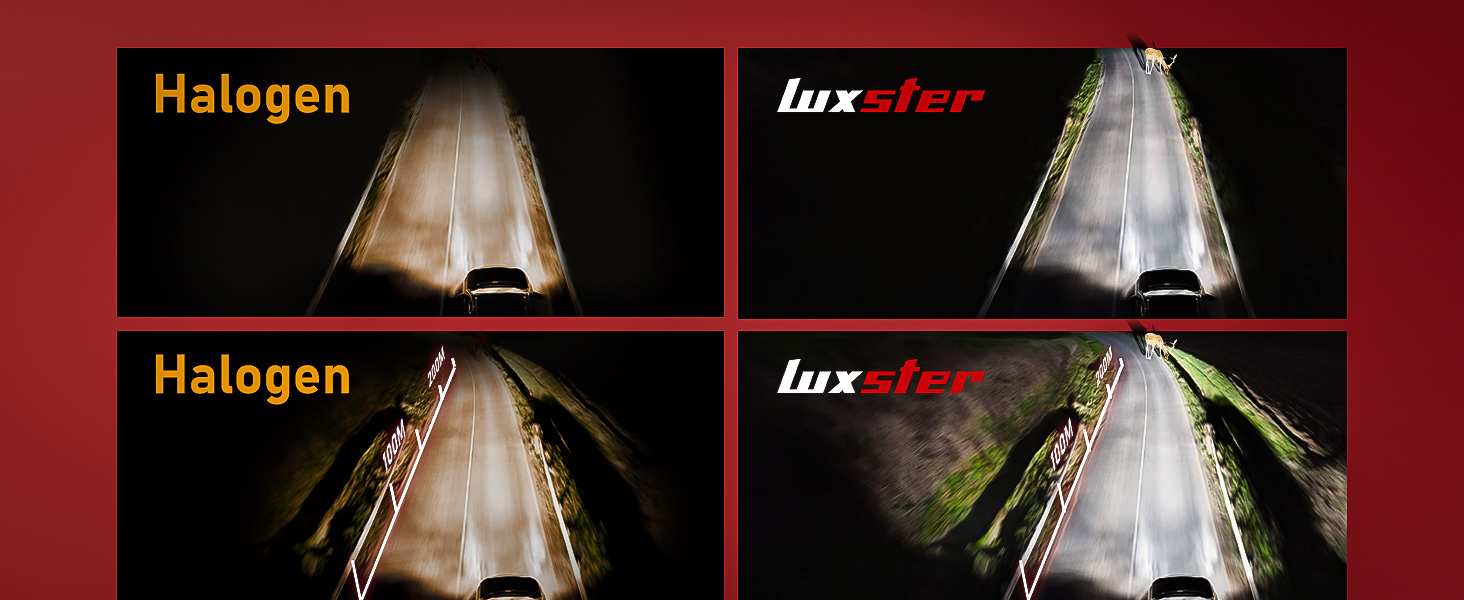
Figure 4.1: Halogen vs. HolyKnight LED Road Illumination
5. Maintenance
LUXSTER HolyKnight LED bulbs are designed for minimal maintenance due to their durable construction and efficient cooling system.
- Cleaning: Periodically clean your vehicle's headlight lenses to ensure maximum light output. Use a soft cloth and appropriate automotive cleaning solution.
- Heat Dissipation: The bulbs feature a unique 3mm diameter copper tube for rapid heat conduction and a powerful turbo silent fan for efficient active cooling. Ensure adequate airflow around the bulb's heatsink within the headlight housing.
- Longevity: With proper installation and care, these bulbs are engineered for a 10-year lifespan with no light decay.
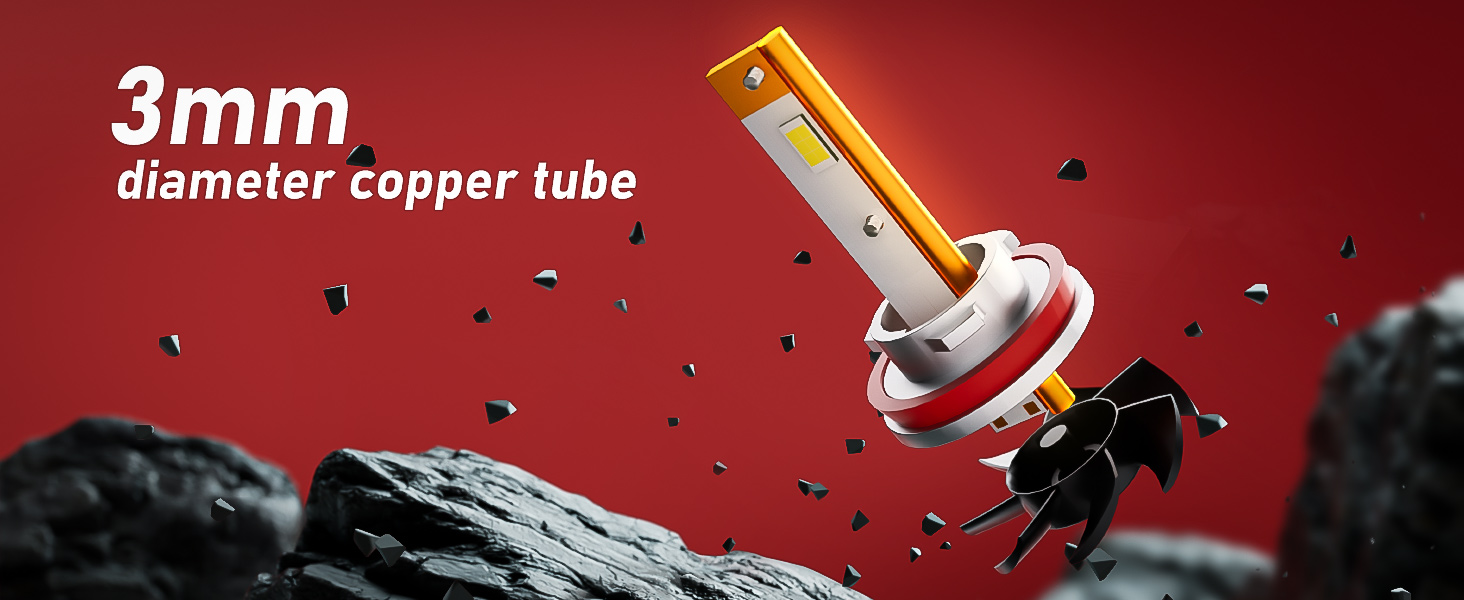
Figure 5.1: 3mm Copper Tube Cooling System
6. Troubleshooting
- Bulb Not Lighting Up:
- Check electrical connections to ensure they are secure.
- Verify the bulb is correctly seated in the housing.
- Ensure the vehicle's battery is properly connected and charged.
- Flickering or Dashboard Warnings:
- The HolyKnight bulbs are designed to match the original 55W power of halogen bulbs to ensure maximum compatibility and prevent these issues. If flickering or warnings occur, double-check all connections.
- In rare cases, some sensitive vehicle systems may require an additional CANbus decoder (not typically needed for this model due to 55W design).
- Improper Beam Pattern or Light Scatter:
- Ensure the LED chips are oriented correctly (e.g., 3 and 9 o'clock).
- Verify the bulb's collar is tightly secured within the headlight housing. A loose collar can cause the bulb to move, leading to an unstable or incorrect beam pattern.
- If your headlight housing is a reflector type, ensure the bulb is installed to minimize glare for oncoming traffic. Projector housings generally provide a more controlled beam.
If issues persist after following these steps, please contact LUXSTER customer support.
7. Specifications
| Feature | Specification |
|---|---|
| Brand | LUXSTER |
| Model | HolyKnight |
| Item Model Number | H11 (H9, H8, H16) |
| Brightness | 50,000 Lumen (per pair) |
| Light Output Maximum | 50,000 Lumens |
| Color Temperature | 6000 Kelvin (Cool White) |
| Power | 55W (Halogen Equivalent) |
| Operating Life | 100,000 Hours |
| Special Features | TalonLED, DOT approved, Street Legal, 3mm Copper Tube Cooling |
| Automotive Fit Type | Universal Fit |
| Auto Part Position | Front |
| Item Package Quantity | 1 (contains 2 bulbs) |
| Item Weight | 0.014 ounces |
| UPC | 767461340808 |
8. Warranty and Support
LUXSTER HolyKnight LED Light Bulbs are built for durability and long-term performance, featuring a design that ensures no light decay for up to 10 years. For any questions, technical assistance, or warranty inquiries, please contact LUXSTER customer support through the retailer where the product was purchased or visit the official LUXSTER website.