
ALPHAGEAR Raptor PRO

ALPHAGEAR Raptor PRO Smartwatch User Manual
Model: Raptor PRO
Introduction
Welcome to the ALPHAGEAR Raptor PRO Smartwatch user manual. This guide provides comprehensive instructions for setting up, operating, maintaining, and troubleshooting your new smartwatch. The Raptor PRO is designed for rugged use, offering advanced wellness tracking, call and notification capabilities, and a long-lasting battery.
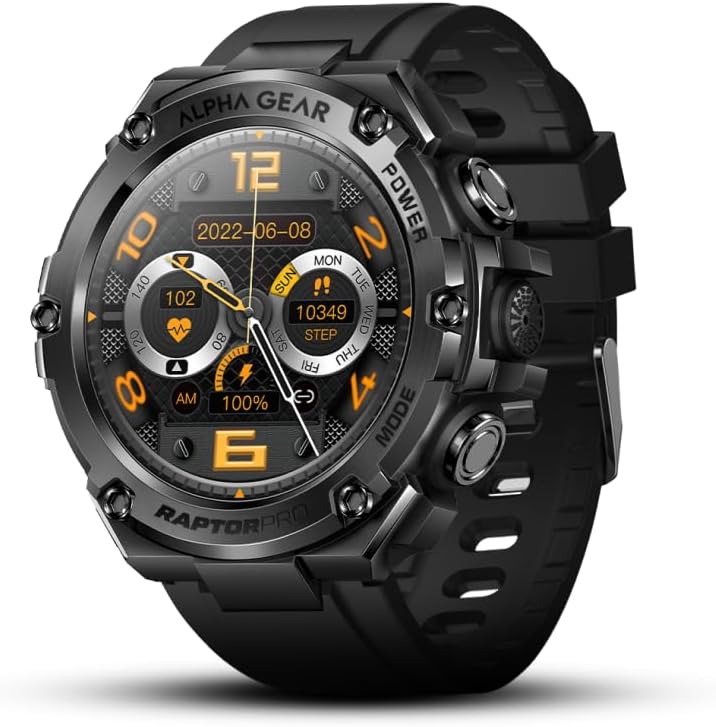
Figure 1: Front view of the Raptor PRO Smartwatch, showcasing its rugged design and digital display.
What's in the Box
- Raptor PRO Smartwatch
- Charging Cable
- User Manual (this document)
- Two Screen Protectors
Setup
1. Initial Charging
Before first use, fully charge your Raptor PRO Smartwatch. Connect the provided charging cable to the charging port on the back of the watch and to a USB power source. A full charge typically takes approximately 2 hours.

Figure 2: The Raptor PRO Smartwatch connected to its charging cable, indicating the charging process.
2. App Installation and Pairing
To unlock the full functionality of your Raptor PRO Smartwatch, download the companion application on your smartphone. The watch is compatible with both Android and iOS operating systems.
- Scan the QR code in the watch's initial setup screen or search for the official ALPHAGEAR app in your phone's app store (Google Play Store for Android, Apple App Store for iOS).
- Install and open the application.
- Follow the on-screen instructions within the app to pair your smartwatch via Bluetooth. Ensure Bluetooth is enabled on your smartphone.
- Confirm the pairing request on both your phone and the watch.
3. Screen Protector Application
Your Raptor PRO Smartwatch comes with two screen protectors for added durability.
- Clean the watch screen thoroughly with a microfiber cloth to remove dust and smudges.
- Carefully peel off the backing from one screen protector.
- Align the screen protector with the watch face, ensuring it is centered.
- Gently press down from the center outwards to adhere the protector, smoothing out any air bubbles.

Figure 3: The Raptor PRO Smartwatch shown alongside its screen protector packaging, highlighting the included accessory.
Operating Your Smartwatch
Basic Navigation
- Touchscreen: Swipe left, right, up, or down to navigate through menus and features. Tap to select.
- Side Buttons: The Raptor PRO features multiple side buttons for quick access to functions such as power, mode selection, and backlight. Refer to the on-screen prompts for specific button functionalities.

Figure 4: The Raptor PRO Smartwatch worn on a wrist, demonstrating its fit and appearance during use.
Key Features Overview
- Call Management: Once paired via Bluetooth audio, you can make and receive calls directly from your watch using its built-in speaker and microphone.
- Notifications: Receive alerts for incoming calls, text messages, and app notifications (e.g., Facebook, WhatsApp, Twitter). The watch will vibrate to notify you.
- Wellness Tracking:
- 24-hour real-time heart rate monitoring.
- Blood pressure monitoring.
- Blood oxygen (SpO2) monitoring.
- Sleep quality monitoring.
Note: The wellness tracking features are for informational purposes only and should not be used as medical equipment or for diagnostic purposes.
- Sports Modes: Access over 50 sports modes including Walking, Weightlifting, Running, Basketball, Football, Cycling, Rope Skipping, and Mountain Climbing. The watch tracks relevant metrics for each activity.
- Additional Functions: The Raptor PRO includes features such as weather forecasts, alarm clocks, camera remote control, music control, and sedentary reminders.

Figure 5: The Raptor PRO Smartwatch display showing various health metrics such as heart rate, steps, and battery level.
Maintenance
- Cleaning: Wipe the watch and strap regularly with a soft, damp cloth. Avoid using harsh chemicals or abrasive materials.
- Water Resistance: The Raptor PRO is rated 5 ATM, suitable for hand washing and jogging in the rain. It is not recommended for prolonged swimming (more than 15-30 minutes), diving, or steam baths.
- Storage: When not in use for extended periods, store the watch in a cool, dry place.

Figure 6: The Raptor PRO Smartwatch demonstrating its ruggedness, covered in mud, yet still functional.
Troubleshooting
| Problem | Possible Cause | Solution |
|---|---|---|
| Watch does not turn on. | Low battery. | Charge the watch for at least 30 minutes. |
| Cannot pair with smartphone. | Bluetooth is off; watch is out of range; app not running. | Ensure Bluetooth is on, bring watch closer to phone, restart the app and watch. |
| Notifications not received. | App permissions not granted; notification settings off. | Check app permissions in phone settings; enable notifications within the ALPHAGEAR app. |
| Inaccurate health readings. | Improper fit; sensor obstruction. | Ensure the watch is snug on your wrist; clean the sensor on the back of the watch. Remember, it is not a medical device. |
| Short battery life. | Frequent use of power-intensive features (e.g., calls, continuous tracking). | Reduce usage of power-intensive features; ensure full charge before use. |
Specifications
| Feature | Detail |
|---|---|
| Model Number | Raptor PRO |
| Screen Size | 1.58 Inches AMOLED |
| Operating System Compatibility | Android, iOS |
| Battery Capacity | 650mAh Lithium Polymer |
| Battery Life | Up to 10-14 days (typical use) |
| Charging Time | Approximately 2 hours |
| Water Resistance Rating | 5 ATM |
| Connectivity | Bluetooth |
| GPS | No GPS |
| Material | Special aluminum alloy (bezel) |
| Item Weight | 1.92 ounces (watch only) |
| Dimensions | Approx. 2 5/8 inch (width) x 7/8 inch (thickness) |

Figure 7: Diagram illustrating the dimensions of the Raptor PRO Smartwatch, including screen size and overall thickness.
Warranty and Support
ALPHAGEAR provides a manufacturer's warranty for the Raptor PRO Smartwatch. For specific warranty terms and conditions, please refer to the warranty card included with your product or visit the official ALPHAGEAR website.
For technical support, troubleshooting assistance beyond this manual, or warranty claims, please contact ALPHAGEAR customer service through their official channels.
- Manufacturer: Alphagear
- Website: Visit the ALPHAGEAR Store on Amazon
Ask a question about this manual
Ask about setup, troubleshooting, compatibility, parts, safety, or missing instructions. Manuals+ will review the question and use this page’s manual context to help answer it.