
Altec Lansing HydraJolt 2.0
Altec Lansing HYDRAJOLT 2.0 Magnetic Bluetooth Speaker User Manual
Model: HydraJolt 2.0
Introduction
Thank you for choosing the Altec Lansing HYDRAJOLT 2.0 Magnetic Bluetooth Speaker. This manual provides essential information for setting up, operating, and maintaining your speaker to ensure optimal performance and longevity. Please read this manual thoroughly before using the product.
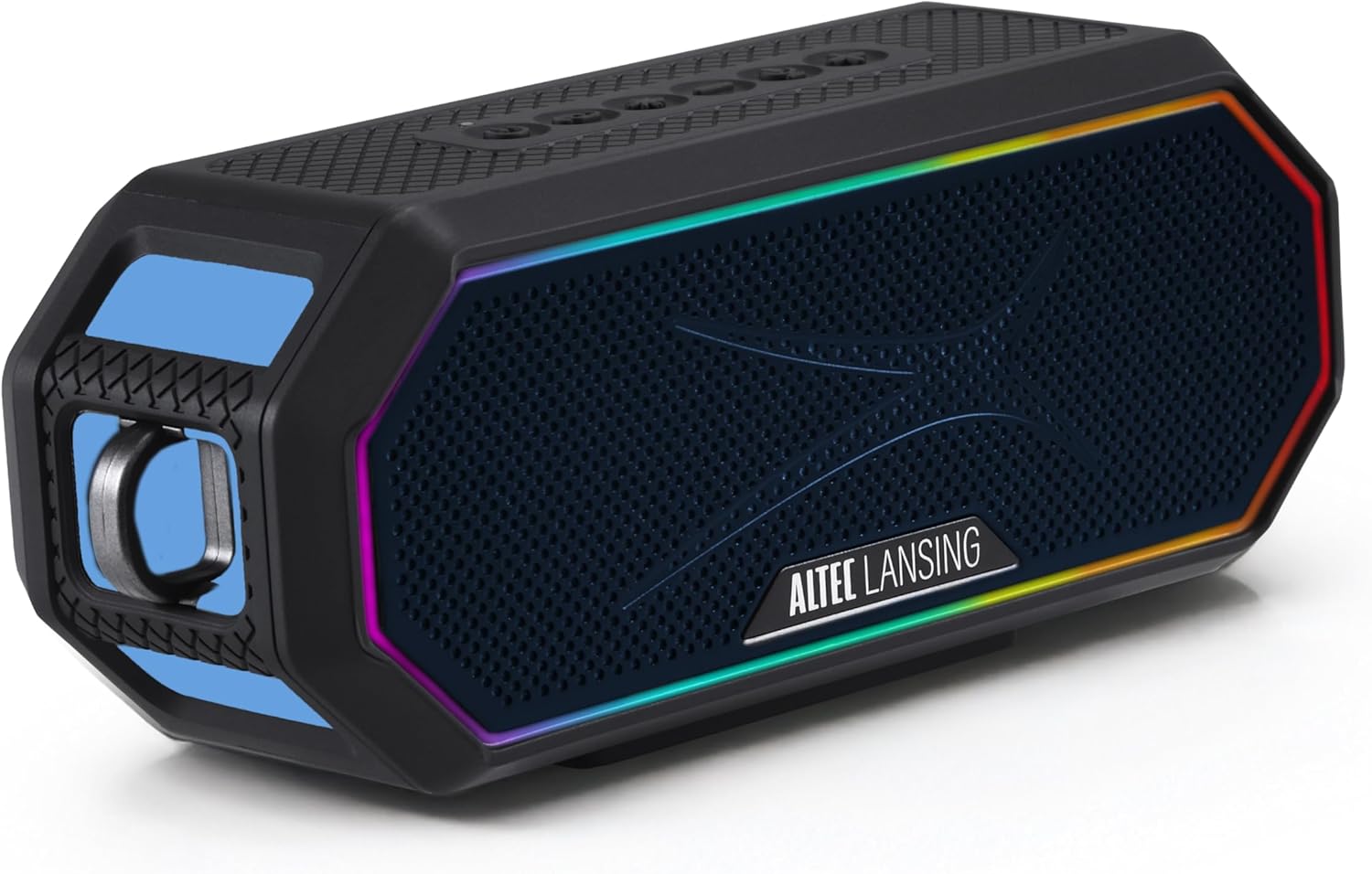
Image: The Altec Lansing HYDRAJOLT 2.0 speaker, showcasing its hexagonal design and vibrant multicolor LED lighting around the speaker grille.
Package Contents
Ensure all items are present in your package:
- Altec Lansing HYDRAJOLT 2.0 Speaker
- USB-C Charging Cable
- Mountable Carabiner Clip
- Speaker Mount
- User Manual (this document)
Setup
Charging the Speaker
Before first use, fully charge your HYDRAJOLT 2.0 speaker. The speaker features a USB-C quick charge port.
- Locate the USB-C charging port on the speaker, typically protected by a rubber flap.
- Open the rubber flap to expose the port.
- Connect the provided USB-C cable to the speaker's charging port.
- Connect the other end of the USB-C cable to a compatible USB power adapter (not included) or a computer's USB port.
- The charging indicator light will illuminate. A full charge takes approximately 3 hours.
- Once fully charged, the indicator light will change or turn off, depending on the model. Disconnect the charging cable and close the rubber flap to maintain IP67 waterproof integrity.

Image: A detailed view of the speaker's charging and power bank ports, showing the USB-C input and USB-A output, both covered by a protective flap.
Bluetooth Pairing
Pair your speaker with a Bluetooth-enabled device for wireless audio playback.
- Power on the speaker by pressing and holding the Power button until you hear an audible cue or see the LED indicator light up.
- The speaker will automatically enter Bluetooth pairing mode, indicated by a flashing LED light (often blue).
- On your smartphone, tablet, or other Bluetooth device, navigate to the Bluetooth settings.
- Select "HYDRAJOLT 2.0" from the list of available devices.
- Once connected, the speaker will provide an audible confirmation, and the LED light will become solid or flash differently.
- Your speaker is now ready for audio playback.
Operating Instructions
Button Functions
The HYDRAJOLT 2.0 features intuitive top-panel controls:

Image: A close-up of the speaker's top control panel, clearly labeling the functions of each button: ON/OFF, PAIRING, LED LIGHT MODES, VOLUME DOWN, VOICE ASSISTANT, and VOLUME UP.
- Power On/Off: Press and hold the Power button (⏻) to turn the speaker on or off.
- Volume Up/Down: Press the + button to increase volume, and the - button to decrease volume.
- Play/Pause: Press the Play/Pause button (often integrated with the Power button or a separate icon) to control playback.
- LED Light Modes: Press the Light Mode button (often indicated by a lightbulb icon) to cycle through various multicolor LED lighting effects.
- Voice Assistant: Press the Voice Assistant button (often indicated by a microphone icon) to activate your device's voice assistant (Siri or Google Assistant).
- Bluetooth Pairing: Press the Pairing button (often indicated by a Bluetooth icon) to enter pairing mode or clear existing pairings.
Party Sync Feature
The Party Sync feature allows you to connect over 100 HYDRA speakers together for an expansive audio experience.
- Ensure all speakers are powered on and not currently paired with any device.
- On the first speaker (the master speaker), press and hold the Party Sync button (refer to your speaker's specific button layout if not labeled).
- Once the master speaker is in Party Sync mode, activate Party Sync on all other speakers you wish to connect.
- The speakers will automatically connect to each other. The LED indicators will confirm successful connection.
- Pair your device to the master speaker via Bluetooth. Audio will now play across all connected speakers.
Mounting Options
The HYDRAJOLT 2.0 offers versatile mounting options:
- Built-in Magnets: Securely attach the speaker to any metal surface for hands-free listening.
- Carabiner Clip: Use the included mountable carabiner clip to hang the speaker from bags, loops, or other fixtures.
- Speaker Mount: Utilize the included mount for attachment to handlebars, poles, or similar structures.

Image: The Altec Lansing HYDRAJOLT 2.0 speaker demonstrating its strong magnetic attachment to a metal surface, highlighting its versatile placement.

Image: The Altec Lansing HYDRAJOLT 2.0 speaker attached to a mount, with a carabiner clip visible, illustrating its adaptability for various uses.
Maintenance
Waterproof and Durability Features
The HYDRAJOLT 2.0 is designed for rugged use with an IP67 rating, meaning it is waterproof, dustproof, and shockproof. It can even float in water.
- Waterproof (IP67): The speaker can be submerged in water up to 1 meter for 30 minutes. Ensure all port covers are securely closed before exposure to water.
- Dustproof: Protected against ingress of dust.
- Shockproof: Designed to withstand drops and impacts from normal use.

Image: The Altec Lansing HYDRAJOLT 2.0 speaker demonstrating its IP67 waterproof capability, floating on water.
Cleaning and Storage
- To clean, wipe the speaker with a soft, damp cloth. Do not use harsh chemicals or abrasive cleaners.
- Ensure the speaker is completely dry before charging or opening any port covers.
- Store the speaker in a cool, dry place away from direct sunlight and extreme temperatures.
Troubleshooting
| Problem | Possible Cause | Solution |
|---|---|---|
| Speaker does not turn on. | Low battery. | Charge the speaker fully. |
| Cannot pair via Bluetooth. | Speaker not in pairing mode; device Bluetooth off; too far from device. | Ensure speaker is in pairing mode (flashing LED). Turn device Bluetooth off/on. Move speaker closer to device (within 100ft). Clear previous pairings. |
| No sound or low volume. | Volume too low on speaker or device; incorrect audio source. | Increase volume on both speaker and connected device. Ensure correct audio output is selected on your device. |
| Party Sync not working. | Speakers not in Party Sync mode; too many speakers connected. | Ensure all speakers are in Party Sync mode. Verify no more than 100 speakers are attempting to connect. |
Specifications
| Feature | Detail |
|---|---|
| Model Name | HydraJolt 2.0 |
| Output Power | 12 Watts (6W x 2 RMS) |
| Battery Life | Up to 16 Hours |
| Charging Time | Approximately 3 Hours (USB-C Quick Charge) |
| Wireless Range | Up to 100ft (Bluetooth) |
| Water Resistance | IP67 (Waterproof, Dustproof, Shockproof, Floats) |
| Connectivity | Bluetooth |
| Special Features | Built-in Microphone, Party Sync, Multicolor LED, Magnetic Mounting |
| Product Dimensions | 7.6"D x 3.2"W x 4.6"H |
| Item Weight | 1.7 Pounds |
Warranty and Support
Altec Lansing products come with a limited warranty. For detailed warranty information, product registration, or technical support, please visit the official Altec Lansing website or contact their customer service.
You can also visit the Altec Lansing Store on Amazon for more information and product offerings.
Official Product Videos
No official seller instruction videos are available for embedding at this time based on the provided criteria.
Related documentsHydraJolt 2.0


Ask a question about this manual
Ask about setup, troubleshooting, compatibility, parts, safety, or missing instructions. Manuals+ will review the question and use this page’s manual context to help answer it.