
1. Introduction
This manual provides essential instructions for the safe and effective operation of your SGM XK913-X RC Helicopter. Designed with durable composite materials, this helicopter features powerful dual motors, aerodynamic propellers for stable flight, and user-friendly controls. It is equipped with LED lights for enhanced visibility and charges conveniently via USB.
Key features include:
- Durable Construction: Made from high-strength composite materials for impact resistance.
- Aerodynamic Propellers: Engineered for strong lift and self-stability during flight.
- Powerful Dual Motors: Provides robust performance and control distance.
- User-Friendly Controls: Intuitive operation with a built-in gyroscope for stable flights, suitable for beginners.
- LED Lights: Integrated lights for improved visibility, especially during night flights.

An image showing the SGM XK913-X RC Helicopter in blue, alongside its remote control and a USB charging cable. The helicopter features a sleek design with main and tail rotors, and landing skids.
2. Package Contents
Please verify that all items listed below are included in your package:
- 1 x SGM XK913-X RC Helicopter
- 1 x Remote Control
- 1 x USB Charging Cable
- 1 x Instruction Manual (this document)
- 1 x Screwdriver

An image displaying the complete contents of the SGM XK913-X RC Helicopter package, including the helicopter, remote control, USB charging cable, instruction manual, and screwdriver. Dimensions of the helicopter are also indicated.
3. Specifications
| Feature | Detail |
|---|---|
| Model | SGM XK913-X RC Helicopter |
| Material | ABS/PA/POM (Acrylonitrile Butadiene Styrene) |
| Recommended Age | 3 years and up |
| Helicopter Battery | 3.7V 170mAh Li-poly (included) |
| Remote Control Battery | 3 x AAA (not included) |
| Flight Time | 8-10 minutes |
| Charging Time | Approximately 50 minutes |
| Remote Control Mode | Infrared |
| Remote Control Distance | Up to 15 meters |
| Motor Model | 2763 |
| Dimensions (L x W x H) | 21 x 3.5 x 10.5 cm (8.26 x 1.37 x 4.13 inches) |
4. Safety Information
Please read and adhere to the following safety guidelines to prevent injury or damage:
- Adult Supervision: Always operate the helicopter under adult supervision, especially for younger users.
- Flight Environment: Fly in open, clear areas, away from people, pets, obstacles, and water. Avoid flying near power lines or busy roads.
- Rotor Blades: Keep fingers, hair, and loose clothing away from the rotating blades. Do not touch the helicopter while the blades are spinning.
- Battery Safety: Use only the specified charging cable. Do not overcharge or short-circuit batteries. Do not expose batteries to extreme temperatures or fire.
- Impacts: Avoid collisions. If the helicopter crashes, inspect it for damage before flying again.
- Moisture: Do not expose the helicopter or remote control to water or moisture.
5. Setup
5.1 Remote Control Battery Installation
- Locate the battery compartment on the back of the remote control.
- Use a screwdriver to open the battery compartment cover.
- Insert 3 x AAA batteries (not included), ensuring correct polarity (+/-).
- Replace the cover and secure it with the screw.
5.2 Helicopter Charging
- Ensure the helicopter's power switch is in the OFF position.
- Connect the small end of the USB charging cable to the helicopter's charging port.
- Connect the large end of the USB charging cable to a USB power source (e.g., computer, USB wall adapter).
- The charging indicator light on the USB cable will illuminate during charging and turn off or change color when fully charged (refer to cable specific indicator behavior).
- Charging typically takes about 50 minutes. Do not overcharge.
5.3 Pairing the Helicopter and Remote Control
- Place the helicopter on a flat, level surface.
- Turn on the helicopter's power switch. The LED lights on the helicopter will flash.
- Turn on the remote control.
- Push the throttle stick (left stick) all the way up, then all the way down.
- The helicopter's LED lights will stop flashing and remain solid, indicating successful pairing.
6. Operation
6.1 Basic Flight Controls

A golden SGM XK913-X RC Helicopter is shown in flight, with a father and son smiling and holding remote controls. Icons indicate features like high/low speed, fine-tune left/right, one-key take-off/landing, and low battery reminder.
- Throttle (Left Stick Up/Down): Controls the helicopter's altitude. Push up to ascend, pull down to descend.
- Direction (Right Stick Left/Right): Controls the helicopter's rotation (yaw). Push left to rotate counter-clockwise, push right to rotate clockwise.
- Forward/Backward (Right Stick Up/Down): Controls the helicopter's forward and backward movement. Push up to fly forward, pull down to fly backward.
- Fine-Tune Buttons: Use these buttons to adjust the helicopter's stability if it drifts left or right without input.
- Speed Mode (if applicable): Some models may have a speed button to switch between low and high-speed modes.
- One-Key Take-off/Landing: Press this button for automatic take-off or landing.
6.2 Flight Environment
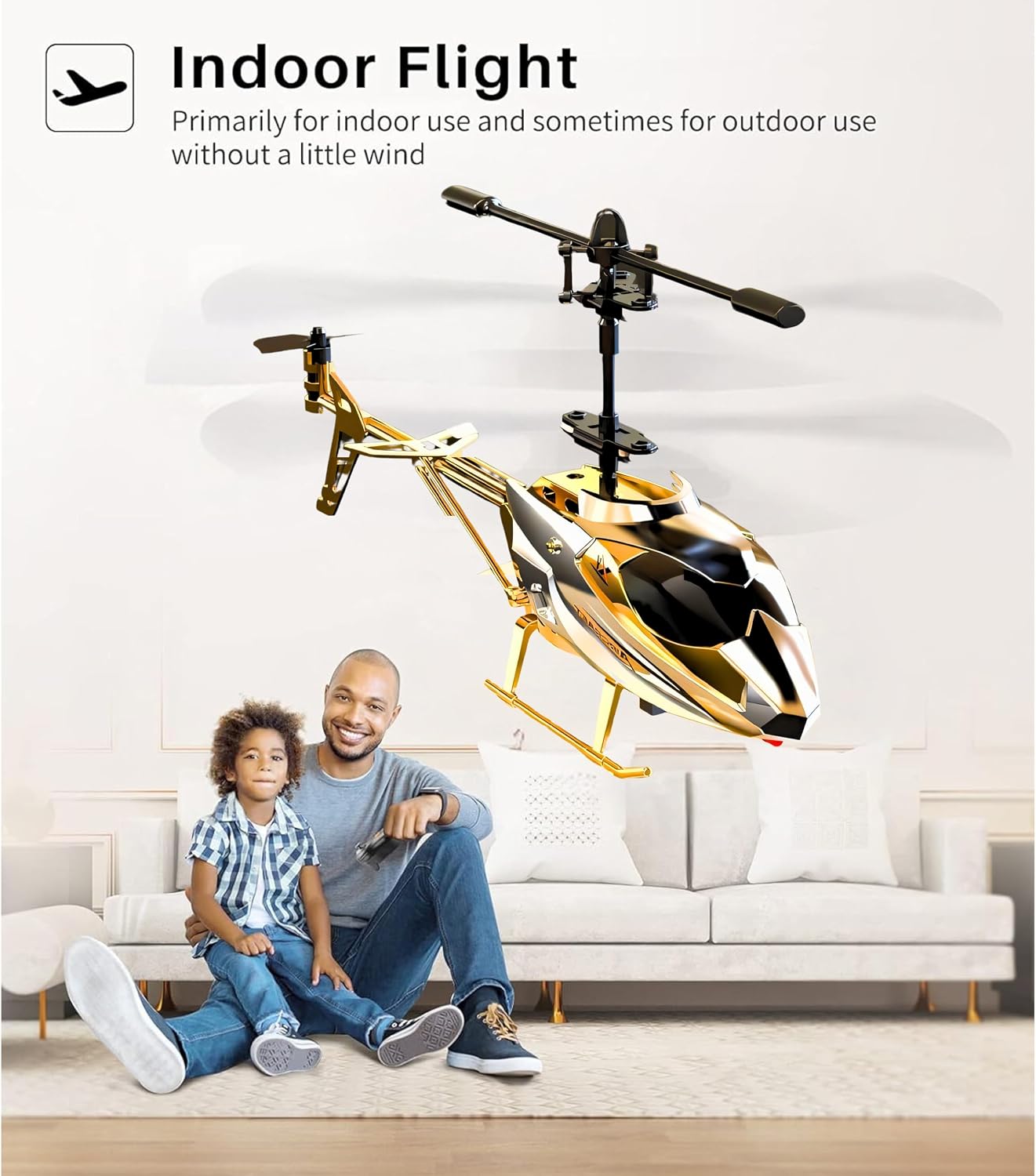
A golden SGM XK913-X RC Helicopter is shown in an indoor setting, with a father and child sitting on the floor. Text indicates the helicopter is primarily for indoor use and sometimes for outdoor use without wind.
The SGM XK913-X RC Helicopter is primarily designed for indoor use. It can be flown outdoors in calm conditions with no wind. Avoid flying in windy conditions as this can lead to loss of control and potential damage.
6.3 Special Features
LED Lights

A golden SGM XK913-X RC Helicopter is depicted flying at night, showcasing its vibrant LED lights. Icons highlight features such as 2.4GHz operation, level correction, LED light, double protection, and Li-poly battery.
The helicopter is equipped with vibrant LED lights, making it suitable for flights in low-light conditions or simply adding an exciting visual element to your flight experience.
Hover Function (Altitude Hold)

A golden SGM XK913-X RC Helicopter is shown hovering stably above a wooden deck, with an icon illustrating its altitude hovering mode for stable flight.
The built-in gyroscope and altitude hold feature allow the helicopter to maintain a stable height automatically, making it easier for beginners to control and focus on direction.
7. Maintenance
7.1 Cleaning
- Turn off the helicopter and remote control before cleaning.
- Wipe the helicopter with a soft, dry cloth. Do not use water or chemical cleaners.
- Ensure no dust or debris accumulates around the motors or rotor shafts.
7.2 Battery Care
- Remove batteries from the remote control if not in use for extended periods.
- Store the helicopter's Li-poly battery in a cool, dry place, partially charged (around 50%) for long-term storage.
- Do not puncture, disassemble, or expose batteries to direct sunlight or heat.
7.3 Storage
Store the helicopter and remote control in a safe, dry place, away from direct sunlight and extreme temperatures. Keep them out of reach of small children and pets when not in use.
8. Troubleshooting
| Problem | Possible Cause | Solution |
|---|---|---|
| Helicopter does not respond to remote control. | Not paired, low battery in remote or helicopter, remote control off. | Ensure both are on. Re-pair the helicopter and remote. Check/replace remote batteries. Charge helicopter battery. |
| Helicopter does not take off or flies weakly. | Low helicopter battery, damaged rotors, debris in motors. | Fully charge helicopter battery. Inspect rotors for damage and replace if necessary. Clean motors. |
| Helicopter drifts to one side. | Needs trimming/fine-tuning. | Use the fine-tune buttons on the remote control to adjust stability. Ensure helicopter is on a level surface during pairing. |
| LED lights not working. | Power issue, damaged wiring. | Ensure helicopter is powered on and charged. If problem persists, contact support. |
9. Warranty and Support
For warranty information, technical support, or any questions regarding your SGM XK913-X RC Helicopter, please visit the official SGM store or contact customer service.
SGM Store: Visit the SGM Store on Amazon