
1. Introduction
Thank you for choosing the PARTPHONER 15.8-inch Black 3-Light Outdoor/Indoor Wall Mount Lantern Sconce. This fixture is designed to provide reliable and stylish illumination for various indoor and outdoor settings. Crafted from durable metal with clear glass panels, it features an anti-rust and waterproof design, making it suitable for wet locations. This manual provides essential information for safe installation, operation, and maintenance.

Figure 1: PARTPHONER 15.8-inch Black 3-Light Wall Mount Lantern Sconce installed on a house exterior.
2. Safety Information
- Always turn off the main power supply at the circuit breaker before beginning installation or maintenance.
- Consult a qualified electrician if you are unsure about the installation process.
- Ensure all electrical connections are secure and comply with local electrical codes.
- Do not exceed the maximum wattage specified for the light bulbs (Max. 40W per E12 bulb).
- Handle glass components with care to prevent breakage.
- Keep children away from the installation area.
3. Package Contents
Verify that all components are present before installation:
- Light Fixture Body (with pre-installed 3-light E12 base)
- Mounting Plate
- Iron Elbow (Handle)
- Mounting Hardware (screws, wire nuts, etc.)
- Instruction Manual
Note: Light bulbs are not included and must be purchased separately.
4. Specifications
| Feature | Specification |
|---|---|
| Model Number | STR-WL-0077 |
| Product Dimensions | 7.9"L x 5.9"W x 15.8"H |
| Material | Metal, Glass |
| Finish Type | Metal (Black) |
| Number of Lights | 3 |
| Bulb Base | E12 (Candelabra) |
| Max Wattage per Bulb | 40 Watts |
| Voltage | 120 Volts |
| Water Resistance Level | Waterproof (Wet Location Rated) |
| Special Features | Anti-Rust |
| Mounting Type | Wall Mount |

Figure 2: Product Dimensions

Figure 3: Key Specifications
5. Installation
Follow these steps to install your light fixture. It is recommended to watch the installation video for visual guidance.
5.1. Preparation
- Turn off power at the circuit breaker.
- Carefully unpack all components and inspect for any damage.
- Ensure you have the necessary tools (screwdriver, wire strippers, etc.).
5.2. Mounting the Fixture
- Remove the mounting plate from the back of the fixture by unscrewing the four screws.
- Attach the mounting plate to your junction box on the wall using the provided screws.
- Connect the electrical wires: typically, the black wire from the fixture to the hot wire from the wall, the red wire from the fixture to the neutral wire from the wall, and the ground wire to the ground wire from the wall. Secure connections with wire nuts.
- Align the fixture body with the mounting plate and secure it with the screws on both sides of the fixture body.
- Install the iron elbow (handle) by aligning it with the holes on the top of the fixture and securing it with the provided screws.
5.3. Installation Video Guide
Video 1: Black Wall Mount Lantern Installation. This video demonstrates the step-by-step process of installing the PARTPHONER Black Wall Mount Lantern. It covers attaching the mounting plate, connecting electrical wires, and securing the fixture to the wall.

Figure 4: Detailed Features and Components
6. Bulb Installation and Replacement
The fixture uses three E12 candelabra base bulbs, with a maximum wattage of 40W per bulb. LED, CFL, and incandescent bulbs are compatible.
6.1. Steps for Bulb Installation/Replacement
- Ensure power is OFF at the circuit breaker.
- To access the bulb sockets, unscrew the two screws at the bottom of the fixture that hold the light holder in place.
- Carefully pull down the light holder.
- Screw in the E12 bulbs (not included) into the sockets.
- Push the light holder back into place and secure it with the two screws.
6.2. Bulb Installation Video Guide
Video 2: How to install light bulbs into this light fixture. This video illustrates how to safely install and replace E12 light bulbs in the PARTPHONER 3-Light Wall Mount Lantern Sconce. It shows how to access the bulb sockets and properly screw in the bulbs.
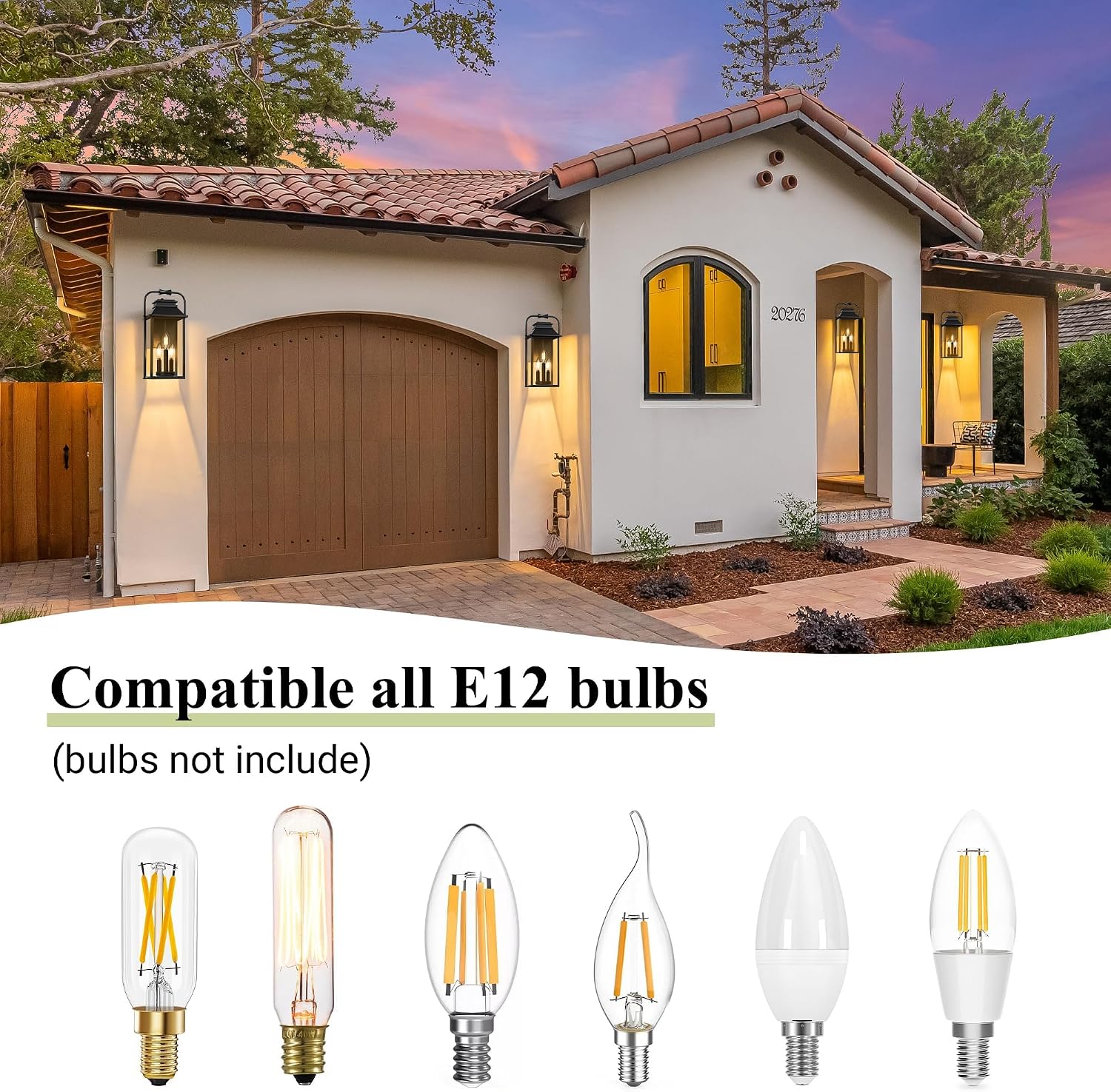
Figure 5: E12 Bulb Compatibility
7. Operating Instructions
Once properly installed and with bulbs in place, the PARTPHONER Wall Mount Lantern Sconce operates via a standard wall switch connected to its electrical circuit. Simply toggle the switch to turn the light fixture ON or OFF.
8. Maintenance
To ensure the longevity and optimal performance of your light fixture, follow these maintenance guidelines:
- Cleaning: Regularly wipe the metal frame and glass panels with a soft, damp cloth. Avoid abrasive cleaners that could scratch the finish or glass. Ensure the power is off before cleaning.
- Inspection: Periodically check all electrical connections and mounting screws to ensure they remain tight and secure.
- Weather Resistance: The fixture is designed to be anti-rust and waterproof for wet locations. However, extreme weather conditions may require additional inspection.

Figure 6: Weather Resistance Features
9. Troubleshooting
If you encounter issues with your light fixture, refer to the following common problems and solutions:
| Problem | Possible Cause | Solution |
|---|---|---|
| Light does not turn on | No power supply Loose wiring Faulty bulb | Check circuit breaker Verify all wire connections Replace bulb |
| Flickering light | Loose bulb Incompatible dimmer switch Loose wiring | Tighten bulb Ensure dimmer is compatible with LED/CFL bulbs Check wire connections |
| Glass panels are dirty | Dust or debris accumulation | Clean with a soft, damp cloth (power off) |
If the problem persists after trying these solutions, please contact customer support.
10. Warranty and Support
PARTPHONER offers a 2-Year After-Sales Service for this product. We are committed to providing premium design and high-quality products. If you encounter any issues with your light fixture, please follow these steps:
- Log in to your purchase account.
- Find your order ID.
- Click "Contact Seller" to reach PARTPHONER customer service.
Our customer service team aims to resolve your issue within 24 hours.
