
1. Introduction
Thank you for choosing the Euker 24" Single Wall Oven. This manual provides essential information for the safe and efficient operation, installation, and maintenance of your new appliance. Please read this manual thoroughly before using the oven and keep it for future reference.
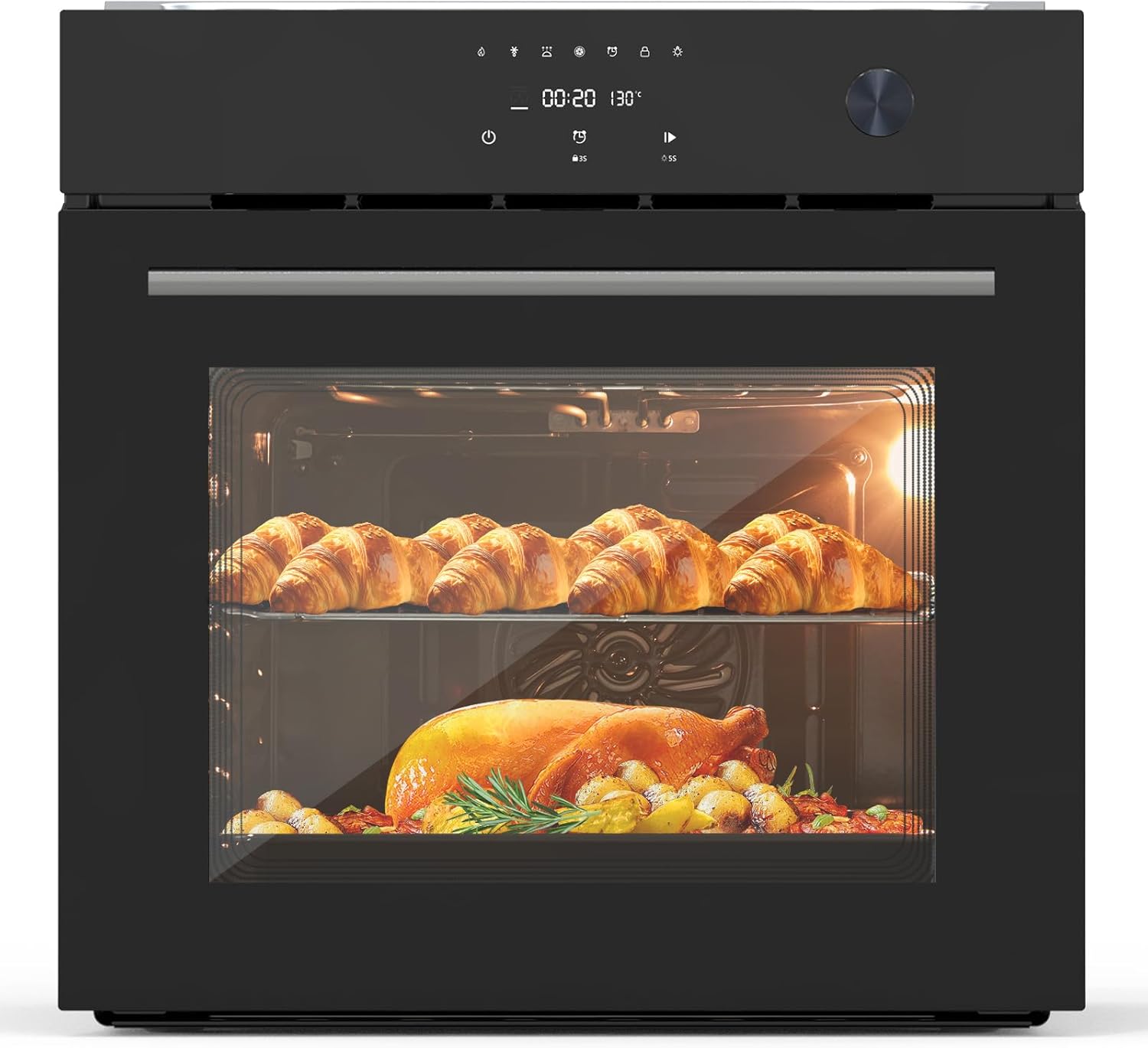
Figure 1.1: Euker 24" Single Wall Oven in operation, showcasing its capacity with multiple dishes.
2. Safety Information
Always follow basic safety precautions when using electrical appliances to reduce the risk of fire, electric shock, burns, or injury.
General Safety
- Read all instructions before using the oven.
- Do not touch hot surfaces. Use handles or knobs.
- Ensure proper ventilation around the oven.
- Never use the oven for purposes other than cooking.
- Do not store flammable materials in or near the oven.
Electrical Safety
- This appliance must be properly grounded.
- Do not operate any appliance with a damaged cord or plug.
- Ensure the power supply matches the oven's requirements (240V, 3000W).
Child Safety
- Keep children away from the oven during operation and cooling.
- Utilize the safety lock feature to prevent accidental operation by children.
3. Product Overview
Key Features
- Powerful Convection Cooking System: Circulates heated air for rapid preheating and uniform cooking.
- User-Friendly Touch Screen Design: Easy operation with built-in timer and precise temperature control (140-230℉ for steaming, 212-482℉ for baking).
- Modern Stainless Steel Construction: Durable, corrosion-resistant, with a handcrafted brushed satin finish.
- Easy-Clean Enamel Inner & Removable Glass Door: Simplifies cleaning and maintenance.
- Flexible Installation Options: Designed for high and low cabinets, compatible with induction or gas stoves.
- Large Capacity: 70L (2.5 Cubic Feet) capacity, suitable for roasting a whole chicken.

Figure 3.1: The oven's generous 2.5 cubic feet (70L) capacity.

Figure 3.2: Illustration of the 3000W all-round 3D heating system for even cooking.

Figure 3.3: The triple-layer tempered glass door provides high transparency and efficient thermal insulation.
4. Installation
Before Installation
- Unpack the oven and check for any damage. Report any damage to your dealer immediately.
- Ensure the installation area meets the required dimensions and has proper electrical connections.
- Make sure the cabinet material can withstand temperatures up to 194°F (90°C).
Installation Steps
- Prepare the cabinet opening according to the specified dimensions.
- Carefully slide the oven into the cabinet opening.
- Secure the oven to the cabinet using the provided screws.
- Connect the oven to the electrical supply, ensuring it is properly grounded.

Figure 4.1: Standard dimensions for easy installation into kitchen cabinetry.

Figure 4.2: Included accessories for your oven: wire rack, baking tray, and oven mitt.
5. Operating Instructions
Control Panel Overview
The oven features a user-friendly touch screen interface for easy control of all functions. It includes a digital display for time and temperature, function selection icons, and a rotary knob for precise adjustments.
Basic Operation
- Power On: Touch the power icon to turn on the oven.
- Select Function: Browse through the available cooking functions using the touch screen.
- Set Temperature/Time: Use the rotary knob or touch controls to set the desired temperature and cooking time.
- Start Cooking: Press the start button to begin the cooking process.
- Safety Lock: Activate the safety lock feature to prevent unintended operation.
Cooking Functions
Your Euker oven comes with 8 quick automatic cooking functions and 108 automatic recipes to meet diverse cooking needs.

Figure 5.1: Overview of the 8 quick automatic cooking functions.

Figure 5.2: Examples of different cooking functions available.
- Bake: Ideal for cakes, cookies, and pastries. Temperature range: 212-482℉.
- Convection: For even and faster cooking of roasts and casseroles.
- Grill: Perfect for browning and crisping the top of dishes.
- Defrost: Gently thaws frozen foods.
- Keep Warm: Maintains food at serving temperature.
- Rotisserie: For perfectly roasted meats.
- Insulation: Keeps food warm without further cooking.
- Vegetable: Optimized setting for cooking vegetables.
6. Maintenance and Cleaning
Regular cleaning and maintenance will ensure the longevity and optimal performance of your oven.
General Cleaning
- Always allow the oven to cool completely before cleaning.
- Wipe the exterior surfaces with a soft cloth and mild detergent.
- The easy-clean enamel interior can be wiped down with a damp cloth and mild soap after each use. Avoid abrasive cleaners.
Removable Glass Door
The oven door can be removed for thorough cleaning. Refer to the detailed instructions in the full manual for safe removal and reinstallation.

Figure 6.1: The easy-clean enamel interior simplifies maintenance.
7. Troubleshooting
Before contacting customer service, please refer to the following table for common issues and their solutions.
| Problem | Possible Cause | Solution |
|---|---|---|
| Oven does not turn on | No power supply; Safety lock engaged | Check power connection; Deactivate safety lock. |
| Uneven cooking | Improper rack position; Overcrowding oven | Adjust rack position; Avoid overcrowding for better air circulation. |
| Oven light not working | Bulb needs replacement | Replace oven light bulb (refer to full manual for type). |
| Touch screen unresponsive | Temporary software glitch; Power interruption | Turn off and on the oven at the circuit breaker; Contact support if issue persists. |
8. Specifications
Detailed technical specifications for the Euker 24" Single Wall Oven.
| Attribute | Specification |
|---|---|
| Brand Name | Euker |
| Model Info | Touch model2 |
| Item Weight | 80 pounds |
| Package Dimensions | 26.97 x 25.91 x 25.87 inches |
| Capacity | 2.5 Cubic Feet (70L) |
| Annual Energy Consumption | 3000 Watts |
| Installation Type | Wall Mount |
| Oven Cooking Mode | Radiant |
| Burner type | Ceramic |
| Color | Black |
| Voltage | 240V |
| Wattage | 3000W |
| Fuel type | Electric |
| Door Hinges | Front |
| Finish Type | Brushed |
9. Warranty and Support
Your Euker 24" Single Wall Oven is covered by a manufacturer's warranty. Please refer to the warranty card included with your purchase for specific terms and conditions.
For technical assistance, troubleshooting beyond this manual, or to inquire about replacement parts, please contact Euker customer support through the official website or the contact information provided in your product packaging.
Online Resources: Visit the Euker Store on Amazon for additional product information and support.
