
1. Product Overview
The Tailulu H13 True HEPA Air Filter Portable Air Purifier AP050 is designed to improve indoor air quality by effectively filtering airborne particles and pollutants. This compact unit features a 3-stage filtration system, multiple operating modes, and user-friendly controls.
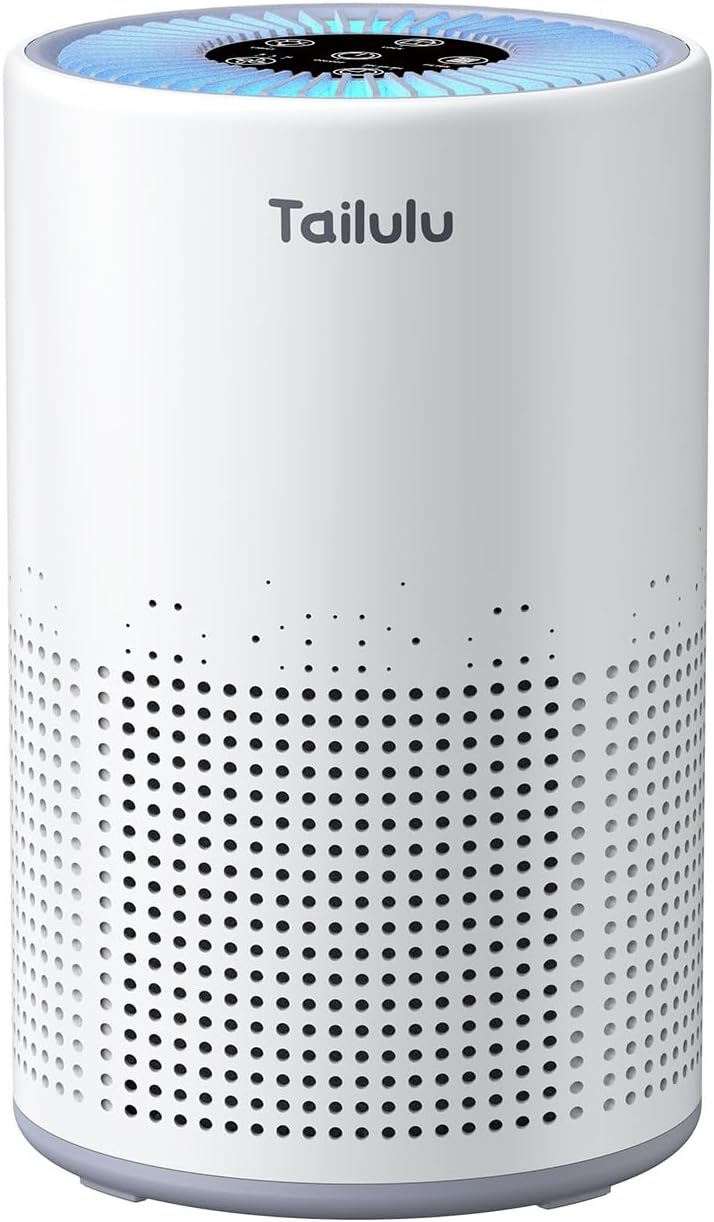
Figure 1: Tailulu AP050 Air Purifier
Key Features:
- 3-Stage High-Efficiency Filtration: Includes a pre-filter, H13 HEPA filter, and activated carbon filter to capture 99.97% of airborne particles.
- Powerful Performance: Covers up to 1200 square feet (CADR 111.5 m³/h) with 360° air intake.
- Energy Saving: Operates with low power consumption (5W/h).
- User-friendly Display Panel: Features 3 fan speeds, 3 timer settings, child lock, and filter replacement reminder.
- Sleep Mode: Operates at a quiet 12 dB for undisturbed rest.
- Optional Night Light: Built-in LED light for ambient illumination.
2. Setup Instructions
2.1 Unboxing and Initial Preparation
Carefully remove the air purifier from its packaging. Before first use, ensure all protective plastic packaging is removed from the filter inside the unit.
Video 1: Unboxing and initial setup of the air purifier.
2.2 Filter Installation
The filter comes pre-installed but is wrapped in plastic for protection. Follow these steps to prepare the filter for use:
- Turn the air purifier upside down.
- Contrarotate the base cover to unlock it and remove the used one (or access the new one).
- Unwrap the composite filter from its protective plastic bag.
- Insert the filter into the base of the air purifier.
- Fit the base cover back and turn it clockwise to secure.

Figure 2: Step-by-step guide for filter installation.
Video 2: Demonstration of air purifier operation, including filter access.
3. Operating Instructions
The control panel is located on the top of the unit and features touch-sensitive buttons for various functions.

Figure 3: Overview of the control panel.
3.1 Power On/Off
Press the ON/OFF button to turn the unit on or off.
3.2 Fan Speed Control
The air purifier offers 3 different fan speeds and a dedicated Sleep Mode. Press the fan speed button to cycle through the settings (I, II, III, Sleep Mode).
- Sleep Mode: Operates at a very low noise level (12 dB) for quiet purification during rest.

Figure 4: Air purifier operating in quiet Sleep Mode.
3.3 Timer Settings
Set the operating duration by pressing the TIMER button. Available settings are 2 hours, 4 hours, 6 hours, or 8 hours. The unit will automatically shut off after the selected time.
3.4 Night Light Function
The air purifier includes an optional built-in LED night light. Press the LIGHT button to turn it on or off.
3.5 Child Lock
To prevent accidental changes to settings, activate the child lock function. Press and hold the TIMER button for 3 seconds to engage or disengage the child lock.

Figure 5: Child lock prevents unintended operation.
3.6 Essential Oil Diffuser
The unit features a small compartment for essential oils. Open the compartment, add a few drops of your preferred essential oil to the pad, and close it. The fan will then diffuse the scent into the room.
4. Maintenance
4.1 Filter Replacement
To ensure optimal performance and air quality, the filter should be replaced every 3-6 months, or after approximately 2000 hours of use. An indicator light on the control panel will illuminate to remind you when replacement is due.

Figure 6: Filter replacement reminder.
Replacement filters can be found by searching for model B0D6VP41S1.
4.2 Filter Reset
After replacing the filter, press and hold the RESET button for 3 seconds to reset the filter lifetime counter. The indicator light will turn off.
4.3 Cleaning
Periodically wipe the exterior of the air purifier with a soft, dry cloth. Do not use abrasive cleaners or solvents. Ensure the unit is unplugged before cleaning.
5. Troubleshooting
If you encounter any issues with your Tailulu AP050 Air Purifier, please refer to the following common solutions:
- Unit does not turn on: Ensure the power adapter is securely plugged into both the unit and a working electrical outlet.
- Airflow is weak: Check if the filter is clogged and needs cleaning or replacement. Ensure no obstructions are blocking the air intake or outlet.
- Unusual noise: Verify that the unit is placed on a flat, stable surface. Check for any foreign objects inside the unit or around the fan.
- Filter replacement indicator remains on after changing filter: Ensure you have pressed and held the RESET button for 3 seconds after installing the new filter.
6. Specifications
| Feature | Specification |
|---|---|
| Brand | Tailulu |
| Model Number | AP050 |
| Product Dimensions | 7.2"D x 7.2"W x 10.86"H |
| Item Weight | 2.43 pounds |
| Floor Area Coverage | Up to 1200 Square Feet |
| Noise Level | 12 Decibels (Sleep Mode) |
| Wattage | 5 watts |
| Filter Class | H13 HEPA |
| Controller Type | Button Control |
| Special Feature | Manual, Timer |
| Included Components | Air Purifier, H13 HEPA Filter, Adapter, Manual |
7. Warranty and Support
The Tailulu AP050 Air Purifier comes with a 1-year free replacement warranty. For any support or inquiries, please refer to the contact information provided in your product packaging or visit the official Tailulu website.

Figure 7: Product certifications and warranty information.


