
1. Introduction
Thank you for choosing the JBL PartyBox Stage 320 Portable Wireless Speaker. This manual provides essential information for setting up, operating, and maintaining your speaker. To ensure optimal performance and longevity of your device, please read these instructions thoroughly before use and retain them for future reference.
2. What's in the Box
Carefully unpack your JBL PartyBox Stage 320 and ensure all items are present:
- 1 x JBL PartyBox Stage 320 Portable Bluetooth Speaker with Lights
- 1 x AC Power Cord
- 1 x Auxiliary Cable
- 1 x Microfiber Cloth
3. Product Overview
The JBL PartyBox Stage 320 is a powerful portable wireless speaker designed to deliver high-quality audio and dynamic light shows. It features robust construction, an integrated handle, and wheels for easy transport.

Figure 3.1: JBL PartyBox Stage 320 speaker shown with its accessories, including the auxiliary cable, microfiber cloth, and AC power cord. The speaker features a retractable handle and wheels for portability.

Figure 3.2: Front view of the JBL PartyBox Stage 320, showcasing its speaker grille and dynamic LED light rings illuminated in green. The JBL logo is visible in the center.

Figure 3.3: Close-up of the top control panel of the JBL PartyBox Stage 320. Buttons for power, Bluetooth pairing, volume, play/pause, light modes, and Bass Boost are visible.

Figure 3.4: Side view of the JBL PartyBox Stage 320, showing the extended retractable handle and one of the integrated wheels. The side panel features a textured design, and the front lights are illuminated in blue.
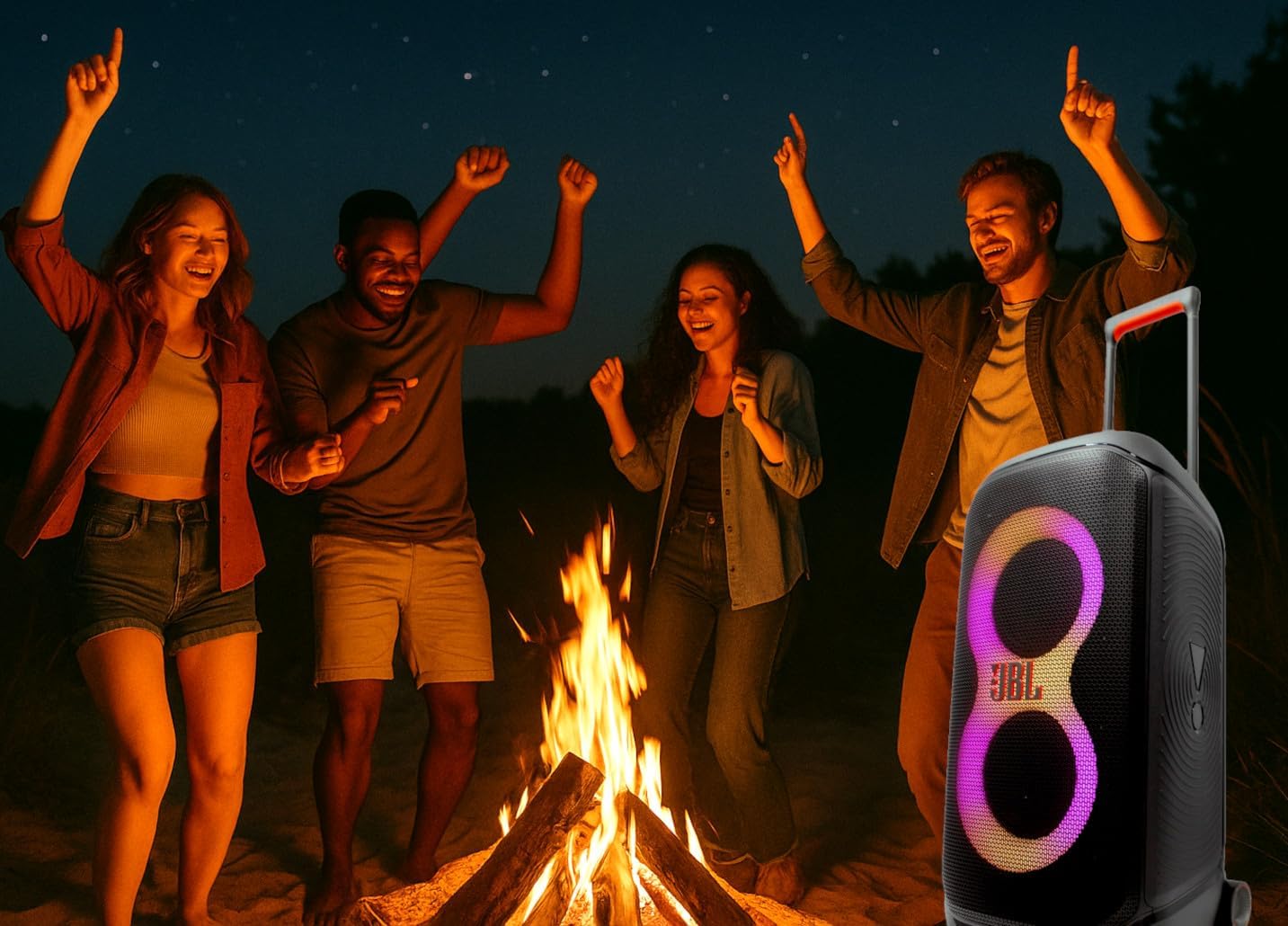
Figure 3.5: The JBL PartyBox Stage 320 speaker positioned outdoors at night, providing music and light for a group of people dancing around a campfire. This illustrates its use in social settings.
4. Setup
4.1 Initial Charging
Before first use, fully charge the speaker. Connect the supplied AC power cord to the speaker's power input and then to a wall outlet. The charging indicator will show the battery status. A full charge can take several hours.
4.2 Powering On/Off
- To power on: Press the Power button on the top panel.
- To power off: Press and hold the Power button until the speaker shuts down.
5. Operating Instructions
5.1 Bluetooth Pairing
- Power on the JBL PartyBox Stage 320.
- Press the Bluetooth button on the top panel. The Bluetooth indicator will flash, indicating it is in pairing mode.
- On your Bluetooth-enabled device (smartphone, tablet, etc.), enable Bluetooth and search for available devices.
- Select "JBL PartyBox Stage 320" from the list. Once connected, the Bluetooth indicator will glow solid.
5.2 Audio Playback
- Volume Control: Use the Volume +/- buttons on the top panel or your connected device to adjust the sound level.
- Play/Pause: Press the Play/Pause button to start or pause music playback.
- Skip Tracks: Double-press the Play/Pause button for the next track. Triple-press for the previous track.
- Bass Boost: Press the Bass Boost button to enhance low-frequency audio. Press again to toggle off.
5.3 Light Show Control
The PartyBox Stage 320 features dynamic light effects that sync with your music.
- Press the Light Mode button on the top panel to cycle through different light patterns and colors.
- Press and hold the Light Mode button to turn the light show off or on.
5.4 AUX Connection
To connect an audio device via the auxiliary input:
- Connect one end of the supplied auxiliary cable to the AUX input port on the speaker.
- Connect the other end to the headphone jack or audio output of your external device.
- The speaker will automatically switch to AUX input mode, or you may need to press the Source button (if available) to select AUX.
6. Maintenance
6.1 Cleaning
- Always power off and unplug the speaker before cleaning.
- Use the provided microfiber cloth or a soft, dry cloth to wipe the exterior surfaces.
- For stubborn marks, lightly dampen the cloth with water. Avoid using harsh chemicals, abrasive cleaners, or solvents.
- Do not allow liquids to enter any openings.
6.2 Storage
- Store the speaker in a cool, dry place away from direct sunlight and extreme temperatures.
- If storing for an extended period, charge the battery to approximately 50% every three months to maintain battery health.
6.3 Splash Proof Feature
The JBL PartyBox Stage 320 is designed to be splash-proof. This means it can withstand light splashes of water, such as rain or spilled drinks. However, it is not waterproof and should not be submerged in water or exposed to high-pressure water jets. Ensure all port covers are securely closed to maintain splash resistance.
7. Troubleshooting
If you encounter issues with your JBL PartyBox Stage 320, refer to the following common problems and solutions:
| Problem | Possible Cause | Solution |
|---|---|---|
| Speaker does not power on | Low battery; Power cord not connected; Faulty power outlet | Charge the speaker; Ensure power cord is securely connected; Try a different power outlet |
| No sound | Volume too low; Incorrect input source; Device not connected | Increase volume on speaker and device; Select correct input source (Bluetooth/AUX); Re-pair Bluetooth device |
| Bluetooth connection issues | Device too far; Interference; Speaker not in pairing mode | Move device closer to speaker; Avoid obstacles; Ensure speaker is in pairing mode (flashing Bluetooth indicator) |
| Light show not working | Light show turned off; Malfunction | Press the Light Mode button to cycle through modes or turn on; If issue persists, contact support |
If the problem persists after attempting these solutions, please contact JBL customer support for further assistance.
8. Specifications
Key technical specifications for the JBL PartyBox Stage 320:
| Feature | Specification |
|---|---|
| Brand | JBL |
| Model Number | JBLPARTYBOX320AM_EDI_1 |
| Power Output | 240W |
| Connectivity Technology | Bluetooth, AUX |
| Battery Life | Up to 18 hours (depending on usage) |
| Power Source | Battery Powered |
| Material | Metal, Plastic |
| Item Weight | 39 Pounds |
| Product Dimensions (L x W x H) | 14.5 x 12 x 27 inches |
| Mounting Type | Floor Standing |
| Color | Black |
| UPC | 094148651835 |
9. Warranty and Support
JBL products are manufactured to the highest standards and undergo rigorous quality control. For detailed warranty information, including terms and conditions, please refer to the warranty card included with your product or visit the official JBL website. For technical support, product registration, or service inquiries, please visit the JBL support section on their official website or contact their customer service.
Online Support: www.jbl.com/support


