
LEMON T950
LEMON T950 Electronic Drum User Manual
Acoustic-Style All Mesh-Head Electronic Drum
1. Overview
Thank you for choosing the LEMON T950 Acoustic-Style All Mesh-Head Electronic Drum. This manual provides essential information for the proper setup, operation, and maintenance of your new electronic drum. Please read this manual thoroughly before using the product to ensure optimal performance and longevity.

Image 1.1: The LEMON T950 Electronic Drum Kit, showcasing its acoustic-style design with black shells and white mesh heads.
2. Features
The LEMON T950 Electronic Drum offers a range of features designed for an authentic and versatile drumming experience:
- Realistic Acoustic Look: Crafted with a wooden shell for an authentic acoustic drum appearance.
- Dual-Zone Triggering: Provides independent head and rim triggers for expanded playability and expression.
- Responsive Mesh Head: Adjustable mesh head ensures dynamic response and a natural playing feel.
- Compact and Versatile: Designed for seamless integration into any electronic drum setup.
- Widely Compatible: Works effortlessly with most electronic drum modules on the market.
3. Setup
Follow these steps to set up your LEMON T950 electronic drum:
- Unpacking: Carefully remove all components from the packaging. Verify that all parts listed in the packing list are present.
- Assembly: Assemble the drum shells onto your existing drum rack or stands. Ensure all clamps and fasteners are securely tightened.
- Mesh Head Adjustment: The mesh heads can be tensioned using a standard drum key to achieve your desired rebound and feel. Do not overtighten.
- Cable Connection: Connect the trigger cables from each drum pad to the corresponding input on your electronic drum module. Refer to your module's manual for specific input assignments.
- Power On: Once all connections are secure, power on your drum module and audio system.
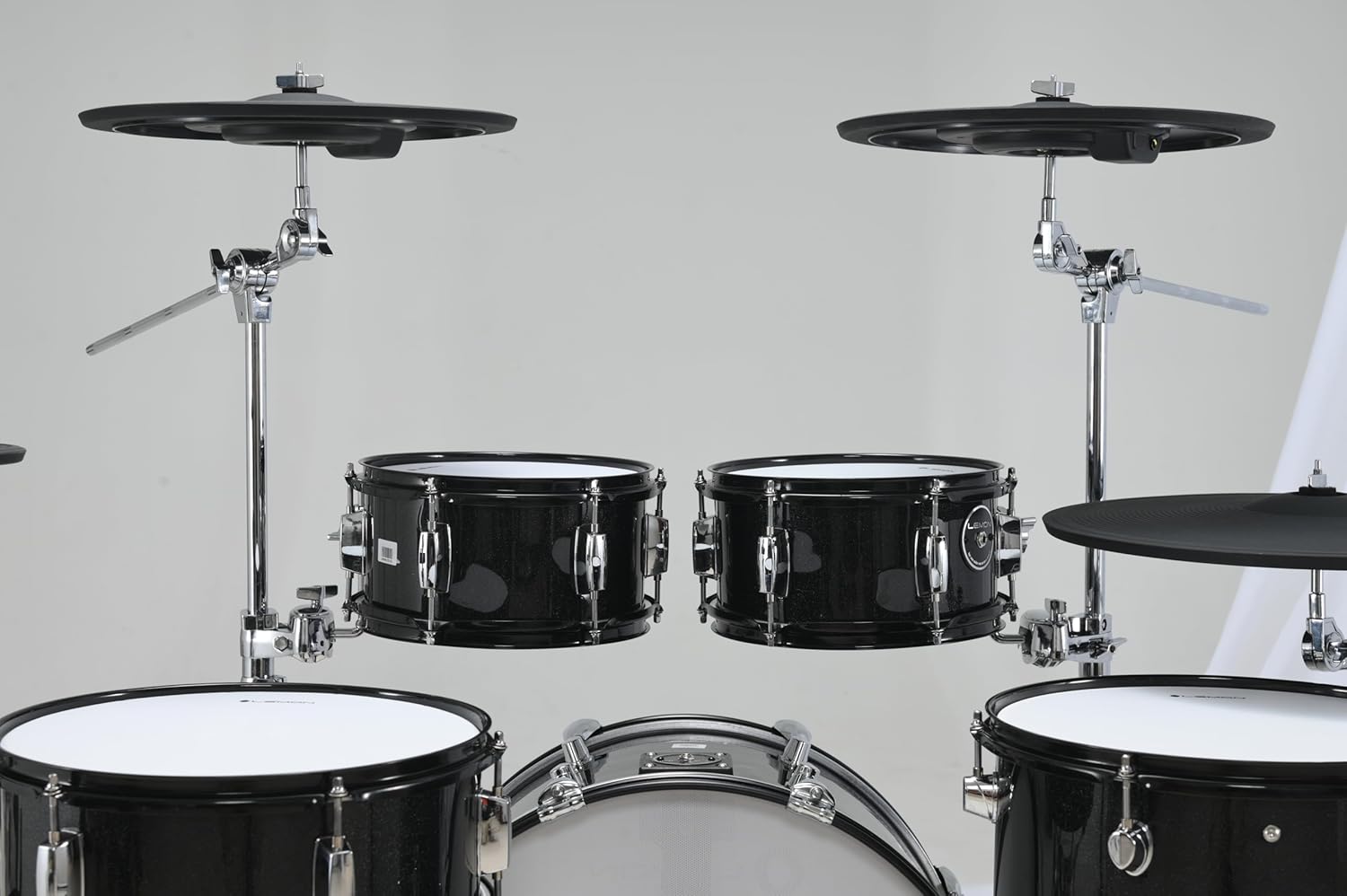
Image 3.1: A partial view of the LEMON T950 electronic drum kit, showing two tom drums and cymbals mounted on stands, illustrating a typical setup configuration.
4. Operating Instructions
The LEMON T950 drums are designed to integrate seamlessly with most electronic drum modules. Here are general operating guidelines:
- Module Compatibility: Ensure your drum module is set to recognize dual-zone pads if you wish to utilize both head and rim triggers. Consult your module's manual for pad type settings.
- Sensitivity Adjustment: Adjust the sensitivity settings on your drum module for each pad to match your playing style and desired dynamic response.
- Trigger Response: The mesh heads provide a natural feel. Experiment with different striking techniques to explore the full dynamic range and dual-zone capabilities.
- Sound Customization: Utilize your drum module's sound library and effects to customize the sounds assigned to each drum pad.

Image 4.1: A close-up view of a single LEMON T950 electronic drum pad, highlighting the white mesh head and the LEMON logo, demonstrating the responsive playing surface.
5. Maintenance
Proper maintenance will extend the life and performance of your LEMON T950 drums:
- Cleaning: Wipe down the drum shells and mesh heads with a soft, dry cloth. For stubborn dirt, a slightly damp cloth can be used, but ensure no moisture enters the internal components. Avoid harsh chemicals.
- Mesh Head Care: While durable, mesh heads can wear over time. If a head becomes damaged or loses responsiveness, replacement mesh heads are available.
- Cable Management: Keep cables organized and free from kinks or excessive bending to prevent damage to the internal wiring.
- Storage: When not in use for extended periods, store the drums in a cool, dry place away from direct sunlight and extreme temperatures.
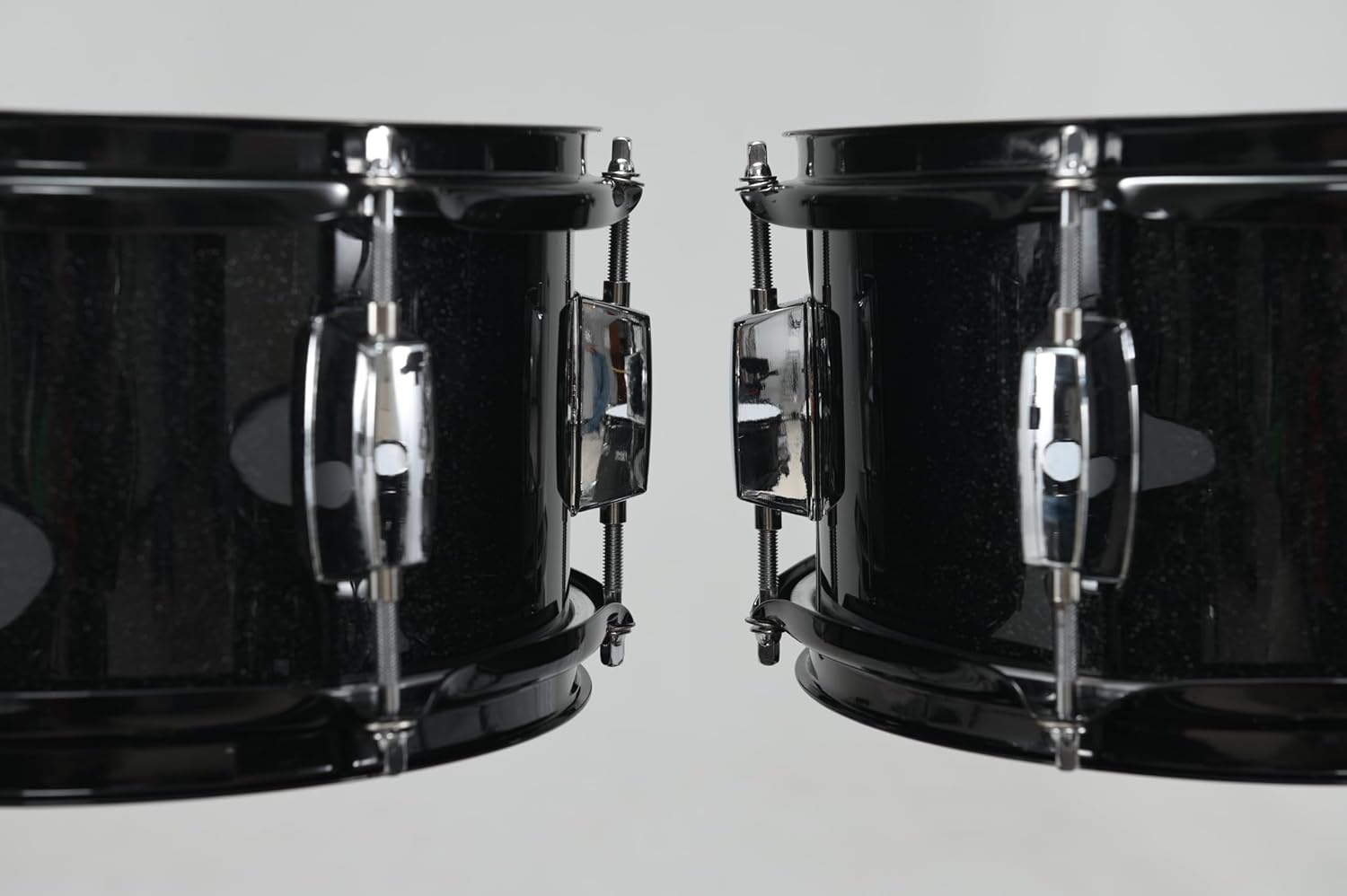
Image 5.1: A side view of two LEMON T950 electronic drum shells, showing the black finish and chrome hardware, illustrating the exterior for cleaning and inspection.
6. Troubleshooting
If you encounter issues with your LEMON T950 electronic drum, consider the following common solutions:
- No Sound from a Pad:
- Check the cable connection from the pad to the module. Ensure it is fully inserted and not damaged.
- Verify the correct input on the module is selected for that pad.
- Check the module's settings to ensure the pad is enabled and assigned a sound.
- Uneven or Weak Triggering:
- Adjust the sensitivity settings for the specific pad on your drum module.
- Ensure the mesh head tension is appropriate and evenly distributed.
- Inspect the mesh head for any damage or excessive wear.
- False Triggering or Crosstalk:
- Adjust the crosstalk or retrigger cancel settings on your drum module.
- Ensure pads are not mounted too close together, causing physical vibrations to transfer.
If problems persist after attempting these solutions, please contact LEMON customer support.
7. Specifications
| Attribute | Detail |
|---|---|
| Brand | LEMON |
| Model Name | LE-T950-BK |
| Color | Black |
| Material | Wood and Plastic |
| Body Material | Wood |
8. Warranty and Support
For warranty information and customer support, please refer to the warranty card included with your product or visit the official LEMON website. Our support team is available to assist with any questions or issues you may have regarding your LEMON T950 electronic drum.
Ask a question about this manual
Ask about setup, troubleshooting, compatibility, parts, safety, or missing instructions. Manuals+ will review the question and use this page’s manual context to help answer it.