
1. Introduction and Overview
The Anysun Sewer Camera with Locator is a professional-grade inspection system designed for detailed examination of sewer lines, drains, and other inaccessible pipes. This manual provides comprehensive instructions for setup, operation, maintenance, and troubleshooting to ensure optimal performance and longevity of your device. It is an essential tool for plumbers, contractors, and homeowners needing to diagnose pipe issues with precision.
2. Product Features
- Integrated 512Hz Sonde Locator: Enables easy and precise location of the camera head underground, simplifying fault identification.
- Self-Leveling Camera Head: The IP68 stainless steel camera automatically maintains an upright image, providing clear and consistent visuals regardless of pipe orientation.
- Distance Counter: An on-screen footage counter provides exact measurements of the inspection distance, eliminating guesswork.
- Durable 7MM Thicker Cable: The industrial-standard fiberglass push rod cable is robust yet flexible, designed for navigating various pipe conditions and resisting damage.
- High-Resolution 9-inch 1080P IPS Monitor: Delivers sharp, detailed visuals of pipe interiors with excellent color accuracy and clarity from any viewing angle.
- DVR Recording Functionality: Capture one-touch video recordings, still images, and audio with a built-in microphone. Footage is saved to an included 32GB TF card (supports up to 128GB) for later analysis or client sharing.
- Adjustable LED Illumination: The camera head features 12 adjustable LEDs to optimize light output for clear visibility in dark pipe environments.
- Long-Lasting Battery: Equipped with a rechargeable Li-ion battery providing up to 8 hours of continuous operation.
- Digital Zoom and Image Rotation: Offers up to 5X digital zoom and 360-degree image rotation for detailed inspection and flexible viewing.

Figure 2.1: Main components of the Anysun Sewer Camera system, highlighting the self-leveling camera, 7mm cable, and distance counter.

Figure 2.2: The 512Hz locator included with the sewer camera for precise underground detection.

Figure 2.3: On-screen footage counter and audio recording capability for detailed inspection reports.

Figure 2.4: Illustration of the robust 7mm fiberglass push rod cable, designed for durability and flexibility.
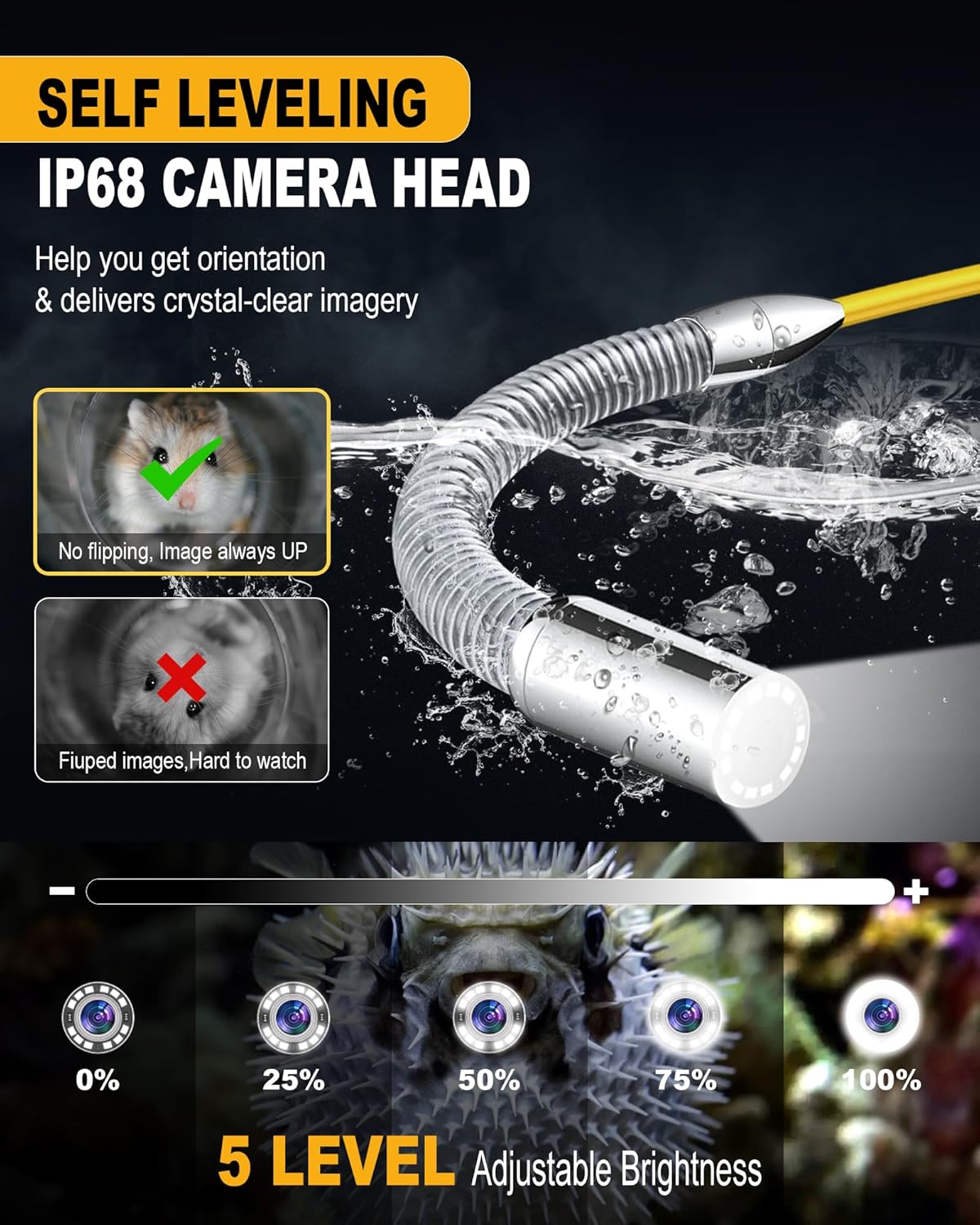
Figure 2.5: The self-leveling IP68 camera head with adjustable brightness, ensuring clear and upright images.
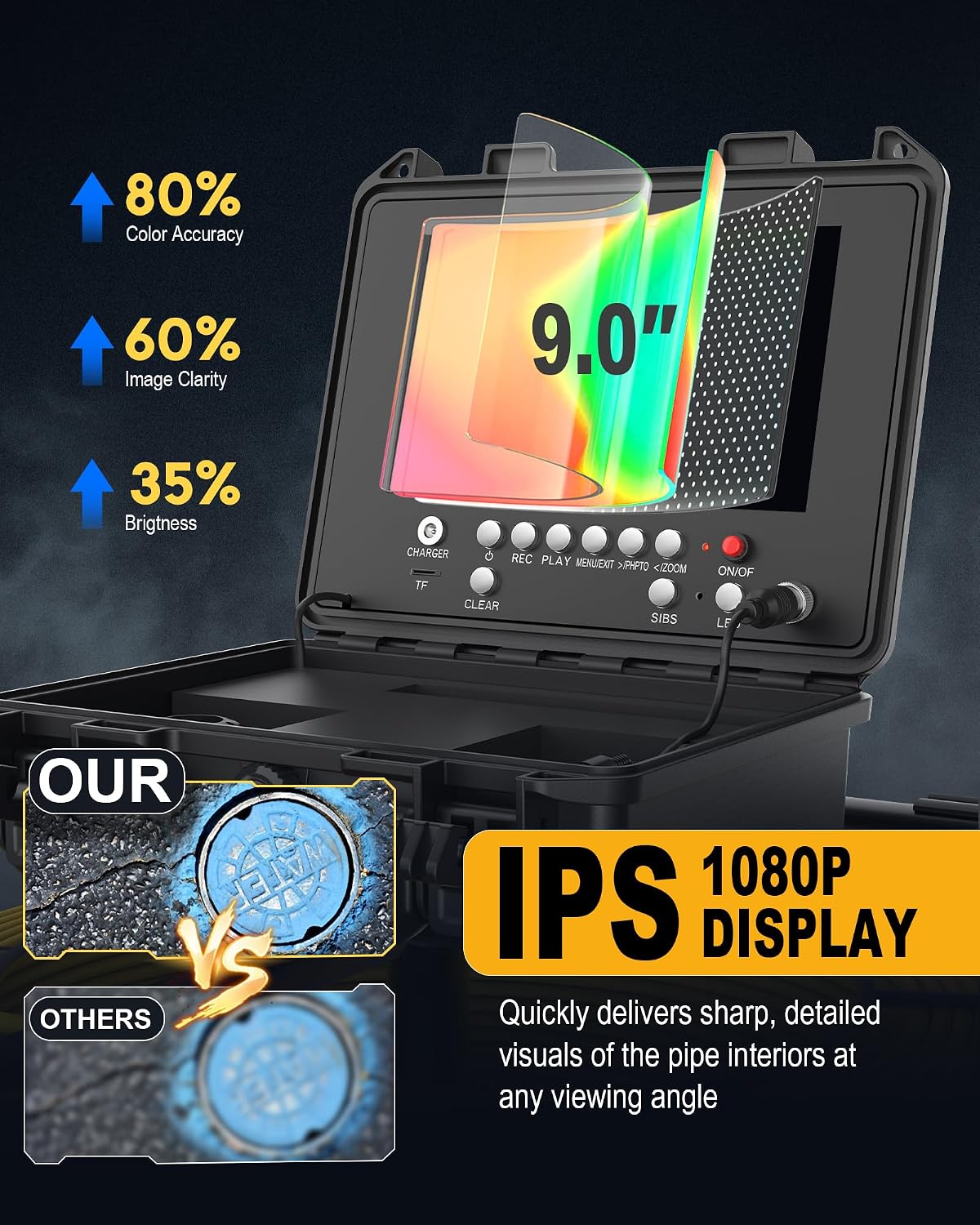
Figure 2.6: The 9-inch 1080P IPS display providing high color accuracy, image clarity, and brightness.

Figure 2.7: Overview of practical functions including 360-degree image rotation, 32GB storage, 4500mAh battery, and 5X digital zoom.

Figure 2.8: Examples of wide applications for the Anysun Sewer Camera, including residential and industrial inspections.
3. Setup Guide
Follow these steps to set up your Anysun Sewer Camera system:
- Unpack Components: Carefully remove all components from the carrying case. Verify that all parts listed in the packing list are present.
- Connect Camera Head: Attach the self-leveling camera head to the end of the fiberglass push rod cable. Ensure the connection is secure and watertight.
- Connect Cable to Monitor Unit: Connect the other end of the push rod cable to the designated input port on the monitor unit.
- Insert TF Card: Locate the TF card slot on the monitor unit and insert the provided 32GB TF card. Ensure it is inserted correctly.
- Power On: Press the 'POWER' button on the monitor unit to turn on the system. The display should illuminate, showing the camera feed.
- Charge Battery: Before first use, ensure the battery is fully charged. Connect the charger to the monitor unit and a power outlet. The battery indicator will show charging status.
- Prepare Locator (Optional): If using the 512Hz locator, ensure it has fresh batteries and is powered on. Familiarize yourself with its signal reception and directional indicators.
4. Operating Instructions
Operating your Anysun Sewer Camera is intuitive. Here are the key functions:
4.1 Basic Inspection
- Insert Camera: Carefully feed the camera head and push rod into the pipe opening.
- Monitor Footage: Observe the live video feed on the 9-inch IPS monitor. The self-leveling feature will automatically keep the image upright.
- Adjust Lighting: Use the LED brightness control buttons on the monitor unit to adjust the illumination for optimal visibility.
- Track Distance: The on-screen distance counter will display the length of cable deployed into the pipe.
4.2 Recording and Playback
- Record Video: Press the 'REC' button to start video recording. Press again to stop.
- Capture Image: Press the 'PHOTO' button to capture a still image.
- Record Audio: The built-in microphone will record audio during video capture.
- Playback: Enter playback mode using the 'PLAY' button. Navigate through recorded files using the arrow keys.
4.3 Advanced Functions
- Digital Zoom: Use the 'ZOOM+' and 'ZOOM-' buttons to digitally zoom in or out on the live image (up to 5X).
- Image Rotation: Utilize the image rotation function to adjust the orientation of the display as needed.
- Using the 512Hz Locator: When the camera head is in the pipe, activate the 512Hz sonde. Use the handheld locator above ground to pinpoint the exact location and depth of the camera by following the signal strength indicators.
5. Maintenance
Proper maintenance ensures the longevity and reliable performance of your Anysun Sewer Camera.
- Cleaning the Camera Head: After each inspection, especially when used in corrosive liquids, clean the camera head thoroughly with water. Use a soft cloth to dry the camera head completely before storage.
- Cable Care: Keep the fiberglass push rod cable clean and free of debris. Avoid bending the cable at sharp angles (less than 90 degrees) to prevent damage. The cable reel design facilitates easy cleaning.
- Battery Maintenance: Recharge the Li-ion battery regularly. Avoid fully discharging the battery frequently to prolong its lifespan. Store the unit with a partial charge if not used for extended periods.
- Storage: Store the entire system in its original carrying case in a dry, cool place, away from direct sunlight and extreme temperatures.
- TF Card Management: Regularly back up important footage from the TF card to a computer and format the card to maintain optimal recording performance.
6. Troubleshooting
If you encounter issues with your Anysun Sewer Camera, refer to the following common problems and solutions:
| Problem | Possible Cause | Solution |
|---|---|---|
| No image on monitor | Loose cable connection, low battery, camera malfunction | Check all cable connections. Ensure battery is charged. Power cycle the unit. |
| Poor image quality | Dirty camera lens, insufficient lighting, pipe debris | Clean the camera lens. Adjust LED brightness. Clear major pipe obstructions if safe to do so. |
| Battery not holding charge | Battery degradation, faulty charger | Ensure charger is properly connected. If issue persists, contact customer support for battery replacement. |
| Locator not detecting signal | Locator battery low, camera sonde not active, too much interference | Check locator batteries. Ensure camera sonde is transmitting (refer to camera unit settings). Move away from large metal objects. |
| Recording issues (no video/photo) | TF card full, TF card not inserted correctly, faulty TF card | Check TF card storage. Reinsert TF card. Try a different TF card (up to 128GB supported). |
7. Specifications
| Feature | Specification |
|---|---|
| Monitor Size | 9-inch IPS Display |
| Video Capture Resolution | 1080p |
| Camera Head | IP68 Stainless Steel, Self-Leveling, 12 Adjustable LEDs |
| Cable Length | 165Ft / 50M |
| Cable Diameter | 7MM Fiberglass Push Rod |
| Locator Frequency | 512Hz Sonde |
| Recording Media | Micro SD Card (32GB included, supports up to 128GB) |
| Battery Type | 1 Lithium Ion (included) |
| Battery Life | Up to 8 hours |
| Item Weight | 25.6 pounds |
| Package Dimensions | 19.5 x 16.5 x 15.75 inches |
| Model Number | anysun-5860-8R-7C |
| Manufacturer | anysun |
8. Warranty and Support
Anysun is committed to providing high-quality products and excellent customer service. While specific warranty details are not provided in this manual, we offer 24/7 customer support for any concerns or assistance you may need.
For technical support, troubleshooting, or warranty inquiries, please message us at any time. Our team is ready to assist you with your Anysun Sewer Camera.

