
Important Safety Information
Always read and understand all instructions before operating this tool. Failure to follow all instructions may result in property damage or personal injury. Keep this manual for future reference.
- Wear appropriate personal protective equipment (PPE) such as safety glasses.
- Ensure the workpiece is stable and secured before applying torque.
- Do not exceed the maximum torque capacity of the wrench.
- Keep the tool clean and dry. Avoid exposure to moisture or extreme temperatures.
- Do not use the torque wrench as a breaker bar.
Product Overview
The Uharbour Digital Torque Wrench provides precise and reliable torque measurements for various applications. Its advanced features ensure accurate tightening and prevent damage from over- or under-tightening.
Key Features:
- Wide Torque Range: Offers a torque range of 2.2-147.5 ft-lbs (3-200 Nm), suitable for cars, motorcycles, and bicycles.
- High Accuracy: Provides ±1% accuracy for reliable torque measurements.
- Peak & Track Modes: Peak mode sets a target torque with alerts; Track mode shows real-time torque.
- Dual-Direction Ratchet: Reversible ratchet for clockwise and counterclockwise operations.
- Multiple Measurement Units: Easily switch between N-m, kgf-cm, lb-ft, and lb-in on the high-definition LED screen.
- Alerts: Features vibration, buzzer, and LED alerts when target torque is reached.
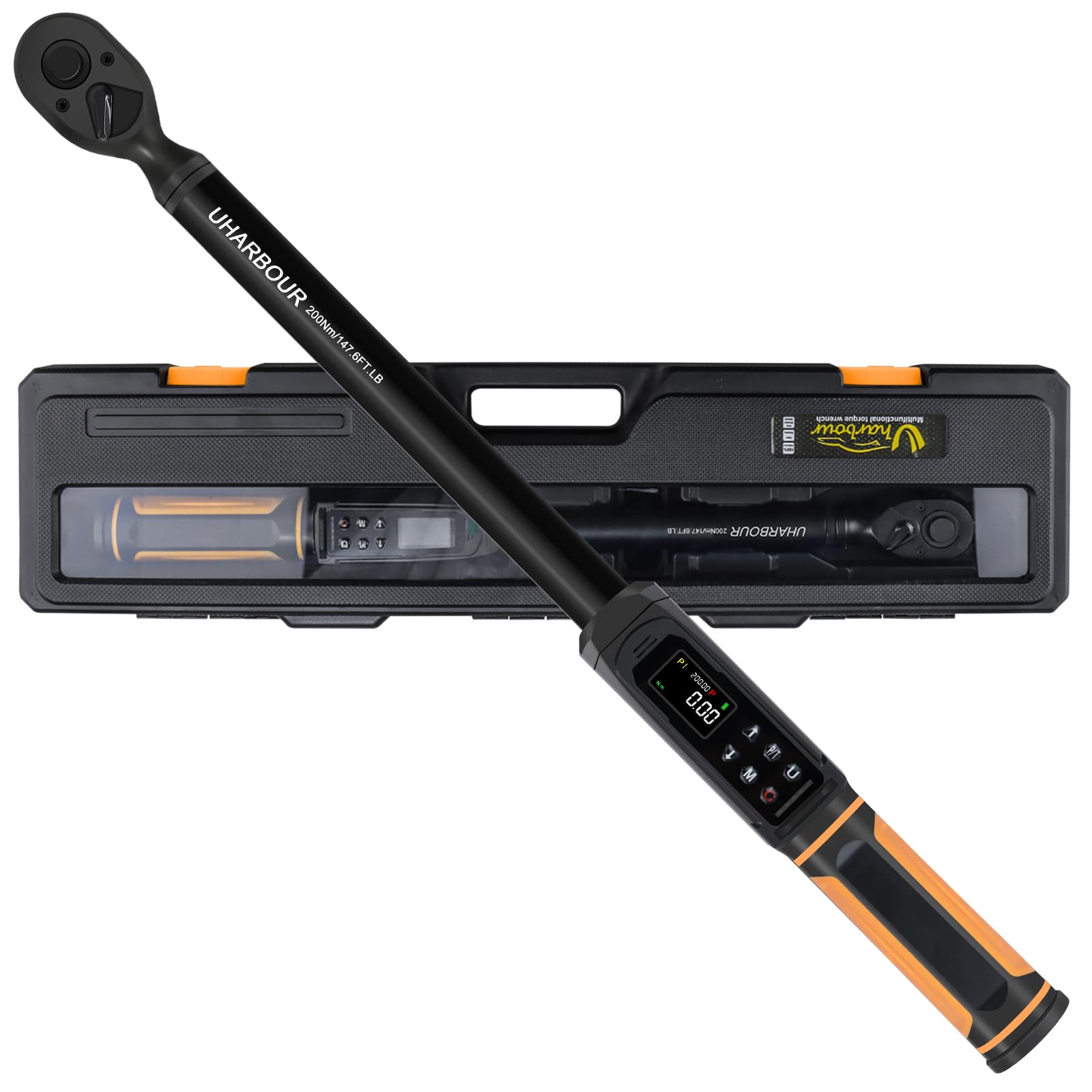
Figure 1: Uharbour Digital Torque Wrench main view with illuminated display.
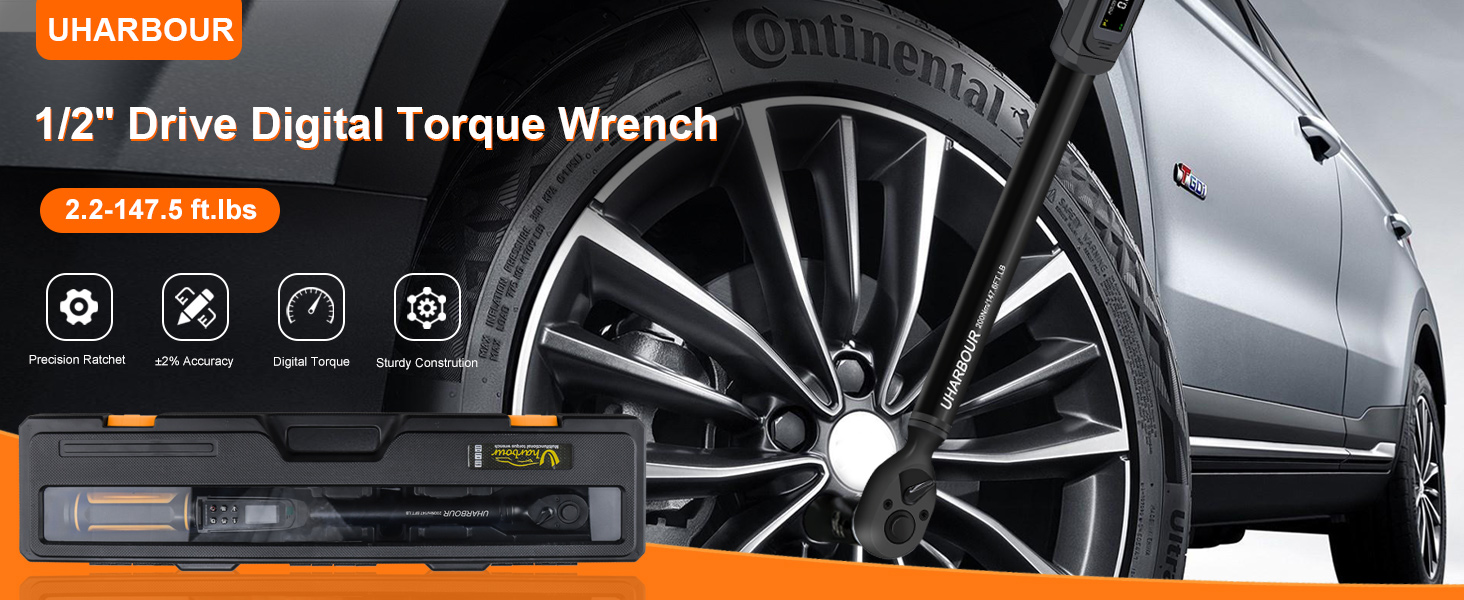
Figure 2: Close-up of the digital display providing instant and accurate torque readings.
Getting Started (Setup)
Package Contents:
- 1 x Digital Torque Wrench
- 2 x AAA Batteries
- 1 x User Manual
- 1 x Calibration Certificate
Battery Installation:
- Unscrew the cap at the end of the handle.
- Insert 2 AAA batteries, ensuring correct polarity.
- Securely screw the cap back on.
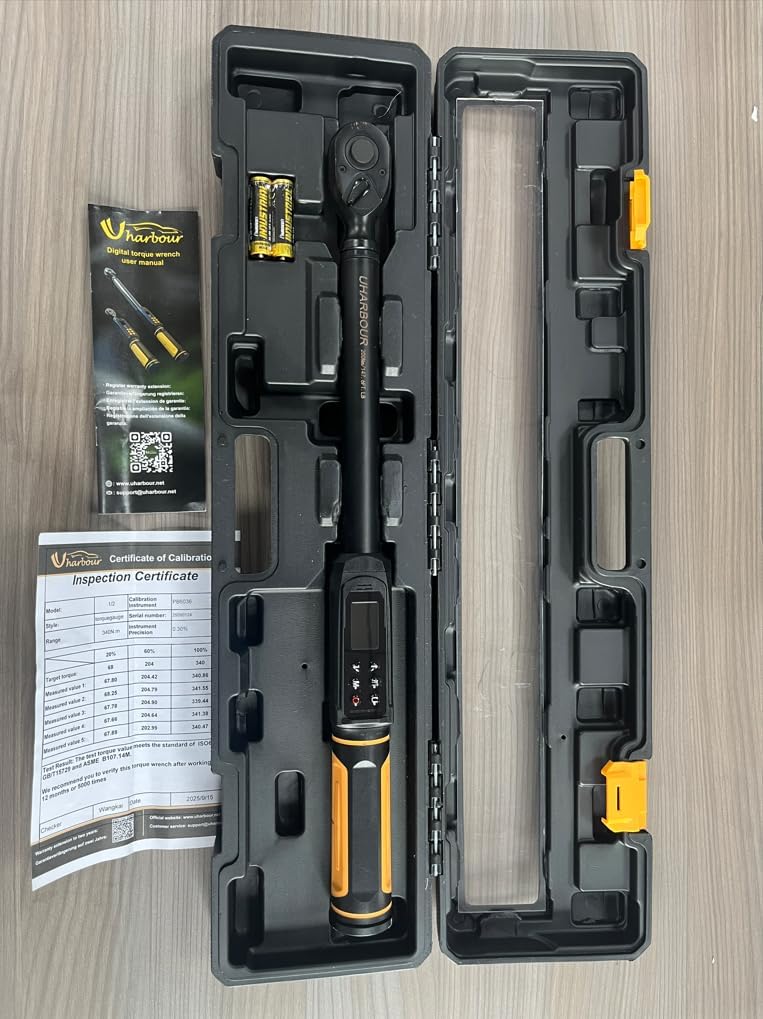
Figure 3: The torque wrench, batteries, and manual neatly stored in the protective hard case.
Video 1: Demonstrates how to install batteries and power on the Uharbour Digital Torque Wrench.
Power On/Off:
- To power on, long-press the 'C' (red) button.
- To power off, long-press the 'C' (red) button. The wrench will also automatically shut off after 120 seconds of inactivity.
Resetting Torque:
- Before starting, briefly press the 'C' (red) button to reset the torque reading to 0.00.
Unit Selection:
- Briefly press the 'U' button to cycle through available measurement units: N-m, kgf-cm, lb-ft, and lb-in.
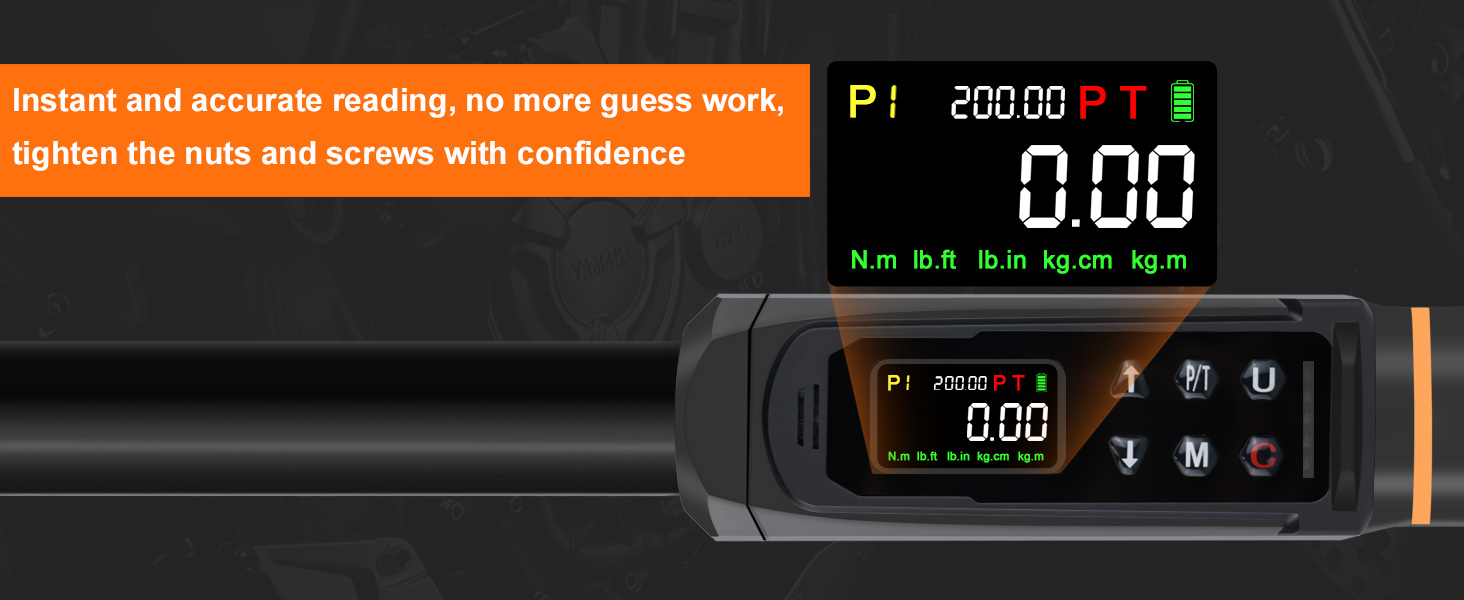
Figure 4: The wrench's display with indicators for buzzer, LCD screen, four units, and LED indicators.
Setting Torque Value (Presets):
- The wrench allows you to save up to 9 preset torque values (P1-P9).
- To select a preset, use the Up/Down arrow keys.
- To adjust a preset value, select the desired preset (e.g., P1), then use the Up/Down arrow keys to change the value. Long-press for quick adjustment, short-press for precise adjustment.
- Press the 'M' button to save the adjusted preset value.
Operating Modes
Peak Mode (P):
- In Peak mode, the wrench displays the maximum torque value applied during the tightening process.
- Once the set target torque is reached, the wrench will provide alerts.
Track Mode (T):
- In Track mode, the wrench displays the real-time torque value as it is being applied. This is useful for continuous monitoring during tightening.
Torque Memory (M):
- The wrench can store up to 500 torque values in its memory.
- To save a torque value, apply torque, then briefly press the 'M' button.
- To recall stored values, long-press the 'M' button, then use the Up/Down arrow keys to navigate through the stored data.
- To delete stored values, long-press the 'U' button, then select 'ALL' or 'onE' using the Up/Down keys, and press 'M' to confirm deletion.

Figure 5: Illustration of the three main operating modes: Track, Peak, and Torque Memory.
Dual-Direction Ratchet:
- The wrench features a reversible ratchet head, allowing for both clockwise (tightening) and counterclockwise (loosening) operations.
- Use the lever on the ratchet head to switch directions.

Figure 6: The dual-direction ratchet head and quick-release button for easy socket changes.
Alerts:
- The wrench provides multiple alerts to indicate when the target torque is approached or reached:
- LED Indicators: Lights illuminate in sequence as the target torque is approached, turning red when reached.
- Buzzer: A continuous beep sounds when the target torque is reached.
- Vibration: The handle vibrates to provide tactile feedback when the target torque is reached.
Practical Application
This digital torque wrench is ideal for ensuring precise tightening of fasteners on vehicles, bicycles, and other machinery. The multiple alert systems provide confidence in achieving the correct torque without over-tightening.
Video 2: Demonstrates the use of the Uharbour Digital Torque Wrench for tightening lug nuts on a vehicle, showcasing the alert features.
Maintenance and Care
Calibration:
Your Uharbour Digital Torque Wrench comes with a calibration certificate, ensuring its accuracy at the time of manufacture. For continued precision, it is recommended to verify the torque wrench after working for 12 months or 5000 times.
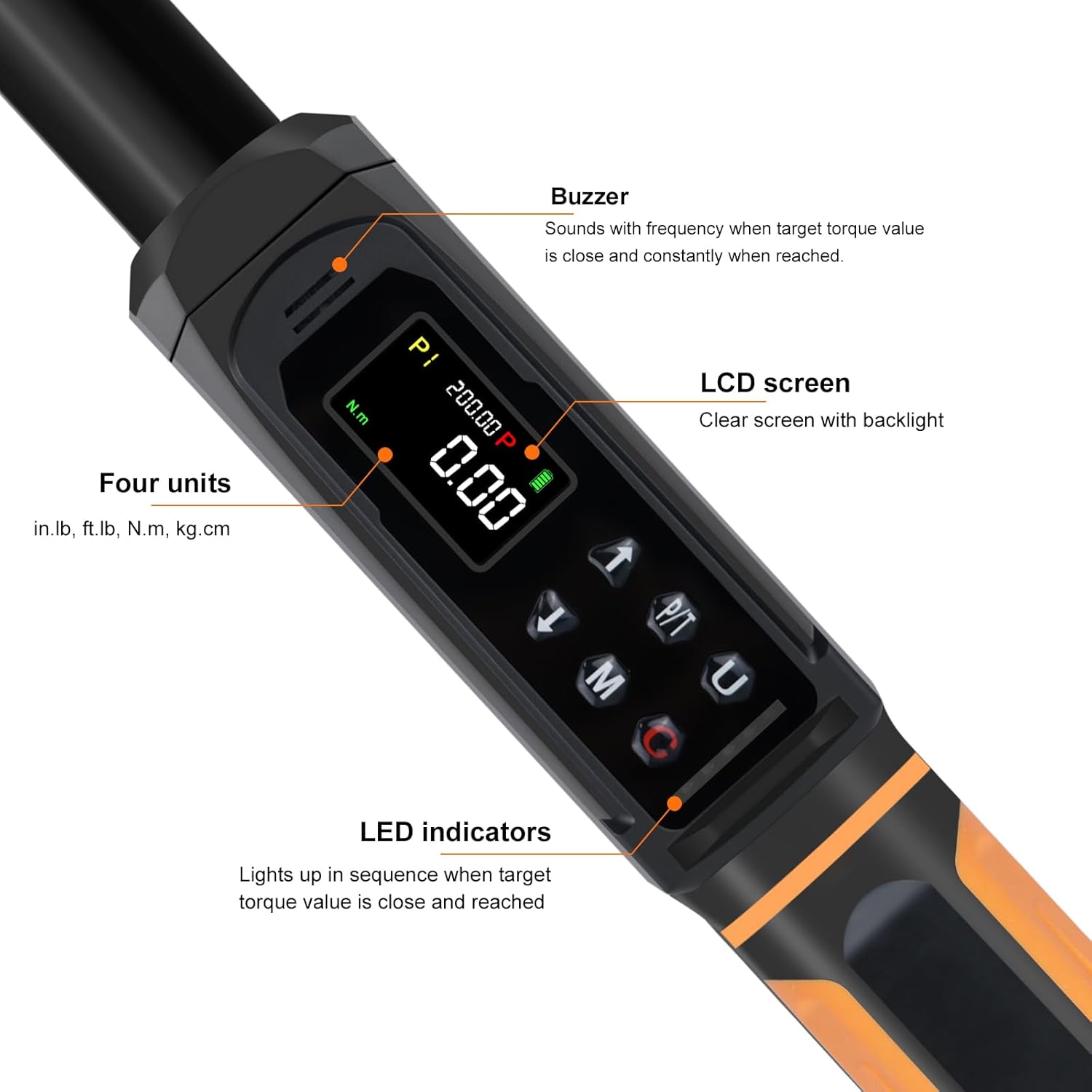
Figure 7: Example of the Inspection Certificate with calibration data and serial number.
Video 3: Explains the calibration process and the authenticity of the Uharbour torque wrench calibration certificate.
Cleaning:
- Wipe the wrench clean with a soft, dry cloth after each use.
- Do not use abrasive cleaners or solvents that could damage the display or finish.
Storage:
- Store the torque wrench in its protective hard case when not in use to prevent damage.
- Remove batteries if storing for extended periods to prevent leakage.
Troubleshooting
If you encounter issues with your Uharbour Digital Torque Wrench, refer to the following common solutions:
- Wrench not powering on: Check battery installation and ensure batteries are fresh.
- Inaccurate readings: Ensure the wrench is properly calibrated. Refer to the calibration section or contact support for recalibration services.
- Alerts not functioning: Verify that the target torque is set correctly and that the wrench is in the appropriate operating mode (Peak mode for alerts).
Specifications
| Feature | Specification |
|---|---|
| Drive Size | 1/2" Drive |
| Torque Range | 2.2-147.5 ft-lbs (3-200 Nm) |
| Accuracy | ±1% |
| Measurement Units | N-m, kgf-cm, lb-ft, lb-in |
| Material | Chrome Vanadium Steel |
| Item Weight | 5.24 pounds |
| Item Model Number | UHXM012 |
| UPC | 721545190840 |
| Battery Type | AAA (2 required) |

Figure 8: Detailed product specifications.
Warranty and Support
Uharbour stands behind the quality of its products. Your digital torque wrench comes with a warranty, and its calibration is recommended to be verified after 12 months or 5000 uses.
For technical support, warranty claims, or any inquiries, please contact Uharbour customer service at: customer.service@uharbour.net
Visit our official website for more information: www.uharbour.net