
1. Introduction
The FREDEES Rolling Nightstand with Charging Station is a versatile and functional furniture piece designed to enhance your living space. It features an adjustable and rotating top tray, integrated charging ports, customizable LED lighting, and mobile storage with lockable wheels. This manual provides essential information for assembly, operation, maintenance, and troubleshooting to ensure safe and efficient use of your nightstand.
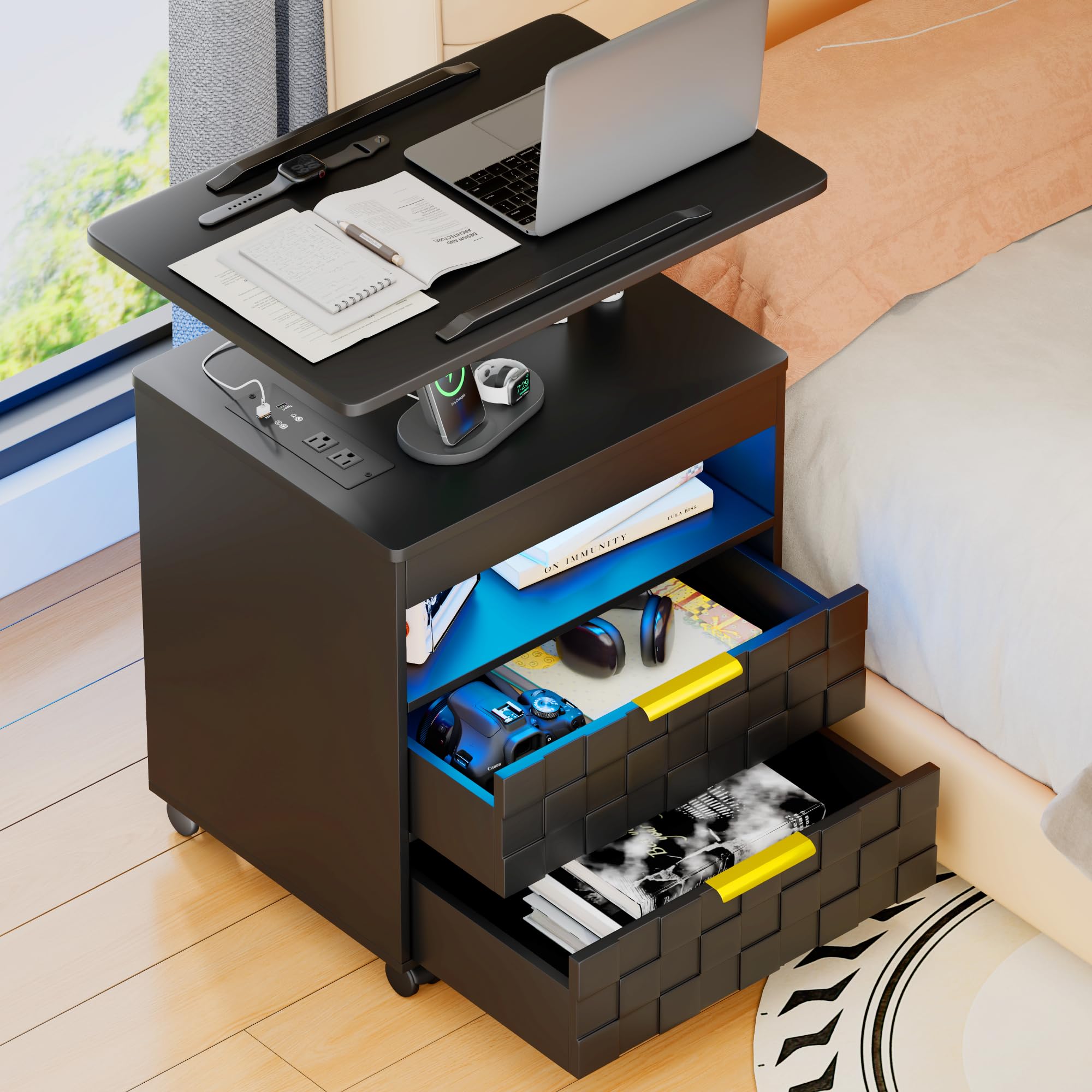
Image 1.1: FREDEES Rolling Nightstand with Charging Station (Black)
2. Safety Information
- Read all instructions carefully before assembly and use. Keep this manual for future reference.
- Ensure all components are present and undamaged before beginning assembly. Do not use if any parts are missing or broken.
- Do not exceed the maximum load capacity of 30 pounds (13.6 kg) for the top adjustable tray.
- Ensure the nightstand is placed on a stable, level surface. Engage wheel locks when the nightstand is in its desired position to prevent accidental movement.
- Connect the charging station to a properly grounded electrical outlet. Do not overload the outlets.
- Keep children and pets away from the assembly area. Small parts can be a choking hazard.
- Avoid placing hot items directly on the surface of the nightstand. Use coasters or protective pads.
- Do not stand or climb on the nightstand.
3. Package Contents
Verify that all the following components are included in your package:
- Nightstand Panels (MDF)
- Drawer Components
- Adjustable Tray Mechanism
- Charging Station Unit (with power cord)
- Set of 4 Lockable Wheels
- Hardware Pack (screws, bolts, etc.)
- Assembly Guide
- Installation Tool
4. Setup and Assembly
Assembly of the FREDEES Rolling Nightstand typically takes 30 to 60 minutes. Follow the detailed step-by-step instructions provided in the separate Assembly Guide included in your package. Each component is labeled to facilitate the process.
- Unpack and Identify Parts: Carefully remove all components from the packaging. Lay them out and compare them against the parts list in the Assembly Guide.
- Assemble the Main Frame: Follow the guide to connect the main panels of the nightstand. Ensure all connections are secure.
- Install Drawers: Assemble the drawers and install them into the nightstand frame according to the instructions.
- Attach Wheels: Securely attach the four lockable wheels to the base of the nightstand.
- Install Charging Station: Integrate the charging station unit into its designated slot.
- Mount Adjustable Tray: Attach the adjustable tray mechanism to the top of the nightstand.
- Final Checks: Ensure all screws are tightened and the nightstand is stable before use.

Image 4.1: Product dimensions and adjustable height range.
5. Operating Instructions
5.1. Adjustable Rotating Tray
The top tray offers multiple adjustments for optimal comfort and utility:
- 360° Rotation: The entire top panel can swivel 360 degrees laterally, allowing you to position it as needed.
- Height Adjustment: The tray can be moved up and down to suit your preferred height for tasks like using a laptop or reading.
- 270° Flip Tray: The tray surface can be flipped up to 270 degrees, providing an ergonomic angle for various activities.
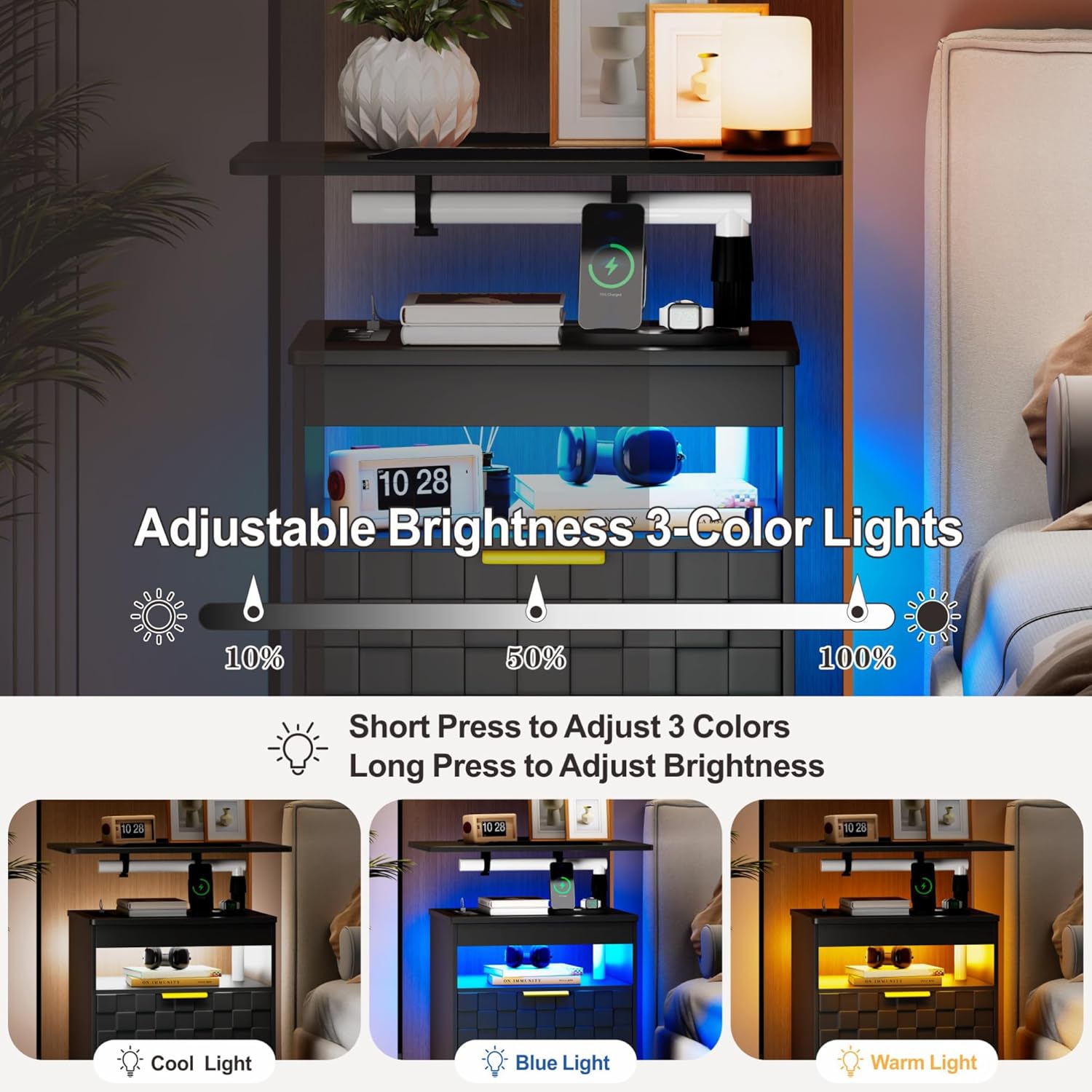
Image 5.1.1: Visual guide to the adjustable tray's lift, rotation, and flip functions.

Image 5.1.2: The nightstand with its 360° adjustable rotating tray in a living room setting.
5.2. Built-in Charging Station
The nightstand includes a convenient power hub for your electronic devices:
- AC Outlets: Two 125V/12A AC outlets for standard plugs.
- USB Ports: One USB-A port (5V/2A) and one USB-C port (5V/2A) for charging smartphones, tablets, and other USB-powered devices.
- Power Cord: The integrated power cord is 4.92 feet long.
To use, simply plug the nightstand's power cord into a wall outlet, then connect your devices to the available ports.
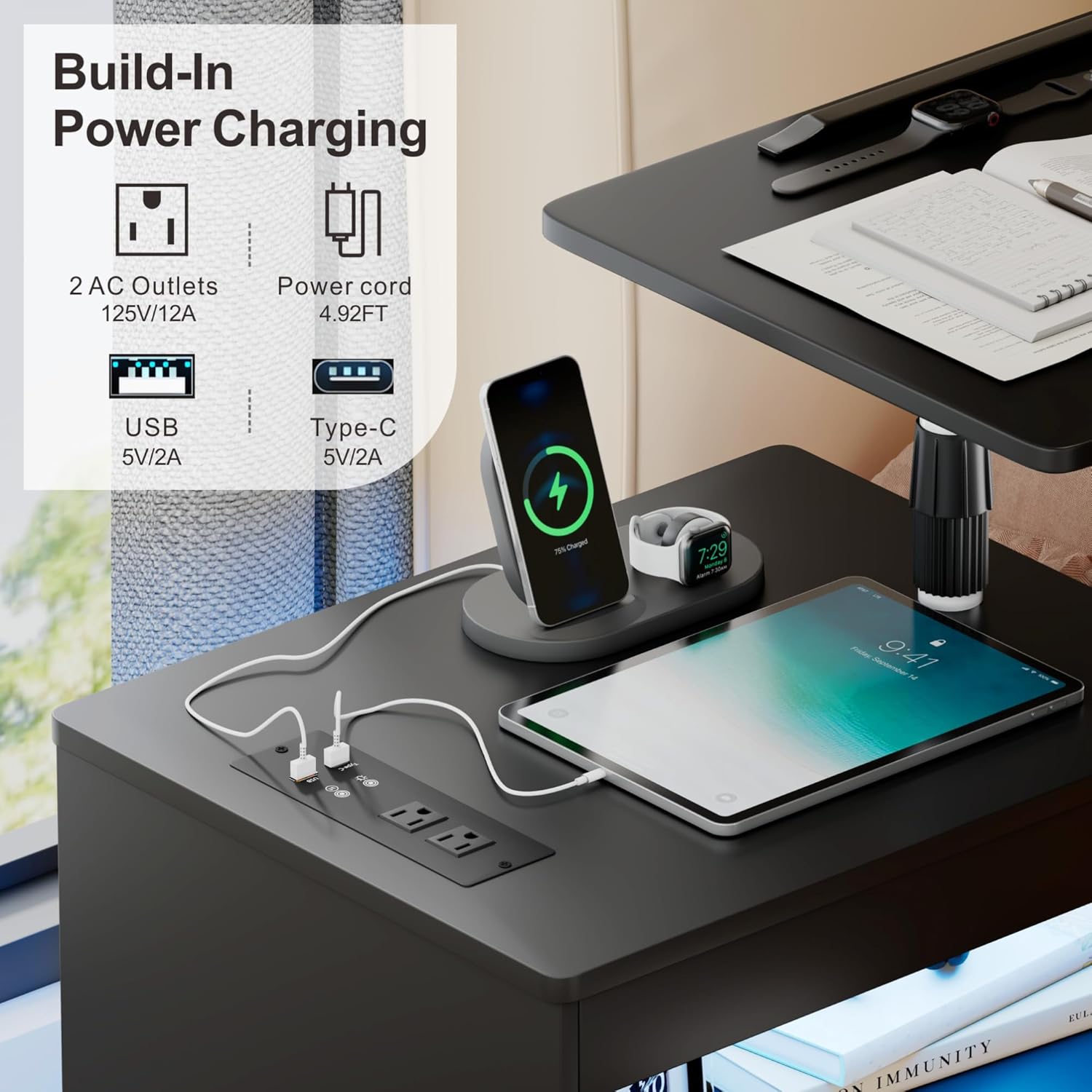
Image 5.2.1: Detail of the built-in power charging station.
5.3. LED Lights
The nightstand features LED lights with adjustable colors and brightness:
- Color Adjustment: Short press the light control button to cycle through three color options: Cool Light, Blue Light, and Warm Light.
- Brightness Adjustment: Long press the light control button to adjust the brightness level (e.g., 10%, 50%, 100%).
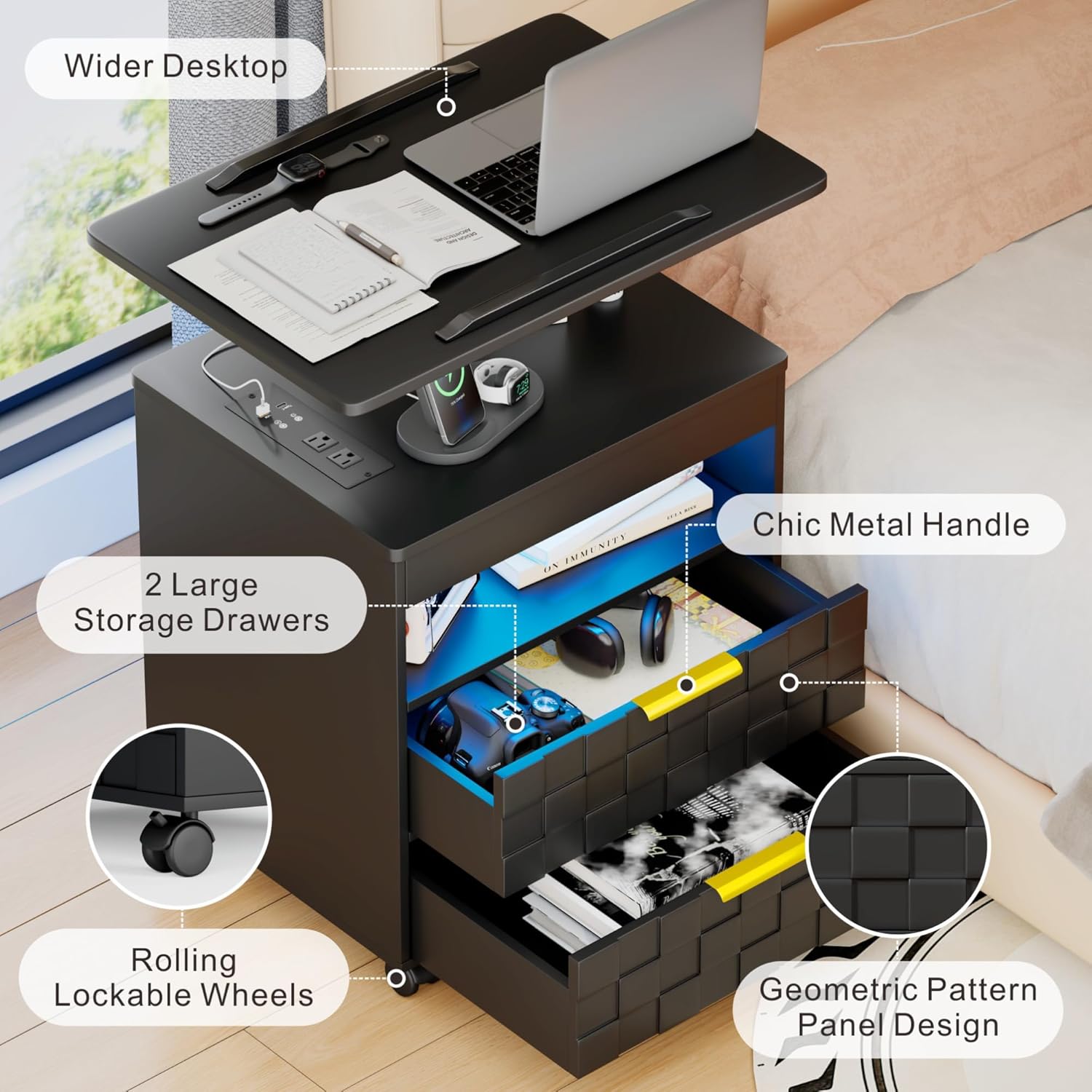
Image 5.3.1: Illustration of the 3-color LED lights and brightness adjustment.
5.4. Lockable Wheels
The nightstand is equipped with four lockable wheels for mobility and stability:
- Moving: Unlock the wheels to easily move the nightstand to your desired location.
- Securing: Once positioned, press down the locking mechanism on each wheel to secure the nightstand in place and prevent unwanted movement.

Image 5.4.1: Detail of the rolling lockable wheels.
5.5. Storage Drawers and Open Shelf
The nightstand provides ample storage with two large drawers and an open shelf:
- Use the drawers for discreet storage of personal items.
- The open shelf is suitable for displaying decorative items or storing frequently accessed books and electronics.
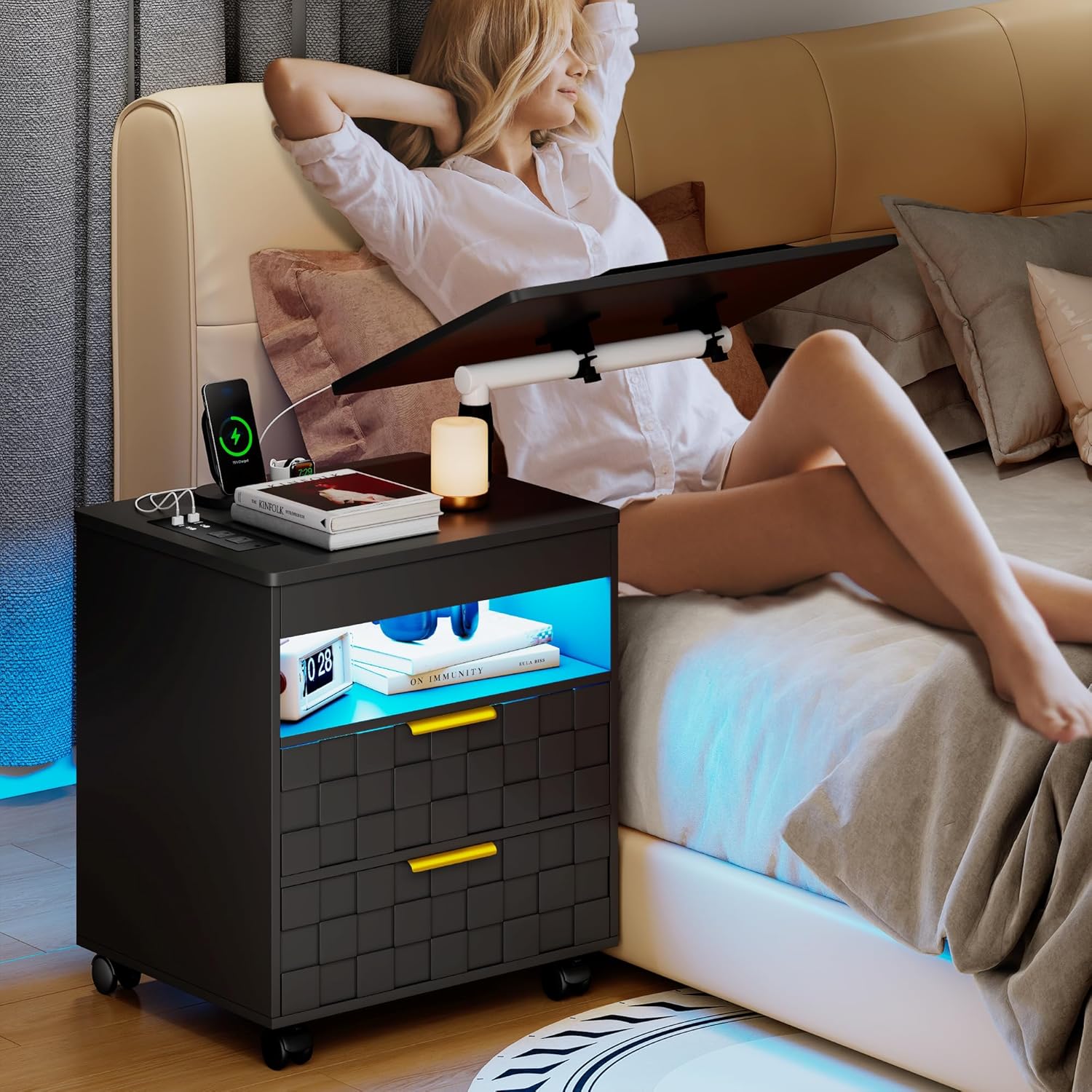
Image 5.5.1: The nightstand's storage drawers and open shelf.
6. Maintenance
- Cleaning: Wipe the surfaces with a dry, soft cloth. Avoid using abrasive cleaners, harsh chemicals, or excessive moisture, as these can damage the finish.
- Hardware Check: Periodically check all screws and connections to ensure they remain tight. Retighten if necessary to maintain stability.
- Electrical Components: Ensure the charging station and LED lights are kept dry. Do not attempt to repair electrical components yourself; contact qualified personnel if issues arise.
- Wheel Care: Keep the wheels free of debris to ensure smooth rolling.
7. Troubleshooting
| Problem | Possible Cause | Solution |
|---|---|---|
| Nightstand is wobbly. | Loose assembly screws. Uneven floor. | Check and tighten all assembly screws. Move to a level surface or use shims if necessary. |
| Charging ports not working. | Power cord not plugged in. Outlet issue. Device incompatibility. | Ensure the nightstand's power cord is securely plugged into a working wall outlet. Test the outlet with another device. Ensure your device is compatible with the port specifications (5V/2A for USB/Type-C). |
| LED lights not turning on or changing color. | Power issue. Button malfunction. | Verify the nightstand is powered. Ensure you are short-pressing for color change and long-pressing for brightness adjustment. |
| Adjustable tray is stuck or difficult to move. | Obstruction. Locking mechanism engaged. | Check for any objects obstructing the movement. Ensure any locking levers or knobs for adjustment are disengaged. |
| Wheels not rolling smoothly or locking. | Debris in wheels. Locking mechanism not fully engaged/disengaged. | Clear any debris from the wheels. Ensure the locking lever is fully pushed down to lock or fully lifted to unlock. |
8. Specifications
| Brand | FREDEES |
| Model Name | 91108 |
| Model Number | QM-91108-ZHP |
| Product Dimensions (D x W x H) | 15.7" x 19.7" x 29.5" |
| Item Weight | 42 pounds (19.05 kg) |
| Maximum Weight Recommendation (Top Tray) | 30 pounds (13.6 kg) |
| Frame Material | MDF (Medium Density Fiberboard) |
| Top Material Type | Engineered Wood |
| Color | Black |
| Charging Ports | 2 AC Outlets (125V/12A), 1 USB-A (5V/2A), 1 USB-C (5V/2A) |
| Power Cord Length | 4.92 feet (1.5 meters) |
| LED Lights | 3 Colors (Cool, Blue, Warm), Adjustable Brightness |
| Number of Drawers | 2 |
| Wheels | 4, Lockable |
| UPC | 783821563007 |
9. Warranty and Support
For detailed warranty information regarding your FREDEES Rolling Nightstand with Charging Station, please refer to the warranty card or documentation included with your purchase. This typically outlines the coverage period and terms for manufacturing defects.
Should you require technical assistance, have questions about assembly, or need to report a missing/damaged part, please contact FREDEES customer service. Contact information can usually be found on the product packaging, the official FREDEES website, or through your retailer.
You may also visit the FREDEES Store on Amazon for more product information and support resources.