
1. Introduction
Thank you for purchasing the PENTAX WG-1000 Grey Waterproof Digital Camera. This manual provides essential information for the safe and effective use of your camera. Please read it thoroughly before use and keep it in a safe place for future reference.
The PENTAX WG-1000 is designed for durability and high performance in various outdoor conditions. It features robust waterproofing, shock resistance, and dustproof capabilities, making it ideal for adventure photography and professional use.

Figure 1: PENTAX WG-1000 with key specifications and dimensions.
2. Product Features
- Waterproof and Shock-Resistant Design: The camera is waterproof up to 15 meters for continuous use of 1 hour (IPX8 compliant) and shock-resistant from drops of up to 2 meters. It also features IP6X dustproof performance. Its chemical resistance allows for use with disinfectants like sodium hypochlorite and chlorine dioxide water, suitable for professional applications.
- High-Quality Imaging: Equipped with a back-illuminated CMOS image sensor, the camera offers excellent high-sensitivity and low-noise characteristics. It achieves high-resolution images of approximately 16.35 effective megapixels with a maximum ISO sensitivity of 3200.
- 4x Optical Zoom Lens: Features a 4x optical zoom lens with a focal length of 4.9 to 19.6mm (equivalent to approximately 27-108mm in 35mm format). Combined with digital zoom, it can achieve high-magnification shooting equivalent to approximately 24x.
- Versatile Shooting Modes: Includes 7 diverse shooting modes such as 'AUTO' for automatic scene recognition, 'Manual' for user-controlled aperture, shutter speed, and ISO, and 'Underwater' mode to reduce blue cast for natural colors. There are also 18 scene modes for optimal settings.
- Creative Color Modes: Offers 20 color modes for diverse photographic expression, including 'Monochrome', 'Sepia', 'Japanese Style' (bluish tint), 'Italian Style' (greenish tint), 'French Style' (reddish tint), 'Negative' (like undeveloped film), and 'Sketch' (like a painting). These can be applied during or after shooting.
- Full HD Video Recording: Supports Full HD video recording at 1920x1080 (16:9) pixels at 30 frames per second, using H.264 format for high-quality, long-duration video capture.
3. Setup
3.1. Unpacking and Checking Contents
Carefully unpack your camera and ensure all accessories are present. The package should include:
- PENTAX WG-1000 Digital Camera
- Protector Jacket O-CC180 (pre-installed or included)
- Carabiner Strap O-ST180
- Rechargeable Lithium-ion Battery
- USB Cable (for charging and data transfer)
- Charging Power Adapter

Figure 2: Included accessories with the PENTAX WG-1000.
3.2. Charging the Battery
- Insert the rechargeable lithium-ion battery into the camera.
- Connect the USB cable to the camera's Type-C port and the charging power adapter.
- Plug the power adapter into a wall outlet. The charging indicator will illuminate.
- Charging is complete when the indicator light turns off.
3.3. Inserting a Memory Card (SD/SDHC/SDXC)
The camera has internal memory, but for extended shooting, insert a compatible SD, SDHC, or SDXC memory card.
- Open the battery/card compartment cover.
- Insert the memory card into the slot with the label facing the correct direction until it clicks into place.
- Close the compartment cover securely to maintain waterproofing.
4. Operating the Camera
4.1. Power On/Off
Press the power button to turn the camera on or off.
4.2. Basic Photography
- Select a Mode: Use the mode dial or menu to select your desired shooting mode (e.g., AUTO, Manual, Underwater, Scene).
- Frame Your Shot: Use the LCD monitor to compose your image.
- Focus: Press the shutter button halfway down to focus. The focus frame will turn green when focus is achieved.
- Capture: Press the shutter button fully to take the picture.
4.3. Underwater Photography
The WG-1000 features a dedicated 'Underwater' mode to optimize color balance and reduce blue cast for natural-looking photos and videos underwater.

Figure 3: Example of underwater photography with the WG-1000.
4.4. Video Recording
To record Full HD videos:
- Switch to video recording mode.
- Press the video record button to start recording.
- Press the button again to stop recording.
4.5. Using Creative Color Modes
The camera offers 20 unique color modes to enhance your photos. These can be applied either before taking a picture or during playback editing.
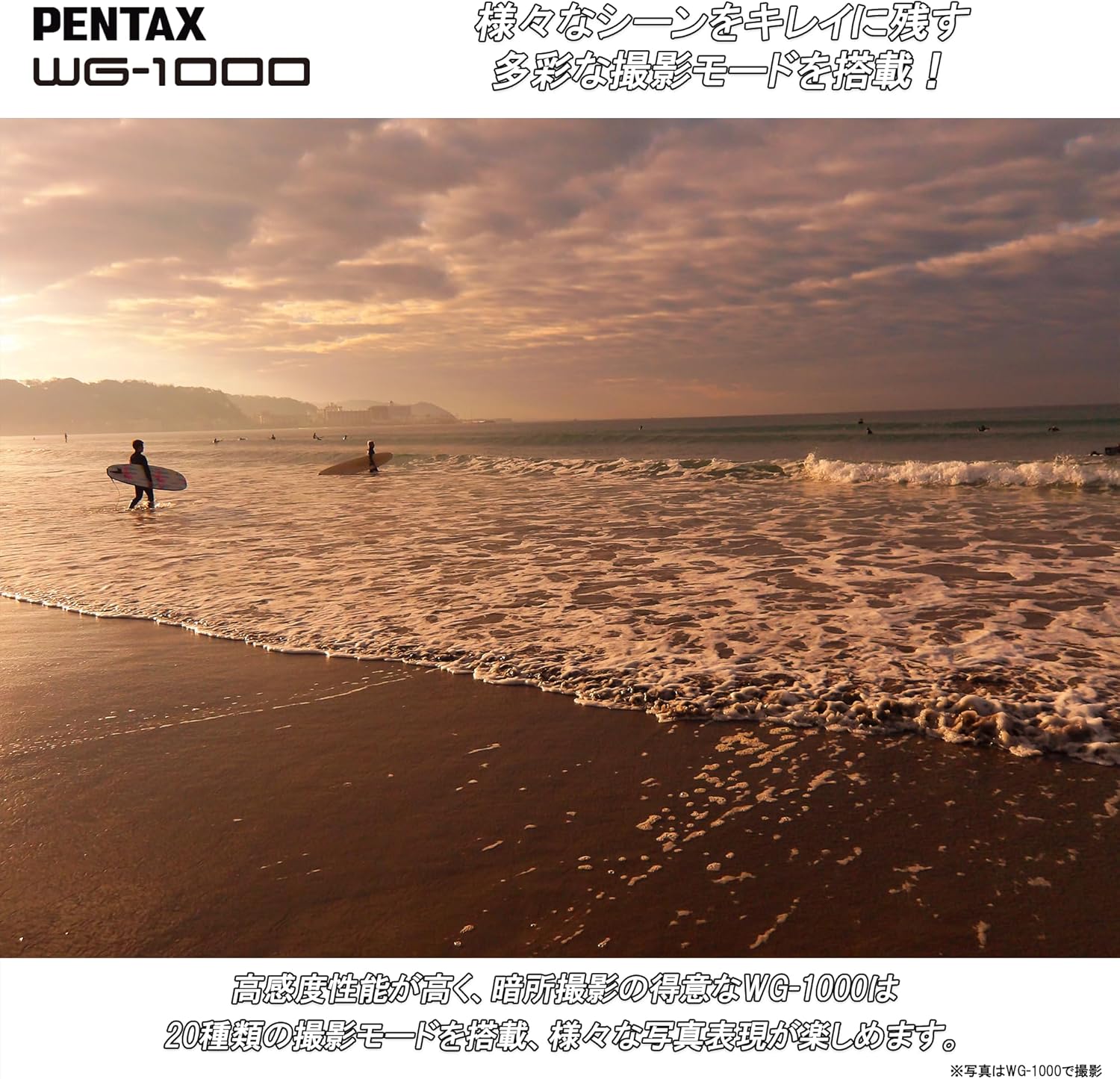
Figure 4: The WG-1000 is suitable for various outdoor scenes like this beach sunset.

Figure 5: The WG-1000 performs well in low-light conditions.
5. Maintenance
5.1. Cleaning the Camera
- Wipe the camera body with a soft, dry cloth.
- For stubborn dirt, use a cloth lightly dampened with water or a mild cleaning solution.
- Clean the lens and LCD screen with a specialized lens cleaning cloth and solution.
5.2. Maintaining Waterproofing
- Always ensure the battery/card compartment cover and all port covers are securely closed before exposing the camera to water.
- After using the camera in saltwater, rinse it thoroughly with fresh water and dry it completely before opening any compartments.
- Regularly check the rubber seals (gaskets) for any dirt, sand, or damage. Clean them gently if necessary.
6. Troubleshooting
If you encounter issues with your PENTAX WG-1000, refer to the following common problems and solutions:
| Problem | Possible Cause | Solution |
|---|---|---|
| Camera does not turn on. | Battery is depleted or incorrectly inserted. | Charge the battery fully. Reinsert the battery correctly. |
| Images are blurry. | Lens is dirty, camera shake, or incorrect focus. | Clean the lens. Hold the camera steady. Ensure proper focus before shooting. |
| Water inside the camera. | Compartment cover not properly sealed. | Immediately turn off the camera, remove the battery and memory card, and contact customer support. Do not attempt to dry or use the camera. |
| Cannot record videos. | Memory card is full or too slow. | Delete unnecessary files or use a higher-speed memory card. |
7. Specifications
| Feature | Specification |
|---|---|
| Brand | PENTAX |
| Model Number | WG-1000 (2153) |
| Photo Sensor Technology | CMOS |
| Effective Still Resolution | 16 MP |
| Optical Zoom | 4x |
| Max Focal Length | 108 millimeters (35mm equivalent) |
| Min Focal Length | 27 millimeters (35mm equivalent) |
| Max Aperture | F5.6 |
| Expanded ISO Range | 100-3200 |
| Shutter Speed | 1/4000 seconds |
| Image Stabilization | Digital |
| Video Capture Resolution | 1080p (Full HD) |
| Video Capture Format | MP4 |
| Display Type | LCD |
| Screen Size | 2.7 inches |
| Connectivity | Micro HDMI, USB |
| Compatible Memory Cards | SD, SDHC, SDXC |
| Special Features | Shockproof, Waterproof (15m), Dustproof (IP6X), Chemical Resistant |
| Weight | 1.1 pounds (approx. 500g) |
8. Warranty Information
The PENTAX WG-1000 comes with a 1-year manufacturer's warranty. Please retain your proof of purchase for warranty claims. For detailed warranty terms and conditions, refer to the official PENTAX website or contact customer support.
9. Support
For product inquiries, technical assistance, or service requests, please contact Ricoh Imaging Customer Service.
9.1. Contact by Phone
TEL: 0570-001313
Operating Hours: 10:00 AM - 5:00 PM JST
Please note: Closed on Sundays, public holidays, New Year holidays, company special holidays, and building facility inspection days.
9.2. Contact by Email
Visit the official Ricoh Imaging support website for email inquiries and further information:
https://www.ricoh-imaging.co.jp/japan/support/product_web.html
For Amazon-specific inquiries, please contact Amazon Customer Support directly.


