
1. Introduction
This manual provides instructions for the installation and operation of your LocoLee RC Light Kit, designed to illuminate the Lego Notre Dame Cathedral Architecture 21061 model. Please note that the Lego model is not included with this light kit and must be purchased separately or already owned.

Image 1.1: Visual comparison of the Lego Notre Dame Cathedral model with the LocoLee light kit installed (left) and without lights (right).

Image 1.2: The light kit is an accessory; the Lego model is not included.
2. Package Contents
Before beginning installation, please verify that all components listed below are present in your package. If any parts are missing, please contact customer support.

Image 2.1: Overview of the light kit package contents.

Image 2.2: Detailed breakdown of all light kit components.
- LED Light Kit components (various light strips, connecting cables, expansion boards)
- Instruction Manual (online video/PDF)
- Remote Control
- USB Power Cable
3. Setup & Installation
Installation of the light kit requires careful handling and may involve disassembling small sections of your Lego model. Detailed step-by-step video and PDF instructions are available online. Please follow these instructions precisely to ensure proper installation and avoid damage to the components.
3.1 Accessing Online Instructions
To access the detailed installation guide:
- Locate the website address provided in the booklet included with your light kit.
- Visit the website and enter the model number (21061) or the code found on the packing box.
- Select the appropriate product image to view the PDF and video installation guides.

Image 3.1: Guide to accessing online installation instructions.
3.2 General Installation Tips
- Handle Wires Carefully: The light kit components are small and delicate. Avoid pulling wires too hard during installation to prevent damage.
- Test Components: It is recommended to test each light part before fully assembling it into the model to ensure functionality.
- Integrate Seamlessly: The high-quality copper lines and ABS plastic components are designed to be hidden and blend with the Lego blocks.

Image 3.2: Close-up of light kit components installed within the model, highlighting the illuminated rose window and interior.

Image 3.3: Further detail of light placement and effect within the model's structure.
3.3 Installation Video Guide
Video 3.1: Official installation video demonstrating the lighting of the Lego Notre Dame Cathedral model. This video provides a visual guide to the installation process and the final illuminated effect.
4. Operating Instructions
The LocoLee RC Light Kit is designed for easy operation using the included remote control.
4.1 Powering the Light Kit
- The light kit can be powered via a USB connection. Ensure the voltage is less than 5V.
- A battery is not included in the package. For optimal brightness, USB power is recommended.
4.2 Using the Remote Control
The remote control allows you to turn the lights on and off, adjust brightness, and potentially change lighting modes (if applicable to your specific kit version).
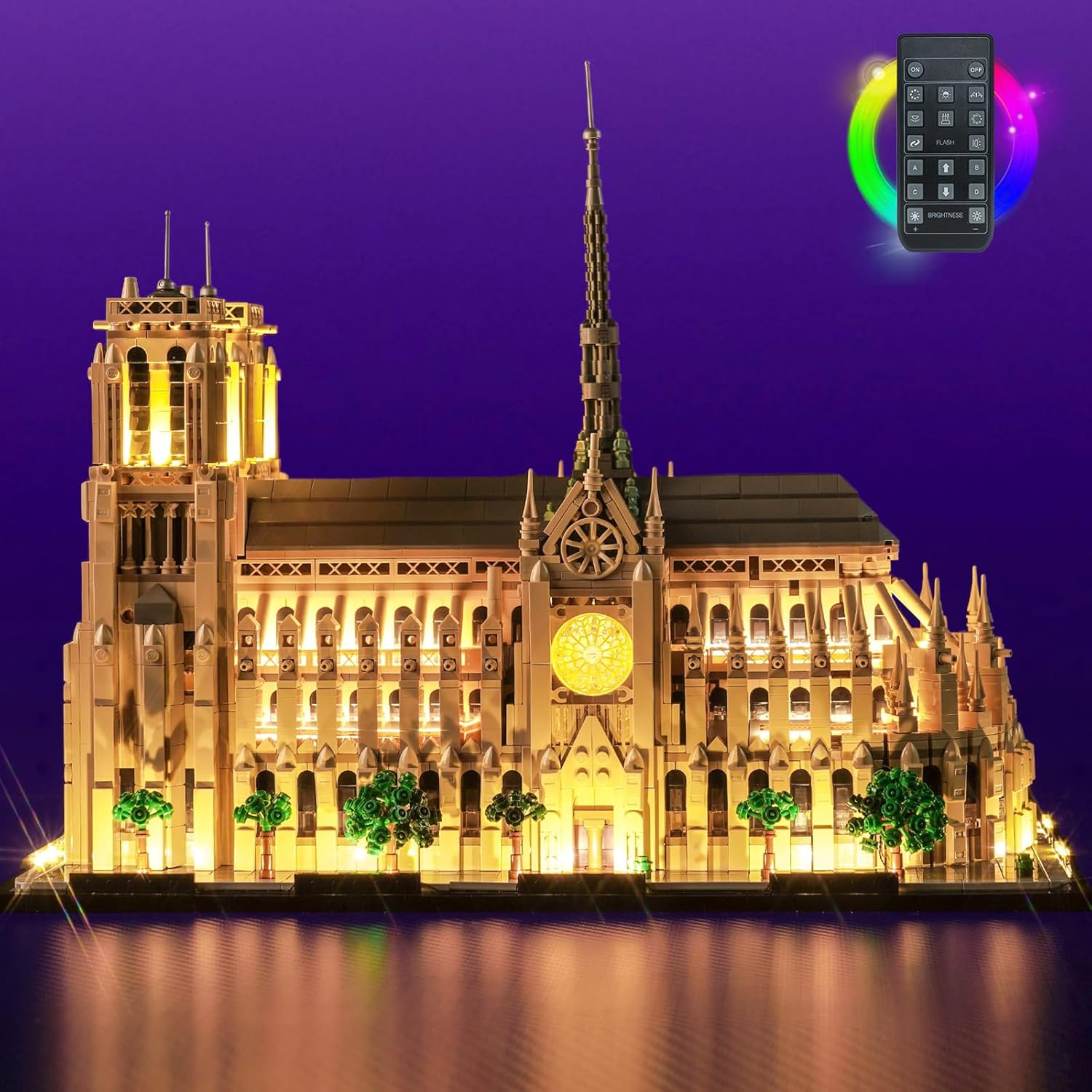
Image 4.1: The illuminated model with the remote control for operation.
5. Maintenance
To ensure the longevity and optimal performance of your LocoLee RC Light Kit, follow these simple maintenance guidelines:
- Cleaning: Gently dust the light components and wires with a soft, dry cloth. Avoid using liquid cleaners directly on the electrical components.
- Storage: If storing the model for an extended period, ensure the light kit is disconnected from power. Store in a cool, dry place away from direct sunlight.
- Handling: Continue to handle the model with care to prevent stress on the installed wires and lights.
6. Troubleshooting
If you encounter any issues with your LocoLee RC Light Kit, please refer to the following common problems and solutions:
| Problem | Possible Cause | Solution |
|---|---|---|
| Lights do not turn on. | Loose connection, power source issue, damaged wire/LED. | Check all connections are secure. Ensure USB power source is functional and providing less than 5V. Inspect wires for damage. Re-test individual light components if possible. |
| Some lights are not working. | Individual LED failure, specific wire connection issue. | Carefully check the connections for the non-working lights. If an individual LED is faulty, contact customer support for replacement options. |
| Remote control is unresponsive. | Remote battery depleted, remote not pointed correctly, receiver obstruction. | Replace remote control battery. Ensure direct line of sight to the light kit's receiver. |
| Missing parts upon arrival. | Packaging error. | Contact LocoLee customer support immediately with your order details. |
If the issue persists after attempting these solutions, please refer to the Warranty & Support section for further assistance.
7. Specifications
| Feature | Detail |
|---|---|
| Product Dimensions | 6.06 x 3.98 x 1.26 inches |
| Item Weight | 5.6 ounces |
| Item Model Number | 21061 |
| Manufacturer Recommended Age | 16 years and up |
| Power Input | USB (Voltage less than 5V) |
| Material | High-quality copper lines and ABS plastic |
8. Warranty & Support
LocoLee is committed to providing high-quality products. Our light kits undergo thorough quality checks to ensure they meet our standards.
8.1 Quality Guarantee
The LocoLee light kit is manufactured using high-quality copper lines and ABS plastic, designed for durability and seamless integration with your building blocks.
8.2 Customer Support
If you have any questions, concerns, or require assistance with your product, please do not hesitate to contact us via email. Our customer support team is available to help you resolve any issues.