
Qcwwy Qcwwynqutfers19
Qcwwy Smart Lock Instruction Manual
Model: Qcwwynqutfers19
Product Overview
The Qcwwy Smart Lock is an advanced security solution designed for modern homes and offices. It offers multiple convenient and secure unlocking methods, including fingerprint recognition, password entry, traditional key access, magnetic card, and remote control via a mobile application. Constructed from durable stainless steel and aluminum alloy, this smart lock is built for reliability and features a waterproof design for enhanced durability in various environments.
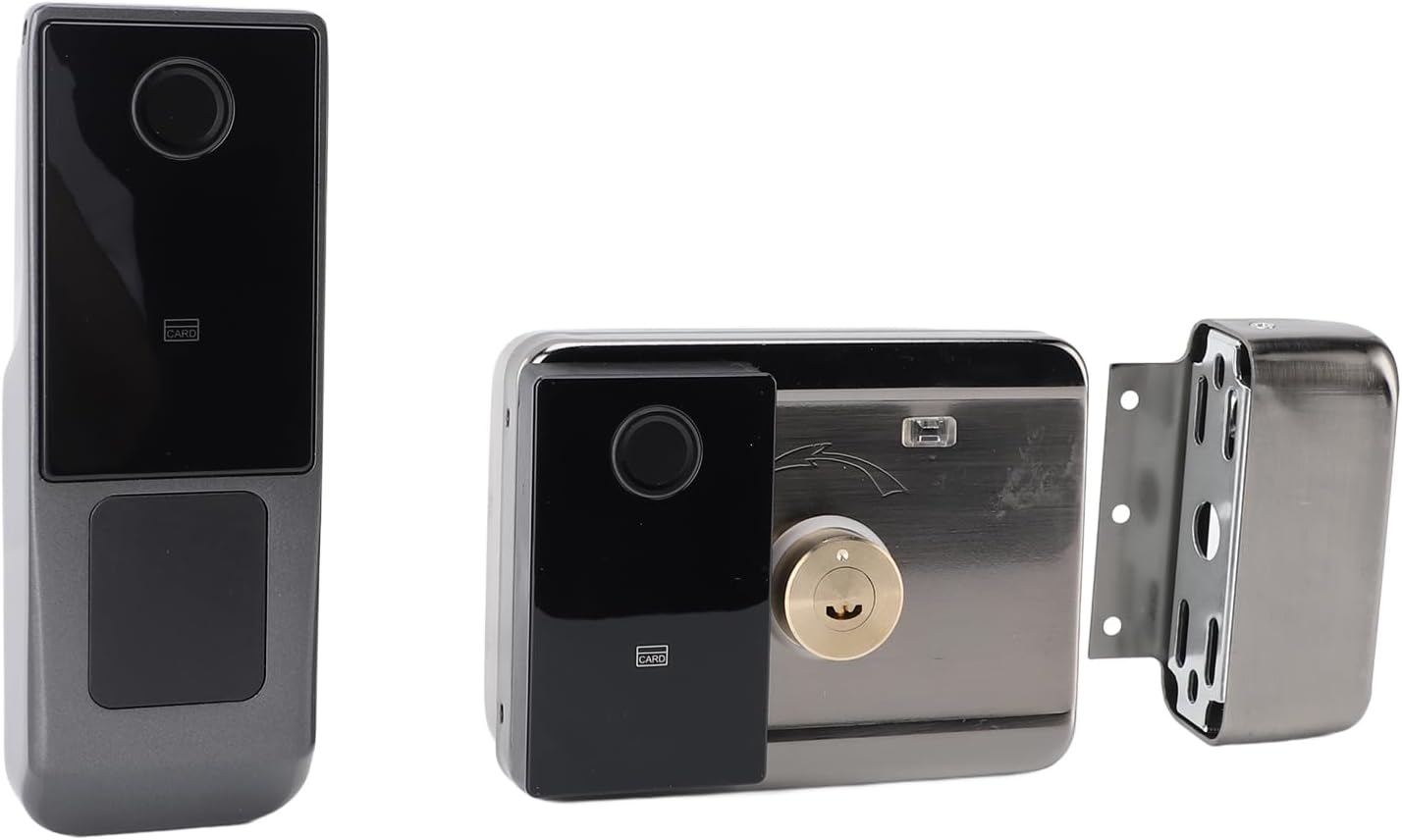
Figure 1: Main components of the Qcwwy Smart Lock, showing the sleek exterior unit and the robust interior locking mechanism.
Package Contents
Please verify that all items listed below are included in your package. If any items are missing or damaged, please contact customer support.
- 2 x Door Locks (exterior and interior units)
- 1 x Lock Cylinder
- 1 x Lock Body
- 2 x Rubber Gaskets
- 3 x Keys
- 2 x Magnetic Cards
- 1 x Waterproof Cover
- 1 x Remote Control
- 2 x Cables
- 2 x Instruction Manuals
- 10 x Screws
- 3 x Spacers

Figure 2: All included components of the Qcwwy Smart Lock package.
Setup and Installation
Before beginning installation, ensure you have all necessary tools and components as listed in the "Package Contents" section. It is recommended to read through the entire installation guide provided in the separate instruction manuals (included in the package) before starting.
Power Requirements:
- The door lock requires 1 AA battery (not included).
- The remote control requires 1 23A battery (not included).
- For long-term use, an external 12V power supply can be connected.
Note: While the product description states "Batteries/Pile necessarie?: No", the detailed description clarifies that batteries are required for operation but are not included in the package. Please ensure you purchase the correct battery types.
General Installation Steps:
- Prepare the door by ensuring the existing boreholes are compatible with the smart lock's dimensions.
- Install the lock body and lock cylinder into the door.
- Attach the exterior and interior units, ensuring proper cable connections.
- Secure all components with the provided screws and spacers.
- Insert the required batteries into the lock and remote control.
- Perform initial setup and calibration as per the detailed instruction manuals.
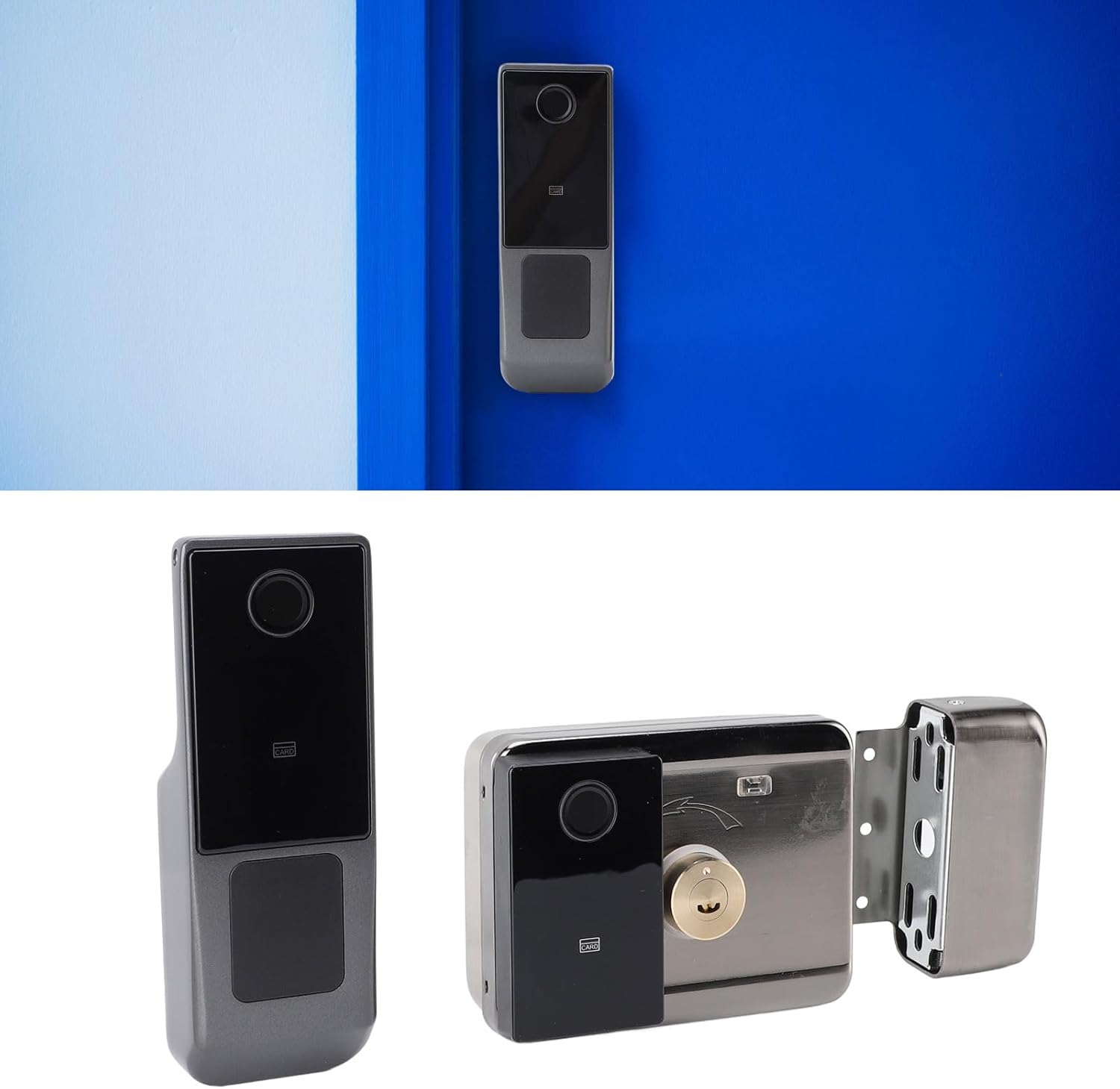
Figure 3: The Qcwwy Smart Lock installed on a door, showcasing its sleek design.
Operating Instructions
The Qcwwy Smart Lock offers multiple methods for unlocking, providing flexibility and convenience for various users and situations.
Unlocking Methods:
- Fingerprint Recognition:
Utilizes advanced semiconductor biometric technology for accurate and fast recognition. Simply place your registered finger on the sensor for quick access. The front version of the lock allows for adding fingerprint information via the mobile APP.
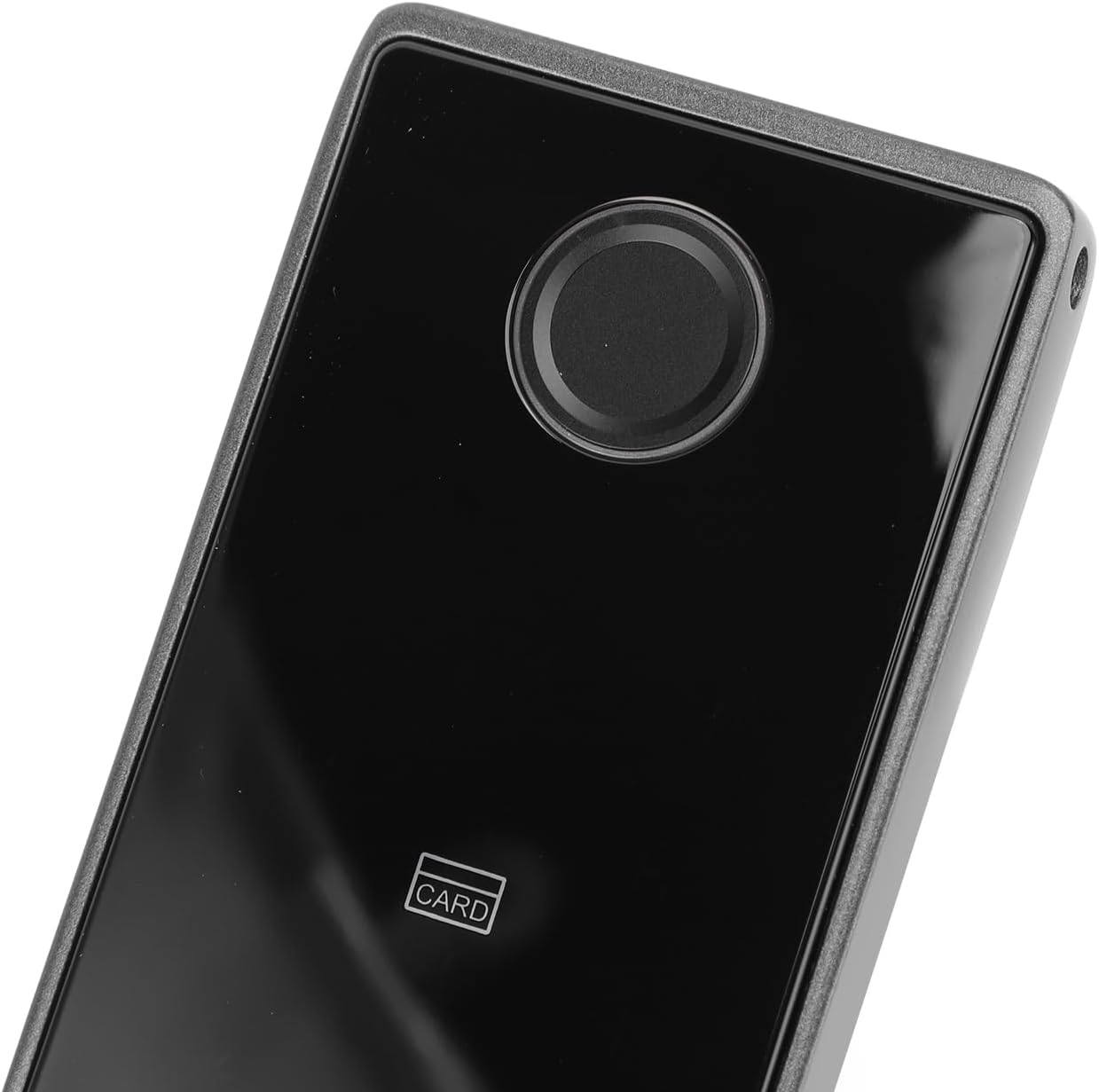
Figure 4: Close-up view of the fingerprint sensor for biometric unlocking.
- Password Entry:
Enter your pre-set numerical password on the sensitive numeric keypad. The lock features a false code entry function, enhancing security by allowing you to input random numbers before or after your actual password, preventing others from guessing your code.

Figure 5: The illuminated numeric keypad for password entry.
- Key Access:
For traditional and emergency access, use one of the provided physical keys to unlock the door.
- Magnetic Card:
Tap the provided magnetic cards against the designated sensor area on the lock to gain entry.
- Mobile APP Control:
Connect the smart lock to your mobile device via the dedicated APP. This allows you to remotely unlock the door, monitor the lock's status, and share virtual keys with authorized users, making access management convenient.
- Remote Control:
Use the included remote control for convenient unlocking from a short distance.
Maintenance
Regular maintenance ensures the longevity and optimal performance of your Qcwwy Smart Lock.
- Cleaning: Wipe the lock's exterior surfaces with a soft, damp cloth. Avoid using abrasive cleaners or solvents that could damage the finish or electronic components.
- Battery Replacement: Replace the AA battery in the door lock and the 23A battery in the remote control when the low battery indicator appears or when performance degrades. Refer to the detailed instruction manual for specific battery replacement procedures.
- Waterproof Feature: While the lock has a good waterproof design, avoid submerging it in water or exposing it to extreme weather conditions for prolonged periods. Ensure the waterproof cover is properly installed.
- Software Updates: Periodically check the mobile APP for any available firmware updates for your smart lock to ensure you have the latest features and security enhancements.
Troubleshooting
If you encounter issues with your Qcwwy Smart Lock, refer to the following common troubleshooting tips. For more detailed solutions, consult the comprehensive instruction manuals provided with your product.
- Lock Not Responding: Check if the batteries are correctly inserted and have sufficient charge. Replace batteries if necessary. Ensure the external 12V power supply (if used) is connected and functioning.
- Fingerprint Not Recognized: Ensure your finger is clean and dry. Try re-registering your fingerprint through the mobile APP. Ensure the fingerprint sensor is clean.
- Password Not Working: Double-check that you are entering the correct password. Remember the false code entry function allows extra digits; ensure your actual password is correct within the sequence.
- APP Connectivity Issues: Ensure Bluetooth is enabled on your mobile device and that you are within range of the lock. Restart the APP or your mobile device.
- Remote Control Not Working: Check the battery in the remote control. Ensure there are no obstructions between the remote and the lock.
- Lock Mechanism Jammed: Do not force the lock. Check for any physical obstructions in the door frame or the lock mechanism. If the issue persists, use the physical key for access and contact customer support.
If these steps do not resolve the issue, please contact Qcwwy customer support for further assistance.
Specifications
| Feature | Detail |
|---|---|
| Product Type | Smart Door Lock |
| Model Number | Qcwwynqutfers19 |
| Material | Stainless Steel, Aluminum Alloy |
| Door Lock Battery | 1 x AA Battery (not included) |
| Remote Control Battery | 1 x 23A Battery (not included) |
| External Power Supply | 12V (for long-term use) |
| Fingerprint Identification | Semiconductor Identification |
| Unlocking Methods | Fingerprint, Password, Key, Magnetic Card, APP, Remote Control |
| Product Dimensions | 26 x 21 x 21 cm (approx.) |
| Item Weight | 1.6 kg (3.5 lbs) |
| Waterproof Feature | Yes |
Note: All data is measured manually, and there may be slight errors in the measurement results.
Warranty and Support
Qcwwy is committed to providing high-quality products and customer satisfaction. For any warranty claims, technical support, or inquiries regarding your smart lock, please refer to the contact information provided in the separate instruction manuals included in your package.
You may also visit the official Qcwwy store page on Amazon for additional resources and support:
Visit the Qcwwy Store on Amazon
Please retain your proof of purchase for warranty purposes.
Ask a question about this manual
Ask about setup, troubleshooting, compatibility, parts, safety, or missing instructions. Manuals+ will review the question and use this page’s manual context to help answer it.