
1. Important Safety Instructions
Please read and understand all instructions before installing or operating this transformer. Retain this manual for future reference.
- Electrical Safety: Always disconnect power at the main circuit breaker before performing any service or installation.
- Outdoor Use: This transformer is designed for outdoor use and is weatherproof. Ensure all connections are secure and protected from moisture.
- Voltage Compatibility: Ensure your landscape lighting fixtures are compatible with 12V or 14V AC output. Do not exceed the maximum 300W capacity.
- Grounding: The transformer must be connected to a properly grounded 120V AC outlet.
2. Package Contents
- DEWENWILS 300W Low Voltage Landscape Transformer
- Removable Photocell Sensor with 6.8ft cord
- Mounting hardware (screws and anchors)
- Instruction Manual
3. Product Overview
The DEWENWILS 300W Low Voltage Landscape Transformer converts standard 120V AC household current to a safe 12V or 14V AC output, suitable for various outdoor landscape lighting fixtures. It features multiple operating modes, circuit protection, and a memory function for convenience.
Key Features:
- Versatile Output: Converts 120V AC to 12V/14V AC, compatible with various low voltage outdoor lighting fixtures.
- High Power Capacity: Supports up to 300W total load for extensive lighting setups.
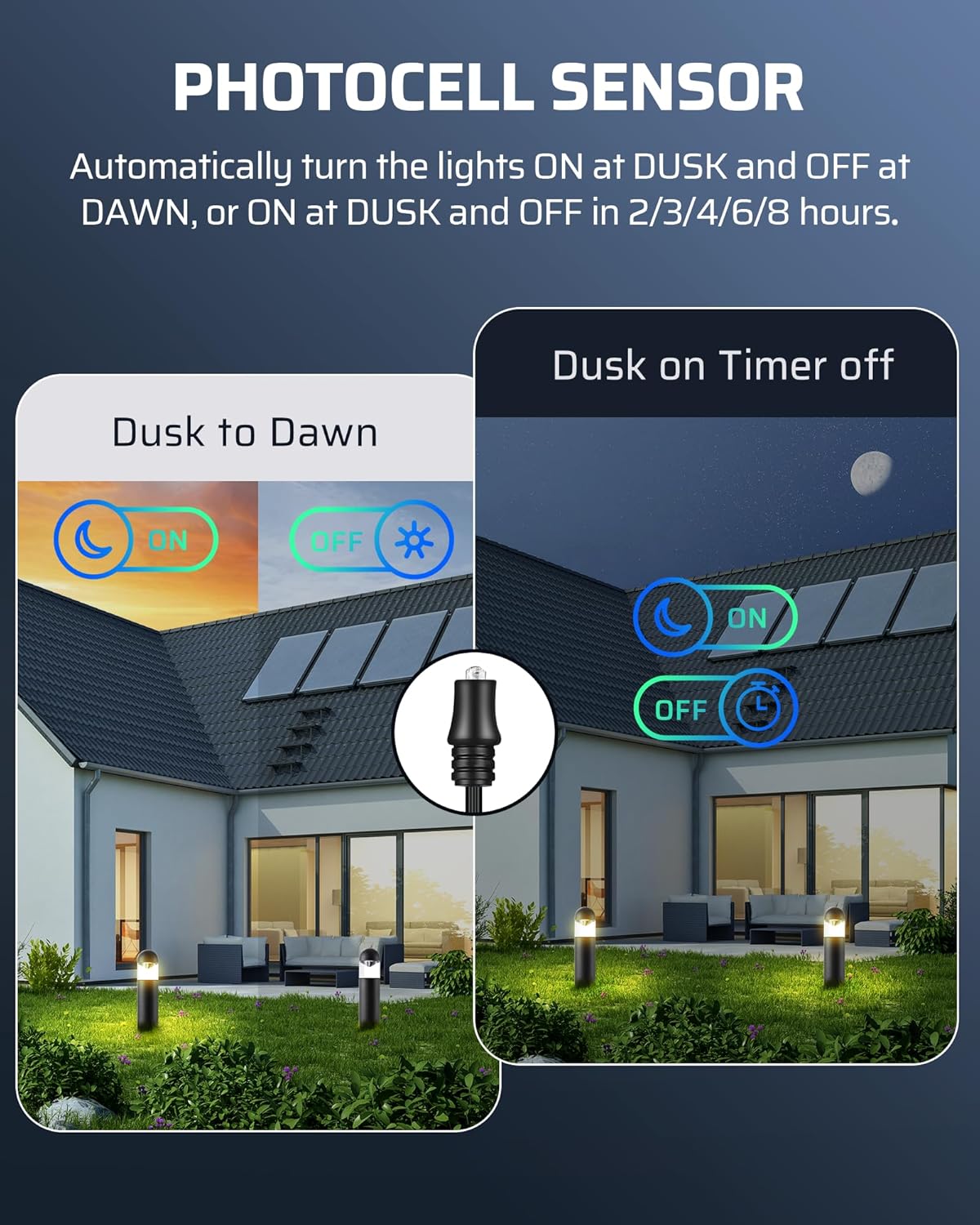
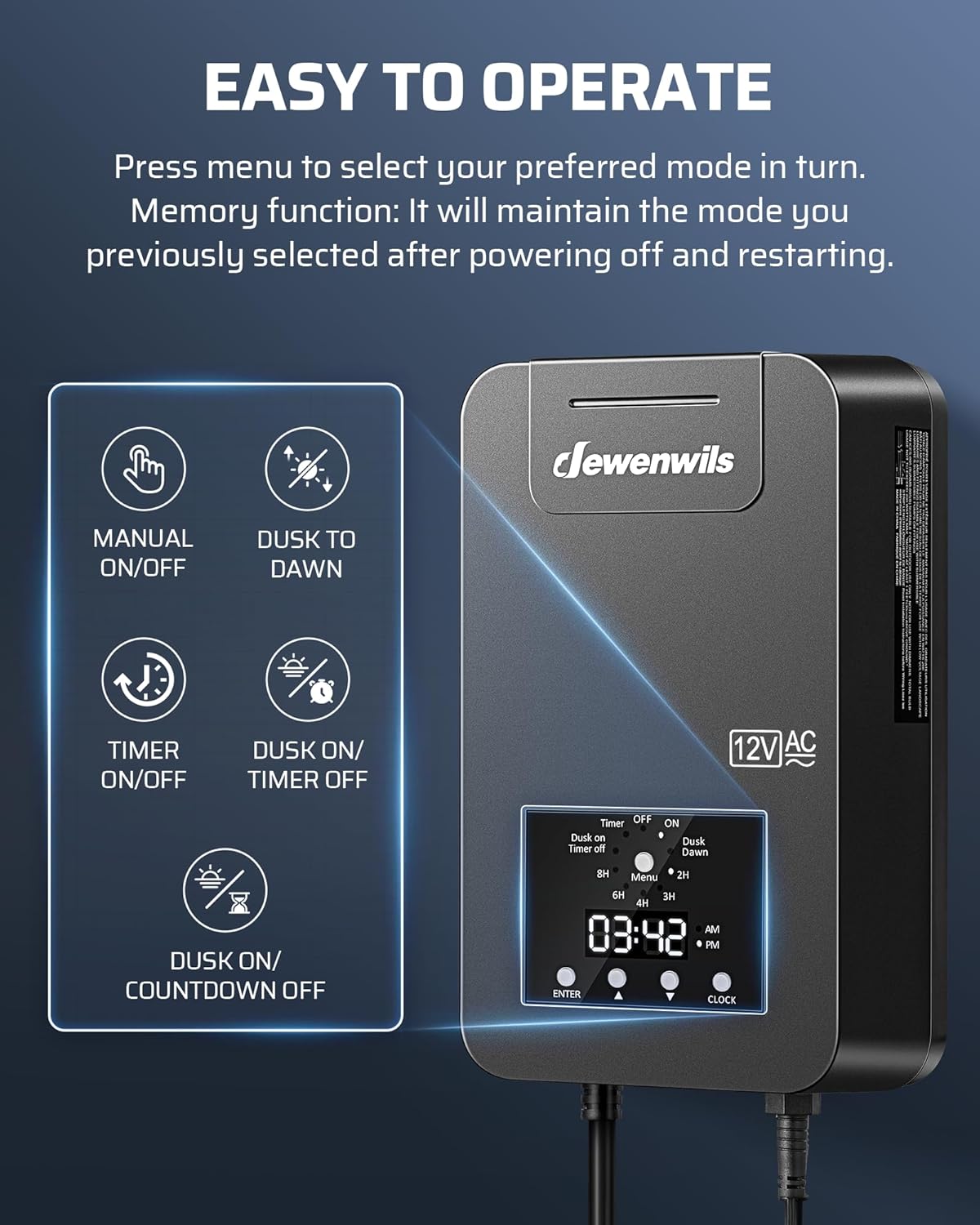
- 5 Setting Modes: Includes Manual ON/OFF, Dusk to Dawn, Dusk ON/Countdown OFF (2/3/4/6/8 hours), Dusk ON/Timer OFF, and Timer ON/OFF.
- Removable Photocell Sensor: Comes with a 6.8ft cord for flexible indoor or outdoor installation, enabling automatic dusk-to-dawn operation.
- Circuit Protection: Built-in protection disconnects power during faults to safeguard lights and the transformer.
- Memory Function: Retains the last selected mode after power interruptions, eliminating the need for frequent resetting.
- Durable & Weather-resistant: Constructed from professional-grade PC material to withstand outdoor elements.


4. Installation
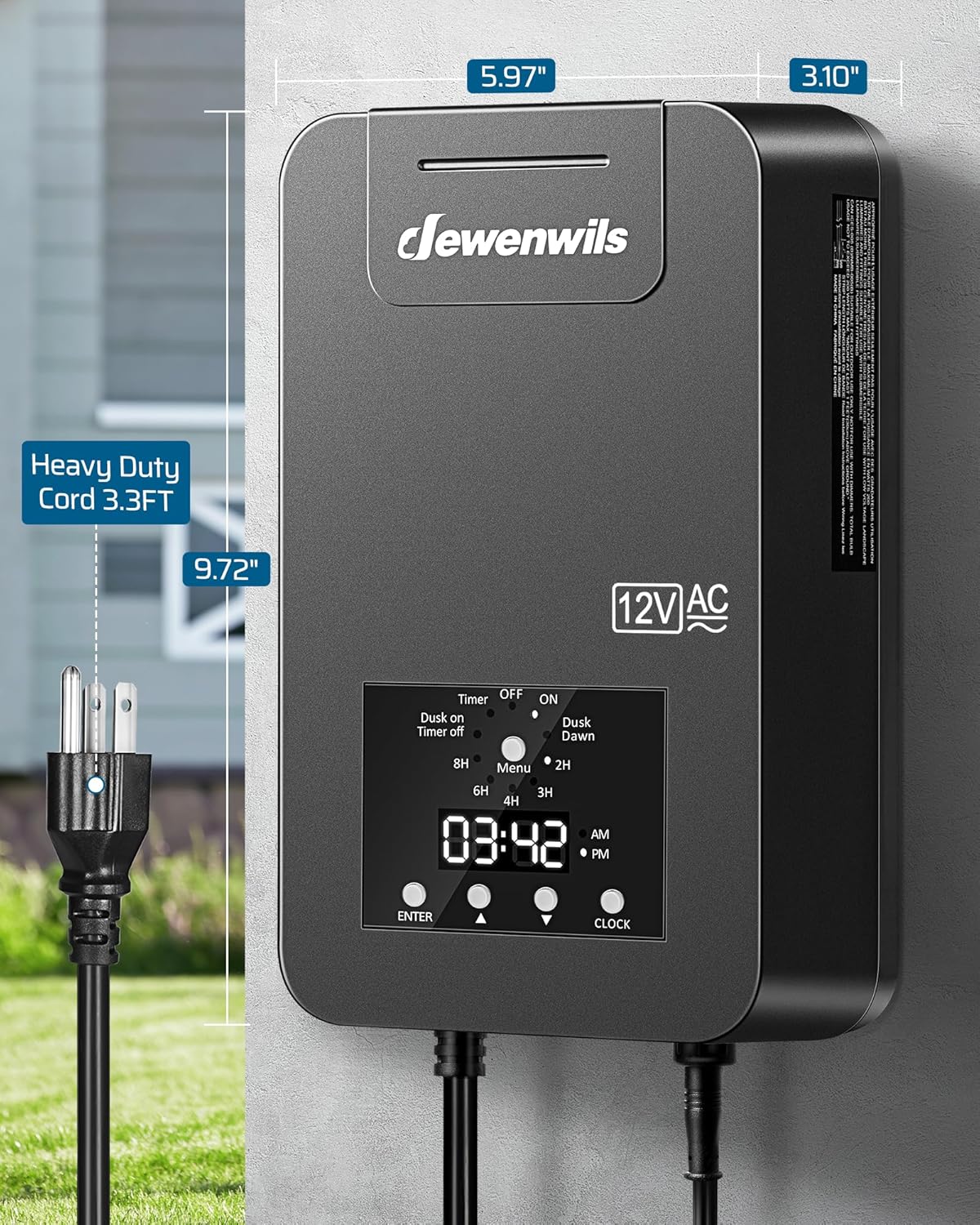
The transformer is designed for easy wall mounting. Ensure the mounting location is secure and allows for proper ventilation.
- Choose a Location: Select a suitable outdoor location near a 120V AC grounded outlet. The optimal mounting height is between 12 inches (0.3m) and 48 inches (1.2m) from the ground.
- Mark Mounting Points: Use the built-in hanging holes on the back of the transformer to mark the screw positions on the wall.
- Install Screws: Drill pilot holes and insert the provided anchors (if necessary) and screws, leaving a small portion of the screw head exposed.
- Mount Transformer: Align the hanging holes with the screws and slide the transformer down to secure it.

5. Wiring Instructions
Connecting your low voltage landscape lights to the transformer is a straightforward process.
- Prepare Wires: Strip approximately 1/2 inch of insulation from the ends of your landscape lighting wires.
- Connect to Terminal Blocks: Open the protective cover at the bottom of the transformer. Connect the common wire (typically ribbed or marked) to the 'COM' terminal. Connect the other wire to either the '12V' or '14V' terminal, depending on your lighting requirements. Ensure wires are securely fastened by tightening the screws.
- Photocell Sensor Connection: If using the photocell sensor, plug its connector into the designated port on the bottom of the transformer. Position the sensor in a location that receives natural light, away from artificial light sources that could interfere with its operation.
6. Operating Modes and Programming
The transformer offers five distinct operating modes, easily selectable via the control panel.
Setting the Clock:
- Press the 'CLOCK' button.
- Use the 'UP' and 'DOWN' arrow buttons to adjust the hour and minute.
- Press 'AM/PM' to toggle between AM and PM.
- Press 'CLOCK' again to save and exit.
Selecting Operating Modes:
Press the 'MENU' button repeatedly to cycle through the following modes:
- Manual ON/OFF: Lights remain ON or OFF until manually changed.
- Dusk to Dawn: Lights automatically turn ON at dusk and OFF at dawn, controlled by the photocell sensor.
- Dusk ON/Countdown OFF: Lights turn ON at dusk and automatically turn OFF after a set duration (2, 3, 4, 6, or 8 hours). Use the arrow buttons to select the duration.
- Dusk ON/Timer OFF: Lights turn ON at dusk and turn OFF at a specific programmed time.
- Timer ON/OFF: Lights turn ON and OFF at specific programmed times, independent of the photocell sensor.

7. Maintenance
Regular maintenance ensures optimal performance and longevity of your transformer.
- Cleaning: Periodically wipe the transformer's exterior with a damp cloth to remove dirt and debris. Ensure the photocell sensor is clean and unobstructed.
- Connection Check: Annually inspect all wiring connections at the terminal blocks to ensure they are tight and free from corrosion.
- Circuit Breaker: If the circuit breaker trips, disconnect power, identify and resolve the fault (e.g., short circuit, overloaded lights), then reset the breaker to restore operation.
8. Troubleshooting
If you encounter issues with your transformer, refer to the following common troubleshooting steps:
- Lights Not Turning On:
- Check if the transformer is plugged into a live 120V AC outlet.
- Verify the selected operating mode is correct (e.g., Manual ON, Dusk to Dawn during nighttime).
- Inspect wiring connections for looseness or corrosion.
- Check if the circuit breaker has tripped. Reset if necessary.
- Ensure the photocell sensor is not obstructed or covered if using light-sensing modes.
- Lights Not Turning Off:
- If using Dusk to Dawn mode, ensure the photocell sensor is not exposed to artificial light at night.
- Verify programmed OFF times are correct for Timer modes.
- Inconsistent Operation:
- Ensure the clock is set correctly.
- Check for loose wiring connections.
9. Specifications
| Model Number | HALT05A |
| Input Voltage | 120V AC, 60Hz |
| Output Voltage | 12V AC / 14V AC |
| Max Power Rating | 300W |
| Power Source | AC |
| Mounting Type | Wall Mount |
| Photocell Cord Length | 6.8 ft |
| Power Cord Length | 3.3 ft (SJTW 18AWG 3/C) |
| Material | Professional-grade PC |
| Certification | ETL Listed |

10. Warranty and Support
For warranty information or technical support, please contact DEWENWILS customer service. Refer to the product packaging or the official DEWENWILS website for contact details.


