
Introduction
Thank you for choosing the fishkeeper Automatic Fish Feeder. This manual provides essential information for the proper setup, operation, and maintenance of your feeder. Please read it thoroughly before use to ensure optimal performance and longevity of the product.
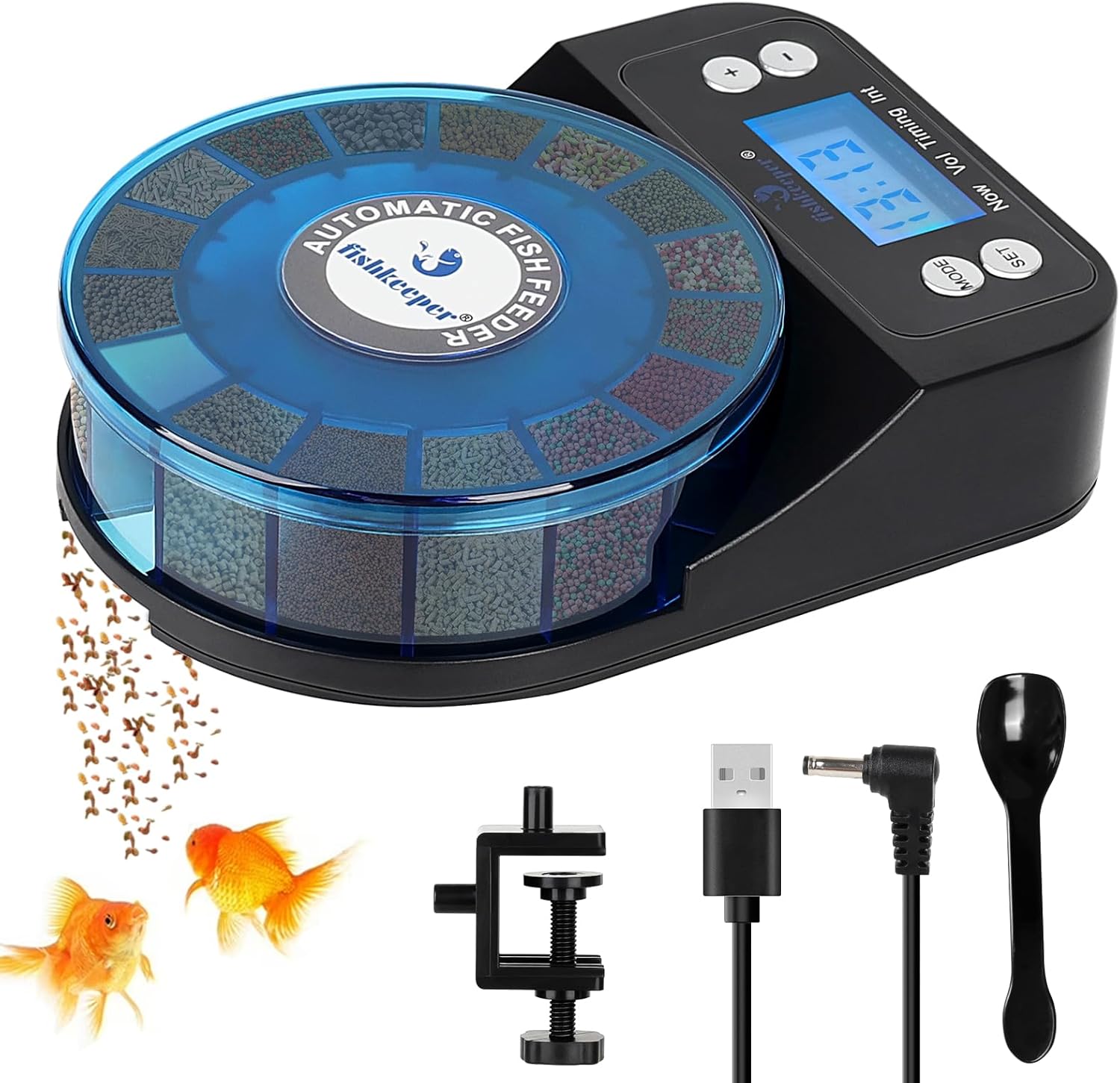
Image: fishkeeper Automatic Fish Feeder with included accessories and two goldfish.
Product Overview
The fishkeeper Automatic Fish Feeder is designed to provide precise and scheduled feeding for your aquatic pets. It features a unique 16-grid dispenser, allowing for up to 15 separate meals with portion control. The feeder is rechargeable, moisture-proof, and offers versatile mounting options.
Key Features:
- Precision Feeding: 16 sealed grids for up to 15 separate meals, each holding up to 2 grams of food. Suitable for powders and granules between 0.1-4mm. Not suitable for flakes or shrimp food.
- Dual Timer Modes: Choose between 9 preset schedules or a custom mode allowing up to 6 feedings per day.
- Rechargeable Battery: 800mAh lithium battery provides up to 100 days of power.
- Power Failure Memory: Retains feeding schedule during power outages (if battery has charge).
- Moisture-Proof Design: Tightly sealed lid and bottom-only opening during feeding ensures food freshness.
- Silent Operation: Provides a peaceful feeding environment.
- Versatile Mounting: Three installation options: adjustable clamp (for tank walls/covers 0-0.59 inches thick) or four suction cups.
Included Components:
- Fish feeder unit
- Cover
- Spoon
- User manual
- 4 Suction cups
- 1 Clamp
- USB Cable (2m)

Image: The fishkeeper Automatic Fish Feeder and its complete set of accessories.
Setup
1. Initial Charge
Before first use, fully charge the feeder for at least 5 hours using the provided USB cable. The 800mAh rechargeable lithium battery provides up to 100 days of power on a full charge.
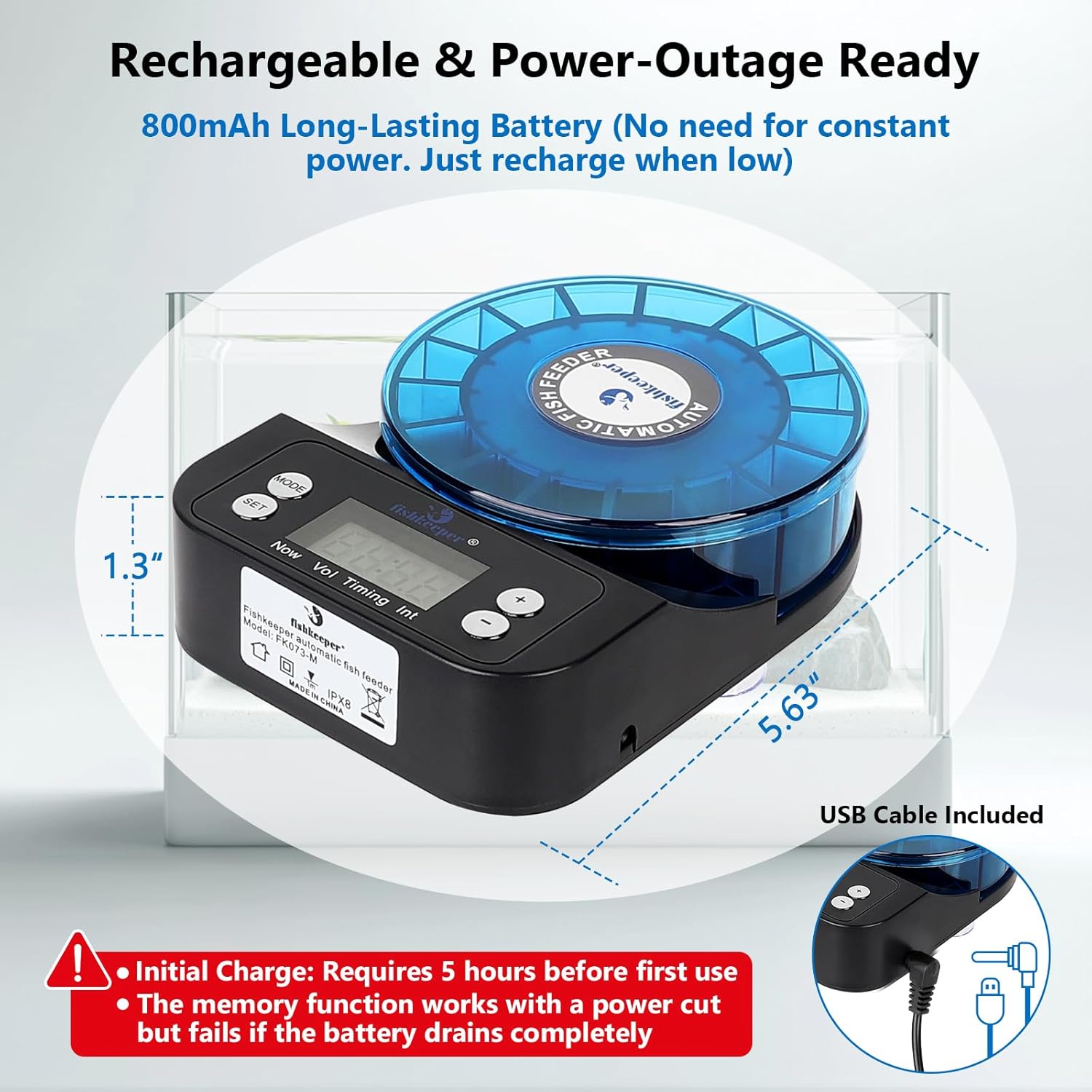
Image: The fishkeeper Automatic Fish Feeder highlighting its rechargeable battery and USB charging port.
2. Adding Fish Food
Remove the transparent cover to access the 16 sealed grids. Each compartment can store up to 2 grams of food. Fill the compartments with suitable fish food (powders and granules between 0.1-4mm). Avoid storing food in the outlet compartment. The feeder is not suitable for flakes or shrimp food.

Image: The feeder's 16 compartments filled with different types of fish food, demonstrating its precision feeding capability.
3. Installation (Mounting Options)
The feeder offers three installation methods:
- Adjustable Clamp: Securely attach the feeder to the tank wall or fish tank cover. Compatible with thicknesses between 0-0.59 inches.
- Suction Cups: Use the four powerful suction cups for easy attachment to the aquarium lid.

Image: Visual representation of the three versatile mounting options for the fishkeeper Automatic Fish Feeder.
Operating Instructions
1. Local Time Setting
- Press the 'MODE' button until 'Now' appears at the lower-left corner of the display.
- Long-press the 'SET' button for 3 seconds to set the hour.
- Use the '+' or '-' buttons to adjust the hour.
- Press 'SET' to confirm the hour and proceed to set the minute.
- Use the '+' or '-' buttons to adjust the minute.
- Press 'SET' again to finish setting the local time.
2. Feeding Modes
The feeder offers two timer modes: Preset Timer Mode and Custom Timer Mode. Only one mode can be active at a time. If you opt for the Custom Timer Mode, you need to delete the Preset Timer Mode first.
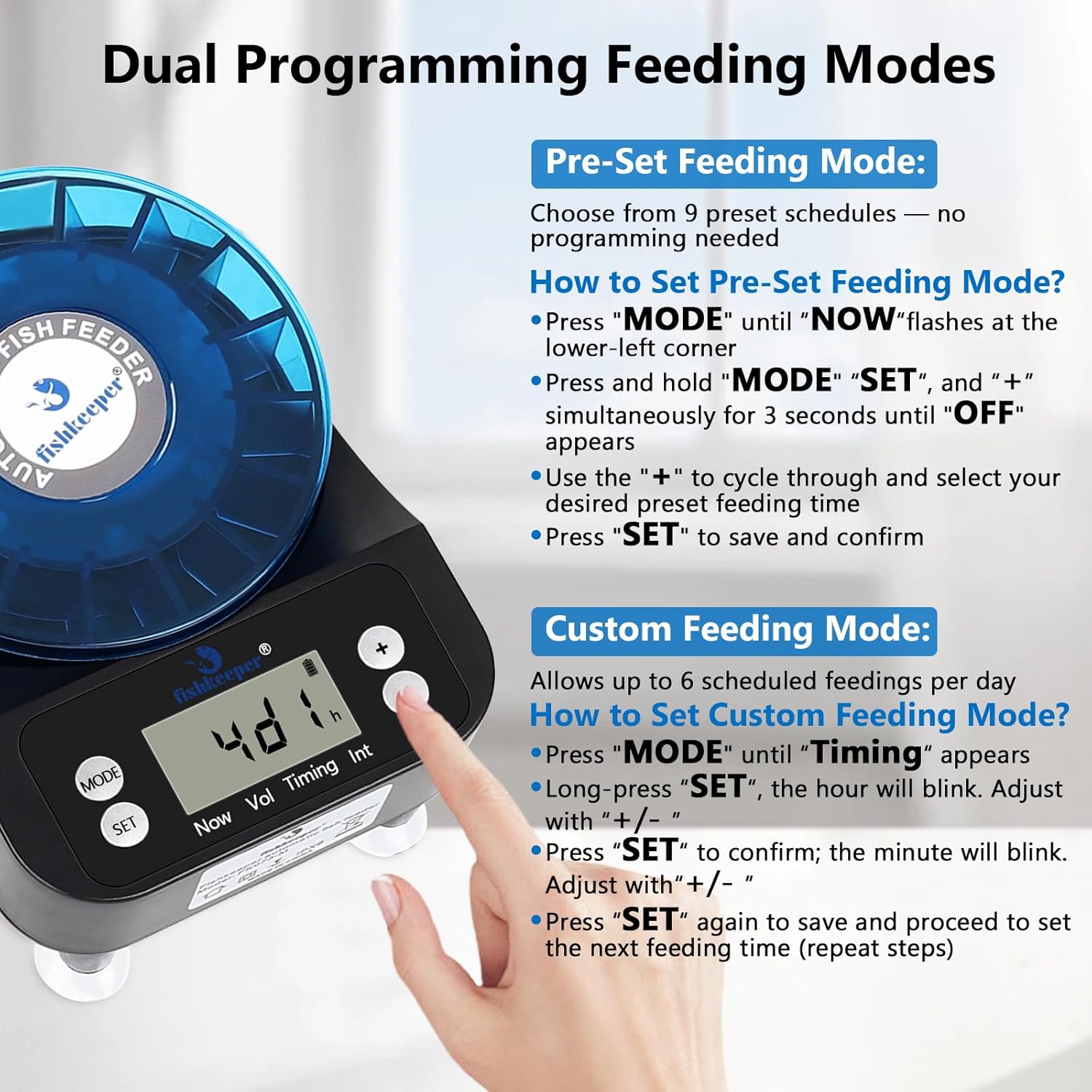
Image: The feeder's LCD display illustrating the Preset and Custom Feeding Mode options.
Preset Timer Mode:
- Press 'MODE' until 'NOW' flashes at the lower-left corner.
- Press and hold 'MODE' and 'SET' and '+' simultaneously for 3 seconds until 'OFF' appears.
- Use the '+' button to cycle through and select your desired preset feeding time (e.g., 1d 8 meals a day, 1d 6 meals a day, etc.).
- Press 'SET' to save and confirm.
Custom Timer Mode:
- Press 'MODE' until 'Timing' appears.
- Long-press 'SET'; the hour will blink. Adjust with '+' or '-'.
- Press 'SET' to confirm; the minute will blink. Adjust with '+' or '-'.
- Press 'SET' again to save and proceed to set the next feeding time (up to 6 feeding times a day). Repeat steps as needed.
3. Manual Feeding
To manually dispense food without affecting the automatic schedule, press 'MODE' until 'Now' is displayed. Then, long-press the '+' key to dispense food immediately.
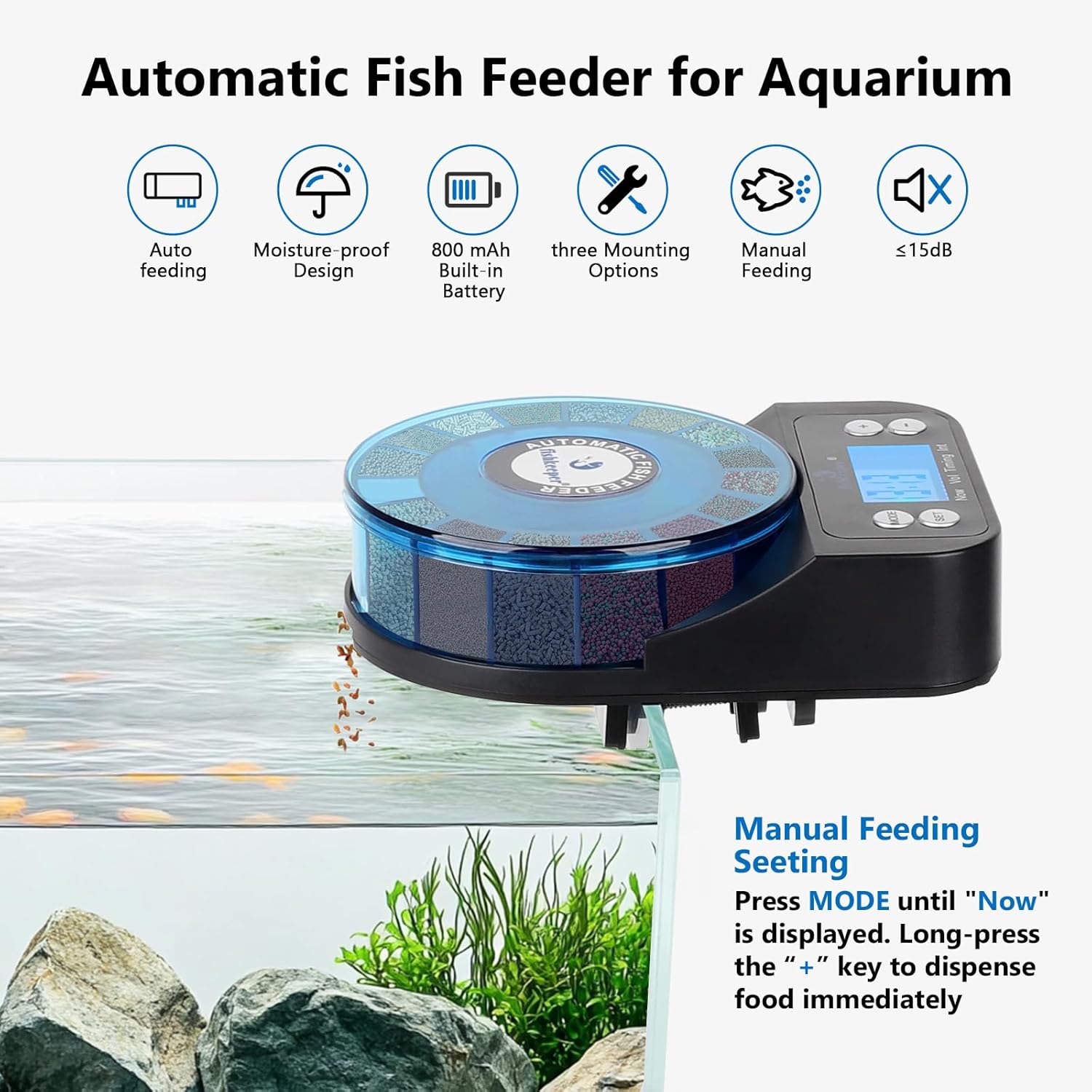
Image: The feeder's display indicating the manual feeding option.
4. Adjusting Food Quantity
The feeder allows for portion control, enabling you to set the feeding frequency at specific times. Each compartment can store up to 2 grams of food. The feeder is suitable for powders and granules between 0.1-4mm.
5. Power Failure Memory
The feeder is equipped with a power-off memory function. If external power is cut while the battery has charge, the feeder will remember the previously set feeding schedule, eliminating the need for resetting. Note: This function fails if the battery drains completely.
6. Reset to Factory Settings
- Press 'MODE' until 'Now' appears at the lower-left corner.
- Then, press and hold both 'SET' and '-' keys simultaneously until the screen shows 'R5b'.
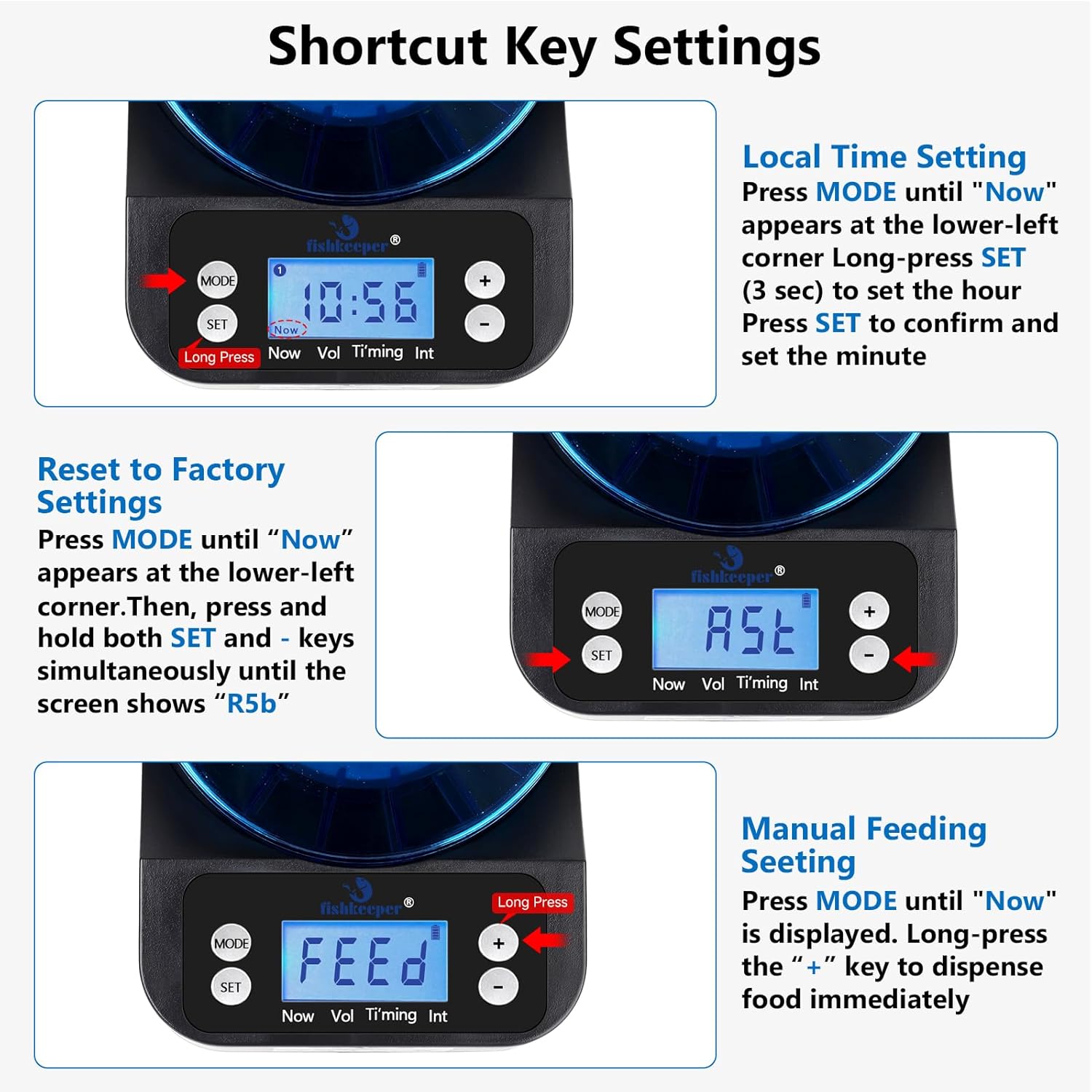
Image: The feeder's LCD display showing shortcut key settings for local time, factory reset, and manual feeding.
Maintenance
Cleaning
The feeder's components, especially the food container, should be cleaned regularly. The manufacturer recommends hand washing only. Ensure all parts are completely dry before reassembling and adding food. The moisture-proof design helps keep food fresh, but regular cleaning prevents residue buildup.
Troubleshooting
- Difficulty with Settings: If the user interface seems complex, refer to the detailed instructions for Local Time Setting and Feeding Modes. Practice setting the modes without food first.
- Food Clumping/Not Dispensing: Ensure the feeder is used with dry food types (powders and granules 0.1-4mm). Avoid flakes or wet food. The moisture-proof design minimizes dampness, but high humidity environments can still affect food. Ensure the food is not stored in the outlet compartment.
- Feeder Not Turning On/Holding Charge: Ensure the feeder is fully charged (5+ hours before first use). If the battery is completely depleted, the power-off memory function will not work.
Specifications
| Item Weight | 13.4 ounces |
| Manufacturer | fishkeeper |
| ASIN | B0D5HRNNPP |
| Item Model Number | SUS-FK073 |
| Batteries | 1 Lithium Ion batteries required (included) |
| Item Package Dimensions L x W x H | 6.3 x 4.45 x 3.11 inches |
| Item Dimensions LxWxH | 6.3 x 4.3 x 3.07 inches |
| Material | ABS/PTC |
| Care Instructions | Hand Wash Only |
| Style | Automatic & Manual Feeder |
| Target Species | Fish/Turtle |
Official Product Videos
2024 Upgraded Automatic Fish Feeder
Video: An overview of the 2024 upgraded fishkeeper Automatic Fish Feeder, showcasing its features and design.
fishkeeper Fish Feeder Operating Instructions
Video: A detailed guide on how to operate the fishkeeper Automatic Fish Feeder, including setting up feeding schedules.
Warranty & Support
For warranty information or technical support, please refer to the contact details provided with your product packaging or visit the official fishkeeper website. Keep your purchase receipt for warranty claims.