
1. Product Overview
The LEKATO TANK-B is a versatile multi-effects pedal designed for bass guitarists. It integrates a comprehensive suite of effects, amplifier simulations, and utility features into a compact unit. With 36 editable presets, it offers extensive tonal possibilities for practice, recording, and live performance.
Key features include a Noise Gate, Compressor, 9 Amp models, 3 Modulation effects (Chorus, Phaser, Pitch), 3 Space effects (Delay, Reverb), 8 IR CAB simulations, a high-precision Tuner, Phone/PC recording capabilities, a Headphone output for silent practice, and Bluetooth audio streaming for backing tracks. The pedal is powered by a built-in rechargeable battery, providing portability and convenience.

Image 1.1: Top and front view of the LEKATO TANK-B Bass Multi-Effects Pedal, showcasing its controls and input/output jacks.
2. Setup Guide
Unboxing and Initial Inspection: Carefully unpack the LEKATO TANK-B pedal and verify that all components are present: the pedal unit and a USB cable.
Powering the Device: The TANK-B features a built-in rechargeable battery. Connect the included USB cable to the pedal's USB port and a 5V power adapter (not included) or a computer USB port to charge. A full charge takes approximately 4 hours and provides up to 12 hours of operation. The pedal can be used while charging.
Connecting to Your Instrument: Connect your bass guitar to the 'IN' jack on the pedal using a standard 1/4-inch instrument cable.
Connecting to an Amplifier or Audio Interface: Connect the 'OUT' jack of the pedal to your amplifier's input or an audio interface using a 1/4-inch instrument cable. For direct recording to a computer or smartphone, use the USB connection.
Headphone Connection: For silent practice, connect headphones to the 3.5mm headphone jack located on the top panel.

Image 2.1: The LEKATO TANK-B pedal connected to a bass guitar and headphones for private practice.
3. Operating Instructions
Power On/Off: Use the 'ON/OFF' switch located near the USB port to power the unit on or off.
Preset Selection: The pedal features 36 editable presets. Use the 'BANK -' and 'BANK +' footswitches to navigate through banks of presets. The central display shows the current preset number.
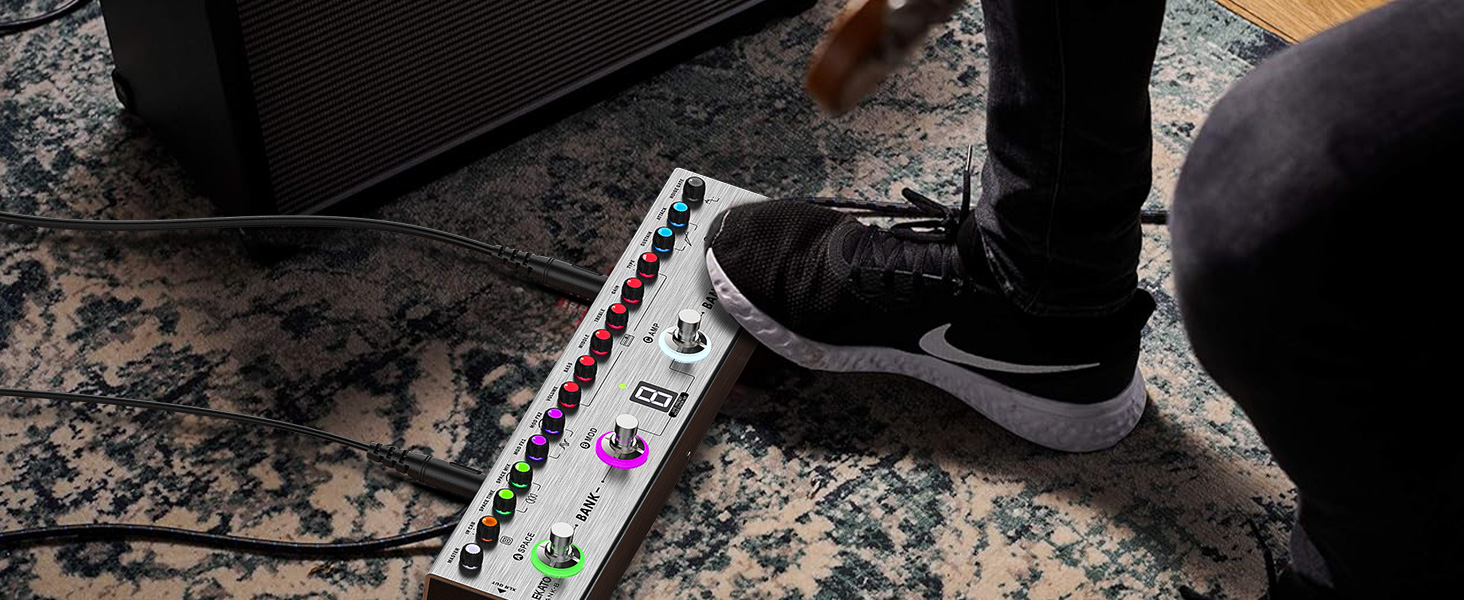
Image 3.1: Footswitch functions for navigating presets and activating the tuner.
Effect Module Adjustment: Each effect module (IR CAB, Space, MOD, AMP, COMP, Noise Gate) has dedicated knobs for parameter adjustment. Rotate the knobs to fine-tune the sound.

Image 3.2: Visual representation of the integrated effect chain and corresponding physical controls on the pedal.
Tuner Function: To activate the tuner, press and hold the 'B MOD' footswitch. The display will show tuning information. Press any footswitch to exit tuner mode.
Recording: The TANK-B can function as an audio interface. Connect the pedal to a computer via USB for direct recording. For smartphone recording, an appropriate adapter (not included) may be required.
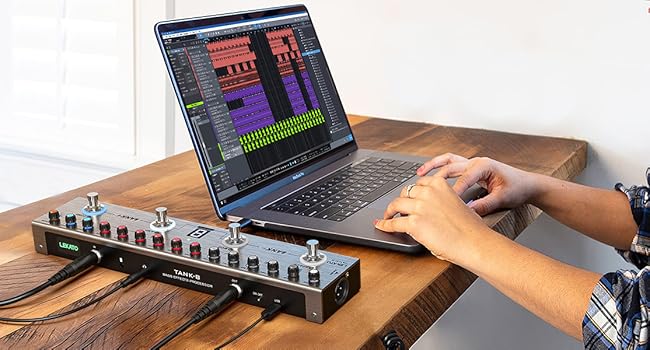
Image 3.3: The LEKATO TANK-B pedal connected to a laptop, illustrating its use as an audio interface for recording.
Bluetooth Audio Streaming: Activate Bluetooth on your external device (e.g., smartphone) and pair with the TANK-B. You can then play backing tracks through the pedal's output.

Image 3.4: The LEKATO TANK-B pedal connected via Bluetooth to a smartphone for audio streaming.
App/Software Editing: Connect the pedal to a Mac or Windows computer, or a mobile device, to use the dedicated software/app for advanced preset editing, IR loading, and data management. Refer to the LEKATO website for software downloads and instructions.
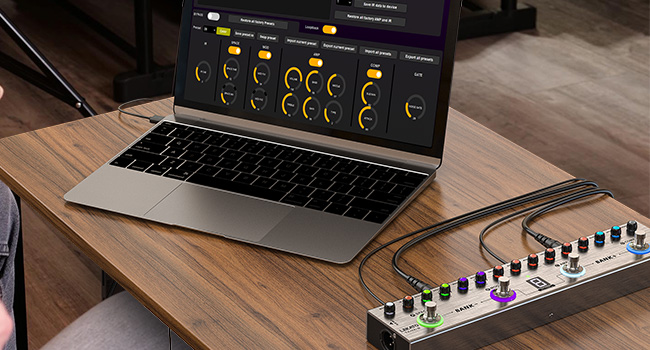
Image 3.5: The LEKATO TANK-B pedal connected to a laptop, demonstrating software-based preset editing.
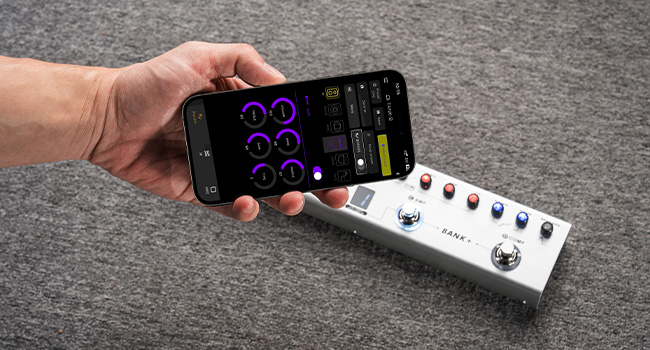
Image 3.6: A smartphone displaying the LEKATO TANK-B mobile application for remote control and editing.
4. Features
Versatile Effects and Presets: The TANK-B offers 36 editable presets, allowing users to save and recall custom sound configurations. It includes a Noise Gate, Compressor, 9 Amp models, 3 Modulation effects (Chorus, Phaser, Pitch), 3 Space effects (Delay, Reverb), and 8 IR CAB simulations.

Image 4.1: Overview of the pedal's rich presets and versatility, highlighting 36 presets, 9 modules, and 2 modes.
Integrated Effect Chain: The effects are arranged in a logical signal chain for intuitive adjustment, including IR, Space, MOD, AMP, COMP, Noise Gate, and Tuner.
IR Loading Capability: Supports loading up to 8 third-party Impulse Responses (IRs) via USB, allowing for expanded cabinet simulation options.
Recording and Monitoring: Functions as an audio interface for direct recording to computers or smartphones. A 3.5mm headphone output enables private practice and monitoring.

Image 4.2: Detailed view of the pedal's rich interfaces, including MONO Input, AUX IN, Earphone, MONO Output, and USB for charging and data transfer.
Bluetooth Connectivity: Facilitates wireless audio streaming from external devices for playing along with backing tracks or music.
Rechargeable Battery: Equipped with a 3000mAh rechargeable lithium-ion battery, providing up to 12 hours of continuous use on a single charge. The pedal can be operated while charging.

Image 4.3: Illustration of the pedal's 12-hour playtime, powered by a 3000mAh built-in rechargeable battery.
Compact and Portable Design: Its small footprint and lightweight construction make it suitable for travel, practice, and various performance settings.
5. Maintenance
Cleaning: Use a soft, dry cloth to clean the pedal's surface. Avoid abrasive cleaners or solvents, as these may damage the finish or internal components.
Storage: Store the pedal in a dry environment, away from extreme temperatures, high humidity, and direct sunlight. Prolonged exposure to adverse conditions can affect performance and lifespan.
Battery Care: For optimal battery life, avoid fully discharging the battery frequently. Charge regularly, even if not in constant use, to maintain battery health. If storing for an extended period, ensure the battery is partially charged (around 50%) and recharge every few months.
6. Troubleshooting
No Sound Output:
- Check all cable connections (instrument to IN, OUT to amplifier/interface, power).
- Ensure the pedal is powered on.
- Verify volume levels on the pedal, your instrument, and your amplifier/monitoring system.
- Bypass the pedal (if possible) or connect your instrument directly to your amplifier to determine if the issue lies with the pedal or other equipment.
Distorted or Unwanted Noise:
- Check for proper gain staging. Ensure input gain on the pedal and amplifier gain are not set too high, causing clipping.
- Ensure the Noise Gate effect is configured correctly to suppress unwanted hum or hiss.
- Try a different power supply if using an external adapter, as faulty power can introduce noise.
- Check for ground loops if connected to multiple devices; try isolating power sources.
Pedal Not Responding:
- Ensure the battery is charged or the pedal is connected to a reliable power source.
- Try restarting the pedal by cycling the power switch.
- If connected to editing software, ensure the software is correctly recognizing the device and that drivers (if any) are up to date.
7. Specifications
| Brand | LEKATO |
| Model Number | TANK-B |
| Product Dimensions (L x W x H) | 15.5 x 9.5 x 5.5 cm |
| Item Weight | 500 g |
| Color | Matte Red |
| Connectivity Type | USB, 3.5 mm |
| Hardware Interface | USB |
| Signal Format | Analog |
| Battery Type | Lithium-ion (1 included) |
| Power Source | Battery Powered |
| Voltage | 9 Volts |
| Amperage | 300 mA |
| Audio Output Effects | Chorus, Delay, Reverb, Phaser, Pitch, Modulation |
| Controls Type | Pedal |
| What's in the Box | USB Cable, Battery |
8. Warranty and Support
Warranty information for the LEKATO TANK-B Bass Multi-Effects Pedal is typically provided with the product packaging or available on the official LEKATO website. Please refer to these resources for details regarding warranty coverage and duration.
For technical support, troubleshooting assistance, or any other inquiries, please visit the official LEKATO website or contact their customer service department. Contact information can usually be found on the product packaging or the brand's official online presence.