
PUSOKEI Y13
PUSOKEI Y13 Smart Sports Watch User Manual
Model: Y13
1. Introduction
Thank you for choosing the PUSOKEI Y13 Smart Sports Watch. This manual provides detailed instructions on how to set up, operate, and maintain your device to ensure optimal performance and longevity. Please read this manual thoroughly before using the watch.
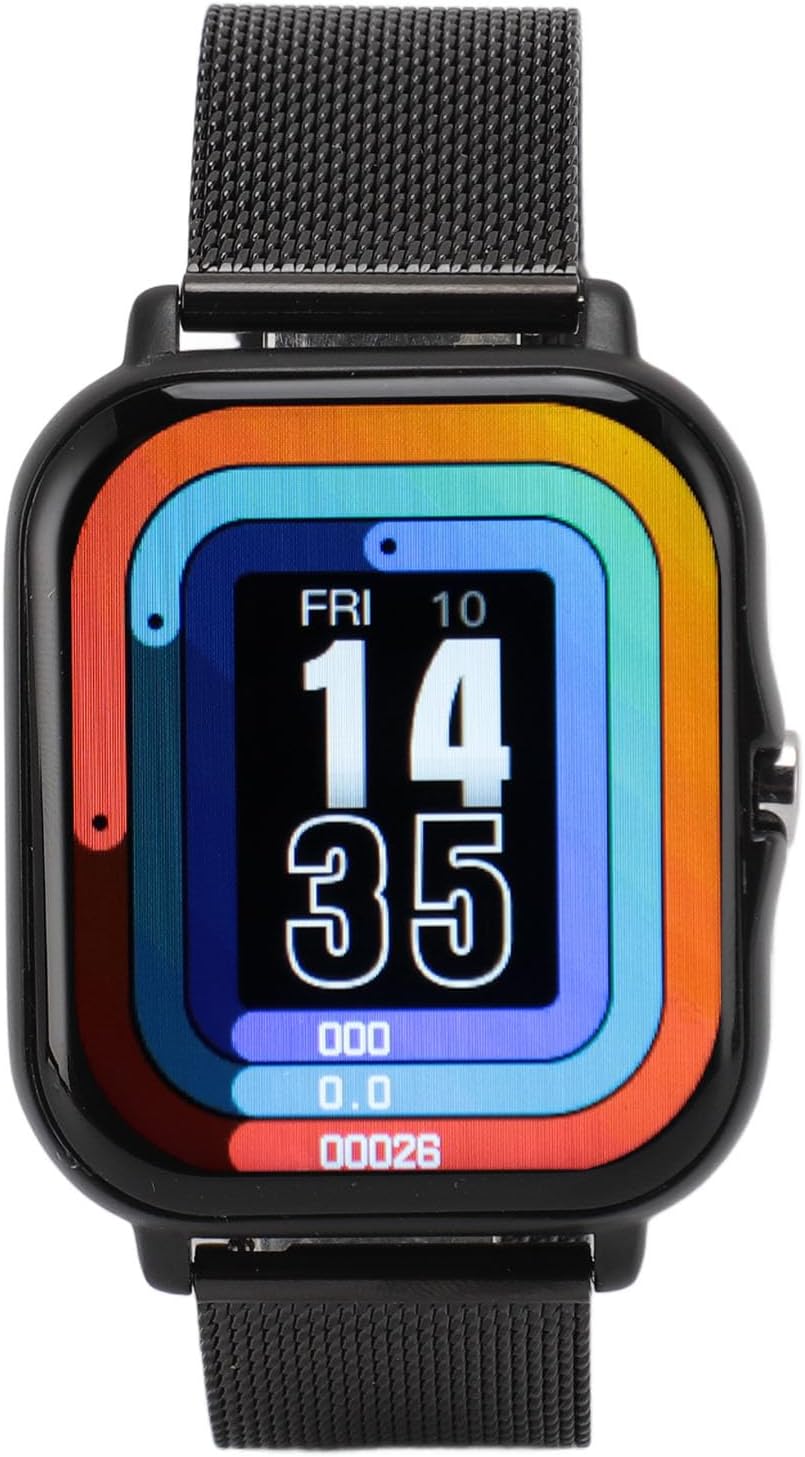
Image: Front view of the PUSOKEI Y13 Smart Sports Watch, showcasing its 1.69-inch full touch screen and black mesh strap.
2. Package Contents
Please verify that all items listed below are included in your package:
- 1 x Smart Watch
- 1 x Strap
- 2 x Steel Pins
- 1 x Magnetic Charging Cable
- 1 x User Manual

Image: All components of the PUSOKEI Y13 Smart Sports Watch package laid out, including the watch, strap, steel pins, magnetic charging cable, and user manual.
3. Setup
3.1 Initial Charging
Before first use, fully charge the smart watch. Connect the magnetic charging cable to the charging points on the back of the watch and plug the USB end into a power adapter (not included) or a computer's USB port. The watch display will indicate charging status.
3.2 App Download and Pairing
- Scan the QR code in the manual or search for the companion app (e.g., 'FitPro' or similar, refer to the included paper manual for exact app name) on your smartphone's app store (App Store for iOS, Google Play Store for Android).
- Install and open the app.
- Ensure Bluetooth is enabled on your smartphone.
- In the app, navigate to 'Device' or 'Add Device' and select your Y13 Smart Watch from the list of available devices.
- Confirm the pairing request on both your phone and the watch.
Once paired, the watch will synchronize time and data with your smartphone.
4. Operating Instructions
4.1 Display and Navigation
The Y13 Smart Watch features a 1.69-inch full touch screen for easy navigation. Swipe left/right, up/down, and tap to access different functions and menus.

Image: A close-up of the Y13 Smart Watch's vibrant display, showing the current time, date, and basic activity metrics like steps and distance.
4.2 Sports Modes
The watch supports 12 built-in sports modes, including walking, running, cycling, swimming, and more. Select the desired mode before starting your activity to track specific metrics like steps, calories, and distance.

Image: A collage showing individuals participating in different sports such as cycling, running, and swimming, illustrating the watch's multi-sport tracking capabilities.
4.3 Call and Message Notifications
Once paired with your smartphone, the watch can receive call reminders and message notifications from various apps. Ensure app notifications are enabled in your phone's settings and the companion app.
4.4 Music Playback Control
Control music playback on your smartphone directly from your watch. You can play, pause, skip tracks, and adjust volume without needing to take out your phone.
4.5 Sleep Monitoring
The watch automatically monitors your sleep patterns, recording the sleep conditions of different sleep stages at night. This data can help you understand and improve your sleep habits.
4.6 Smart Alarm Clock
Set smart alarms through the companion app. The watch will vibrate gently to wake you up, providing a less disruptive alarm experience.
4.7 Remote Camera Control
Take control of your phone's camera remotely. Simply shake your wrist lightly while in the camera interface on the watch to capture photos.
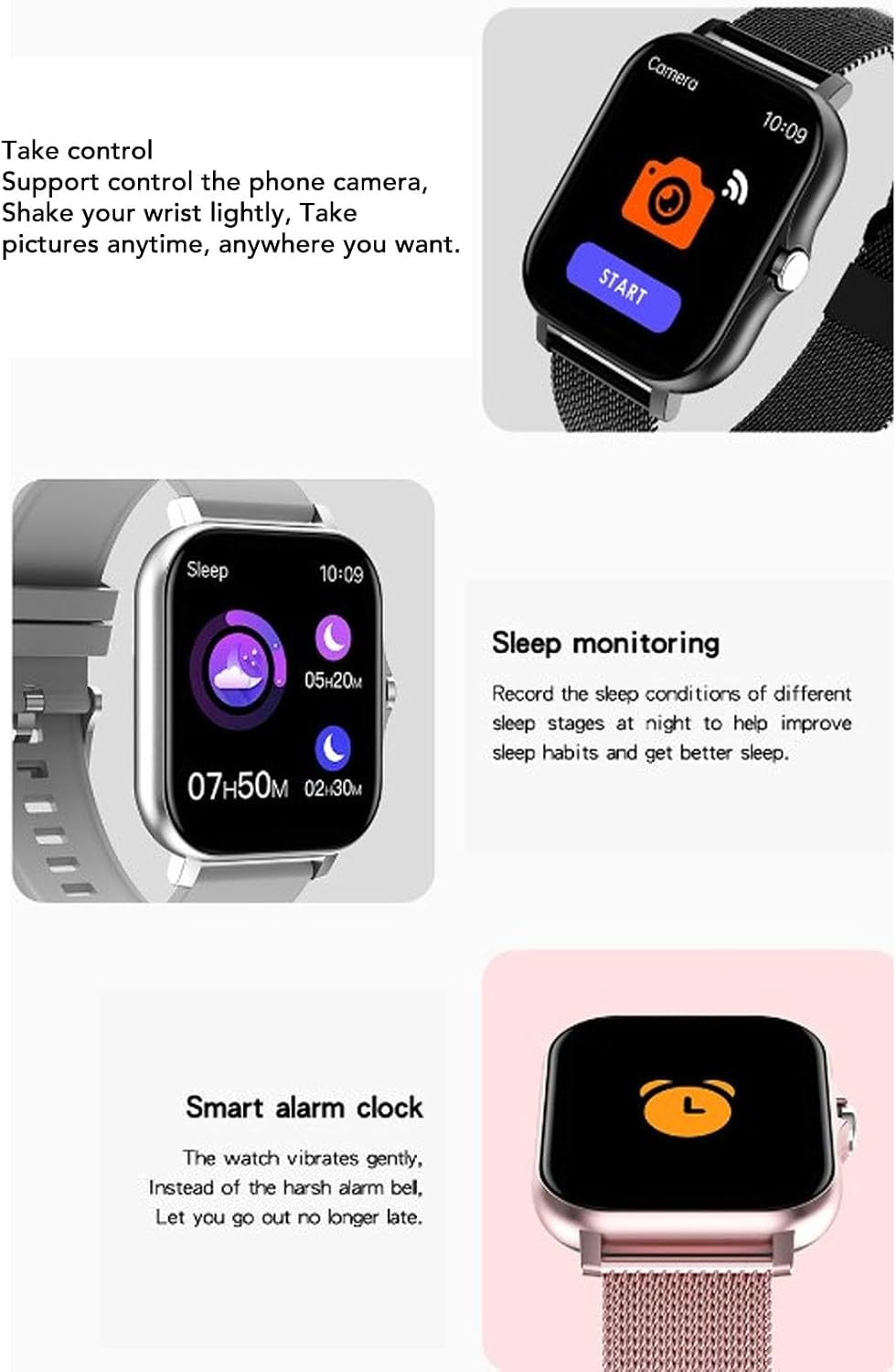
Image: A composite image detailing the watch's capabilities, including remote camera control, sleep monitoring with sleep stage data, and a smart alarm clock function.
5. Maintenance
5.1 Cleaning
Regularly clean the watch and strap with a soft, dry cloth. If necessary, use a slightly damp cloth and mild soap, then wipe dry. Avoid using harsh chemicals or abrasive materials.
5.2 Water Resistance (IP68)
The Y13 Smart Watch is IP68 waterproof, meaning it is resistant to dust and can withstand immersion in water up to 1.5 meters for 30 minutes. It is suitable for swimming, washing hands, and use in rainy conditions. However, it is not recommended for hot showers, saunas, or diving, as steam and high water pressure can compromise the seal.
5.3 Storage
When not in use for extended periods, store the watch in a cool, dry place. It is advisable to charge the watch periodically to maintain battery health.
6. Troubleshooting
- Watch not turning on: Ensure the watch is fully charged. Connect it to the magnetic charging cable and a power source.
- Watch not pairing with phone:
- Ensure Bluetooth is enabled on your phone.
- Make sure the watch is within Bluetooth range (typically 10 meters).
- Restart both the watch and your phone.
- Check if the companion app is updated to the latest version.
- If previously paired, try unpairing and re-pairing the device.
- Notifications not appearing:
- Verify that notification permissions are granted for the companion app in your phone's settings.
- Ensure notifications for specific apps are enabled within the companion app.
- Check if the watch is properly connected via Bluetooth.
- Inaccurate activity tracking: Ensure the watch is worn snugly on your wrist, about one finger's width above the wrist bone.
- Short battery life: Reduce screen brightness, disable unnecessary notifications, and limit continuous heart rate monitoring if available. Ensure the watch is fully charged before use.
7. Specifications
| Item Type | Smart Sports Watch |
| Model | Y13 |
| Material | ABS+TPU+LCD |
| Screen Size | 1.69 inches |
| Bluetooth Version | 4.0 |
| Operation | Touch Screen |
| System Requirement | for Android 5.0 or for iOS 9.0 and above |
| Waterproof Level | IP68 |
| Battery Type | 180mAh Lithium-ion Battery (Built-in) |
| Usage Time | Up to 7 days (typical use) |

Image: An infographic displaying key specifications of the Y13 Smart Watch, including strap type, display size, main chip, usage time, waterproof level, system compatibility, battery capacity, and touch screen type.
8. Warranty and Support
Your PUSOKEI Y13 Smart Sports Watch comes with a standard manufacturer's warranty. Please refer to the warranty card included in your package or visit the official PUSOKEI website for detailed warranty terms and conditions. For technical support, troubleshooting assistance, or any product-related inquiries, please contact PUSOKEI customer service through the contact information provided on the official website or your purchase platform.
Related documentsY13


Ask a question about this manual
Ask about setup, troubleshooting, compatibility, parts, safety, or missing instructions. Manuals+ will review the question and use this page’s manual context to help answer it.