
Introduction
The CarPlayKits Wireless CarPlay Adapter CP3 is designed to convert your factory-wired CarPlay system into a wireless one. This adapter offers a seamless and convenient way to access your iPhone's CarPlay features, such as navigation, music, and communication, directly on your car's infotainment screen without the need for a physical cable connection. It leverages 5GHz WiFi and Bluetooth 5.3 technology for a fast and stable connection with minimal latency.
This manual provides detailed instructions for setting up and operating your CP3 adapter, along with compatibility information, specifications, and troubleshooting tips.

Image: The CarPlayKits Wireless CarPlay Adapter CP3, a compact black device.
Package Contents
- 1 x CarPlayKits Wireless CarPlay Adapter CP3
- 1 x Instruction Manual (this document)
Setup Instructions
Follow these steps to set up your CarPlayKits Wireless CarPlay Adapter CP3:
- Ensure Wired CarPlay Functionality: Verify that your vehicle supports wired Apple CarPlay and has a compatible USB port (Type-A or Type-C, depending on your adapter version). The adapter is designed for cars from 2016 onwards.
- Connect the Adapter: Plug the CarPlayKits CP3 adapter into your car's USB port that supports wired CarPlay. The adapter will power on, indicated by an illuminated LED light.
- Pair via Bluetooth: On your iPhone (iOS 10 or higher), go to 'Settings' > 'Bluetooth'. Search for the adapter's Bluetooth name (e.g., 'Cp3-XXXX') and tap to connect. Confirm any pairing requests on both your phone and car screen.
- Enable CarPlay: Once Bluetooth is paired, a prompt will appear on your car's infotainment screen asking to use CarPlay. Confirm to activate wireless CarPlay.
- Automatic Connection: After the initial setup, the adapter will automatically connect to your iPhone within 5-10 seconds when you start your car, provided your iPhone's Bluetooth and Wi-Fi are enabled.

Image: Visual guide showing the three steps for plug-and-play setup: plug in, connect Bluetooth, and use CarPlay.
Video: A demonstration of plugging in the CarPlayKits adapter and connecting it to an iPhone for wireless CarPlay functionality.
Operating Instructions
Once connected, your wireless CarPlay experience will mirror the wired version, offering full access to your iPhone's compatible apps and features:
- Navigation: Use Apple Maps, Google Maps, Waze, or other supported navigation apps for real-time directions.
- Music & Audio: Stream music from Apple Music, Spotify, Pandora, or other audio apps. Control playback directly from your car's screen or steering wheel controls.
- Communication: Make and receive calls, send and read messages using Siri voice commands or the car's interface.
- Voice Control (Siri): Activate Siri by pressing the voice control button on your steering wheel or by saying "Hey Siri" to use voice commands for various functions.
- Car Controls: The adapter maintains compatibility with your car's original controls, including touch screen, steering wheel buttons, knobs, and dials.

Image: Illustration highlighting key features such as automatic connecting, stable connection, space-saving design, and interference-free operation.
Compatibility
The CarPlayKits Wireless CarPlay Adapter CP3 is designed for broad compatibility:
- Vehicle Compatibility: Supports over 800 car models with factory-wired CarPlay from 2016 onwards.
- iPhone Compatibility: Supports iPhone 6 and newer models running iOS 10 or higher.
- Incompatible Vehicles: Not supported for BMW, Tesla, Jeep Compass, Honda Civic, Toyota Corolla, or cars without factory-wired CarPlay. Not recommended for 2016-2020 Nissan cars.
- Android Devices: This adapter is exclusively for Apple iPhones and does not support Android phones.

Image: Graphic illustrating the wide compatibility of the adapter with various car models and the requirement for wired CarPlay and a USB Type-C port.
Specifications
| Feature | Specification |
|---|---|
| Model Number | CP3 |
| Product Dimensions | 1.65 x 0.94 x 0.55 inches |
| Item Weight | 2.08 ounces |
| Connectivity | 5.8 GHz WiFi, Bluetooth 5.3 |
| Connector Type | USB Type A |
| Compatible Devices | iPhone iOS 10+ |
| Color | Gray |
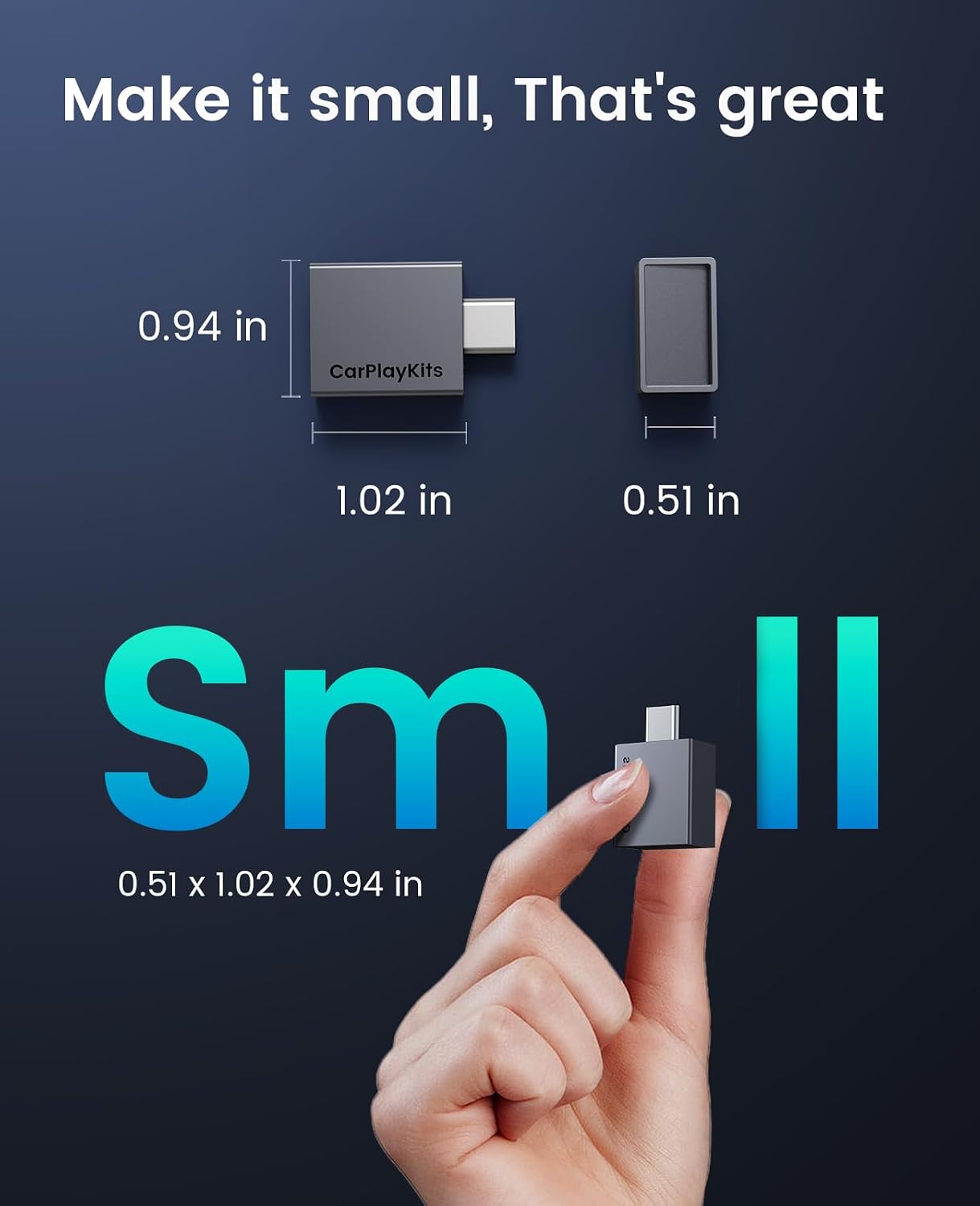
Image: The compact size of the CarPlayKits CP3 adapter shown with dimensions for reference.
Troubleshooting
- Connection Issues:
- Ensure your car has factory-wired CarPlay. The adapter does not add CarPlay functionality to vehicles that lack it.
- Verify your iPhone's Bluetooth and Wi-Fi are turned on.
- Forget any previous Bluetooth connections to your car's system on your iPhone to prevent conflicts.
- Unplug the adapter and plug it back in to reset the connection.
- Restart your iPhone and your car's infotainment system.
- No CarPlay Display:
- Check if the adapter's LED indicator is lit, confirming it has power.
- Ensure your iPhone is running iOS 10 or higher.
- Confirm that CarPlay is enabled in your iPhone's settings under 'General' > 'CarPlay'.
- Audio or Performance Lag:
- Minimize other active Wi-Fi or Bluetooth devices in the vehicle that might cause interference.
- Ensure your iPhone has a strong cellular or Wi-Fi signal for optimal app performance.
- Adapter Not Recognized:
- Try a different USB port in your vehicle, if available, to rule out a faulty port.
- Ensure the USB port provides sufficient power to the adapter.
Warranty and Support
The CarPlayKits Wireless CarPlay Adapter CP3 comes with a 24-month friendly customer support warranty. For any issues or assistance, please contact CarPlayKits customer service.