
Introduction
Thank you for choosing the Benzara Emily Power Recliner Chair. This manual provides essential information for the safe and efficient use of your new recliner, including assembly instructions, operating procedures for its advanced features, maintenance tips, and troubleshooting guidance. Please read this manual thoroughly before assembly and use, and retain it for future reference.
Safety Instructions
- Read All Instructions: Before assembly and operation, carefully read and understand all instructions in this manual.
- Weight Limit: Do not exceed the maximum weight capacity of 300 lbs (136 kg).
- Children and Pets: Keep children and pets away from the chair's moving parts, especially during recline operation.
- Power Cord: Ensure the power cord is not pinched, tangled, or placed under the chair. Avoid placing heavy objects on the cord.
- Unplug When Not in Use: Disconnect the power cord from the outlet before cleaning, moving, or servicing the chair.
- Stable Surface: Place the chair on a level and stable surface to prevent tipping.
- Clearance: Ensure adequate clearance around the chair for safe reclining.
- No Standing: Do not stand on the chair or use it as a step stool.
- Professional Repair: Do not attempt to repair or modify the chair's electrical or mechanical components yourself. Contact qualified service personnel for repairs.
Package Contents
Verify that all components are present before beginning assembly. If any parts are missing or damaged, do not proceed with assembly and contact customer support.
- Recliner Base (1)
- Recliner Backrest (1)
- Power Adapter and Cord (1)
- User Manual (1)
Setup and Assembly
Assembly is required for this recliner. Follow these steps carefully:
- Unpack Components: Carefully remove all parts from the packaging. Place them on a soft, clean surface to prevent scratches.
- Attach Backrest: Align the metal brackets on the backrest with the corresponding receivers on the recliner base. Slide the backrest down firmly until it locks into place. You should hear a click.
- Connect Power: Locate the power cord connection point at the rear underside of the chair. Connect the power adapter to the chair, then plug the adapter into a standard wall outlet. Ensure the connection is secure.
- Position Chair: Move the assembled chair to its desired location, ensuring there is sufficient space behind and in front of the chair for full recline.
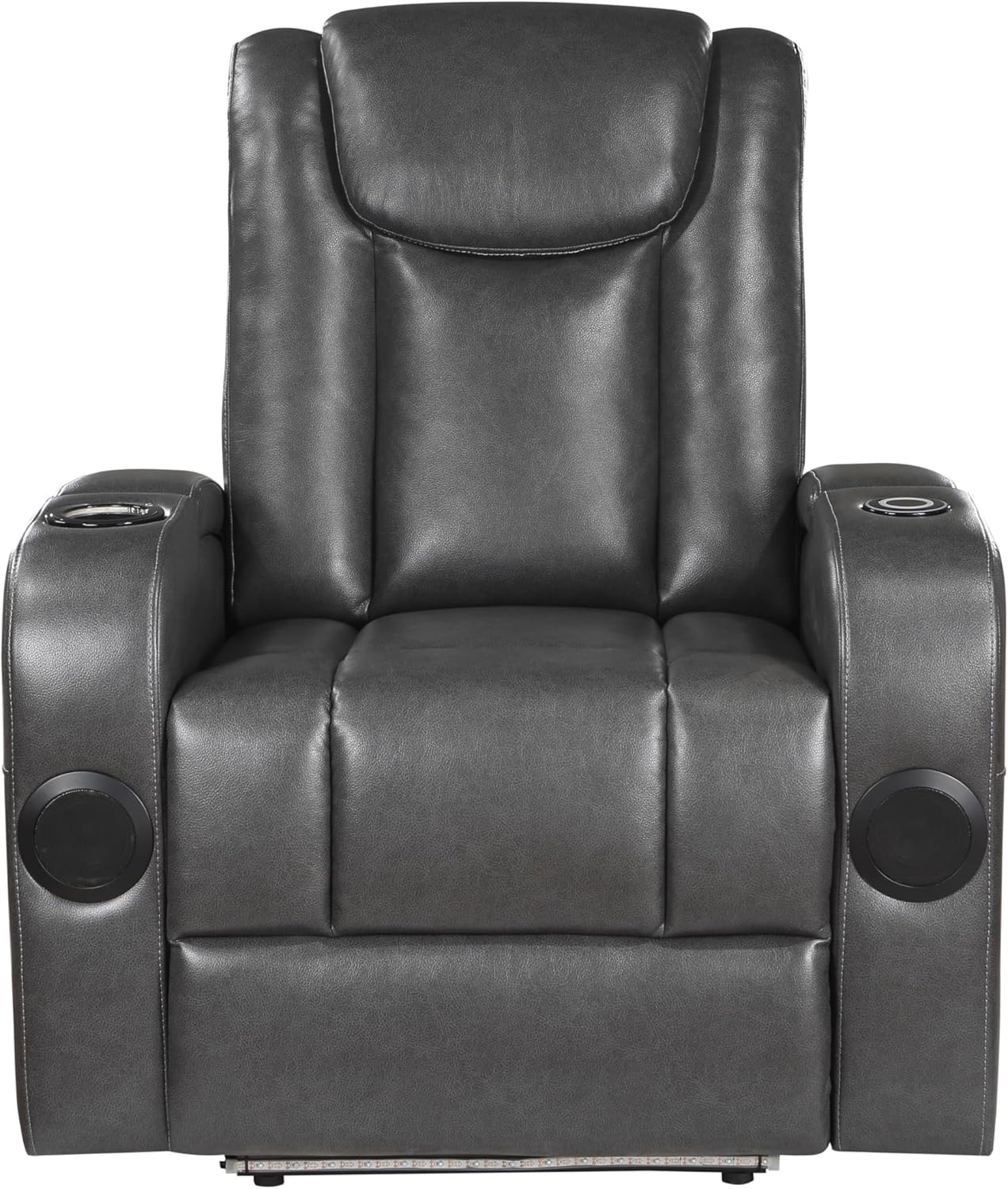
Image: Front view of the recliner, showing the overall design and armrests.
Operating Instructions
Your Benzara Emily Power Recliner Chair features several integrated functions for enhanced comfort and convenience.
Power Recline Function
- Recline: Locate the power control button, typically on the side of the chair. Press and hold the button to smoothly recline the chair to your desired position.
- Return to Upright: Press and hold the button again to return the chair to its upright position. Release the button when the desired position is reached.
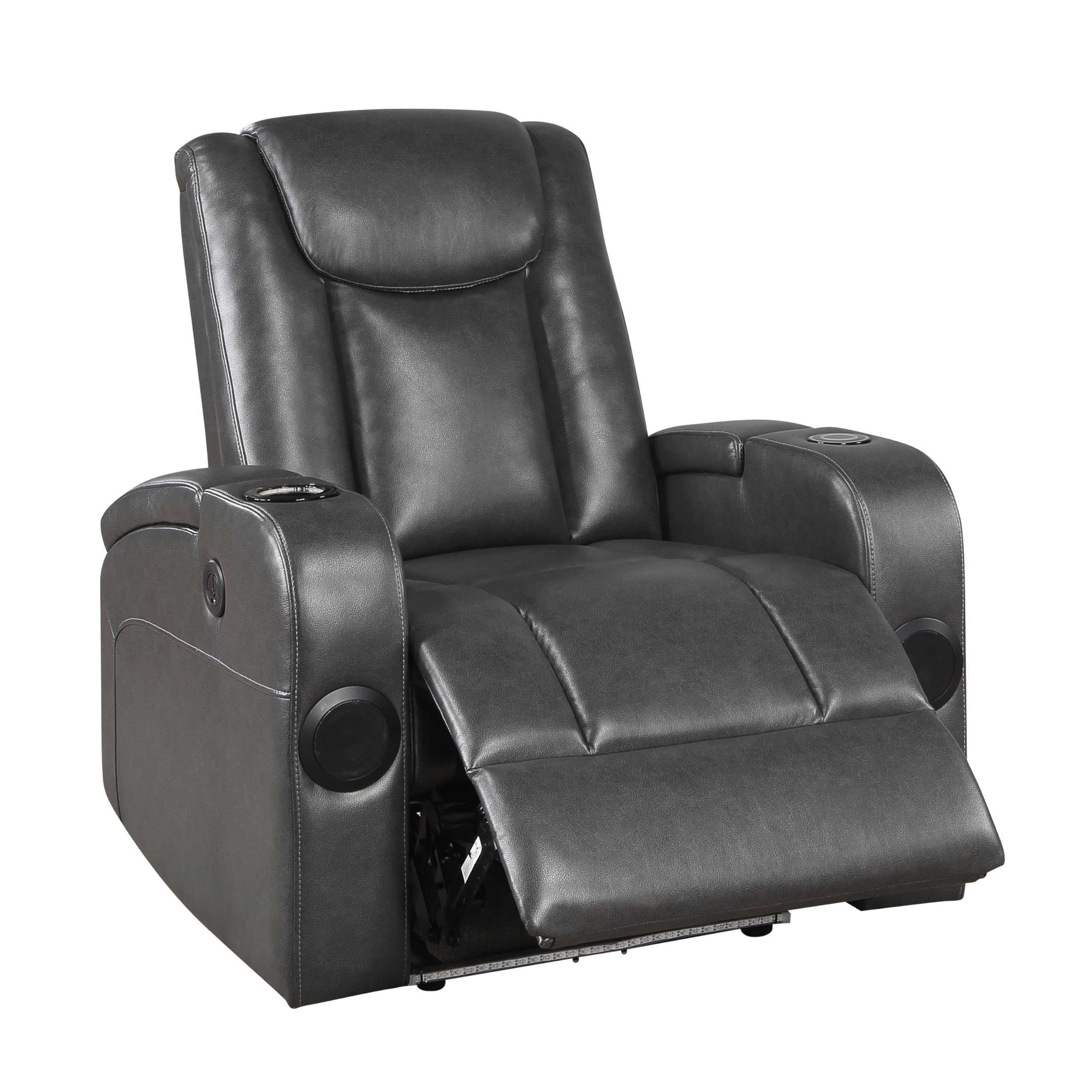
Image: The recliner in a partially reclined state, demonstrating the power recline function.
Cooling Cupholder
The chair is equipped with a cooling cupholder to keep your beverages chilled.
- Activation: The cooling function is typically activated by a button located near the cupholder or integrated into the main control panel. Press the button to turn the cooling on or off.
- Usage: Place your beverage in the cupholder. Ensure the chair is powered on for the cooling function to operate.
LED Lighting
Ambient LED lighting is integrated into the chair for mood setting.
- On/Off: A dedicated button on the control panel or armrest controls the LED lighting. Press to toggle the lights on or off.
Wireless Charging and USB Port
Charge your devices conveniently with the built-in wireless charger and USB port.
- Wireless Charging: Place your compatible smartphone or device on the designated wireless charging pad, usually located on the armrest. Ensure the device is centered for optimal charging.
- USB Port: Connect your device's charging cable to the USB port, typically found on the control panel or armrest.
- Power Requirement: The chair must be plugged into a power outlet for these charging features to function.
Integrated Speaker
Enjoy audio directly from your chair via the integrated speaker.
- Connection: The speaker typically connects via Bluetooth. Refer to your device's Bluetooth settings to pair with the chair (look for "Benzara Recliner" or similar).
- Volume Control: Adjust volume directly from your connected device.

Image: Side view of the recliner, showing the armrest where control buttons, USB port, and wireless charging pad are located.
Maintenance
Proper care will extend the life and appearance of your recliner.
- Cleaning Faux Leather:
- Wipe regularly with a soft, damp cloth to remove dust and light dirt.
- For spills, blot immediately with a clean, dry cloth. Do not rub.
- For stubborn stains, use a mild soap solution (e.g., diluted dish soap) on a soft cloth, then wipe with a clean, damp cloth and dry thoroughly. Avoid harsh chemicals or abrasive cleaners.
- Electrical Components:
- Ensure the chair is unplugged before cleaning around electrical components.
- Keep liquids away from power controls, USB ports, and wireless charging pads.
- Moving the Chair: When moving the chair, lift it rather than dragging it to prevent damage to the base and flooring. Ensure the backrest is securely attached or removed if necessary for transport.
- Inspection: Periodically check all connections and fasteners to ensure they are tight.
Troubleshooting
If you encounter issues with your recliner, refer to the following common problems and solutions:
| Problem | Possible Cause | Solution |
|---|---|---|
| Chair does not recline or power on. |
|
|
| Cooling cupholder, LED, or charging features not working. |
|
|
| Speaker not connecting via Bluetooth. |
|
|
If the problem persists after trying these solutions, please contact customer support.
Specifications
| Brand | Benzara |
| Model Number | BM314796 |
| Color | Grey |
| Material | Solid Wood, Plywood, Metal, Faux Leather, Foam, Pocket Coils and LED |
| Product Dimensions (D x W x H) | 38"D x 35.5"W x 40.5"H |
| Item Weight | 96 Pounds |
| Weight Capacity | 300 lbs |
| Assembly Required | Yes |

Image: Dimensional diagram of the recliner, illustrating its height, width, and depth.
Warranty Information
For detailed warranty information, please refer to the product description on the original purchase platform or contact Benzara customer support directly. Warranty terms and conditions may vary.
Customer Support
If you have any questions, require assistance with assembly, or need troubleshooting beyond what is covered in this manual, please contact Benzara customer support.
Contact Information: Please visit the official Benzara website or the retailer's customer service page where you purchased the product for the most current contact details.
You can also visit the Benzara Store on Amazon for additional product information and support resources.