Introduction
The TKLBLS Professional L-8 Channel Audio Mixer is a versatile sound mixing console designed for various audio applications, including speeches, meetings, voice recording, karaoke, studio streaming, and live performances. It features 8 microphone inputs, 2 stereo inputs, 3-band EQ adjustment per channel, 48V independent phantom power, a mono mute switch, 99 DSP reverb effects, a 7-band main output EQ, USB audio interface, and Bluetooth wireless connectivity.
Setup
Power Connection
Connect the provided power adapter to the mixer's power input port and then to a suitable power outlet. Ensure the power switch is in the 'off' position before connecting. Once connected, switch the power on.

Image: Rear view of the TKLBLS L-8 Channel mixer showing the power input port and power switch.
Microphone and Line Inputs
The mixer features 8 microphone/line inputs (channels 1-8) that support both XLR and 6.35mm (1/4 inch) jack connections. Each channel has independent gain control and a 48V phantom power switch for condenser microphones. For dynamic microphones, ensure the 48V phantom power is off.

Image: Close-up of the mixer's input section, highlighting XLR/6.35mm combo jacks and individual 48V phantom power switches for each channel.
Stereo Line Inputs
Channels 7/8 also feature stereo RCA inputs for connecting external audio devices like CD players or other line-level sources.

Image: Detailed view of the mixer's stereo RCA inputs for channels 7/8.
Main Outputs
Connect your main speakers or power amplifier to the Main Out (L/R) ports using XLR or 6.35mm (1/4 inch) cables.
Headphone Monitoring
Plug your headphones into the dedicated 6.35mm (1/4 inch) headphone jack for real-time monitoring of your mix.
USB Audio Interface & Bluetooth
The mixer can connect to a PC via USB for audio recording and playback. It also supports Bluetooth for wireless audio streaming from compatible devices.

Image: Display area of the mixer showing USB port and Bluetooth indicator, with a smartphone connected via Bluetooth.
Best Connection Sequence
For optimal performance and to avoid audio issues, follow this connection sequence:
- Connect microphones and other input devices to the mixer.
- Connect the mixer's main outputs to a power amplifier.
- Connect the power amplifier to your speaker boxes.
- Power on the mixer, then the power amplifier, and finally the speaker boxes.
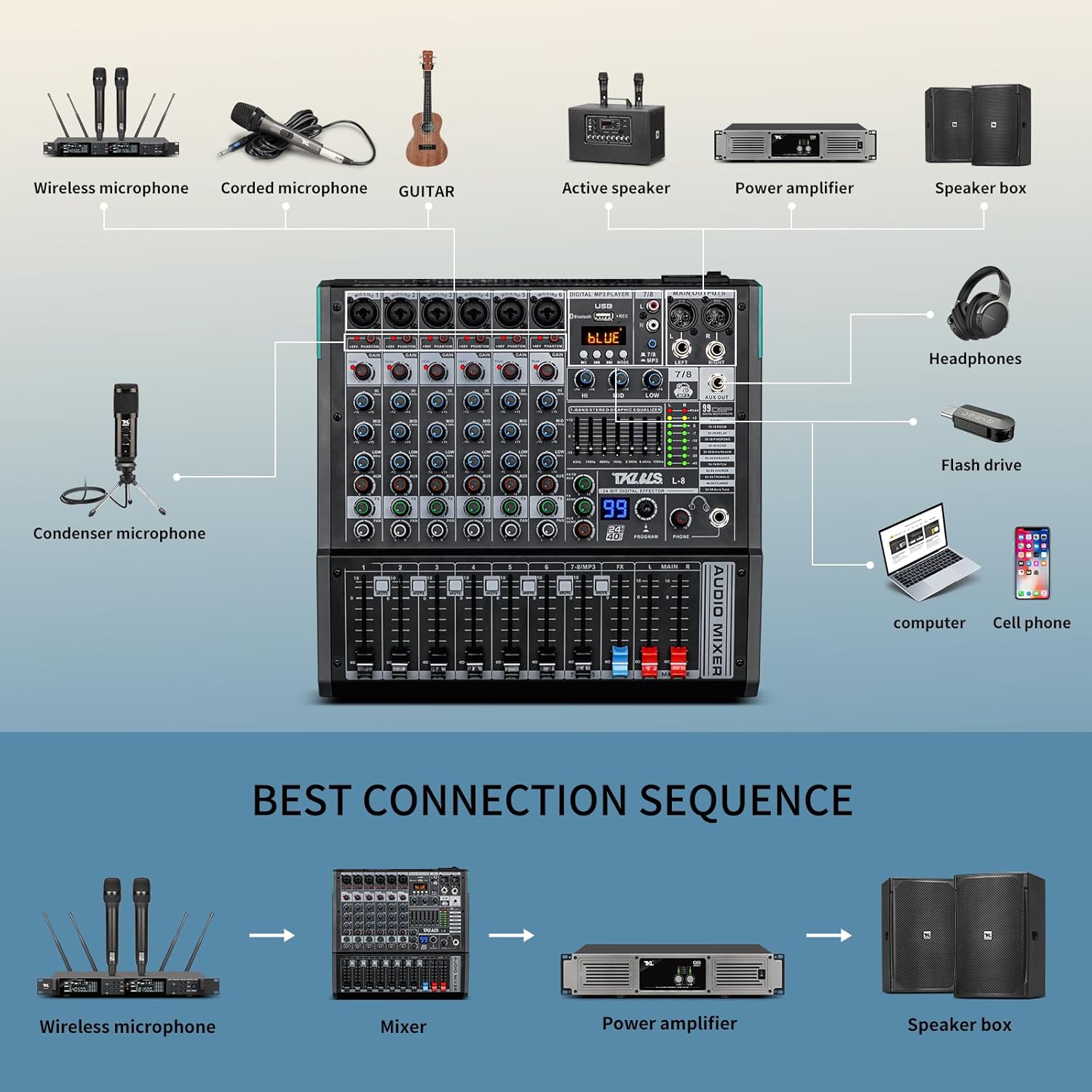
Image: Diagram illustrating the recommended connection sequence for the mixer with microphones, power amplifier, and speakers.
Operating
Channel Controls
Each input channel (1-8) features dedicated controls for precise audio adjustment:
- Gain Knob: Adjusts the input sensitivity for each microphone or line input.
- 3-Band EQ (High, Mid, Low): Fine-tune the treble, midrange, and bass frequencies for each channel.
- AUX Knob: Controls the send level to the auxiliary output for external effects or monitoring.
- FX Knob: Adjusts the send level to the internal DSP effects processor.
- Pan Knob: Positions the channel's sound within the stereo field (left to right).
- Mute Switch: Mutes the audio output of a specific channel.
- Level Fader: Controls the overall volume level of the channel.
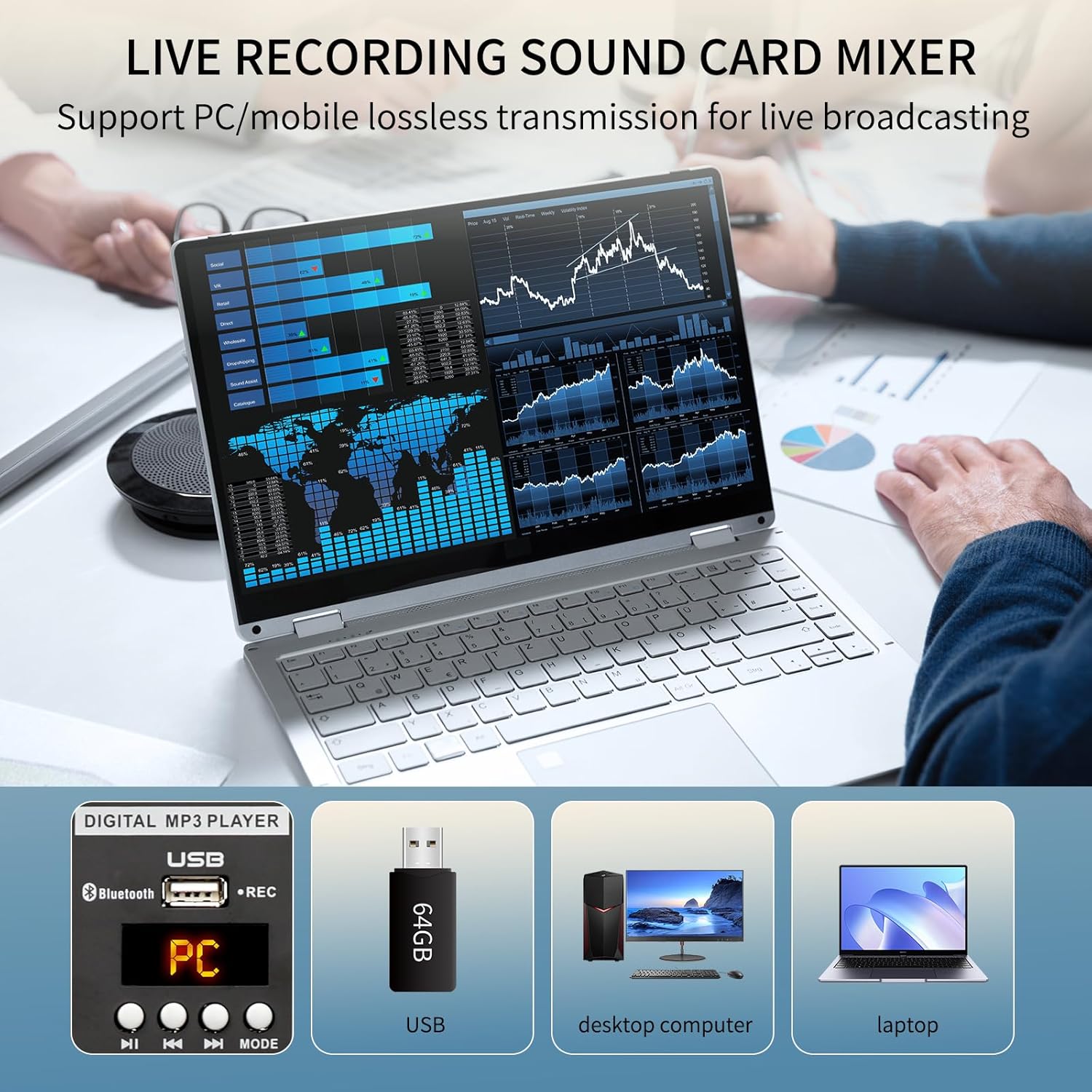
Image: Overview of the mixer's control panel, showing individual channel knobs for gain, EQ, AUX, FX, pan, mute, and level faders.
99 DSP Reverb Effects
The mixer includes a built-in 99-bit DSP digital multi-effects processor. Use the 'Program' knob to select from various effects like Hall, Room, Delay, Echo, Karaoke, Chorus, and more. The HD screen displays the selected effect number.

Image: Close-up of the mixer's DSP effects section, showing the program knob, digital display, and a list of 99 available effects.
Main Output 7-Band EQ Adjustment
Adjust the overall frequency response of the main output using the 7-band stereo graphic equalizer. This allows for precise shaping of the final audio mix to suit the environment or desired sound.

Image: Full view of the mixer, highlighting the 7-band stereo graphic equalizer for main output adjustment.
USB Player Functions
The USB player section allows for playback of MP3 and other audio files from a USB flash drive. It also supports recording directly to the USB drive. Use the 'Mode' button to switch between USB playback, Bluetooth, and PC connection modes.
Video: An unboxing video of the TKLBLS L series mixer, demonstrating its physical features and initial setup.
Video: A short demonstration of the mixer's operational use, showing how to connect and adjust basic settings.
Maintenance
To ensure the longevity and optimal performance of your TKLBLS L-8 Channel Audio Mixer, follow these maintenance guidelines:
- Cleaning: Use a soft, dry cloth to clean the surface of the mixer. Avoid using liquid cleaners or solvents, as they may damage the finish or internal components.
- Storage: Store the mixer in a cool, dry place away from direct sunlight, extreme temperatures, and high humidity.
- Handling: Handle the mixer with care. Avoid dropping it or subjecting it to strong impacts.
- Ventilation: Ensure proper ventilation around the mixer to prevent overheating. Do not block ventilation openings.
- Cable Management: Keep cables organized and free from kinks or excessive tension to prevent damage to connectors and ports.
Troubleshooting
If you encounter any issues with your TKLBLS L-8 Channel Audio Mixer, refer to the following troubleshooting tips:
- No Power:
- Check if the power adapter is securely connected to both the mixer and the power outlet.
- Ensure the power switch on the mixer is in the 'on' position.
- Verify that the power outlet is functional.
- No Sound Output:
- Check all cable connections from input devices to the mixer, and from the mixer to the amplifier/speakers.
- Ensure all channel level faders and the main output faders are raised.
- Verify that no channels are muted.
- Check the gain settings for each input channel.
- Confirm that the amplifier and speakers are powered on and functioning correctly.
- Distorted Sound:
- Reduce the gain on the input channels or the main output faders.
- Check for loose or damaged cables.
- Ensure input levels are not too high, causing clipping (indicated by peak LEDs).
- Bluetooth Connection Issues:
- Ensure the mixer is in Bluetooth mode (indicated on the USB player display).
- Check that Bluetooth is enabled on your transmitting device and that it is within range.
- Try unpairing and re-pairing the device.
Specifications
| Feature | Detail |
|---|---|
| Item Weight | 6.98 pounds (3.18 Kilograms) |
| Package Dimensions | 15.75 x 15.5 x 5.25 inches |
| Item Model Number | L-8 Channel |
| Power Source | Corded Electric |
| Brand | TKLBLS |
| Number of Channels | 8 |
| Connectivity Technology | Bluetooth |
Warranty and Support
For warranty information or technical support, please refer to the documentation included with your product or visit the official TKLBLS website. Protection plans may also be available for purchase separately.
- 2-Year Protection Plan: Available for $15.99
- 3-Year Protection Plan: Available for $21.99