
Sentry HPXBTA105
Sentry HPXBTA105 True Wireless Earbuds User Manual
Model: HPXBTA105 | Brand: Sentry
Introduction
Thank you for choosing the Sentry HPXBTA105 True Wireless Earbuds. These earbuds are designed to provide a superior audio experience with active noise canceling technology, comfortable wear, and intuitive touch controls. This manual will guide you through the setup, operation, and maintenance of your new earbuds to ensure optimal performance and longevity.
Safety Information
Please read all safety warnings and instructions carefully before using this product to prevent injury or damage. Keep this manual for future reference.
- Do not expose the earbuds or charging case to extreme temperatures, humidity, or liquids.
- Avoid dropping, impacting, or disassembling the device.
- Use only the provided charging cable or a certified equivalent.
- Prolonged exposure to loud volumes may cause hearing damage. Adjust volume to a safe level.
- Do not use the earbuds in situations where inability to hear ambient sounds could be dangerous (e.g., driving, cycling, walking in traffic).
- Keep out of reach of children and pets.
What's in the Box
Verify that all items are present in the packaging:
- Sentry HPXBTA105 True Wireless Earbuds (Left and Right)
- Charging Case
- USB Charging Cable
- User Manual (this document)

Figure 1: Product packaging showing the Sentry HPXBTA105 True Wireless Earbuds and charging case.
Product Overview
Familiarize yourself with the components of your Sentry HPXBTA105 True Wireless Earbuds.

Figure 2: The Sentry HPXBTA105 True Wireless Earbuds shown outside and inside their open charging case.
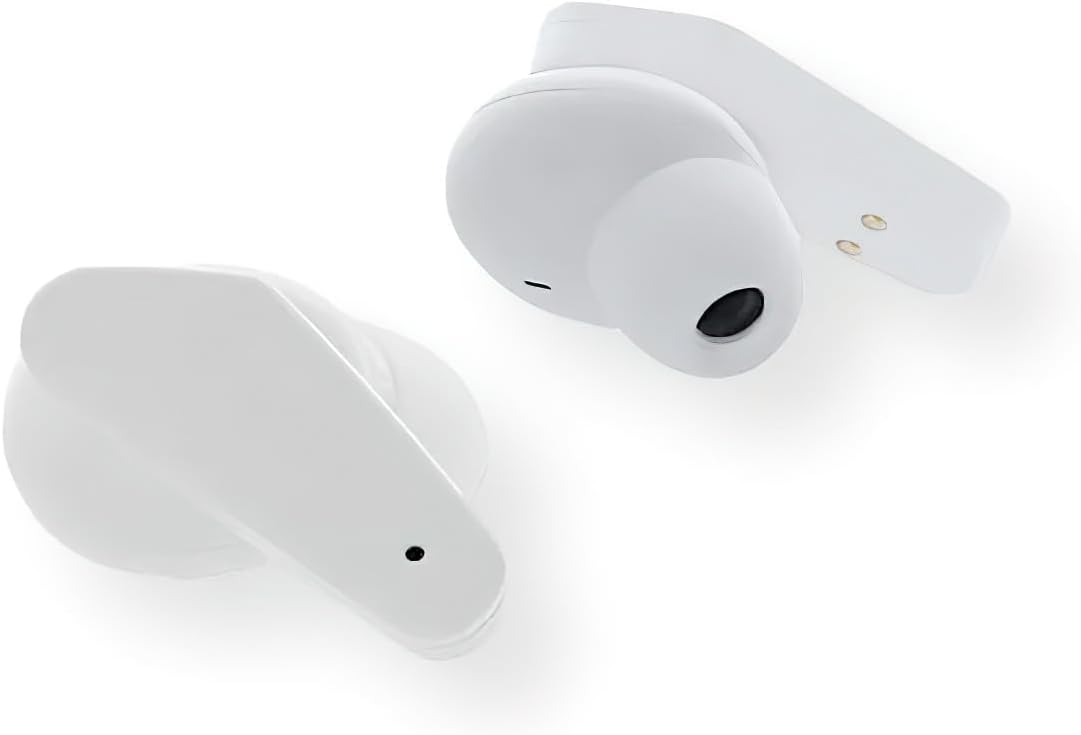
Figure 3: A close-up view of the Sentry HPXBTA105 True Wireless Earbuds, highlighting their design and in-line microphone.
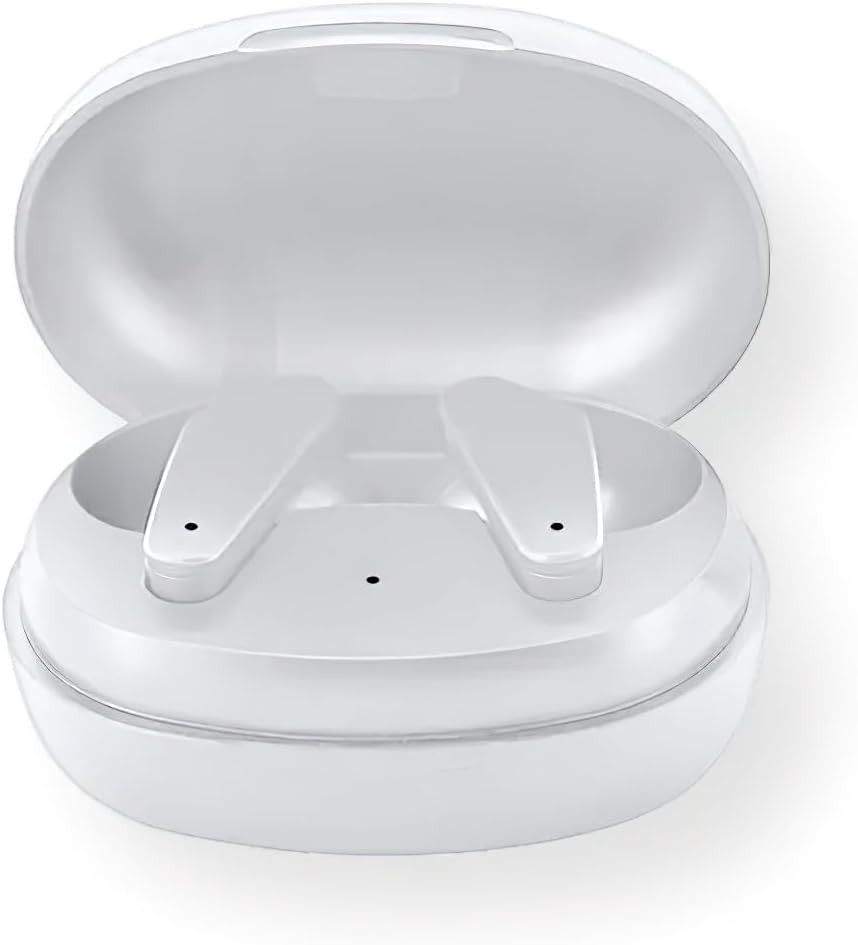
Figure 4: The Sentry HPXBTA105 charging case with both earbuds securely placed inside.
The earbuds feature a sleek white design with touch control buttons for easy operation. They are equipped with an in-line microphone for clear call handling and extra soft noise reduction earpads for comfort and effective noise cancellation.
Setup
1. Charging the Earbuds and Case
Before first use, fully charge the earbuds and the charging case.
- Place the earbuds into the charging case, ensuring they are properly seated.
- Connect the USB charging cable to the charging port on the case and the other end to a USB power source (e.g., computer, wall adapter).
- The indicator lights on the case and/or earbuds will show charging status. Refer to the specific light patterns in the quick start guide for details.
- Once fully charged, disconnect the charging cable.
2. Bluetooth Pairing
Pair your earbuds with your device (smartphone, tablet, laptop) for wireless audio.
- Ensure the earbuds are charged and placed in the charging case.
- Open the charging case lid. The earbuds will automatically enter pairing mode (indicator lights will flash).
- On your device, go to Bluetooth settings and turn Bluetooth ON.
- Search for available devices. Select "HPXBTA105" from the list.
- Once connected, the earbuds will indicate successful pairing (e.g., a voice prompt or steady light).
- The earbuds will automatically reconnect to the last paired device when taken out of the case, if Bluetooth is enabled on the device.
Operating Instructions
Touch Controls
The Sentry HPXBTA105 earbuds feature intuitive touch controls on each earbud. The specific functions may vary slightly, but common controls include:
- Play/Pause: Single tap on either earbud.
- Next Track: Double tap on the right earbud.
- Previous Track: Double tap on the left earbud.
- Volume Up: Triple tap on the right earbud.
- Volume Down: Triple tap on the left earbud.
- Answer/End Call: Single tap on either earbud during an incoming call or active call.
- Reject Call: Press and hold on either earbud during an incoming call.
- Activate Voice Assistant: Press and hold for 2 seconds on either earbud (e.g., Siri, Google Assistant).
- Toggle ANC/Transparency Mode: Long press (e.g., 3 seconds) on either earbud. Refer to the quick start guide for exact gesture.
Active Noise Canceling (ANC)
The earbuds are equipped with Active Noise Canceling technology to reduce ambient noise. This feature is ideal for travel or noisy environments.
- To activate ANC, use the designated touch control gesture (as described above).
- You may hear a slight change in audio quality when ANC is engaged, which is normal.
- To deactivate ANC or switch to Transparency Mode (if available), repeat the touch control gesture.
Video 1: Official product video demonstrating key features and design of the Sentry HPXBTA105 True Wireless Earbuds, including active noise canceling.
Maintenance
Proper care will extend the life of your earbuds.
- Cleaning: Gently wipe the earbuds and charging case with a soft, dry, lint-free cloth. Do not use harsh chemicals or abrasive materials.
- Storage: When not in use, store the earbuds in their charging case to protect them and keep them charged. Store in a cool, dry place.
- Avoid Water: The earbuds are not waterproof. Avoid exposure to water, sweat, or rain.
Troubleshooting
If you encounter issues with your earbuds, try the following solutions:
| Problem | Possible Solution |
|---|---|
| Earbuds not pairing |
|
| No sound from one earbud |
|
| Charging case not charging |
|
| Active Noise Canceling not working |
|
Specifications
| Feature | Detail |
|---|---|
| Model Name | HPXBTA105 |
| Connectivity Technology | Wireless (Bluetooth) |
| Drive Unit | 10mm |
| Frequency Range | 20Hz - 20KHz |
| Sensitivity | 103dB +/- 3dB |
| Impedance | 32 Ohms |
| Noise Control | Active Noise Cancellation |
| Microphone | In-line microphone |
| Control Type | Touch Control Buttons |
| Color | White |
| Item Weight | 6.4 ounces |
| Package Dimensions | 8 x 5.75 x 2.5 inches |
Warranty and Support
Sentry products are designed and manufactured to the highest quality standards. For information regarding warranty coverage, technical support, or service, please refer to the warranty card included with your product or visit the official Sentry website. Keep your proof of purchase for warranty claims.
For further assistance, you may also refer to the product detail page on Amazon.com: https://www.amazon.com/dp/B0D5DP1G3M
Related documentsHPXBTA105


Ask a question about this manual
Ask about setup, troubleshooting, compatibility, parts, safety, or missing instructions. Manuals+ will review the question and use this page’s manual context to help answer it.