
1. Introduction
Thank you for choosing the EZICLEAN Windobot S3 Max Robot Window Cleaner. This manual provides essential information for the safe and efficient operation, maintenance, and troubleshooting of your device. Please read it thoroughly before first use and keep it for future reference.
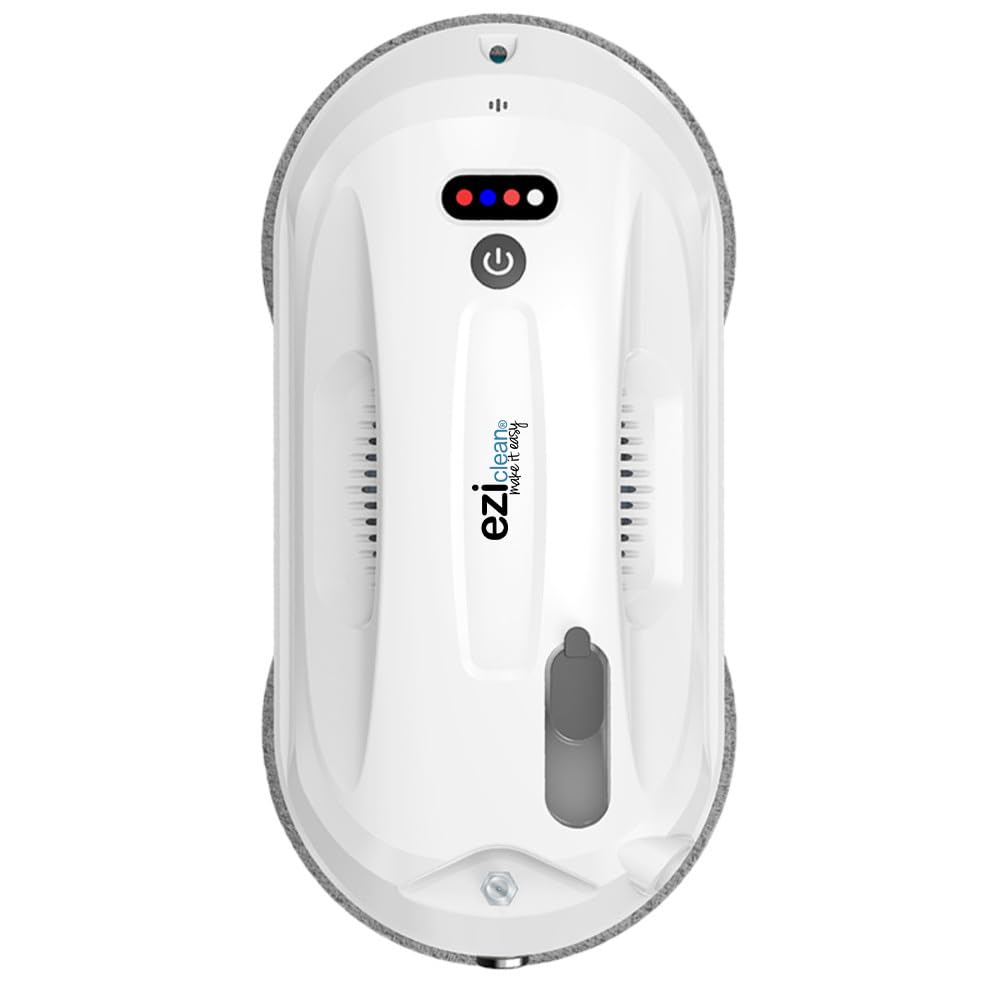
Figure 1: EZICLEAN Windobot S3 Max Robot Window Cleaner.
2. Safety Instructions
To ensure safe operation and prevent damage to the device or injury, always adhere to the following safety guidelines:
- Ensure the safety rope is securely attached to the robot and a fixed object before operation, especially when cleaning exterior windows or at height.
- Do not use the robot on cracked, damaged, or uneven glass surfaces.
- Keep the robot away from children and pets during operation.
- Use only the original power adapter and cleaning solution provided by EZICLEAN.
- Do not operate the robot in rainy or extremely humid conditions.
- Ensure the cleaning pads are properly installed and clean before each use.
- Always supervise the robot during its first few cleaning cycles to ensure proper adhesion and movement.
- Avoid using the robot on windows that are excessively dirty, as this may lead to streaks or reduced performance. Pre-clean heavily soiled areas if necessary.

Figure 2: Examples of unsafe or incorrect window cleaning methods, emphasizing the need for proper safety precautions with the robot.
3. Package Contents
Verify that all items are present in the package:
- EZICLEAN Windobot S3 Max Robot Window Cleaner
- Power Adapter and Cable
- Remote Control
- Cleaning Solution Bottle
- Safety Rope
- Microfiber Cleaning Pads (multiple pairs)
- User Manual (this document)

Figure 3: Included accessories for the Windobot S3 Max.
4. Product Overview
The EZICLEAN Windobot S3 Max is an advanced robot window cleaner designed for efficient and thorough cleaning of various flat surfaces. Its key features include:
- Automatic Cleaning & Drying: The robot performs both washing and drying cycles automatically.
- Dual Automatic Spray: Equipped with a dual spray system for effective application of cleaning solution.
- Optimal Navigation Technology: Utilizes intelligent navigation (NAVIG+ technology) for comprehensive coverage and faster cleaning.
- Versatile Surface Compatibility: Suitable for glass, marble, and tile surfaces.
- Safety Features: Includes sensors, a carabiner for safety rope attachment, and a backup battery for power loss protection.
- Microfiber Pads: Uses microfiber pads for streak-free cleaning.
- Touch Control & App Connectivity: Can be controlled via touch interface or connected to a smartphone for remote operation.

Figure 4: The Windobot S3 Max is designed for various flat surfaces.

Figure 5: The robot's intelligent navigation patterns for efficient cleaning.
5. Setup
Follow these steps to prepare your Windobot S3 Max for its first cleaning:
- Charge the Battery: Connect the robot to the power adapter and allow it to charge fully before first use. The internal battery provides backup power in case of a power outage, but the robot primarily operates while connected to power.
- Attach Cleaning Pads: Securely attach clean microfiber pads to the bottom of the robot. Ensure they are flat and cover the cleaning surfaces.
- Fill Solution Tank: Open the solution tank cap and fill it with the provided EZICLEAN cleaning solution. Do not overfill.
- Connect Safety Rope: For safety, especially on exterior windows or high surfaces, attach one end of the safety rope to the robot's designated attachment point and the other end to a sturdy, fixed object (e.g., a heavy piece of furniture, a window frame anchor).
- Connect Power: Plug the power adapter into an electrical outlet and connect it to the robot. Ensure the cable is long enough to reach the entire cleaning area without tension.
6. Operating Instructions
Operating your Windobot S3 Max is straightforward:
- Placement: Place the robot on the surface to be cleaned, ensuring it is flat against the glass or other material. The robot will automatically adhere to the surface using its vacuum suction.
- Start Cleaning:
- Using Touch Control: Press the power button on the robot to start the cleaning cycle.
- Using Remote Control: Use the remote control to select a cleaning mode (e.g., automatic, edge cleaning) and start the robot.
- Using Smartphone App: Download the EZICLEAN app, connect your robot, and control it directly from your smartphone. This allows for manual control and mode selection.
- Monitoring: Monitor the robot during its operation, especially during the first few uses. The robot will navigate the surface, spraying solution and cleaning as it moves.
- Completion: Once the cleaning cycle is complete, the robot will return to its starting position and emit an alert. Carefully remove the robot from the surface by holding it firmly and pressing the release button (if applicable) or turning off the power.
- Multiple Passes: For heavily soiled windows, it is recommended to perform a dry cleaning pass first (without solution) to remove loose dirt, then a wet cleaning pass. For optimal results, you may need to change cleaning pads between passes.
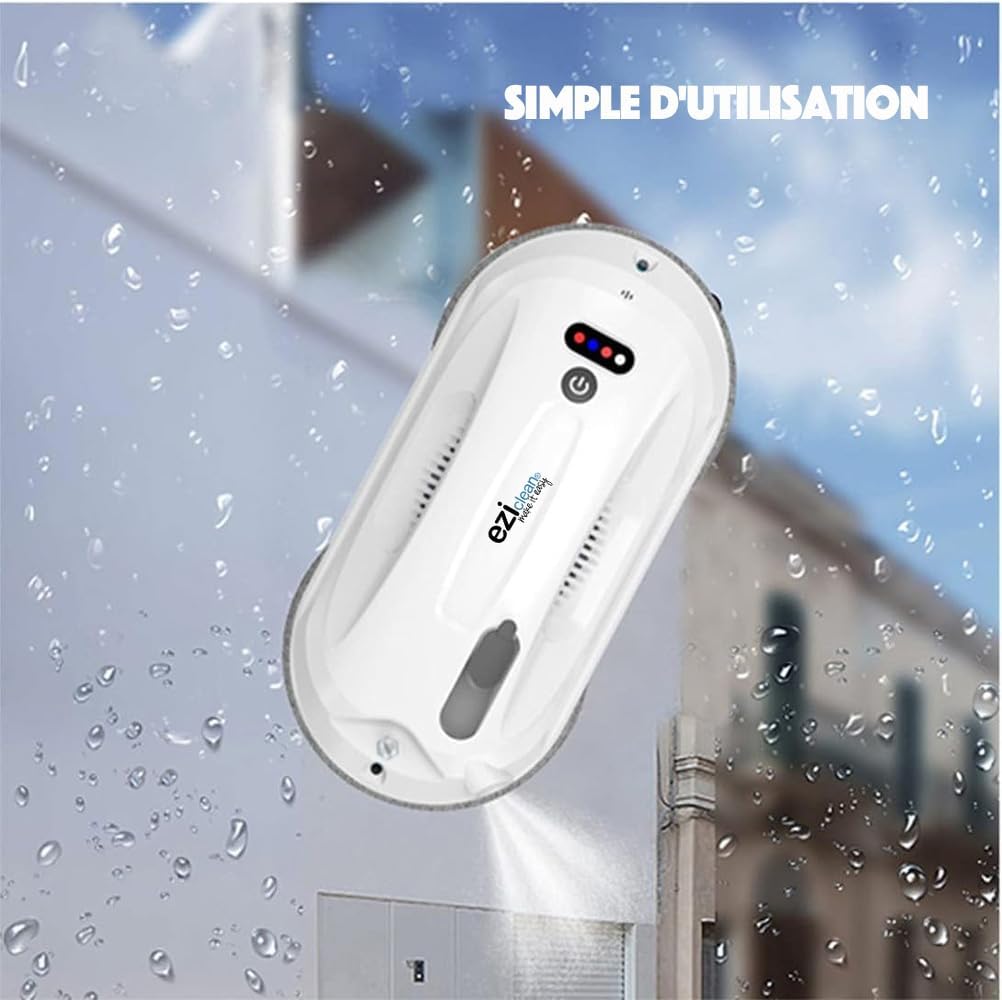
Figure 6: The robot in action, simplifying window cleaning.

Figure 7: Controlling the robot via smartphone app.
7. Maintenance
Regular maintenance ensures the longevity and optimal performance of your Windobot S3 Max:
- Clean Cleaning Pads: After each use, remove the microfiber pads and wash them. They can typically be machine washed with mild detergent. Ensure they are completely dry before reattaching.
- Clean Robot Body: Wipe the exterior of the robot with a soft, damp cloth. Do not use abrasive cleaners or immerse the robot in water.
- Check Suction Vents: Periodically inspect the suction vents for any dust or debris accumulation. Clean gently with a soft brush if necessary to maintain strong suction.
- Empty/Refill Solution Tank: If not using the robot for an extended period, empty any remaining cleaning solution. Refill with fresh solution before next use.
- Inspect Safety Rope: Regularly check the safety rope for any signs of wear or damage. Replace if necessary.
- Filter Maintenance: The robot uses a HEPA-type filter. Refer to the specific instructions for cleaning or replacing this filter to maintain air quality and device performance.

Figure 8: Microfiber pads are crucial for effective, streak-free cleaning. Keep them clean.
8. Troubleshooting
If you encounter issues with your Windobot S3 Max, refer to the following common problems and solutions:
| Problem | Possible Cause | Solution |
|---|---|---|
| Robot does not adhere to the surface. | Insufficient suction; surface too dirty or wet; power issue. | Ensure power cable is securely connected. Check for obstructions in suction vents. Ensure surface is not excessively wet or dirty. |
| Robot leaves streaks. | Dirty cleaning pads; incorrect amount of cleaning solution; surface too dirty. | Replace or clean microfiber pads. Use the recommended amount of cleaning solution. Pre-clean very dirty windows. |
| Robot stops unexpectedly. | Power disconnection; low battery (backup); sensor obstruction. | Check power connection. Ensure backup battery is charged. Clean sensors. |
| Remote control not working. | Dead batteries in remote; obstruction between remote and robot. | Replace remote control batteries. Ensure clear line of sight to the robot. |
9. Specifications
| Feature | Detail |
|---|---|
| Brand | EZICLEAN |
| Model Name | S3MAX |
| Recommended Surface | Glass, Marble, Tile |
| Special Feature | Fast Cleaning |
| Color | White |
| Product Dimensions (L x W x H) | 32.8L x 25W x 10H cm |
| Included Components | Cleaning Solution |
| Filter Type | HEPA |
| Item Weight | 2 Kilograms |
| Power Source | Battery Powered (operates connected to mains with battery backup) |
| Batteries Included | No (refers to user-replaceable batteries, internal battery is included) |
| Control Method | Touch, Remote, App |
| Product Type Name | Robot Window Cleaner |
| Manufacturer | eziclean |
| Recommended Uses | Window Cleaning |
| Usage Environment | Indoor (and outdoor with proper safety) |
10. Warranty & Support
EZICLEAN products are designed for durability and performance. For specific warranty details, please refer to the warranty card included with your product or visit the official EZICLEAN website. For technical support, troubleshooting assistance, or to inquire about replacement parts, please contact EZICLEAN customer service through their official channels.
Availability of Spare Parts: 13 Years (as per product specifications).
You can find more information and contact details on the EZICLEAN Brand Store.