
1. Introduction
This manual provides detailed instructions for the installation, operation, and maintenance of your Tyenaza Ebike LED Display Meter. This display is designed for 36V and 48V electric bikes and is compatible with KT controllers, featuring a waterproof joint for enhanced durability. Please read this manual thoroughly before use to ensure proper function and safety.

Image 1.1: The Tyenaza Ebike LED Display Meter installed on an electric bicycle.
2. Product Features
The Tyenaza Ebike LED Display Meter offers a range of features designed to enhance your electric biking experience:
- Wide Compatibility: Suitable for both 36V and 48V electric bikes, ensuring broad application. It is specifically designed for use with KT controllers.
- Durable Construction: Made from high-quality plastic material, the display panel is lightweight, waterproof, and highly durable, ensuring a long lifespan even in challenging weather conditions.
- User-Friendly Interface: Designed for ease of use, allowing simple switching between different display modes and convenient control of various functions on your electric bike.
- Clear and Convenient Display: Equipped with bright LED light beads, the meter accurately shows essential information such as current speed, battery power level, 6KM/H assistance mode, and headlight status.
- Reliable Performance: Its solid construction ensures consistent and dependable performance in various environmental conditions, making it ideal for outdoor use.
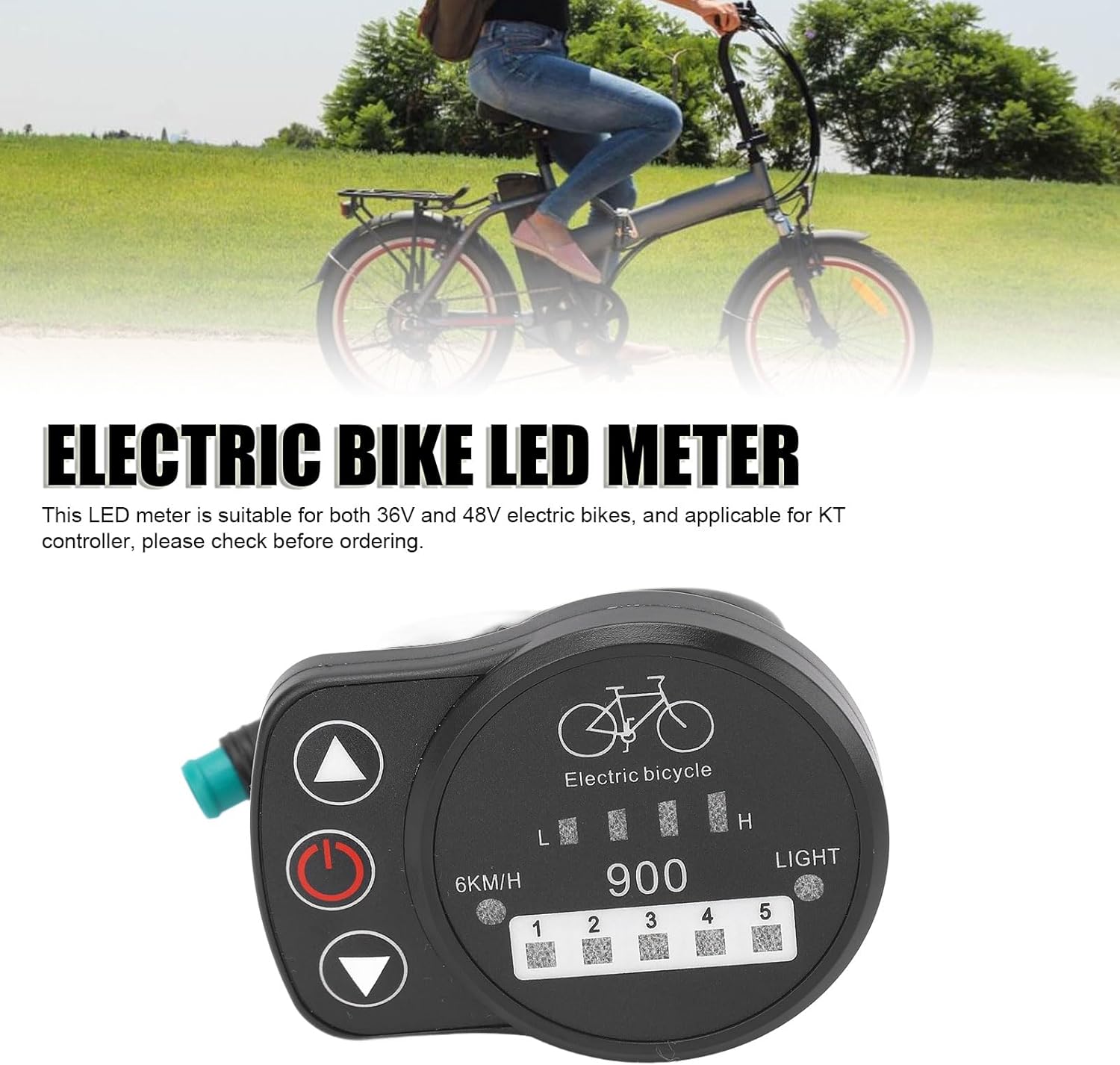
Image 2.1: Front view of the LED display meter, highlighting its clear display and control buttons.
3. Package Contents
Upon opening the package, please verify that all items are present and undamaged:
- 1 x Tyenaza Electric Bike LED Meter (Waterproof Joint)

Image 3.1: The Tyenaza Electric Bike LED Meter with its waterproof connector.
4. Setup and Installation
Follow these steps to properly install your Ebike LED Display Meter:
- Choose Mounting Location: Select a suitable position on your electric bike's handlebar for the display meter. Ensure it is easily visible and accessible while riding.
- Mount the Display: Use the integrated clamp to securely attach the display meter to the handlebar. Tighten the screws firmly but do not overtighten to avoid damage.
- Connect to Controller: Locate the corresponding waterproof connector on your KT controller. Align the pins and firmly push the display meter's waterproof joint into the controller's port until it clicks into place. Ensure the connection is secure and watertight.
- Cable Management: Route the cable neatly along the bike frame, securing it with cable ties if necessary, to prevent it from interfering with moving parts or getting snagged.
- Initial Power Check: After installation, turn on your ebike's main power. The display meter should illuminate, indicating a successful connection.
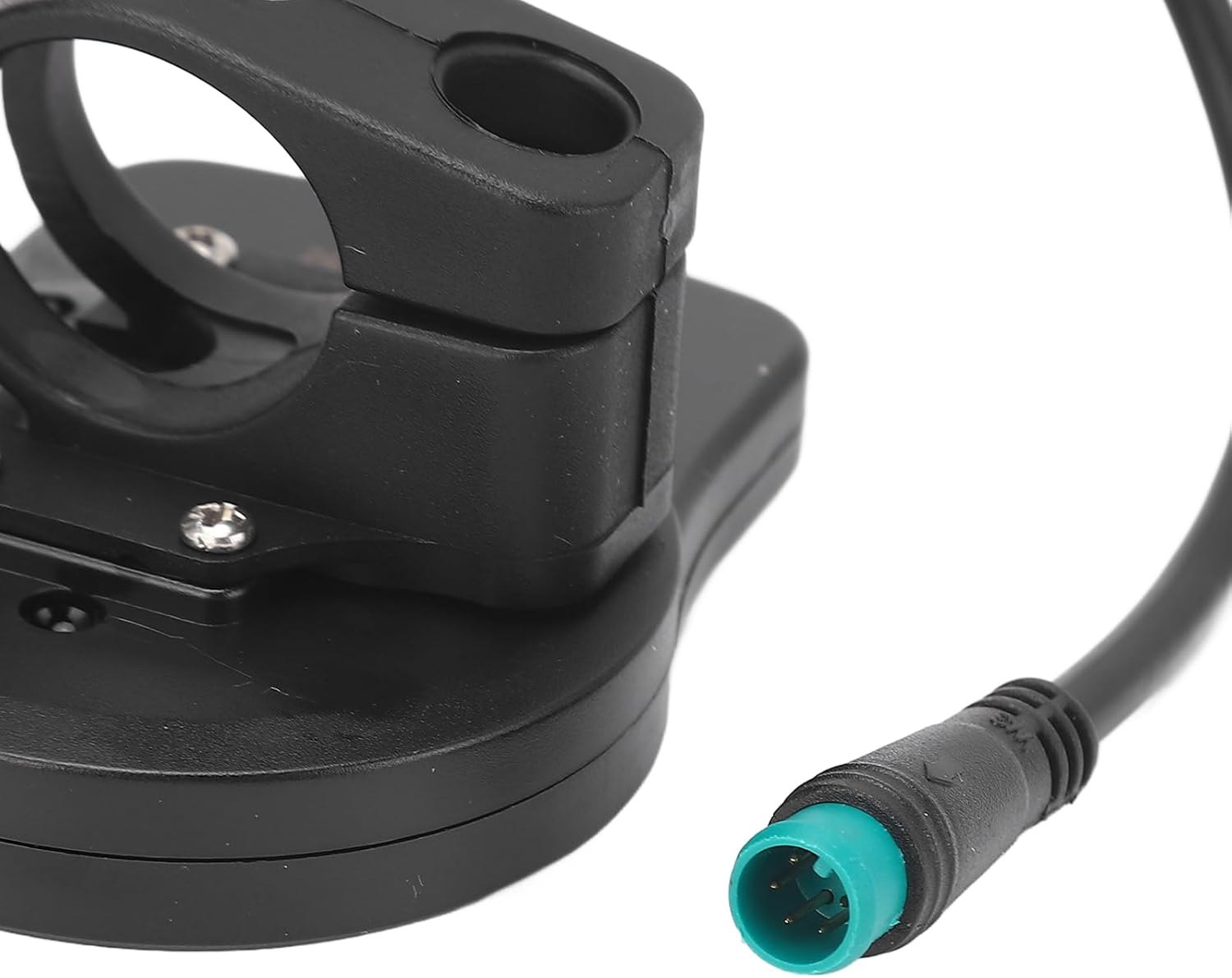
Image 4.1: The mounting bracket and waterproof connector for installation.
5. Operating Instructions
Familiarize yourself with the display's functions and controls:

Image 5.1: Overview of the display panel and its controls.
5.1. Button Functions
- Power Button (Ⓞ):
- Press and hold to turn the display ON or OFF.
- A short press may cycle through display modes (if applicable) or activate certain functions.
- Up Button (▲):
- Increases the assistance level (e.g., from 1 to 5).
- May be used to navigate menus or increase values in settings.
- Down Button (▼):
- Decreases the assistance level (e.g., from 5 to 1).
- May be used to navigate menus or decrease values in settings.
5.2. Display Indicators
- Speed Indicator: Shows your current riding speed (e.g., "6KM/H" for assistance mode, or actual speed if available).
- Battery Power Level: Displays the remaining battery charge through a series of bars or an icon.
- Assistance Level (1-5): Indicates the current level of pedal assistance provided by the motor. Level 1 is the lowest, and Level 5 is the highest.
- 6KM/H Assistance: A dedicated indicator or mode for low-speed assistance, often used for walking the bike. Activate by holding the Down button.
- Headlight Switch (LIGHT): An indicator that shows if your ebike's headlight is currently on or off. This function is typically controlled by a long press of the Up button or a dedicated button on some models.
6. Maintenance
Proper maintenance ensures the longevity and optimal performance of your LED display meter:
- Cleaning: Wipe the display screen and body with a soft, damp cloth. Avoid using abrasive cleaners, solvents, or harsh chemicals, as these can damage the plastic and screen.
- Water Exposure: While the joint is waterproof, avoid submerging the entire unit. If it gets wet, wipe it dry promptly.
- Cable Inspection: Periodically check the cable and connectors for any signs of wear, fraying, or damage. Ensure the waterproof joint remains securely connected.
- Storage: When not in use for extended periods, store the ebike in a dry, temperate environment away from direct sunlight and extreme temperatures.
7. Troubleshooting
If you encounter issues with your Ebike LED Display Meter, refer to the following common problems and solutions:
| Problem | Possible Cause | Solution |
|---|---|---|
| Display does not turn on. | No power from ebike battery; loose connection; faulty display. |
|
| Incorrect speed or battery readings. | Sensor issue; loose connection; display malfunction. |
|
| Buttons are unresponsive. | Dirt or debris; internal malfunction. |
|
If you cannot resolve the issue using the troubleshooting guide, please contact Tyenaza customer support for further assistance.
8. Specifications
Key technical specifications for the Tyenaza Ebike LED Display Meter:
| Feature | Detail |
|---|---|
| Item Type | Electric Bike LED Meter |
| Material | Plastic |
| Voltage Compatibility | 36V / 48V |
| Controller Compatibility | KT Controller |
| Connector Type | Waterproof Joint |
| Item Weight | 2.46 ounces (approx. 70g) |
| Manufacturer | Tyenaza |
| ASIN | B0D5CMS3Q8 |
9. Warranty and Support
Tyenaza products are manufactured to high-quality standards. For warranty information or technical support, please refer to the documentation included with your purchase or visit the official Tyenaza website. You may also contact Tyenaza customer service directly through the retailer where the product was purchased.
Contact Information: Please refer to your purchase receipt or the Tyenaza brand store on Amazon for the most current contact details.
Online Resources: For additional information and FAQs, visit the Tyenaza Store on Amazon.