
Introduction
Thank you for choosing the SEDETA 74.8-inch Gaming Desk. This manual provides essential information for the safe assembly, operation, and maintenance of your new desk. Please read these instructions thoroughly before beginning assembly and retain them for future reference.
Safety Information
Adhering to these safety guidelines will ensure the longevity of your product and prevent potential hazards:
- Always follow the assembly instructions carefully.
- Do not exceed the weight limit of the desk.
- Be cautious when handling electrical components.
- Keep the desk away from heat sources and liquids.
- Always unplug the desk when not in use.
Product Features
The SEDETA Gaming Desk is designed to enhance your gaming and work experience with its comprehensive features:
- Multifunctional Design: Integrates a monitor stand, two large display cabinets, LED lights, a hutch, and CPU holders for a complete workstation.
- Ample Storage: Features a hutch with three compartments and two premium acrylic display cabinets for organizing gaming controllers, headphones, and collectibles. Additional bottom shelves accommodate larger devices like gaming consoles or computer towers.
- Spacious Desktop: A 47.2" (L) x 21.6" (W) desktop provides sufficient space for keyboards, mice, accessories, and can comfortably hold two computer monitors.
- Integrated Charging Station: Equipped with four power sockets and two USB ports for convenient device charging. Includes a power switch for safe one-touch power-off.
- Ergonomic Monitor Stand: Positions screens at an optimal height to reduce head and neck fatigue, promoting a comfortable posture during extended use.
- Durable Construction: Constructed with P2 Particle Board and a heavy-coated steel tube frame for stability and durability.
- Adjustable Feet: Ensures stability on uneven surfaces and protects flooring.
- Pop-up Cabinet Design: Display cabinets feature a push-to-open mechanism for a sleek, handle-free appearance.

Image: The SEDETA Gaming Desk in a black finish, showcasing its full setup with dual monitors, gaming peripherals, and illuminated display cabinets.

Image: A diagram illustrating the ergonomic benefits of the monitor stand, showing correct posture and reduced neck strain.
Product Dimensions
The overall dimensions of the SEDETA Gaming Desk are as follows:
- Overall Dimensions (D x W x H): 21.6 inches x 74.8 inches x 60.2 inches
- Desktop Surface (L x W): 47.2 inches x 21.6 inches
- Tabletop Thickness: 0.75 inches
- Number of Shelves: 3
- Number of Cabinets: 2

Image: A detailed diagram illustrating the various dimensions of the SEDETA Gaming Desk, including height, width, and depth of different sections.
Setup and Assembly
Assembly of the SEDETA Gaming Desk is required. All necessary assembly tools are included with your purchase. Please follow the step-by-step instructions provided in the separate assembly guide carefully. It is recommended to have a second person assist with assembly due to the size and weight of the components.
- Unpack all components and verify against the parts list in the assembly guide.
- Assemble the frame structure first, ensuring all connections are secure.
- Attach the desktop and hutch components as per the instructions.
- Install the LED lights and charging station according to the wiring diagrams.
- Adjust the feet to ensure the desk is level and stable.

Image: A close-up view demonstrating the pop-up design of the cabinet doors, which open with a simple press.

Image: An illustration emphasizing the high-quality P2 Particle Board used for the desk's construction, indicating stability.

Image: A visual representation of the heavy coated steel tube frame, highlighting its contribution to durability and weight capacity.

Image: A close-up of the adjustable feet at the base of the desk, designed to protect floors and ensure stability.
Operating Instructions
LED Lights Operation
The integrated LED lights offer customizable illumination for your gaming environment. They can be controlled via an application or a physical key control.
- Color Options: Over 60,000 colors available.
- Lighting Modes: 29 flashing modes to choose from.
- Music Sync: Lights can synchronize with music and sound for dynamic effects.
- Timer Function: Schedule on/off times for convenience and energy saving.
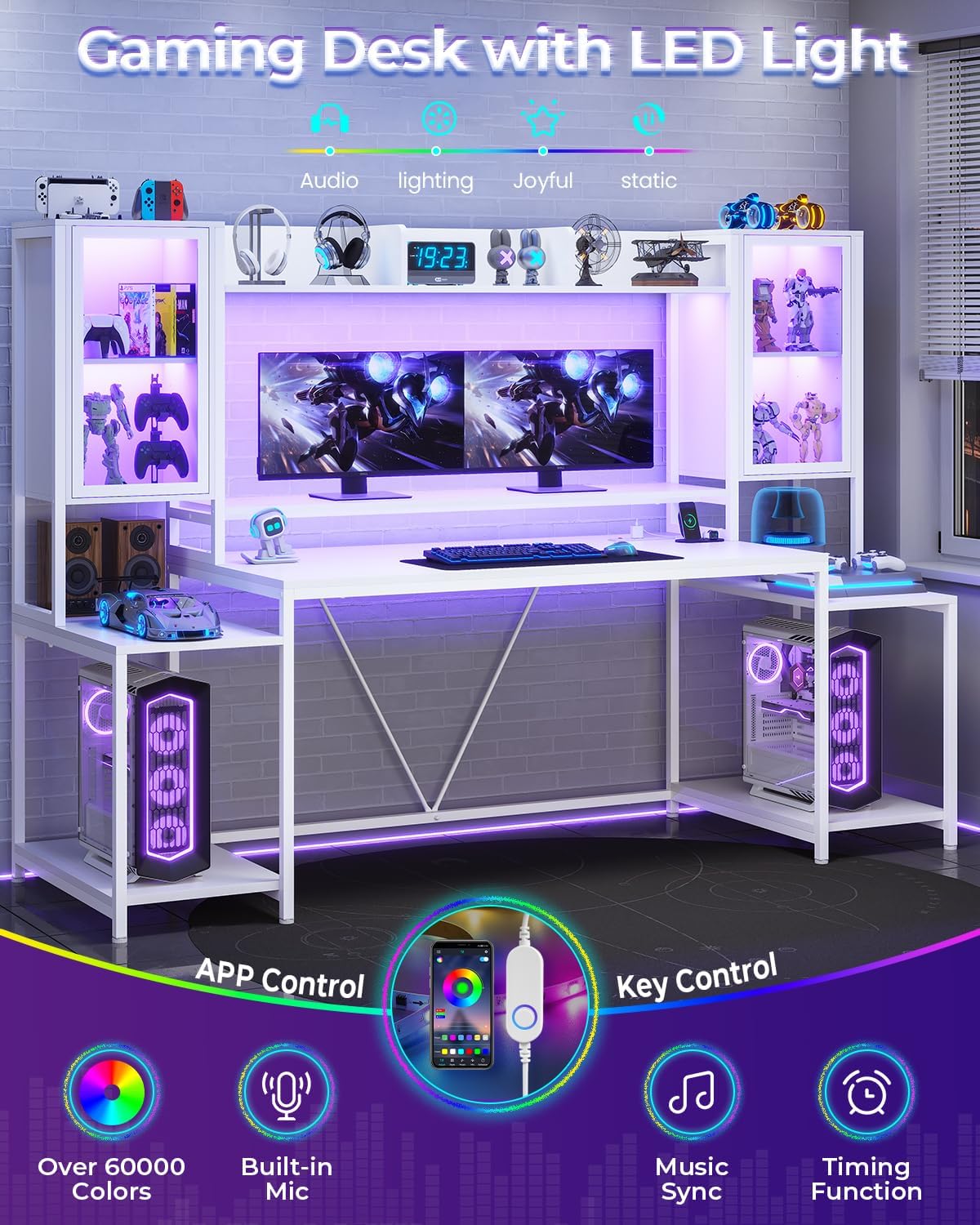
Image: The SEDETA Gaming Desk with its LED lights cycling through different colors, showcasing the customizable lighting feature.

Image: Illustration of the LED light control methods, including app control and key control, highlighting various lighting features.

Image: The LED lights changing color in sync with music, demonstrating the audio reactive feature.
Charging Station Usage
The recessed power strip provides convenient access to power for your devices.
- Power Outlets: 4 AC outlets (120V/12A).
- USB Ports: 2 USB ports (5V/2A).
- Power Switch: Use the integrated power switch to turn the charging station on or off, ensuring safety and energy efficiency.

Image: A close-up view of the recessed power strip, showing a phone and other devices connected for charging.
Maintenance
To maintain the appearance and functionality of your SEDETA Gaming Desk:
- Cleaning: Wipe surfaces with a soft, damp cloth. Avoid abrasive cleaners or harsh chemicals that may damage the finish.
- Electrical Components: Ensure the power strip and LED lights are kept dry. Do not attempt to repair electrical components yourself.
- Tighten Fasteners: Periodically check and tighten all screws and fasteners to ensure stability.
- Avoid Overloading: Do not place excessive weight on the desk or shelves beyond their intended capacity.
Troubleshooting
If you encounter any issues with your SEDETA Gaming Desk, please refer to the following common solutions:
| Problem | Possible Cause | Solution |
|---|---|---|
| Desk is wobbly | Loose fasteners; uneven floor. | Tighten all assembly screws. Adjust the leveling feet at the bottom of the desk. |
| LED lights not working | Power connection issue; faulty light strip. | Ensure the LED lights are properly connected to the power source and the power switch is on. Check for any visible damage to the light strip. |
| Charging station not providing power | Power switch off; circuit breaker tripped; device not properly plugged in. | Ensure the power switch on the strip is in the ON position. Check your home's circuit breaker. Verify devices are fully plugged into the outlets/USB ports. |
| Cabinet doors not closing properly | Misaligned hinges; obstruction. | Check hinge alignment and adjust if necessary. Ensure no items are obstructing the door's path. |
If the issue persists after attempting these solutions, please contact customer support for further assistance.
Specifications
- Brand: SEDETA
- Model: B0D5CJ3HDH
- Shape: Rectangular
- Desk Design: Computer Desk
- Product Dimensions (D x W x H): 21.6" x 74.8" x 60.2"
- Color: White
- Style: Modern
- Base Material: Metal
- Top Material Type: Engineered Wood (P2 Particle Board)
- Finish Type: Powder Coated
- Special Features: Display Cabinets, LED Lights, Charging Station, Monitor Stand
- Required Assembly: Yes
- Includes All Assembly Tools: Yes
- Number Of Shelves: 3
- Number Of Cabinets: 2
- Tabletop Thickness: 0.75 Inches
- Working Surface Diagonal Length: 55.9 Inches
Warranty and Support
This SEDETA Gaming Desk comes with a Limited Warranty. For detailed information regarding warranty coverage, terms, and conditions, please refer to the warranty card included in your packaging or contact SEDETA customer service.
For any questions, technical support, or assistance with parts, please contact SEDETA customer service through the retailer's platform or visit the official SEDETA store page: SEDETA Store.
Product Videos
SEDETA 75-inch Gaming Desk Overview
Video: An overview of the SEDETA 75-inch Gaming Desk, highlighting its features and design in a dynamic presentation.
SEDETA Gaming Desk Features Showcase
Video: A showcase of the SEDETA Gaming Desk's various features, including storage, lighting, and ergonomic design.