
Introduction
This manual provides essential information for the safe and efficient operation, maintenance, and troubleshooting of your Voltas 123V CAE 1 Ton 3 Star Inverter Split AC. Please read this manual thoroughly before using the appliance and keep it for future reference.

Image: Voltas 123V CAE 1 Ton 3 Star Inverter Split AC, showing both indoor and outdoor units.
Key Features
- Inverter Compressor: Features a variable speed compressor that adjusts power based on heat load, optimizing energy consumption.
- 4-in-1 Adjustable Cooling Modes: Allows selection of different tonnage settings to suit varying cooling needs and room occupancy.
- High Ambient Cooling: Designed to provide effective cooling even at extreme temperatures up to 52°C.
- Anti-Dust Filter with Anti-Microbial Coating: Ensures cleaner and healthier air by trapping dust and inhibiting microbial growth.
- 100% Copper Condenser: Provides superior heat transfer, enhanced durability, and requires low maintenance due to its rust and corrosion-resistant properties.
- Digital Temperature Display & Hidden Display: Offers clear temperature indication and a sleek, integrated look.
- Wide Operating Voltage Range: Operates efficiently within a voltage range of 110V - 285V.
- Self Diagnosis: Automatically detects and troubleshoots issues for smooth operation.
- Sleep Mode: Adjusts temperature for comfortable sleep.
- Turbo Mode: Provides rapid cooling when needed.
- Memory Restart: Automatically resumes previous settings after a power interruption.
- Anti-Freeze Thermostat: Protects the compressor from potential damage due to freezing.
- R32 Refrigerant: Environmentally friendly refrigerant with zero ozone depletion potential.

Image: Voltas AC highlighting features such as long air throw and hidden LED display.
Setup and Installation
For optimal performance and safety, professional installation is recommended. The package includes the following components:
- 1 Indoor Unit
- 1 Outdoor Unit
- 1 Inter Connecting Copper Pipe (3 meters length)
- 1 Remote Control
- 2 AAA Batteries (for remote)
- 6 Screws
- 6 Nylon Sleeves
- 1 Cable
- Installation Kit (including 3m Copper Wire)
Pre-Installation Checks:
- Ensure the installation area is suitable for the unit's dimensions and weight.
- Verify that the electrical supply meets the AC's requirements (110V - 285V).
- Confirm proper drainage for the indoor unit.
Installation Steps (Summary - Professional Installation Recommended):
- Mount the indoor unit securely on a wall, ensuring proper clearance for airflow.
- Install the outdoor unit on a stable surface, away from direct sunlight and obstructions.
- Connect the indoor and outdoor units using the provided copper pipes and electrical wiring.
- Ensure all connections are tight and leak-free.
- Perform a vacuum test and charge the system with R32 refrigerant if necessary.
- Test the unit's operation across all modes.

Image: Diagram showing the dimensions of the Voltas 123V CAE indoor and outdoor units.
Operating Instructions
Your Voltas AC is designed for user-friendly operation. Use the remote control to access various functions.
Basic Operation:
- Power On/Off: Press the power button on the remote.
- Temperature Adjustment: Use the up/down arrows to set your desired temperature. The hidden display will show the current setting.
- Mode Selection: Cycle through modes (Cool, Fan, Dry, Auto) using the Mode button.
Advanced Features:
- 4-in-1 Adjustable Cooling: Press the "Adjustable Mode" button to select different cooling capacities (e.g., for 2, 3, 5 people, or Turbo). This optimizes energy use based on occupancy.
- Turbo Mode: Activates maximum cooling power for rapid temperature reduction.
- Sleep Mode: Engages a quiet operation mode that gradually adjusts the temperature for enhanced comfort during sleep.
- 4-Way Air Swing: Activates automatic horizontal and vertical swing of the louvers for uniform air distribution.
- Memory Restart: In case of a power outage, the unit will automatically restart with the last used settings once power is restored.

Image: Visual representation of the 4-in-1 adjustable cooling modes for different occupancy levels.
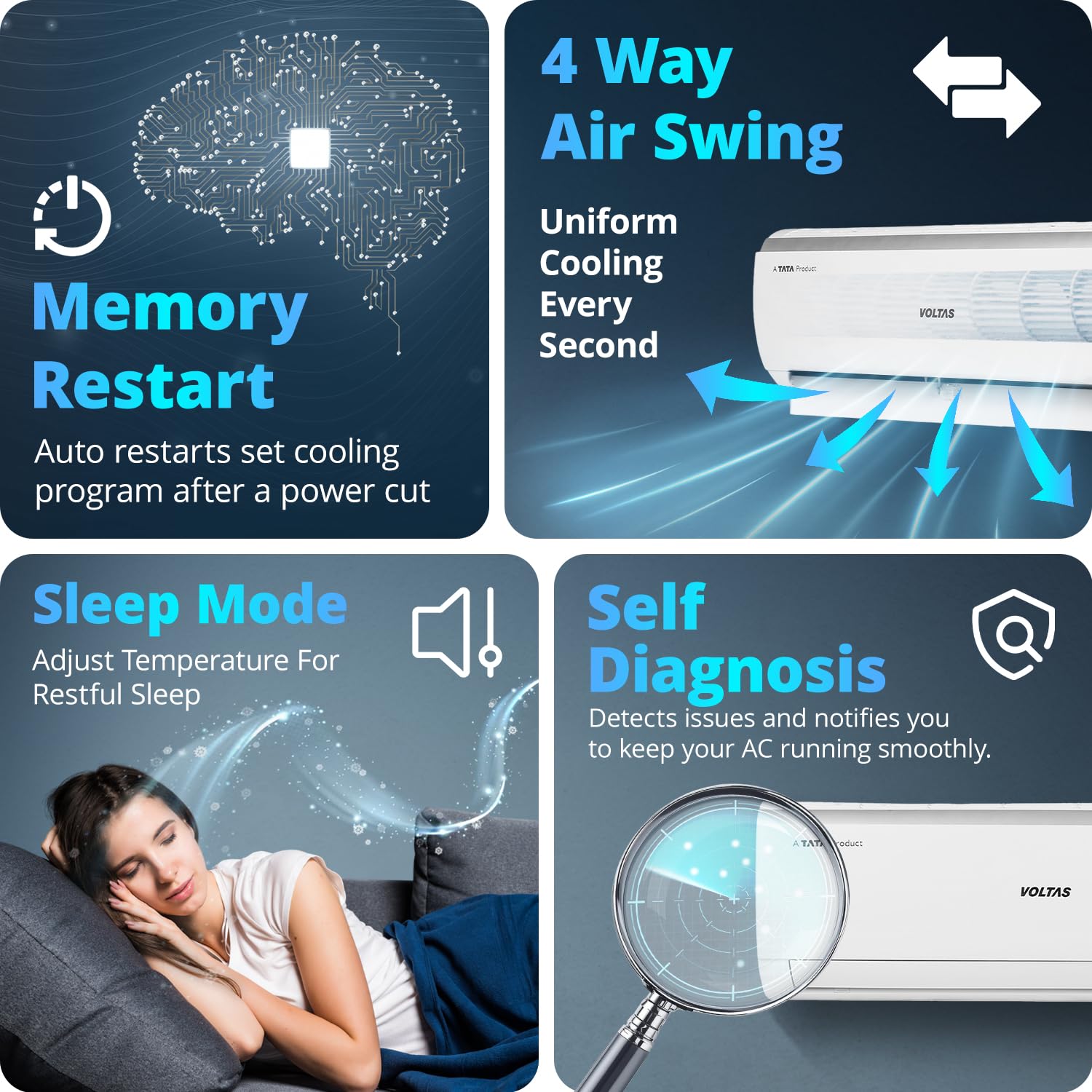
Image: Icons illustrating Memory Restart, Sleep Mode, Self Diagnosis, and 4 Way Air Swing features.
Maintenance
Regular maintenance ensures the longevity and efficiency of your Voltas AC.
Filter Cleaning:
- The anti-dust filter should be cleaned every two weeks or more frequently depending on usage and air quality.
- Open the front panel of the indoor unit, remove the filters, and wash them with mild soap and water.
- Allow filters to dry completely before reinserting them.
General Cleaning:
- Wipe the indoor and outdoor units with a soft, damp cloth. Do not use harsh chemicals or abrasive cleaners.
- Ensure the outdoor unit's coils are free from debris and obstructions.
Professional Servicing:
- Schedule professional servicing at least once a year to check refrigerant levels, clean coils, and inspect electrical connections.
- The anti-corrosive coating and anti-freeze thermostat contribute to the unit's durability, but regular checks are still beneficial.

Image: Close-up of the anti-dust filter with anti-microbial coating, showing its structure.

Image: Illustration of the anti-corrosive coating protecting internal AC components.
Troubleshooting
Before contacting customer support, refer to these common issues and solutions:
| Problem | Possible Cause | Solution |
|---|---|---|
| AC not turning on | No power, remote batteries dead, circuit breaker tripped. | Check power supply, replace remote batteries, reset circuit breaker. |
| Insufficient cooling | Dirty air filters, blocked outdoor unit, low refrigerant, incorrect mode. | Clean air filters, clear obstructions from outdoor unit, check mode settings. If low refrigerant, contact service. |
| Unusual noise | Loose parts, fan obstruction, compressor issue. | Check for loose parts or obstructions. If noise persists or is from compressor, contact service. |
| Water leakage from indoor unit | Blocked drain pipe, improper installation, frozen coil. | Clear drain pipe. If due to installation or frozen coil, contact service. |
The Self Diagnosis feature will display error codes on the unit's display if an issue is detected. Refer to the full owner's manual for a list of error codes and their meanings.

