
Product Overview
This instruction manual provides guidance for installing and operating the LocoLee RC Light Kit, specifically designed for the Lego Barad-dûr 10333 model. This kit enhances your building set with unique and dynamic lighting effects, bringing the static model to life. Please note: The Lego Barad-dûr 10333 model is NOT included with this light kit and must be purchased separately.

Image: The LocoLee RC Light Kit packaging shown alongside a fully lit Lego Barad-dûr model, clarifying that the model itself is not part of the kit.
The light kit features exquisite details, illuminating all corners of your model with gleam, sparkling, warm, or intense lights, allowing for clearer visibility of the intricate details both inside and outside the Barad-dûr 10333 set.
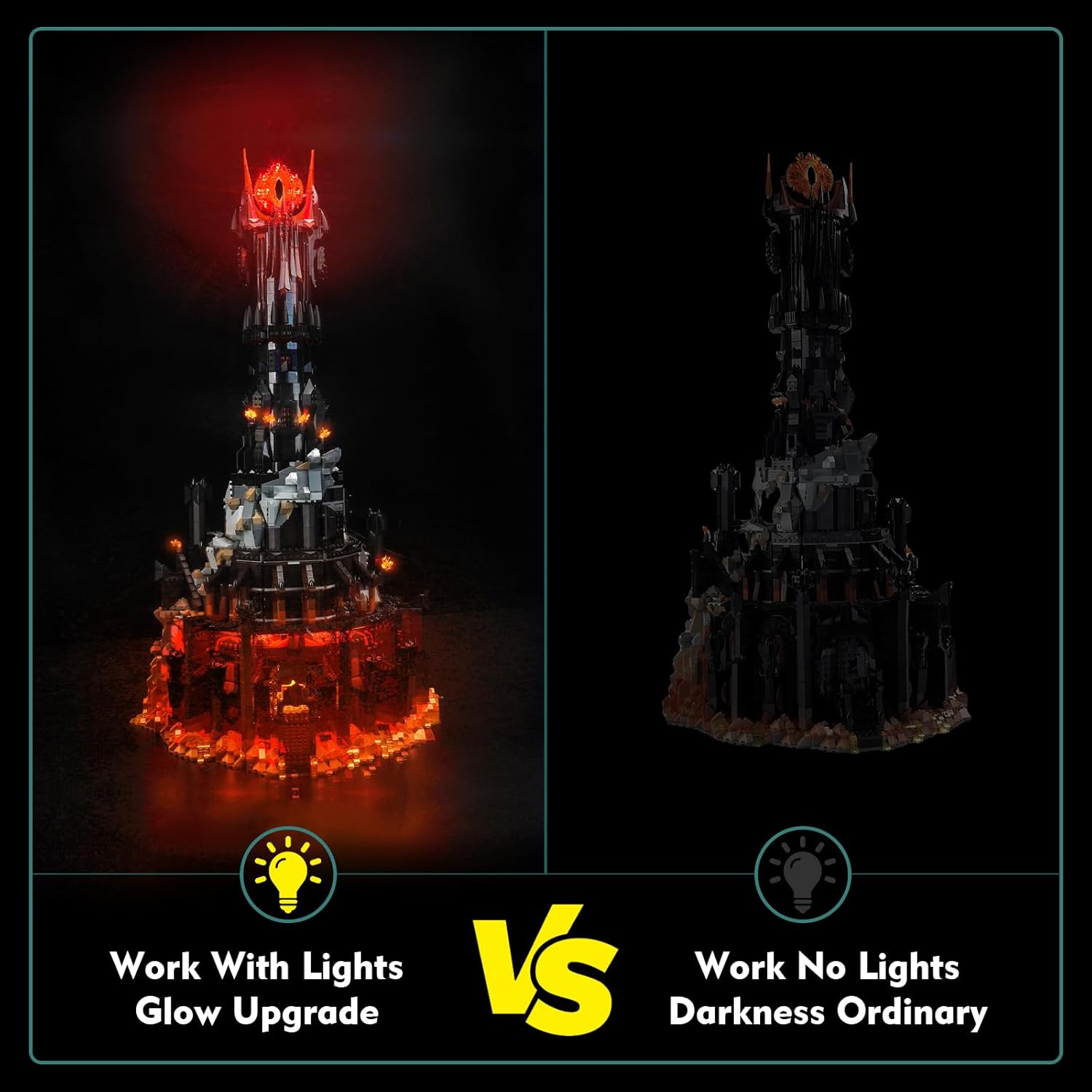
Image: A side-by-side comparison illustrating the visual impact of the light kit on the Lego Barad-dûr model, highlighting the 'Glow Upgrade' versus 'Darkness Ordinary'.
Setup and Installation
The LocoLee RC Light Kit is designed for step-by-step installation. Detailed video and PDF installation instructions are available online. The light fixtures are small and non-fragile, requiring the disassembly of only a few bricks from your Lego model for integration. Exercise care not to pull wires too hard during installation.
Package Contents:

Image: A visual representation of all components included in the light kit package, clearly indicating 'NO LEGOS'.
Installation Guide:
- Refer to the website printed in the booklet provided with your kit.
- Enter the code found behind the packing box or the Lego model number (10333) to access the instructions.
- Click on the relevant picture to view the detailed video or PDF installation guide.
Note: No paper instructions are included; all guides are provided online.

Image: A visual guide detailing the three steps to access the online installation instructions for the light kit.
Power Supply Methods:
The light kit supports multiple power supply methods. Ensure the voltage is less than 5V. Batteries are not included.

Image: Examples of compatible power sources for the light kit, such as USB power banks, wall adapters, and a 3x AAA battery box (batteries not included).
Operating Instructions
This RC (Remote Control) light kit allows you to control the lighting effects of your Lego Barad-dûr 10333 model. Use the provided remote control to switch the lights on/off, change colors, and select different lighting effects.
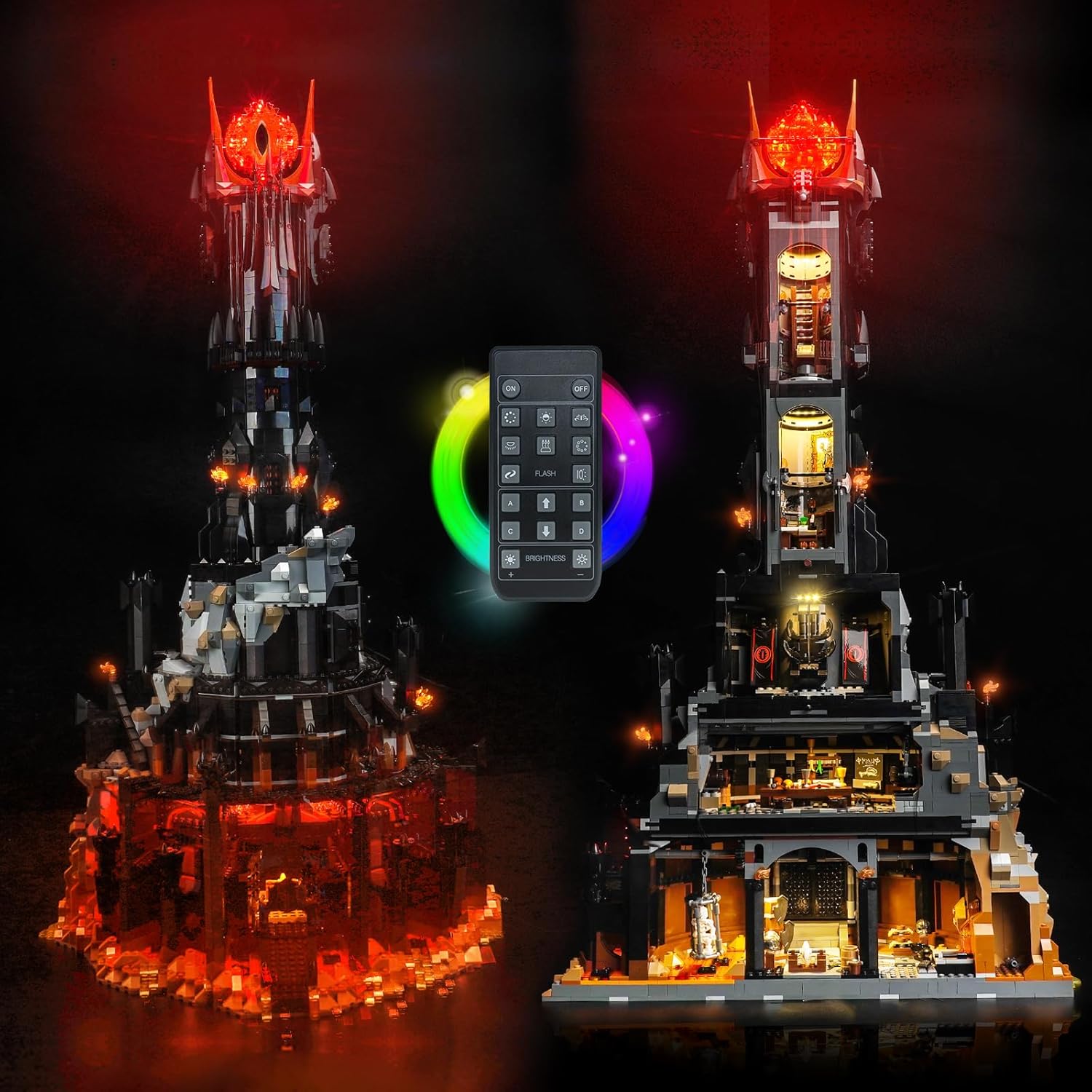
Image: The Lego Barad-dûr model showcasing its illuminated features, with the remote control visible, indicating its functionality for adjusting light settings.
Remote Control Functions:
- Power On/Off: Press the designated button to turn the lights on or off.
- Color Change: Cycle through various color options to match your preference.
- Effect Modes: Select from different lighting effects such as flashing, pulsing, or static glow.
- Brightness Adjustment: Increase or decrease the intensity of the lights.
Refer to the remote control's specific button layout for detailed functionality.
Video: An official product video demonstrating the various lighting effects and remote control functionality of the LocoLee LED Light Kit for the Lego Barad-dûr 10333 model.
Maintenance
To ensure the longevity and optimal performance of your LocoLee RC Light Kit, follow these maintenance guidelines:
- Cleaning: Gently wipe the light components and wires with a dry, soft cloth. Avoid using liquids or abrasive cleaners.
- Handling: The wires are flexible but tough; however, avoid excessive bending or pulling to prevent damage.
- Storage: When not in use for extended periods, disconnect the power source. Store the kit in a cool, dry place away from direct sunlight and extreme temperatures.
- Battery Replacement (if applicable): If using a battery box, replace batteries as needed. Ensure correct polarity.
Troubleshooting
If you encounter any issues with your LocoLee RC Light Kit, please refer to the following common solutions:
- Lights Not Turning On:
- Check all power connections to ensure they are secure.
- Verify that the power source (USB or batteries) is functioning correctly and providing adequate power.
- If using batteries, ensure they are new and inserted with correct polarity.
- Some Lights Not Working:
- Inspect individual light connections for any loose or disconnected wires.
- Ensure no wires are pinched or damaged between Lego bricks.
- Remote Control Not Responding:
- Ensure the remote control has working batteries.
- Point the remote directly at the receiver unit of the light kit.
If the problem persists after attempting these steps, please contact customer support for further assistance.
Specifications
| Feature | Detail |
|---|---|
| Brand | LocoLee |
| Model Number | 10333 |
| Style | RC (Remote Control) |
| Color | Color-changing |
| Material | Plastic (High-quality copper lines and ABS plastic) |
| Light Source Type | Light Emitting Diode (LED) |
| Number of Light Sources | 10 |
| Power Source | Battery Powered (Batteries not included) |
| Product Dimensions | 6.04 x 3.98 x 1.26 inches |
| Item Weight | 5.3 ounces |
| Manufacturer Recommended Age | 16 years and up |
Warranty Information
LocoLee products are manufactured with high-quality materials and undergo thorough quality checks. If you have any questions or concerns regarding the product's quality or performance, please contact our customer support team. Specific warranty details may vary; please refer to the product packaging or contact customer service for precise information.
Customer Support
For any inquiries, technical assistance, or support needs, please reach out to LocoLee customer service. You can typically find contact information on the product packaging or through the official LocoLee website. When contacting support, please have your product model number (10333) and purchase details readily available to expedite assistance.
Video: An official product video showcasing the LocoLee LED Light Kit for the Lego Barad-dûr 10333, highlighting its features and visual appeal.