
1. Safety Information
Read and understand all safety warnings and instructions before operating this tool. Failure to follow the warnings and instructions may result in electric shock, fire, and/or serious injury.
- Always wear safety glasses and gloves when using the weed eater.
- Keep children and pets away from the operating area.
- Do not use the tool near flammable materials.
- Keep the cutting head away from your body while in use.
- The integrated safety lock mechanism is designed to prevent accidental startup. Always engage the safety lock when the tool is not in use or during adjustments.
- The durable flower protection frame helps prevent accidental trimming of desired plants.

Figure 1.1: Safety lock on the handle to prevent accidental operation.
2. Product Overview
The SnapFresh 20V Cordless Weed Eater is a versatile tool designed for lawn trimming and edging tasks. It features a lightweight design and adjustable components for user comfort and efficient operation.
- 2-in-1 Trimmer & Edger: Easily converts between string trimmer and lawn edger modes by adjusting the cutter head.
- Adjustable Cutting Head & Height: The pole height can be adjusted from 36.6 inches to 45.7 inches. The four-position cutting head allows for multi-angle cutting and access to hard-to-reach areas.
- Rugged Resin Blades: Equipped with 20 durable resin blades suitable for trimming ordinary lawns and tougher shrub branches.
- Cordless Operation: Powered by a 2.0Ah battery for extended use, with a fast charger providing a full charge in approximately 50 minutes.
- Lightweight Design: The tool weighs approximately 3.4 lbs, reducing user fatigue during operation.
- Anti-Collision Protection: Features a protective frame to prevent damage to the cutting head when working near obstacles.
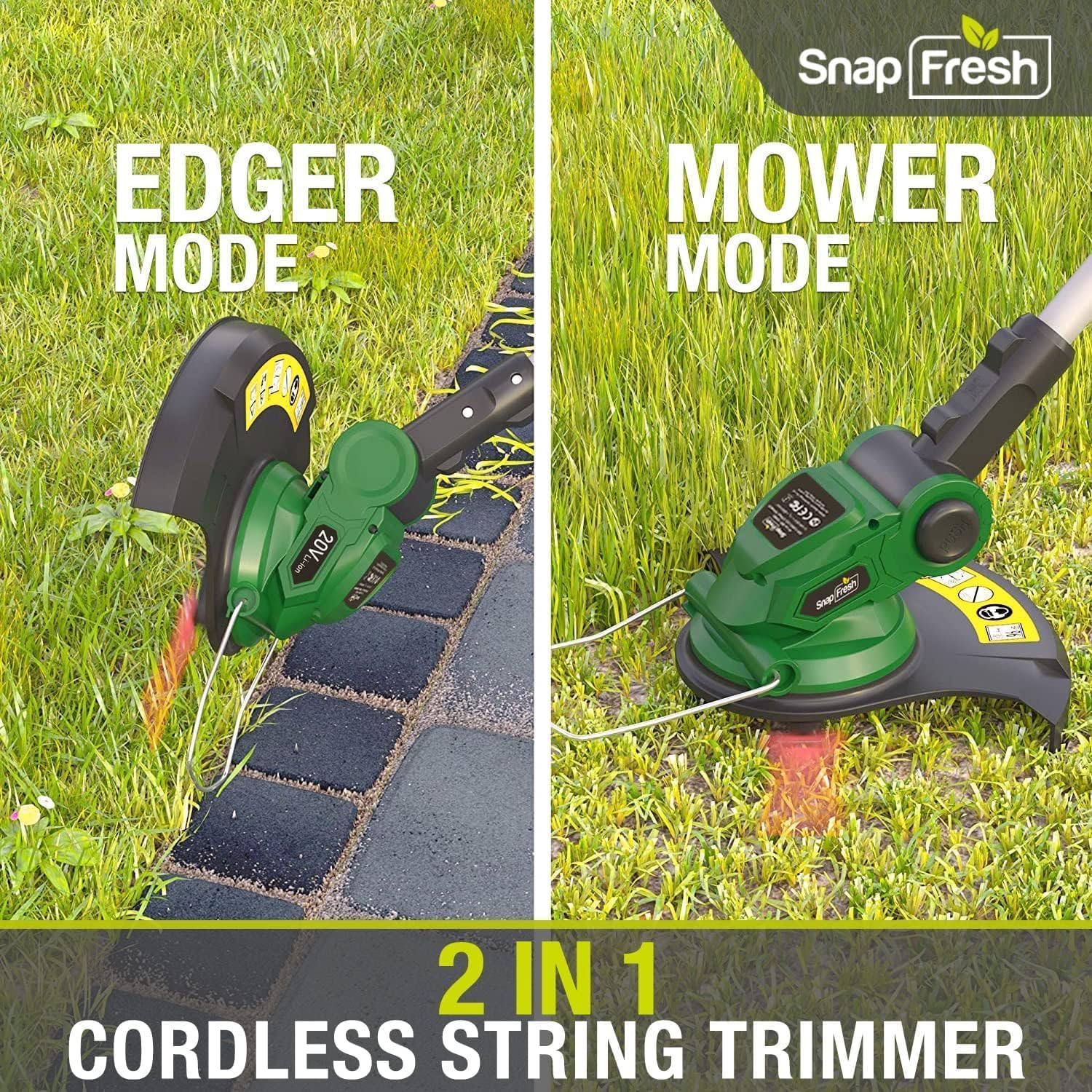
Figure 2.1: The 2-in-1 functionality for trimming and edging.

Figure 2.2: Lightweight design for comfortable use.

Figure 2.3: Anti-collision protection for durability.
3. What's in the Box
Verify that all components are present upon unpacking:
- SnapFresh 20V Cordless Weed Eater Main Unit
- Adjustable Pole
- Auxiliary Handle
- Cutting Guard
- 20 x Resin Blades
- 2.0Ah Lithium-Ion Battery
- Fast Charger

Figure 3.1: Contents of the product package.
4. Assembly
Follow these steps to assemble your SnapFresh weed eater:
- Attach the Cutting Guard: Secure the cutting guard to the trimmer head using the provided screws. Ensure it is firmly in place to protect against debris.
- Install the Auxiliary Handle: Slide the auxiliary handle onto the adjustable pole and tighten it to a comfortable position.
- Adjust Pole Length: Extend or retract the adjustable pole to your desired operating height. Secure the locking mechanism.
- Install Resin Blade: The weed eater features tool-free blade installation. Align the blade with the mounting point and secure it as shown in Figure 4.1.

Figure 4.1: Tool-free blade installation.

Figure 4.2: Adjusting the auxiliary handle.

Figure 4.3: Adjusting the pole length.
5. Charging the Battery
The 2.0Ah Lithium-Ion battery provides reliable power for your weed eater. Ensure the battery is fully charged before first use and subsequent operations.
- Insert the 2.0Ah battery into the fast charger.
- Plug the fast charger into a standard electrical outlet.
- Monitor the indicator lights on the charger. A red light typically indicates charging, and a green light indicates a full charge.
- A full charge takes approximately 50 minutes. Do not overcharge the battery.
- Remove the battery from the charger once fully charged.

Figure 5.1: Charging the 20V battery.
6. Operating Instructions
Before operation, ensure the battery is fully charged and all safety precautions are observed.
- Starting the Tool: Insert the charged battery into the tool. Disengage the safety lock (if applicable) and press the power button to start.
- Trimmer Mode: For general grass trimming, hold the tool comfortably with both hands. Adjust the pole length and auxiliary handle position to maintain an ergonomic posture. Move the cutting head across the area to be trimmed in a sweeping motion.
- Edger Mode: To convert to edger mode, rotate the cutting head 90 degrees. The integrated edging wheel will assist in maintaining a straight line along sidewalks, driveways, or garden beds. Guide the wheel along the edge while operating the tool.

Figure 6.1: Operating in Trimmer Mode.
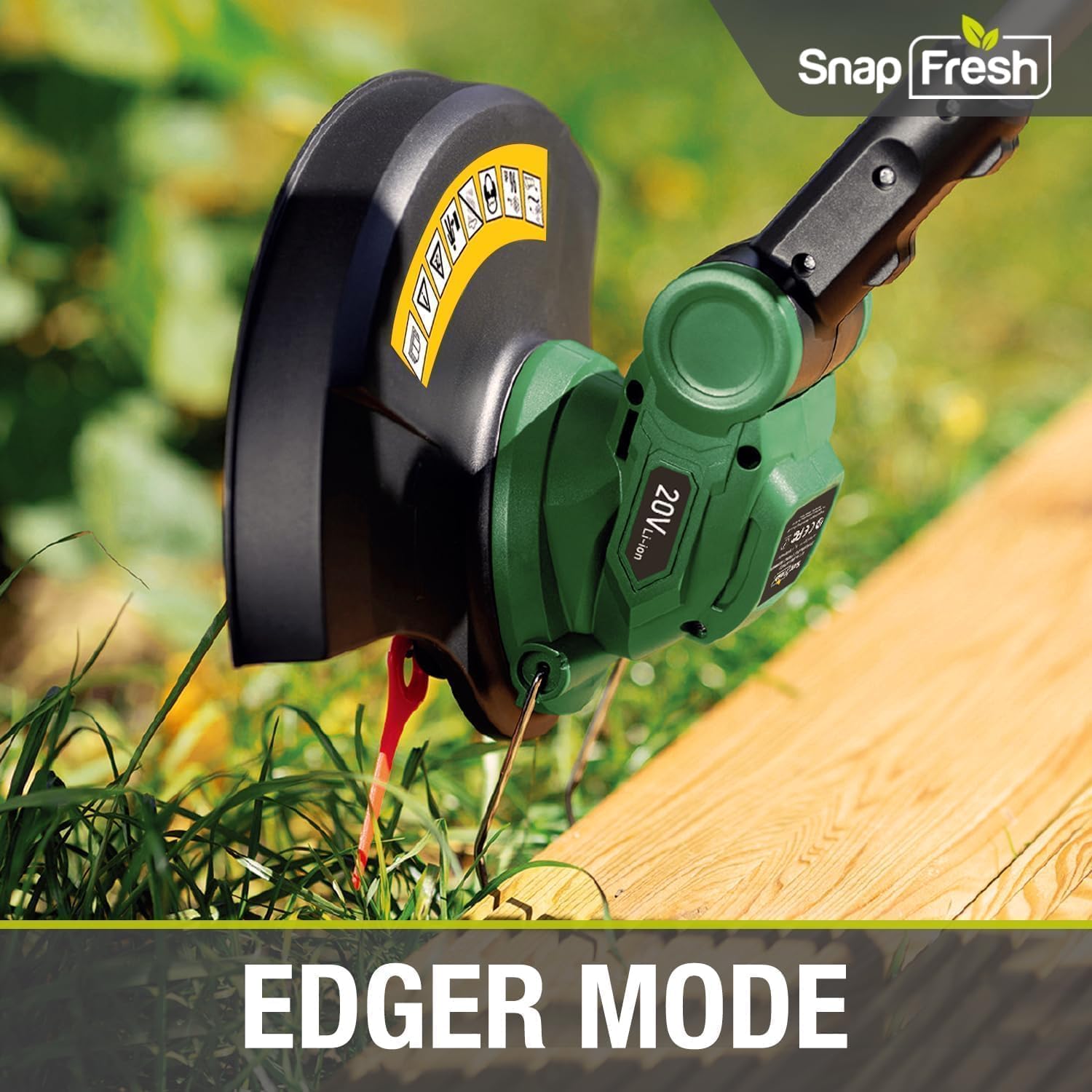
Figure 6.2: Operating in Edger Mode.
- Adjusting Cutting Head Angle: The four-position cutting head can be tilted to various angles to reach under bushes, around obstacles, or for specific trimming tasks. Press the adjustment button and rotate the head to the desired position, ensuring it locks securely.

Figure 6.3: Adjusting the cutting head to one of four positions.
7. Maintenance
Regular maintenance ensures optimal performance and extends the life of your tool. Always disconnect the battery before performing any maintenance.
- Blade Replacement: Inspect resin blades regularly for wear or damage. Replace blades as needed following the tool-free installation method described in Section 4. Use only genuine SnapFresh replacement blades.
- Cleaning: After each use, disconnect the battery and clean the cutting head, guard, and housing with a damp cloth. Remove any accumulated grass, dirt, or debris. Do not use harsh chemicals or abrasive cleaners.
- Storage: Store the tool in a dry, secure location, out of reach of children. Remove the battery for long-term storage.
8. Troubleshooting
If you encounter issues with your weed eater, refer to the following common troubleshooting steps:
| Problem | Possible Cause | Solution |
|---|---|---|
| Tool does not start |
|
|
| Reduced cutting performance |
|
|
| Battery not charging |
|
|
If the problem persists after attempting these solutions, please contact customer support.
9. Specifications
| Brand | SnapFresh |
| Model Number | BBT-YOM02 |
| Power Source | Battery Powered |
| Battery Type | 20V 2.0Ah Lithium-Ion |
| Cutting Width | 12 Inches |
| Product Dimensions (L x W) | 18"L x 5"W (head/collapsed) |
| Weight (Tool Only) | Approx. 3.4 lbs |
| Max RPM | 8500 RPM |
10. Warranty and Support
This SnapFresh product is covered by a standard manufacturer's warranty. Please refer to the warranty card included in your package for specific terms and conditions.
For technical support, replacement parts, or warranty claims, please contact SnapFresh customer service through the retailer where the product was purchased or visit the official SnapFresh website.
Keep your purchase receipt as proof of purchase for warranty purposes.