
Introduction
This manual provides comprehensive instructions for the proper use and maintenance of your ZEBRONICS Duke Plus wireless over-ear headphones. Please read this manual thoroughly before using the product to ensure optimal performance and longevity.
Package Contents
- ZEBRONICS Duke Plus Wireless Over-Ear Headphones
- Charging Cable (Type-C)
- AUX Cable (3.5mm)
- User Manual
Product Overview
Familiarize yourself with the components and features of your Duke Plus headphones.

Image: Front view of the ZEBRONICS Duke Plus wireless over-ear headphones in beige, showcasing the earcups and headband.

Image: Visual representation of key features including Bluetooth v5.4, built-in rechargeable battery, rapid charging, call function, soft and comfortable ear cushions, AUX input, Type-C charging, dual pairing, and voice assistant support.
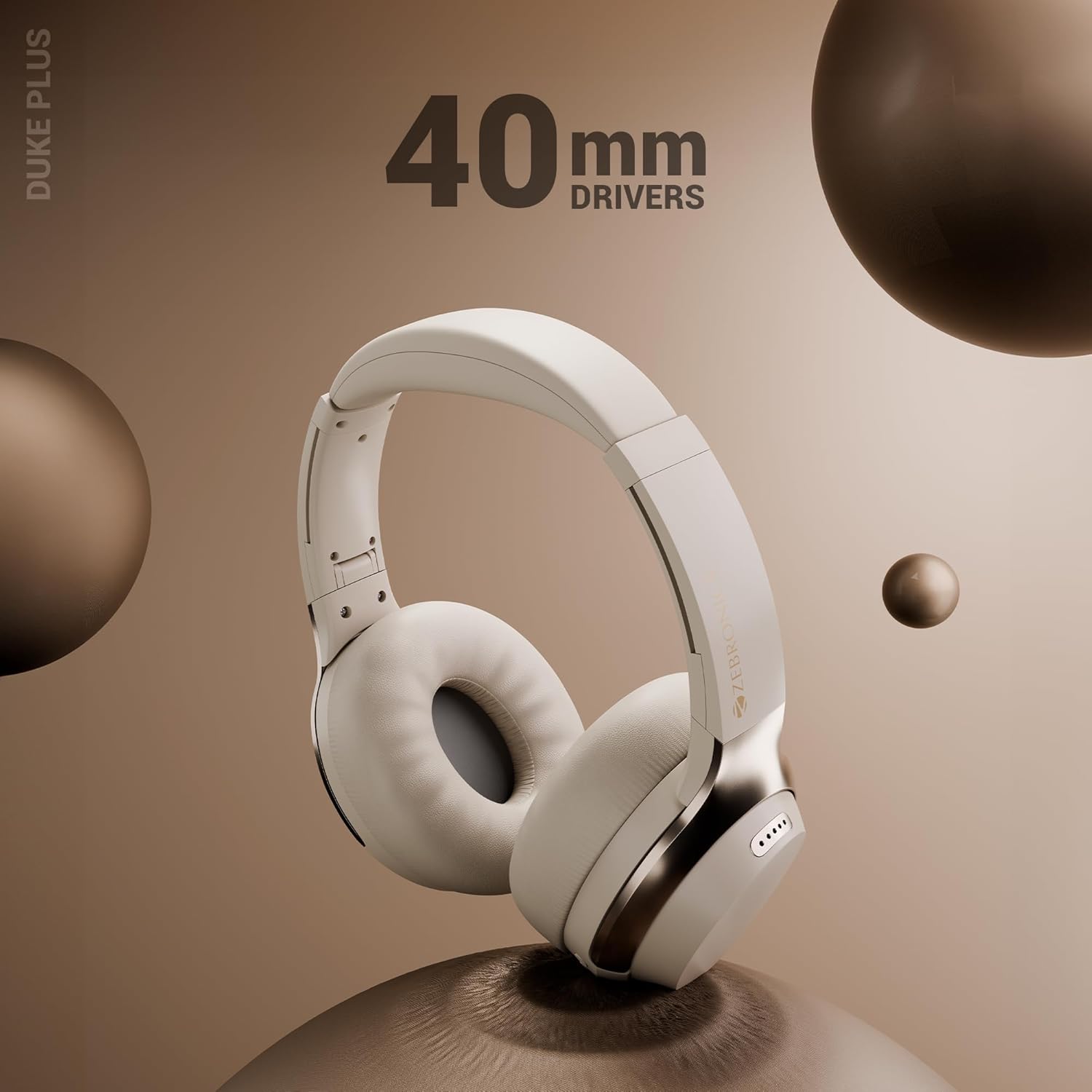
Image: A visual emphasizing the 40mm audio drivers, responsible for delivering clear acoustics and deep bass in the headphones.

Image: An illustration showing the impressive battery life of the ZEBRONICS Duke Plus headphones, indicating up to 70 hours with ANC off and 50 hours with ANC on.

Image: Close-up view of the headphone's side, showing the 3.5mm AUX input port and the USB Type-C charging port.
Setup
Initial Charging
Before first use, fully charge your headphones. Connect the provided Type-C charging cable to the headphone's charging port and the other end to a USB power adapter (not included).
- Charging time: Approximately 2 hours for a full charge.
- Rapid Charge: 10 minutes of charging provides approximately 200 minutes of usage.
Powering On/Off
- Power On: Press and hold the Power button until the LED indicator lights up.
- Power Off: Press and hold the Power button until the LED indicator turns off.
Operating Instructions
Bluetooth Pairing
- Ensure the headphones are powered off.
- Press and hold the Power button until the LED indicator flashes blue and red, indicating pairing mode.
- On your device (smartphone, tablet, etc.), enable Bluetooth and search for available devices.
- Select "ZEB-DUKE PLUS" from the list of devices.
- Once paired, the LED indicator will flash blue slowly.
The headphones support Bluetooth v5.4 for stable and efficient wireless connectivity.
Dual Pairing
The Duke Plus headphones can be connected to two different devices simultaneously.
- Pair the headphones with the first device as described above.
- Disable Bluetooth on the first device.
- Put the headphones back into pairing mode and pair with the second device.
- Re-enable Bluetooth on the first device. The headphones should now be connected to both devices.
Active Noise Cancellation (ANC) and Environmental Noise Cancellation (ENC)

Image: A visual representation highlighting Active Noise Cancellation (ANC) and Environmental Noise Cancellation (ENC) capabilities of the headphones.
- ANC: Reduces ambient noise, such as engine hum or air conditioning, for a more immersive audio experience. Activate/deactivate ANC using the dedicated ANC button.
- ENC: Enhances call clarity by reducing background noise during phone conversations. This feature is automatically active during calls.
Gaming Mode (Low Latency)

Image: An illustration showing the headphones in a gaming environment, emphasizing the low latency gaming mode feature.
Activate Gaming Mode for reduced audio latency, providing a more synchronized audio-visual experience during gameplay. Refer to the headphone controls for the specific button or combination to toggle Gaming Mode.
Calling Function
When connected via Bluetooth, you can manage phone calls directly from your headphones.
- Answer/End Call: Press the Multi-function button once.
- Reject Call: Press and hold the Multi-function button for 2 seconds.
Voice Assistant Support

Image: Logos for "Ok Google" and "Hey Siri," indicating support for voice assistant features on the headphones.
Activate your device's voice assistant (e.g., Google Assistant, Siri) by pressing the dedicated Voice Assistant button or a specific combination of buttons (refer to the quick start guide for exact controls). This allows for hands-free control of music, calls, and other functions.
AUX Mode (Wired Connection)
Connect the provided 3.5mm AUX cable to the headphone's AUX port and to your audio source. This allows you to use the headphones even when the battery is depleted or for devices without Bluetooth connectivity.
Maintenance
- Clean the headphones regularly with a soft, dry cloth.
- Avoid using harsh chemicals or abrasive materials.
- Store the headphones in a cool, dry place away from direct sunlight and extreme temperatures.
- Do not expose the headphones to water or excessive moisture.
- When not in use, you can fold the headphones for compact storage.

Image: The ZEBRONICS Duke Plus headphones shown in a folded position, demonstrating their portability and ease of storage.
Troubleshooting
| Problem | Possible Solution |
|---|---|
| Headphones do not power on. | Ensure the headphones are fully charged. Connect to a power source and try again. |
| Cannot pair via Bluetooth. |
|
| No sound in wireless mode. |
|
| ANC/ENC not working effectively. |
|
| Poor microphone quality during calls. |
|
Specifications
| Feature | Detail |
|---|---|
| Model Name | ZEB-DUKE PLUS |
| Connectivity Technology | Wireless (Bluetooth v5.4), AUX (3.5 mm Jack) |
| Bluetooth Version | 5.4 |
| Bluetooth Range | Up to 10 meters |
| Audio Driver Size | 40 mm |
| Frequency Range | 20Hz - 20kHz |
| Noise Control | Active Noise Cancellation (ANC), Environmental Noise Cancellation (ENC) |
| Battery Life | Up to 70 hours (ANC off), Up to 50 hours (ANC on) |
| Charging Time | Approximately 2 hours |
| Rapid Charging | 10 minutes charge for 200 minutes usage |
| Control Type | Voice Control, Physical Buttons |
| Compatible Devices | Smartphones, Tablets, Laptops, other Bluetooth-enabled devices |
| Material | Plastic |
| Item Weight | 190 grams |
| Product Dimensions (LxWxH) | 21 x 9 x 22 cm |
| Manufacturer | AJZ Industries Pvt. Ltd. |
| Country of Origin | India |
Warranty and Support
For warranty information and customer support, please refer to the warranty card included in your package or visit the official ZEBRONICS website. Keep your purchase receipt for warranty claims.
Manufacturer: AJZ Industries Pvt. Ltd.
Address: Survey No 508/2, Door No 50/2, Inner Ring Road, Madhavaram, Chennai - 600060
For further assistance, please contact ZEBRONICS customer service.