
truefree truefree O2
truefree O2 Open Ear Headphones User Manual
Model: truefree O2
1. Introduction
Thank you for choosing the truefree O2 Open Ear Headphones. This manual provides detailed instructions for setting up, operating, and maintaining your new wireless earbuds. Please read this guide thoroughly to ensure optimal performance and a satisfying user experience.
2. Package Contents
Verify that all items listed below are present in your package:
- truefree O2 Open Ear Earbuds (x2)
- Charging Case
- USB-C Charging Cable
- User Manual
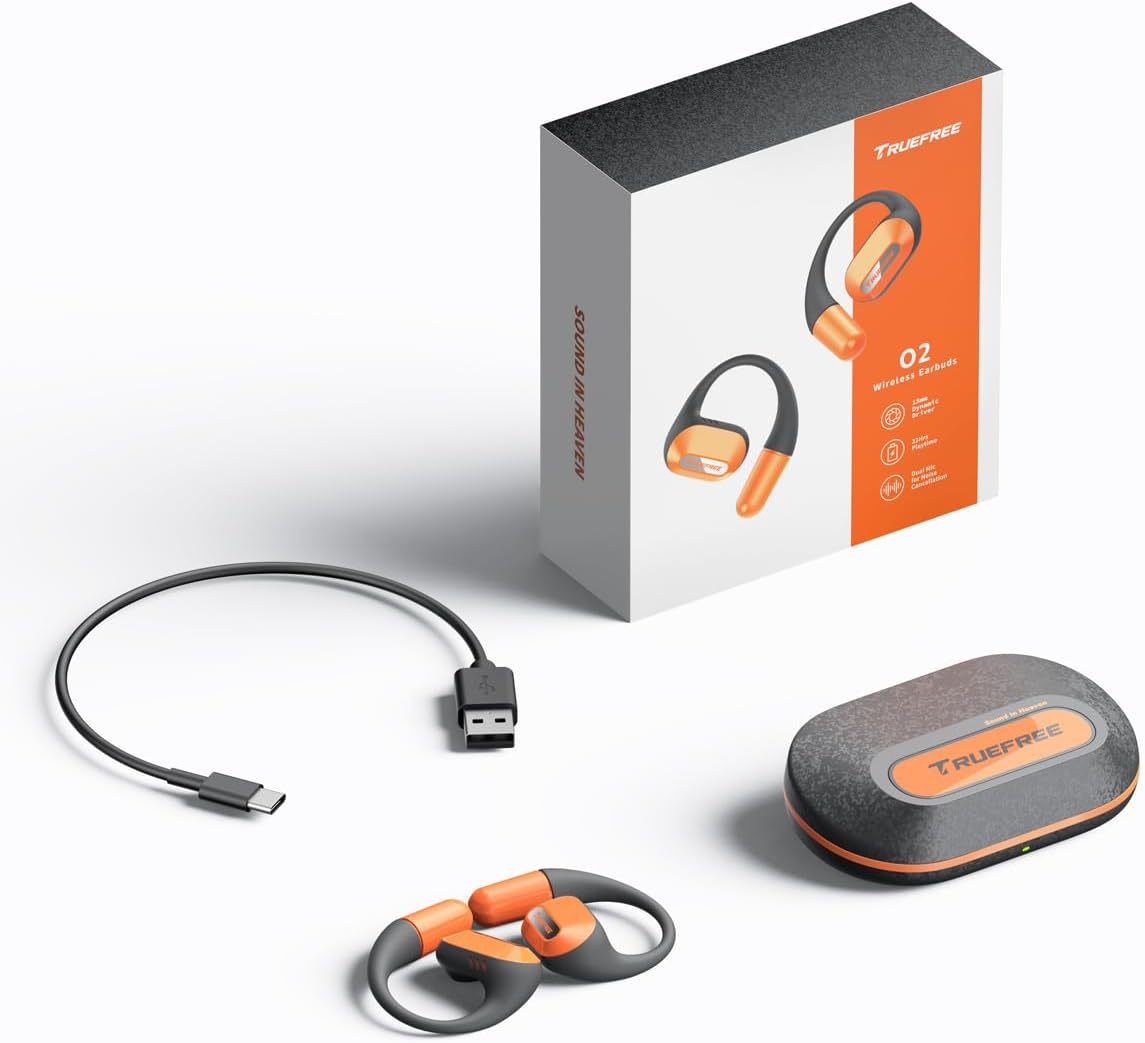
The complete package contents: two truefree O2 open ear earbuds, the charging case, a USB-C charging cable, and the user manual.
3. Product Overview
The truefree O2 headphones feature an open-ear design for comfort and situational awareness, equipped with 15mm dynamic drivers and directional acoustics. The earbuds are ultra-lightweight (8g each) and designed with soft silicone ear hooks for a secure fit during various activities.

The truefree O2 open ear headphones and their compact charging case.
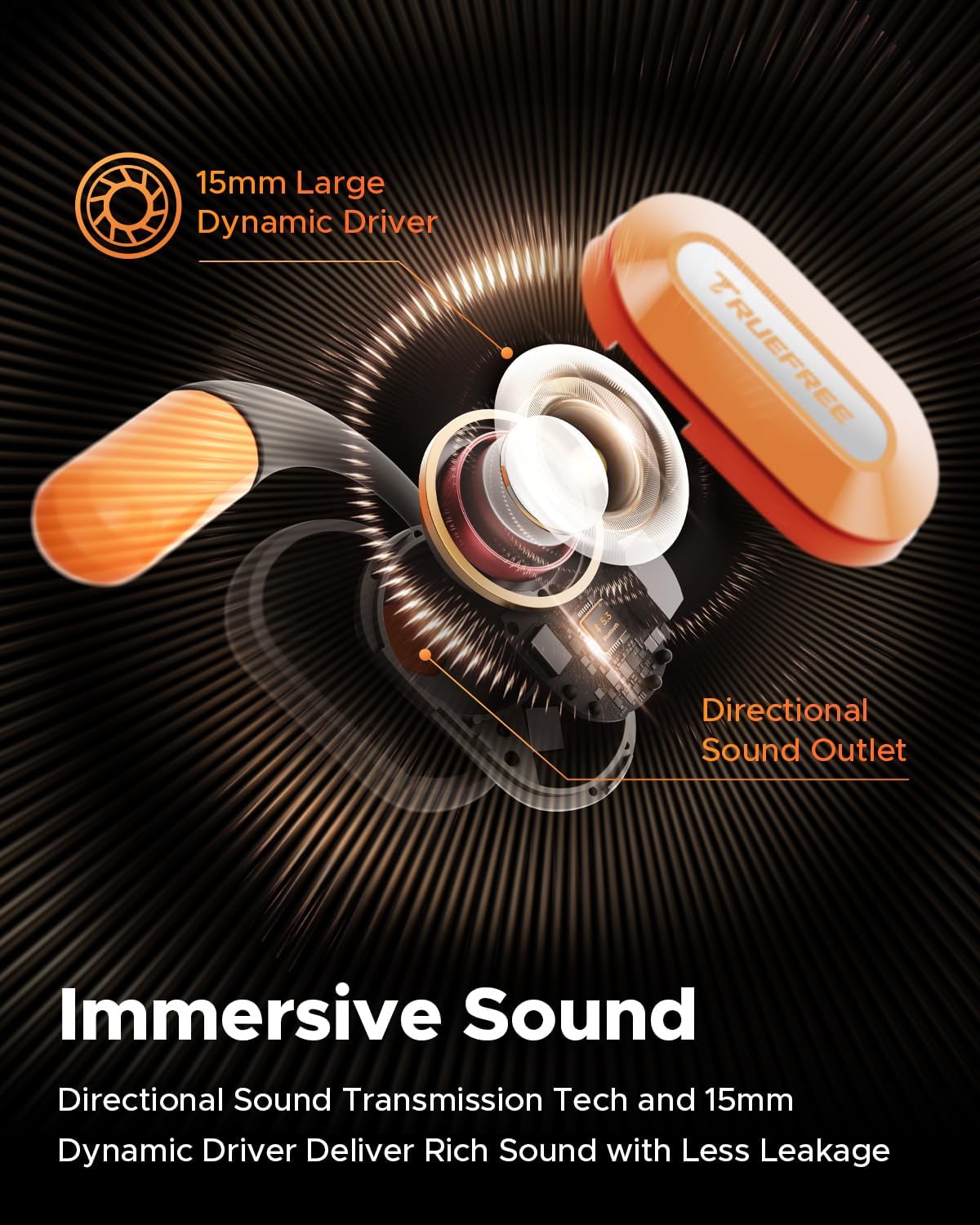
An exploded view diagram of the truefree O2 earbud, highlighting its 15mm large dynamic driver and directional sound outlet for immersive audio with minimal leakage.
4. Wearing the Earbuds
For optimal sound quality and comfort, ensure the earbuds are worn correctly.
- Identify the left (L) and right (R) earbuds.
- Gently hook the earbud over your ear, positioning the speaker part towards your ear canal.
- Adjust the ear hook to fit snugly and securely around your ear. The flexible NiTi alloy memory steel wire ensures a stable fit for various ear shapes.
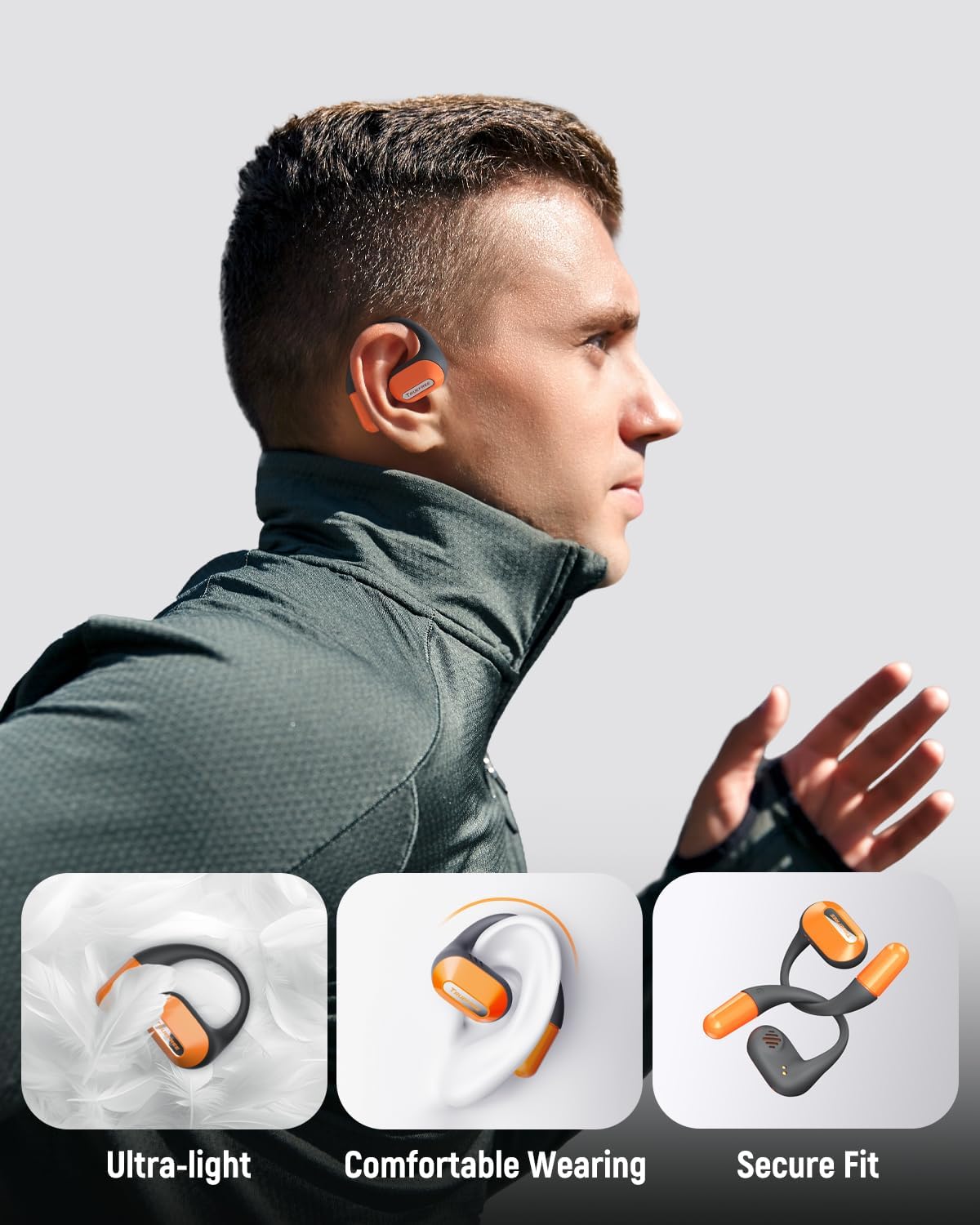
A user wearing the truefree O2 headphones, demonstrating their ultra-light design, comfortable fit, and secure ear hooks suitable for active use.
5. Charging
The truefree O2 headphones and charging case are designed for efficient power management.
5.1 Charging the Earbuds
- Place the earbuds into the charging case. Ensure the charging contacts align.
- The indicator lights on the earbuds will show their charging status.
- A full charge provides approximately 6.5 hours of playtime.
5.2 Charging the Case
- Connect the USB-C charging cable to the charging port on the case and to a power source.
- The charging case can be fully charged in approximately 1 hour and 15 minutes.
- A fully charged case provides up to 22 hours of total playtime for the earbuds.

An illustration detailing the IPX5 waterproof rating, 6.5 hours of playtime on a single charge, 22 hours total with the charging case, and 1 hour 15 minutes fast charging via USB-C.
6. Setup
6.1 Initial Bluetooth Pairing
- Open the charging case. The earbuds will automatically enter pairing mode.
- Enable Bluetooth on your device (smartphone, tablet, laptop).
- Search for "truefree O2" in the list of available Bluetooth devices.
- Select "truefree O2" to connect. A voice prompt will confirm successful pairing.
6.2 App Control
Enhance your experience by downloading the "Truefree" application from your device's app store.
- Customization: Adjust EQ settings, including 9 personalized presets and a customizable option.
- Firmware Updates: Keep your earbuds updated with the latest features and improvements.
- Special Functions: Control features like game mode and other settings directly from the app.
- Dual Device Connection: Enable multipoint connection for seamless switching between two devices.
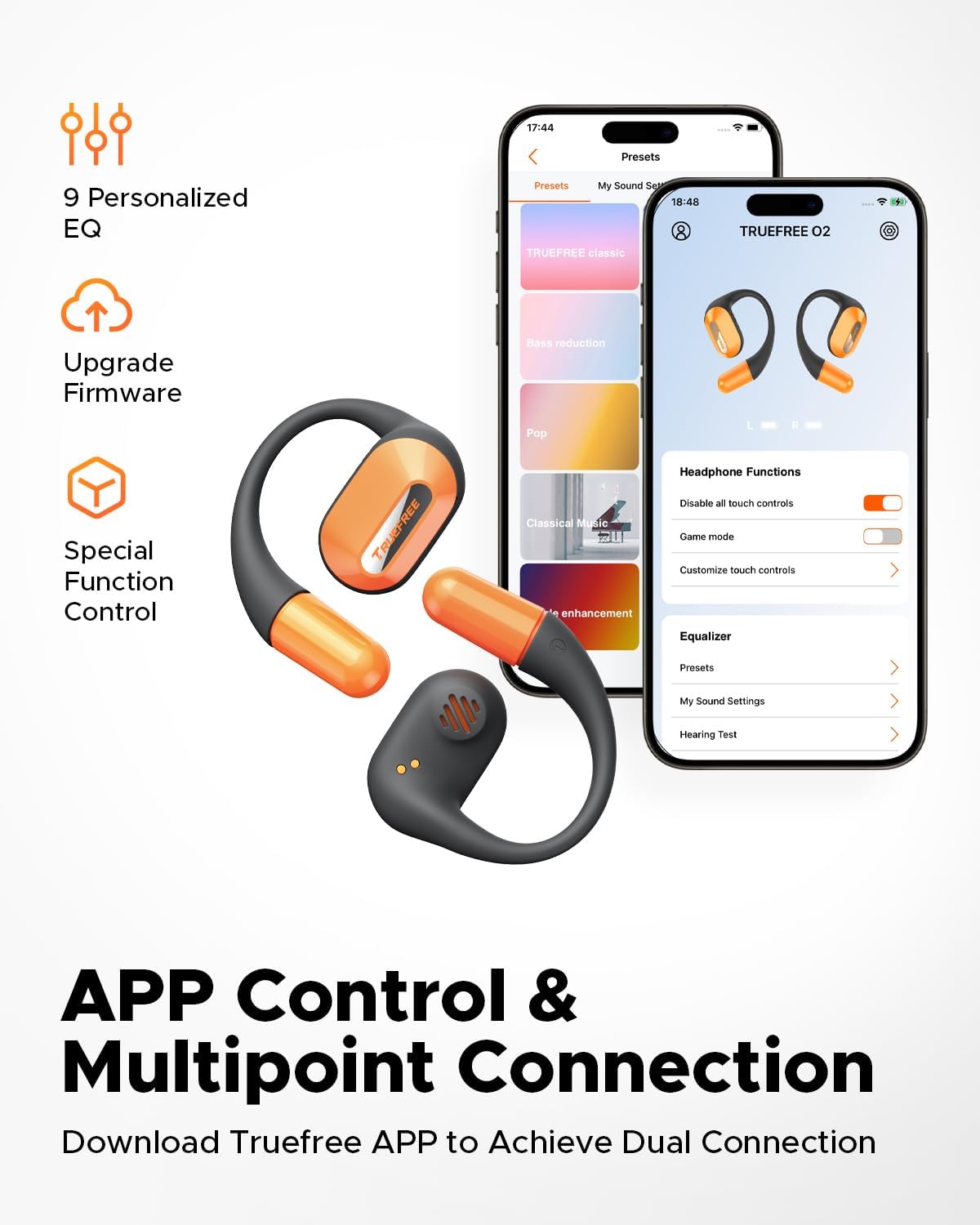
Screenshots of the Truefree mobile application, illustrating options for customizing EQ settings, game mode, and other control functions for the O2 headphones.
7. Operating
7.1 Touch Controls
The truefree O2 earbuds feature intuitive touch controls on both the left (L) and right (R) earbuds.
| Action | Function |
|---|---|
| L & R Double tap | Play/Pause, Answer/End Call |
| L & R Long press for 1.5s | Previous Track (L), Next Track (R), Power On/Off (when not in case) |
| L Single tap | Volume Down |
| R Single tap | Volume Up |
| L Long press for 3s | Activate Game Mode |
| R Long press for 3s | Activate Voice Assistant |

A visual guide to the touch control functions on the truefree O2 earbuds.
7.2 Multipoint Connection
The truefree O2 supports connecting to two devices simultaneously, allowing for seamless switching between audio sources.
- Ensure the earbuds are connected to your first device.
- Put the earbuds back into the charging case, then take them out again to re-enter pairing mode.
- Connect the earbuds to your second device via Bluetooth.
- Once both devices are paired, the earbuds will intelligently switch audio based on activity (e.g., taking a call on your phone while listening to music on your laptop).

An image showing the truefree O2 headphones connected to both a laptop and a smartphone, illustrating the multipoint connection feature for seamless device switching.
7.3 Game Mode
Activate Game Mode for reduced audio latency, providing a more synchronized audio-visual experience during gaming.
- To activate: Long press the left earbud for 3 seconds.
- To deactivate: Repeat the action.
- Game Mode can also be toggled via the Truefree app.
8. Maintenance
8.1 IPX5 Waterproof Rating
The truefree O2 earbuds are IPX5 waterproof, meaning they are resistant to sweat and light splashes of water. This makes them suitable for workouts and outdoor activities.
- Do not submerge the earbuds in water.
- Ensure the earbuds are dry before placing them back into the charging case to prevent damage.

The truefree O2 earbud with water droplets, illustrating its IPX5 waterproof rating.
8.2 Cleaning
- Wipe the earbuds and charging case with a soft, dry, lint-free cloth.
- Avoid using abrasive materials or harsh chemicals.
- Regularly clean the charging contacts on both the earbuds and the case to ensure proper charging.
9. Troubleshooting
If you encounter issues with your truefree O2 headphones, refer to the following common solutions:
| Problem | Solution |
|---|---|
| Earbuds not pairing | Ensure earbuds are charged. Turn off and on Bluetooth on your device. Forget "truefree O2" from your device's Bluetooth list and re-pair. |
| No sound from one earbud | Place both earbuds back in the case, close it, then open it again. Check device's audio balance settings. |
| Charging issue | Clean charging contacts on earbuds and case. Try a different USB-C cable and power adapter. Ensure earbuds are correctly seated in the case. |
| Low volume | Adjust volume on both the earbuds and your connected device. Check EQ settings in the Truefree app. |
| Connection drops frequently | Ensure no obstructions between earbuds and device. Reduce distance between earbuds and device. Avoid strong electromagnetic interference. |
If the issue persists, please contact truefree customer support for further assistance.
10. Specifications
| Feature | Detail |
|---|---|
| Model Name | truefree O2 |
| Connectivity | Bluetooth 5.3 |
| Ear Placement | Open Ear |
| Earpiece Shape | Hook |
| Water Resistance | IPX5 |
| Earbud Battery Life | Up to 6.5 hours |
| Total Playtime (with Case) | Up to 22 hours |
| Case Charging Time | Approx. 1 hour 15 minutes (USB-C) |
| Audio Driver Size | 15 mm |
| Earbud Weight | 8 grams (each) |
| Control Type | Touch Control, App Control |
| Special Features | Multipoint Pairing, Game Mode, Dual-mic Noise Cancelling |
11. Warranty and Support
truefree is committed to providing excellent customer experience. If you have any problems or suggestions regarding your truefree O2 Open Ear Headphones, please do not hesitate to contact our customer support team. We are ready to offer you a satisfactory solution.
For support, please refer to the contact information provided on the truefree official website or your purchase platform.
Related documentstruefree O2


Ask a question about this manual
Ask about setup, troubleshooting, compatibility, parts, safety, or missing instructions. Manuals+ will review the question and use this page’s manual context to help answer it.