
1. Introduction
This manual provides essential information for the proper installation, operation, and maintenance of your CoasTeering Nebula Pool Robot Replacement Tracking Device. Please read this manual thoroughly before use to ensure optimal performance and longevity of the product. This device is designed to replace an existing tracking component in the Nebula series pool cleaning robots, ensuring continued efficient navigation and cleaning.
2. Product Overview
The CoasTeering Nebula Pool Robot Replacement Tracking Device (Model NEWET) is a critical component for the navigation system of the Nebula automatic pool cleaner. It assists the robot in accurately mapping and cleaning the pool area. This replacement part ensures your pool robot maintains its intended cleaning path and efficiency.
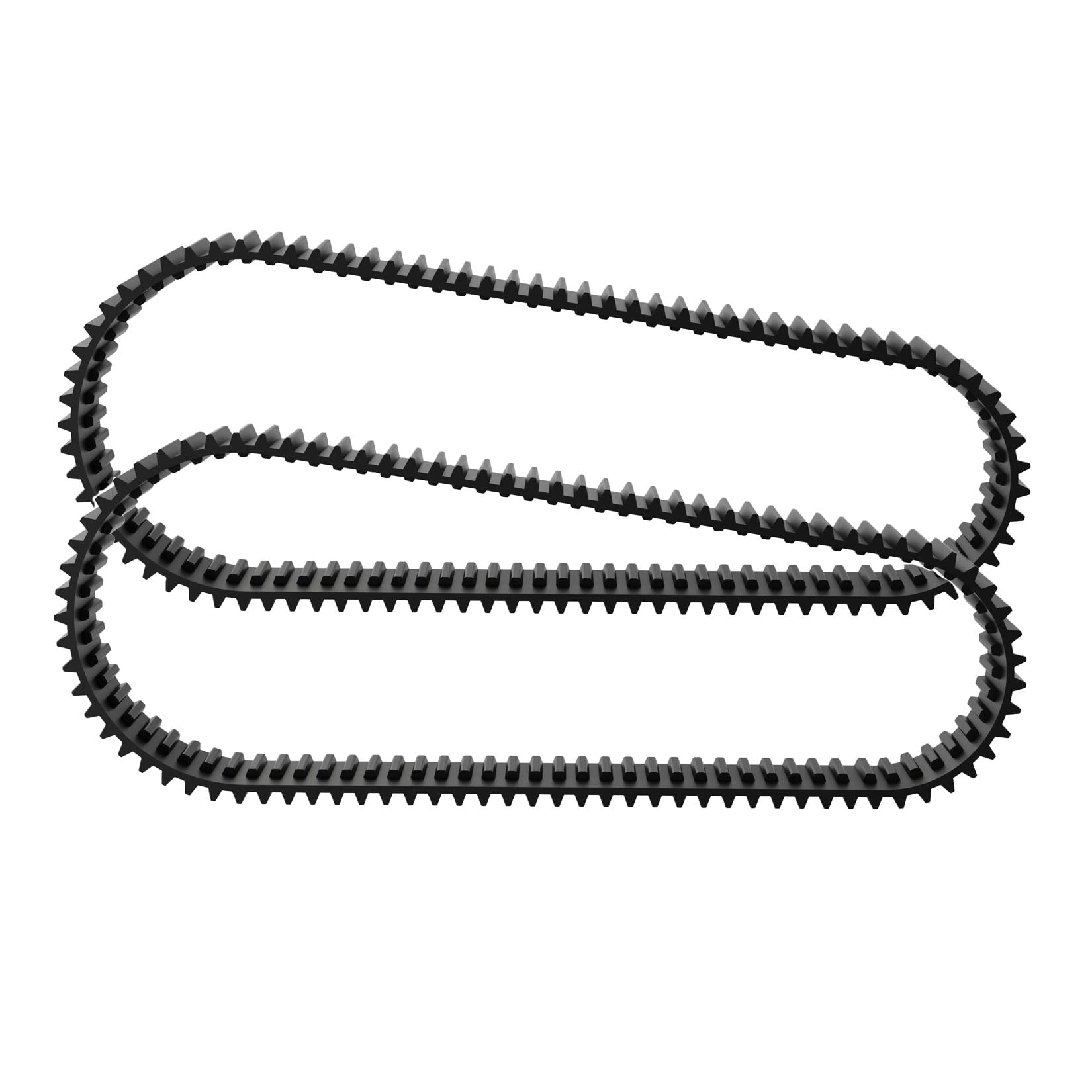
Figure 1: CoasTeering Nebula Pool Robot Replacement Tracking Device.
3. Safety Information
- Always disconnect the pool robot from its power source before attempting any installation, maintenance, or replacement of parts.
- Ensure the replacement device is correctly installed and secured to prevent detachment during operation.
- Keep small parts away from children to prevent choking hazards.
- If you are unsure about any installation step, consult a qualified technician or the manufacturer's support.
4. Package Contents
Verify that all items are present in the package:
- 1 x CoasTeering Nebula Pool Robot Replacement Tracking Device (Model NEWET)
- 1 x User Manual (this document)
5. Setup and Installation
Follow these steps to install the replacement tracking device:
- Power Disconnection: Ensure the Nebula pool robot is completely powered off and disconnected from its power supply.
- Access Panel: Locate the access panel or compartment on your Nebula pool robot where the original tracking device is housed. Refer to your main Nebula pool robot manual for specific instructions on accessing internal components.
- Remove Old Device: Carefully detach and remove the old tracking device. Note its orientation and connection points.
- Install New Device: Align the new CoasTeering NEWET tracking device with the connection points. Gently push or secure it into place. Ensure all connectors are firmly seated.
- Secure Panel: Reattach any access panels or covers that were removed.
- Initial Test: Reconnect the pool robot to its power supply and perform a short test run to confirm proper functionality and navigation.
Note: Specific installation steps may vary slightly depending on the exact model of your Nebula pool robot. Always refer to your robot's primary user manual for detailed disassembly and reassembly instructions.
6. Operating Instructions
The CoasTeering NEWET tracking device operates as an integral part of your Nebula pool robot's navigation system. Once correctly installed, it requires no direct user interaction. Its function is automatic, working in conjunction with the robot's main control unit to guide the cleaner efficiently across the pool surface and walls.
- Ensure the pool robot is placed in the pool according to its primary operating instructions.
- Activate the pool robot's cleaning cycle as you normally would.
- The tracking device will automatically assist the robot in its navigation.
7. Maintenance
The tracking device itself requires minimal maintenance. However, regular inspection is recommended:
- Visual Inspection: Periodically inspect the device for any visible damage, cracks, or debris accumulation.
- Cleaning: If necessary, gently wipe the surface of the device with a soft, damp cloth to remove any dirt or mineral deposits. Do not use harsh chemicals or abrasive materials.
- Secureness: Ensure the device remains firmly attached within the pool robot's housing.
8. Troubleshooting
If your Nebula pool robot exhibits unusual navigation patterns or reduced cleaning efficiency after installing the replacement tracking device, consider the following:
- Incorrect Installation: Re-check the installation steps (Section 5) to ensure the device is correctly seated and all connections are secure.
- Obstructions: Ensure there are no foreign objects or debris obstructing the tracking device or the robot's sensors.
- Robot Malfunction: If the issue persists, the problem might lie with other components of the pool robot. Refer to your main Nebula pool robot manual for further troubleshooting steps.
- Device Damage: Inspect the tracking device for any signs of physical damage that might have occurred during installation or use.
9. Specifications
| Model Number: | NEWET |
| Brand: | CoasTeering |
| Manufacturer: | Seaker Technology CO.,Ltd. |
| Product Dimensions: | 10 x 2 x 3 cm |
| Item Weight: | 420 grams |
| Power Source Type: | Hand_Powered (Passive/Manual) |
| ASIN: | B0D547BQXB |
| First Available Date: | June 24, 2024 |
10. Warranty and Support
For warranty information and customer support, please refer to the documentation provided with your original CoasTeering Nebula Pool Robot or contact Seaker Technology CO.,Ltd. directly. Keep your purchase receipt as proof of purchase for any warranty claims.
Manufacturer: Seaker Technology CO.,Ltd.