
1. Introduction
Welcome to the YOTO Mini (2024 Edition) user manual. This guide provides essential information for setting up, operating, and maintaining your screen-free audio player. Please read this manual thoroughly before using the device to ensure safe and optimal performance.
2. Safety Information
Observe the following safety precautions to prevent damage to the device or injury to users:
- Do not expose the device to water or excessive moisture.
- Avoid extreme temperatures.
- Use only the provided charging cable and adapter.
- Keep small parts away from young children to prevent choking hazards.
- Do not attempt to disassemble or repair the device yourself. Contact support for assistance.
3. Package Contents
Verify that all items are present in your YOTO Mini package:
- YOTO Mini (2024 Edition) Audio Player
- USB-C Charging Cable
- Quick Start Guide
- Make Your Own Card (blank audio card)
4. Product Overview
Familiarize yourself with the components of your YOTO Mini.

Figure 1: Front view of the YOTO Mini (2024 Edition) audio player. It features two orange tactile control dials, a speaker grille, and a pixel display. An orange audio card is partially inserted at the top.

Figure 2: Labeled diagram of the YOTO Mini, highlighting key features: Headphone Jack, Audio Cards slot, Tactile controls (dials), USB-C port, Pixel Display, Bluetooth Enabled, and 14h Battery life.
- Tactile Controls: Two orange dials on the front for volume and track navigation.
- Audio Card Slot: Located at the top for inserting YOTO audio cards.
- Pixel Display: A small screen on the front that shows pixel art, time, and other visual cues.
- Speaker: Integrated speaker for audio playback.
- USB-C Port: For charging the device.
- Headphone Jack: For private listening.
5. Setup
5.1 Charging the Device
Before first use, fully charge your YOTO Mini. Connect the provided USB-C cable to the device's USB-C port and plug the other end into a compatible USB power adapter (not included) or computer.
- The pixel display will show a charging indicator.
- A full charge provides up to 14 hours of playback.
5.2 Power On/Off
- To Power On: Press and hold the right orange dial for a few seconds until the pixel display illuminates.
- To Power Off: Press and hold the right orange dial again until the display turns off.
5.3 Connecting to Wi-Fi (Initial Setup)
The YOTO Mini requires a Wi-Fi connection for initial setup, downloading new audio content, and receiving updates. This is typically done via the YOTO App.
- Download the YOTO App on your smartphone or tablet.
- Open the app and follow the on-screen instructions to create an account or log in.
- Select "Set up a new YOTO device" and follow the prompts to connect your YOTO Mini to your home Wi-Fi network.
Once connected, the device will automatically download content associated with any inserted cards.
6. Operating the YOTO Mini
6.1 Playing Audio Cards
The YOTO Mini plays content from physical audio cards.
- Gently insert an audio card into the slot at the top of the YOTO Mini.
- The device will automatically begin playing the content.
- To stop playback, remove the card.

Figure 3: A child carefully inserting an audio card into the YOTO Mini player, demonstrating the primary method of content playback.
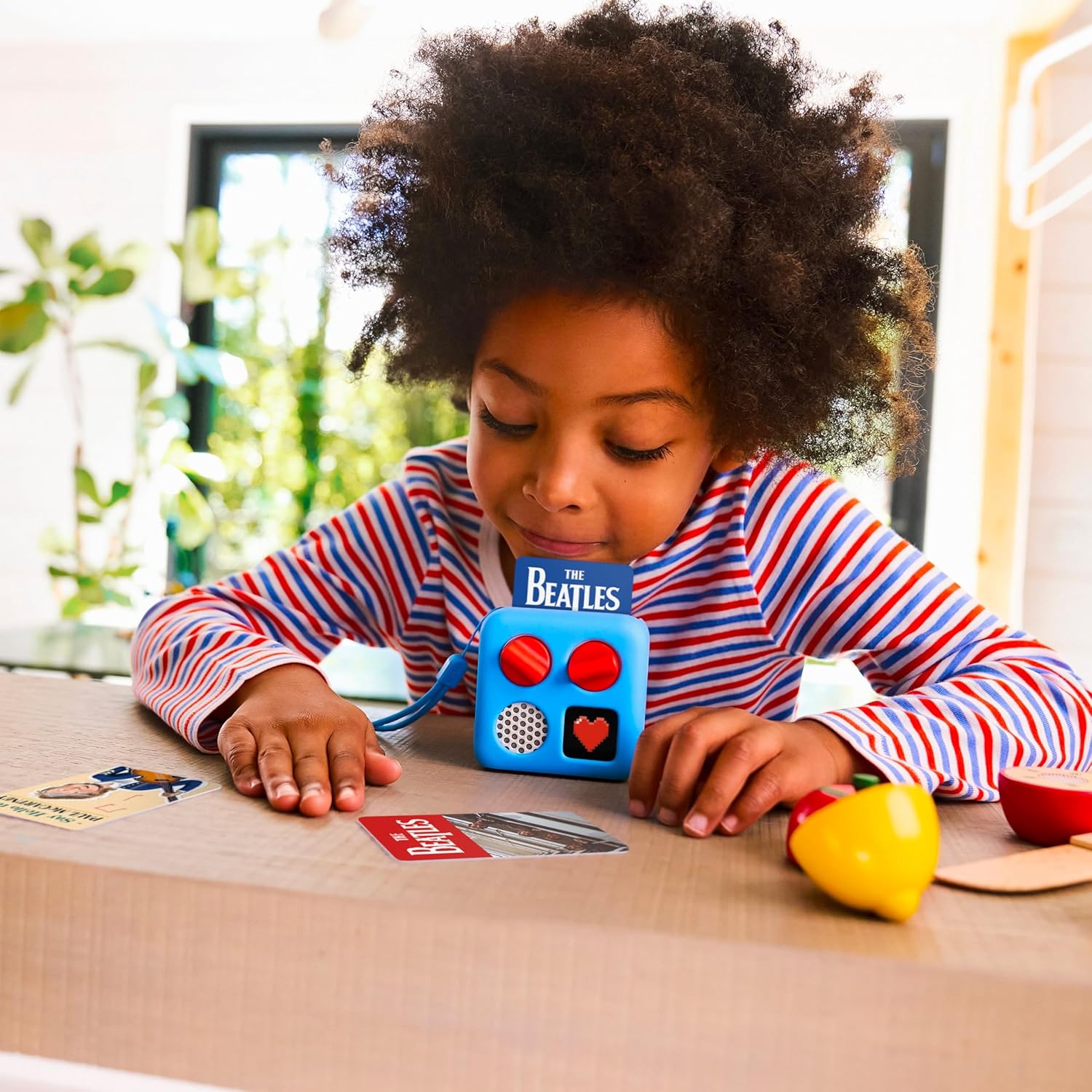
Figure 4: A child engaged with the YOTO Mini, with several audio cards spread on a table, illustrating the interactive nature of the device.
6.2 Volume and Track Control
- Left Dial: Rotate to adjust the volume.
- Right Dial: Rotate to skip tracks forward or backward. Press to pause/play.
6.3 Using Headphones
For private listening, plug standard 3.5mm headphones into the headphone jack on the side of the device.

Figure 5: A child smiling and wearing orange headphones while holding a pink YOTO Mini, demonstrating the use of headphones for personal audio experience.
6.4 Bluetooth Speaker Mode
The YOTO Mini can function as a Bluetooth speaker for playing audio from other devices.
- Ensure the YOTO Mini is powered on.
- Open the YOTO App and navigate to the device settings.
- Activate Bluetooth speaker mode. The pixel display will show a Bluetooth icon.
- On your external device (e.g., smartphone), search for and connect to "YOTO Mini".
6.5 Ok-to-Wake Clock
The YOTO Mini can be configured as an Ok-to-Wake clock through the YOTO App. This feature uses the pixel display to indicate when it's an appropriate time for a child to get up.
- Set desired wake-up times and associated display icons in the YOTO App.
- The device will display a specific icon (e.g., sun) when it's time to wake up.
7. Maintenance
7.1 Cleaning
Wipe the YOTO Mini with a soft, dry, or slightly damp cloth. Do not use abrasive cleaners or immerse the device in water.
7.2 Storage
Store the device in a cool, dry place away from direct sunlight when not in use. Keep audio cards organized and protected from damage.

Figure 6: A child joyfully jumping outdoors, carrying a YOTO Mini in a red protective case, illustrating the device's portability and the benefit of protective accessories for travel and storage.
8. Troubleshooting
| Problem | Possible Cause | Solution |
|---|---|---|
| Device not turning on | Low battery; device frozen | Charge the device for at least 30 minutes. Perform a soft reset by holding both dials for 10 seconds. |
| Audio card not playing | Card not fully inserted; content not downloaded; card damaged | Ensure the card is fully inserted. Check Wi-Fi connection for content download. Try a different card. |
| No sound | Volume too low; headphones connected; speaker issue | Increase volume using the left dial. Disconnect headphones. Contact support if the issue persists. |
| Wi-Fi connection issues | Incorrect password; out of range; network interference | Verify Wi-Fi password in the YOTO App. Move closer to the router. Restart your router and the YOTO Mini. |
9. Specifications
| Feature | Detail |
|---|---|
| Model | YOTO Mini (2024 Edition) |
| Connectivity | Bluetooth, Wi-Fi, USB-C |
| Audio Output Mode | Mono |
| Speaker Output Power | 5 Watts |
| Battery Life | Up to 14 hours |
| Headphone Jack | 3.5mm |
10. Warranty and Support
The YOTO Mini (2024 Edition) comes with a standard manufacturer's warranty. For detailed warranty information, please refer to the warranty card included in your package or visit the official YOTO website.
For technical support, troubleshooting assistance, or to purchase accessories, please visit the YOTO support page or contact customer service:
- Online Support: www.yotoplay.com/support
- Email: support@yotoplay.com


