
Introduction
The iWALK Portable Charger (Model: LPR001C) is a 10000mAh power bank designed for fast and convenient charging of various electronic devices. It features a unique built-in retractable USB-C cable, multiple output ports, and a digital display for battery status.
Key Features:
- 2.3ft Retractable USB-C Cable: Integrated cable for tangle-free convenience.
- 10,000 mAh Capacity: Provides ample power for multiple device charges.
- 30W PD Bi-Directional Fast Charging: Rapid charging for both the power bank and connected devices.
- Triple Device Simultaneous Charging: Features one PD USB-C cable, one PD USB-C port, and one QC USB-A port.
- Smart LED Display: Digital display indicates remaining battery power.
- Compact and Portable Design: Easy to carry for on-the-go use.
What's in the Box
- iWALK Portable Charger (LPR001C) with Built-in 2.3ft Retractable USB-C Cable
- Extra USB-C to USB-C Cable
- Welcome Guide
Product Overview
Familiarize yourself with the components of your iWALK Portable Charger.

Figure 1: iWALK Portable Charger (White) with its built-in retractable USB-C cable extended.
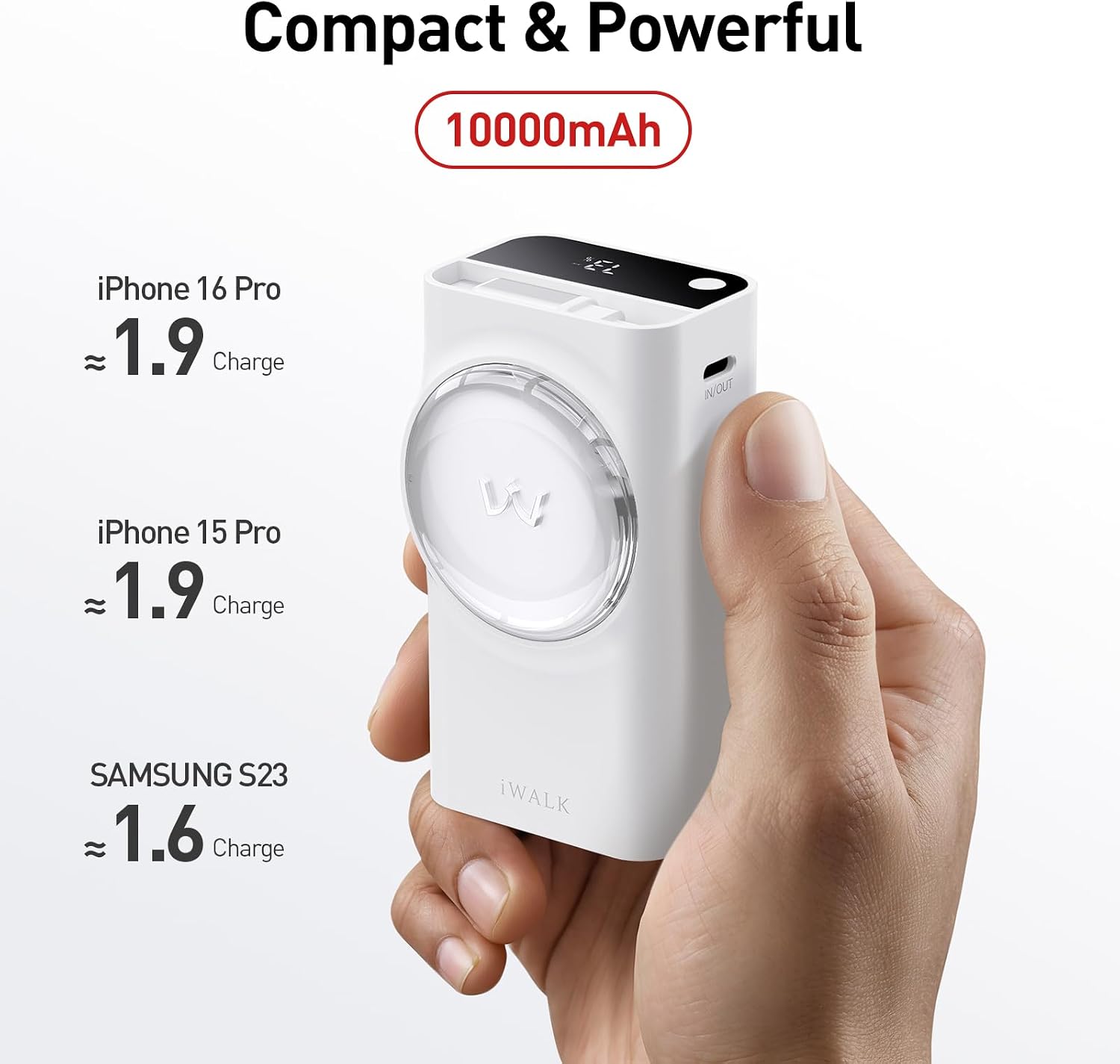
Figure 2: Compact size of the iWALK power bank, highlighting its 10000mAh capacity.

Figure 3: Illustration of the power bank charging three devices concurrently using its various output ports.
Setup
Before first use, it is recommended to fully charge your iWALK Portable Charger.
Initial Charging of the Power Bank
- Locate the USB-C IN/OUT port on the power bank.
- Connect the provided USB-C to USB-C cable to this port.
- Plug the other end of the USB-C cable into a compatible USB wall adapter (not included).
- The LED display will show the charging progress. The power bank is fully charged when the display shows 100%.

Figure 4: Recharging the iWALK power bank using the USB-C input.
Operating Instructions
Powering On/Off
- To power on, long-press the power button for 3 seconds. The battery light will start flashing.
- To power off, double-press the power button.
Charging Your Devices
The iWALK Portable Charger offers multiple ways to charge your devices:
- Using the Built-in Retractable USB-C Cable:
Gently pull the retractable USB-C cable from its housing until it reaches the desired length (up to 2.3ft). Plug the USB-C connector into your compatible device (e.g., iPhone 15/16, Samsung Galaxy S24/S25, iPad, MacBook). The power bank will automatically begin charging.

Figure 5: Utilizing the built-in retractable USB-C cable for charging.
- Using the USB-C Output Port:
Connect your device's USB-C charging cable to the USB-C IN/OUT port on the power bank. Plug the other end into your device. This port supports 30W PD fast charging.
- Using the USB-A Output Port:
Connect your device's USB-A charging cable to the QC USB-A port on the power bank. Plug the other end into your device. This port supports QC 22.5W charging.
The power bank can charge up to three devices simultaneously using the built-in cable, USB-C port, and USB-A port.
Video 1: Official iWALK demonstration of the power bank's features, including the retractable cable, fast charging, and multi-device charging capabilities.
Maintenance
Cleaning
- Wipe the exterior of the power bank with a soft, dry cloth.
- Do not use harsh chemicals or abrasive cleaners.
Storage
- Store the power bank in a cool, dry place away from direct sunlight and extreme temperatures.
- For long-term storage, charge the power bank to approximately 50% every three months to maintain battery health.
Troubleshooting
Power Bank Not Charging
- Ensure the charging cable is securely connected to both the power bank and the wall adapter.
- Verify that the wall adapter is functioning correctly and plugged into a live power outlet.
- Try using a different USB-C cable or wall adapter.
Device Not Charging from Power Bank
- Ensure the power bank has sufficient charge (check the LED display).
- Verify that the charging cable is securely connected to both the power bank and your device.
- Try using a different charging cable or a different output port on the power bank.
- Confirm your device is compatible with the power bank's output specifications.
Retractable Cable Issues
- If the cable does not retract smoothly, gently pull it out completely and then release it slowly. Avoid forcing the retraction.
- Ensure there are no obstructions preventing the cable from retracting.
Specifications
| Feature | Detail |
|---|---|
| Product Dimensions | 3.55 x 1.93 x 1.58 inches |
| Item Weight | 6.8 ounces |
| Model Number | LPR001C |
| Battery Capacity | 10000 Milliamp Hours |
| Connectivity Technologies | USB |
| Connector Type | USB Type C, USB Type A |
| Special Features | Digital Display, Built-in Retractable Cable, 10000mAh 30W, Fast Charging, Pocket Size |
| Manufacturer | U2O GLOBAL CO.,LTD |
| Country of Origin | China |
Safety Information
- Do not expose the power bank to extreme temperatures, direct sunlight, or fire.
- Do not disassemble, modify, or attempt to repair the device.
- Keep out of reach of children.
- Avoid dropping or subjecting the power bank to strong impacts.
- Do not use the power bank if it is damaged or shows signs of swelling or leakage.
- Dispose of the power bank responsibly according to local regulations.
Warranty and Support
For warranty information and customer support, please refer to the "Welcome Guide" included in your product packaging or visit the official iWALK website.
iWALK Official Store: https://www.amazon.com/stores/iWALK/page/BE2F0619-C5D2-4630-B713-4D0E62336FCE


