
1. Product Overview
The ASHATA Scrolling Ring is a versatile Bluetooth remote control designed to enhance your digital experience across various applications. This compact and stylish ring allows for hands-free control of app navigation, camera functions, and e-book page turning on both iOS and Android devices.

Figure 1: ASHATA Scrolling Ring and its charging case.
Key Features:
- Scrolling and Navigation: Effortlessly scroll through content on social media apps like TikTok, Instagram, and YouTube.
- Camera Remote: Capture photos and start/stop video recordings with a single click, ideal for selfies and hands-free content creation.
- E-book Page Turner: Conveniently flip pages in e-books and other reading applications.
- Waterproof Design: Designed to be worn during activities like showering or swimming, offering enhanced durability.
- Magnetic Charging: Features a magnetic absorption design for stable and quick charging.
- Long-lasting Battery: Equipped with a 19mAh lithium battery, providing approximately 5 days of use on a 30-minute charge.
- Wide Compatibility: Compatible with most iOS and Android smartphones and tablets.
2. Setup
2.1 Charging the Device
Before initial use, fully charge your ASHATA Scrolling Ring. The device comes with a magnetic charging case and a Type-C cable.
- Place the scrolling ring into its magnetic charging case.
- Connect the provided Type-C charging cable to the charging case and a suitable USB power source.
- The indicator light on the charging case will show charging status. A full charge typically takes about 30 minutes and provides approximately 5 days of battery life for the ring.
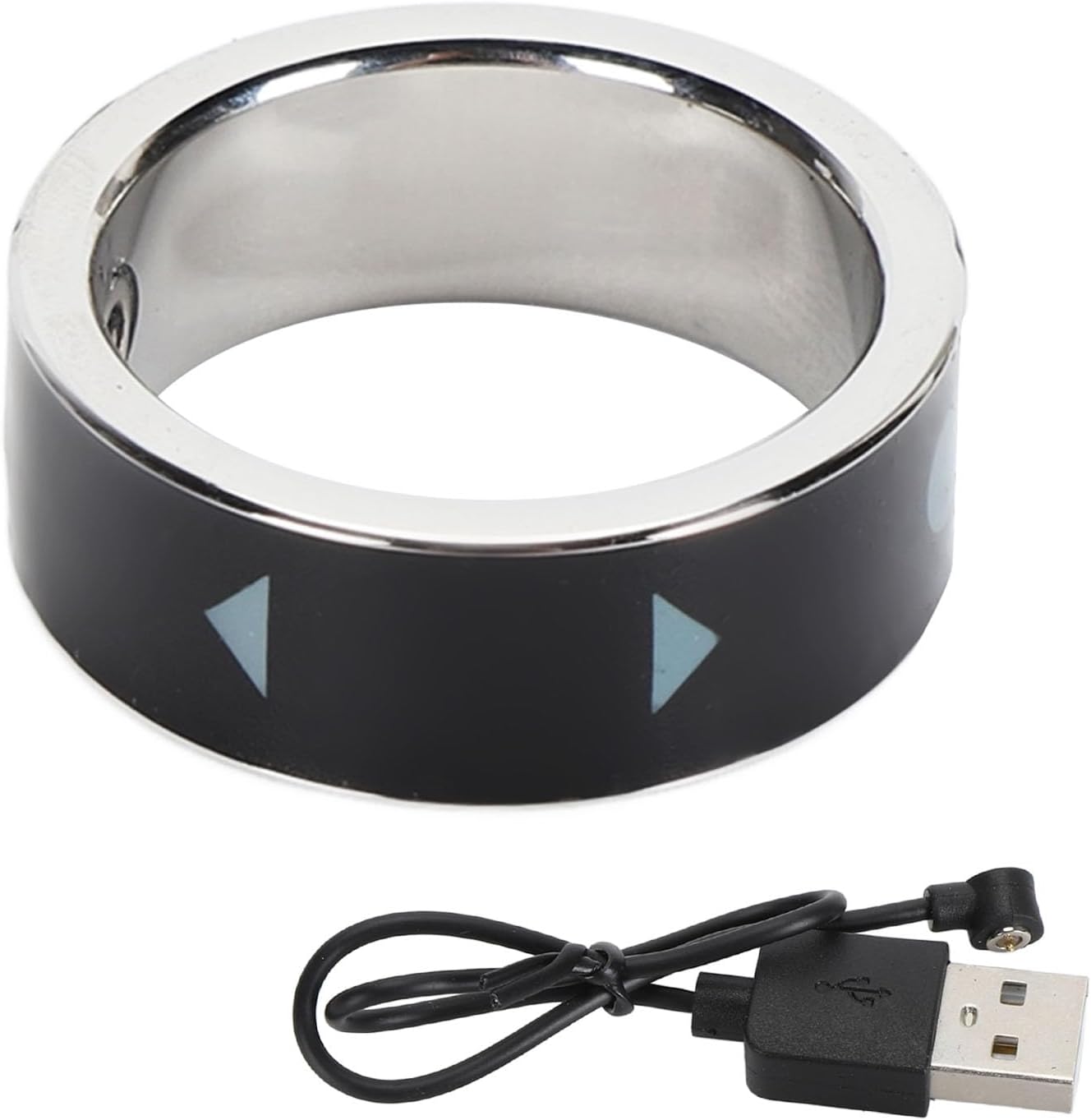
Figure 2: The Scrolling Ring, its magnetic charging case, and the Type-C charging cable.
2.2 Bluetooth Pairing
To connect your ASHATA Scrolling Ring to your smartphone or tablet:
- Ensure the scrolling ring is charged and powered on. Long press the power/switch button for 3 seconds until the indicator light flashes red and green alternately, indicating it is in pairing mode.
- On your smartphone or tablet, enable Bluetooth.
- Search for available devices and select "T01" (or similar model name) from the list to pair.
- Once successfully paired, the indicator light will turn off after 10 seconds.
Note for iOS Users: For optimal performance and full functionality, ensure your iOS version is 14.8 or higher. You may also need to enable "AssistiveTouch" in your device's Accessibility settings. If the remote ring does not work properly, try turning AssistiveTouch off and then on again.
Video 1: A brief demonstration of the ASHATA Scrolling Ring's functionality and pairing process.
2.3 Wearing the Ring
The ASHATA Scrolling Ring is designed for comfortable wear. It is recommended to wear it on your index finger. To determine the appropriate size, measure your finger circumference with a thin rope or paper strip.

Figure 3: Guide for measuring finger circumference to ensure a comfortable fit.

Figure 4: Available ring sizes with corresponding inner diameters.
3. Operating Instructions
The ASHATA Scrolling Ring features intuitive controls for various functions. The ring has a main control button and a scrolling wheel/directional pad.
3.1 General Usage
- Power On/Off: Long press the main button for 3 seconds to turn the ring on or off.
- Switching Working Mode: Each time the remote ring is connected to Bluetooth, it will switch to the mode you used last time. To switch between Short Video Mode and E-book Mode, long press the power/switch button for 3 seconds. A yellow light indicates E-book Mode, and a green light indicates Short Video Mode.
3.2 Using on Camera/Video Apps
When using the ring with your device's camera or video recording applications:
- Single Click (Main Button): Switch camera mode (e.g., front/rear camera).
- Single Click (Scroll Wheel/Directional Pad): Take photos.
- Long Press (Scroll Wheel/Directional Pad for 3s): Photo focus.
- One-click Selfie: Use the remote control function to capture selfies without needing to touch your phone screen.
- Video Recording: Start and stop video recording with a single click.

Figure 5: The one-click selfie feature in action.
3.3 Using on TikTok (or other video playback software)
For navigating short video platforms and other media playback:
- Scroll Up (Scroll Wheel): Previous video.
- Scroll Down (Scroll Wheel): Next video.
- Single Click (Main Button): Play/Pause video.
- Double Click (Main Button): Like the current video.
- Long Press (Main Button for 5s): Continuous Like/Cancel Continuous Like.
- Volume Control: Use the dedicated volume buttons on the side of the ring to adjust media volume.
3.4 Using as E-book Page Turner
For reading e-books and other document applications:
- Scroll Up (Scroll Wheel): Scroll up / Previous page.
- Scroll Down (Scroll Wheel): Scroll down / Next page.
Note: The ASHATA Scrolling Ring is compatible with the Kindle App but not with Kindle e-readers such as Paperwhite or Oasis.
4. Maintenance
4.1 Cleaning
- Wipe the ring and charging case with a soft, dry cloth.
- Avoid using harsh chemicals or abrasive materials that could damage the device's surface.
4.2 Storage
- Store the device in its charging case when not in use to protect it and keep it charged.
- Keep the device in a cool, dry place away from direct sunlight and extreme temperatures.
4.3 Waterproof Feature
The ASHATA Scrolling Ring features a waterproof design, allowing it to be worn during activities such as washing hands, showering, and swimming. However, prolonged submersion in water or exposure to high-pressure water jets is not recommended to prevent potential damage.
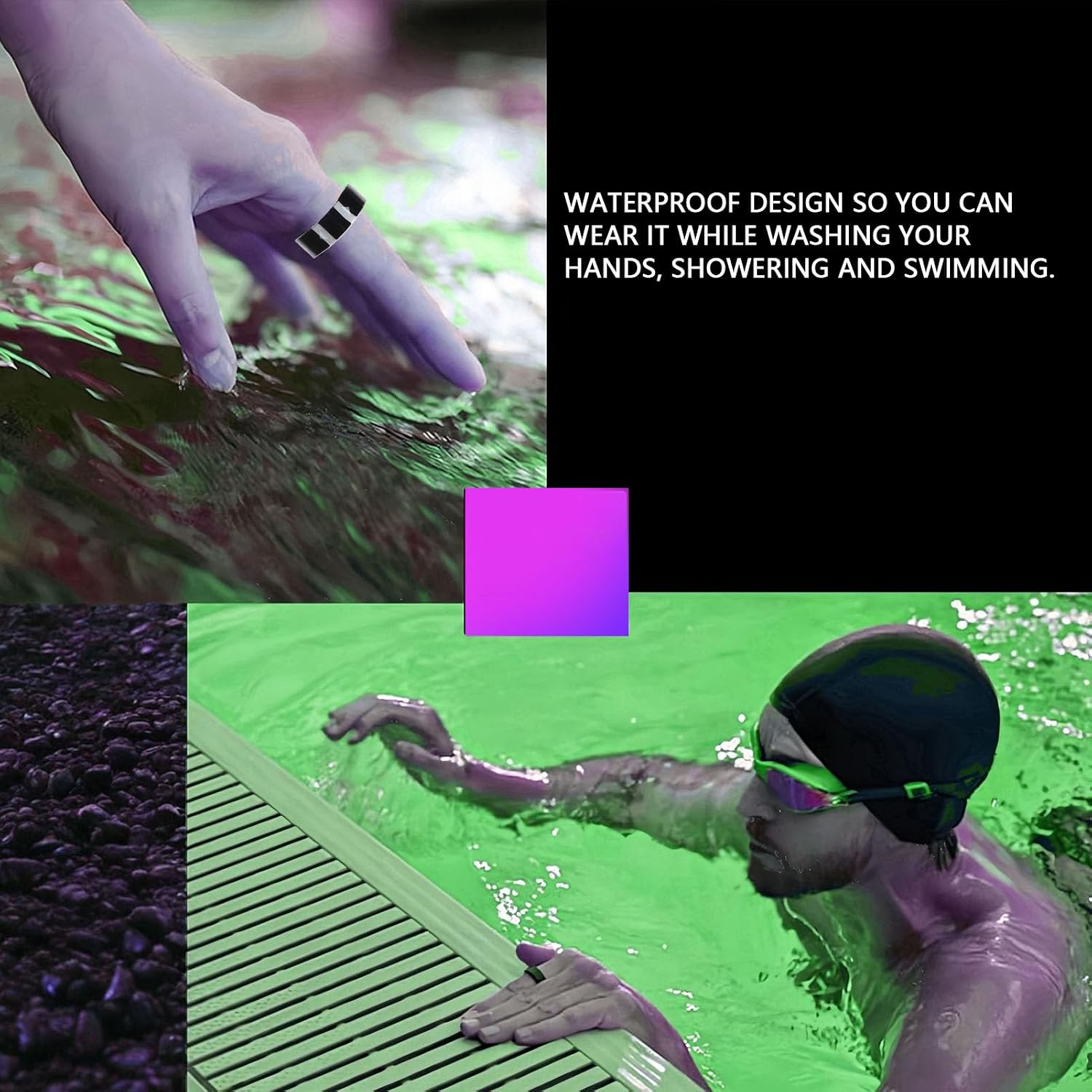
Figure 6: The waterproof design allows for use during water activities.
5. Troubleshooting
5.1 Device Not Turning On or Responding
- Check Battery: Ensure the ring is fully charged. A red light flash indicates low battery.
- Recharge: Place the remote ring in the charging case and allow it to charge.
- Restart: Try restarting your phone and the scrolling ring.
5.2 Pairing Issues
- Bluetooth Enabled: Verify that Bluetooth is enabled on your smartphone/tablet.
- Forget Device: If previously paired, "Unpair" (Android) or "Forget This Device" (iOS) in your Bluetooth list, then repeat the pairing process.
- Proximity: Ensure the ring is within close proximity to your device during pairing.
- iOS AssistiveTouch: For iOS devices, verify that "AssistiveTouch" is enabled in Accessibility settings.
5.3 Inconsistent Scrolling or Functionality
- App Compatibility: While compatible with most apps, some applications may have specific requirements or limitations.
- Software Updates: Ensure your device's operating system (iOS/Android) is up to date.
- Interference: Move away from other Bluetooth devices or strong electromagnetic fields that might cause interference.
6. Specifications
| Feature | Detail |
|---|---|
| Brand | ASHATA |
| Model Number | ASHATAanzg01irx8-13 |
| Connectivity | Wireless (Bluetooth) |
| Battery Capacity | 19mAh Lithium Battery |
| Charging Method | Magnetic Charging (Type-C cable included) |
| Charging Time | Approx. 30 minutes |
| Battery Life | Approx. 5 days (continuous use) |
| Special Features | Waterproof, Magnetic Charging, One-click Selfie, Remote Control |
| Material | Metal, Resin |
| Color | Black |
| Item Weight | 2.08 ounces (0.06 Kilograms) |
| Package Dimensions | 4.41 x 4.18 x 1.62 inches |
| Inner Diameter (Size 19) | 64mm / 2.5 inches |

Figure 7: The ASHATA Scrolling Ring is compatible with a wide range of devices.
7. Warranty and Support
7.1 Product Warranty
The ASHATA Scrolling Ring comes with a one-year warranty from the date of purchase. This warranty covers manufacturing defects and malfunctions under normal use.
7.2 Customer Support
If you encounter any issues with your device or have questions not covered in this manual, please contact ASHATA customer support. Provide your order number for faster assistance.
- Contact Information: Refer to your purchase documentation or the official ASHATA website for the most up-to-date contact details.
- Response Time: Customer support typically provides a solution within 24 hours for reported issues.