
ARTTI AR3
ARTTI R3 In-Ear Monitor Earphones User Manual
Model: AR3 | Brand: ARTTI
Introduction
Welcome to the user manual for your new ARTTI R3 In-Ear Monitor Earphones. These earphones are designed for audiophiles, musicians, DJs, and singers, offering high-fidelity audio reproduction with a focus on clarity and dynamic range. Featuring a 10mm beryllium-plated dynamic driver and a detachable cable, the ARTTI R3 provides a superior listening experience.
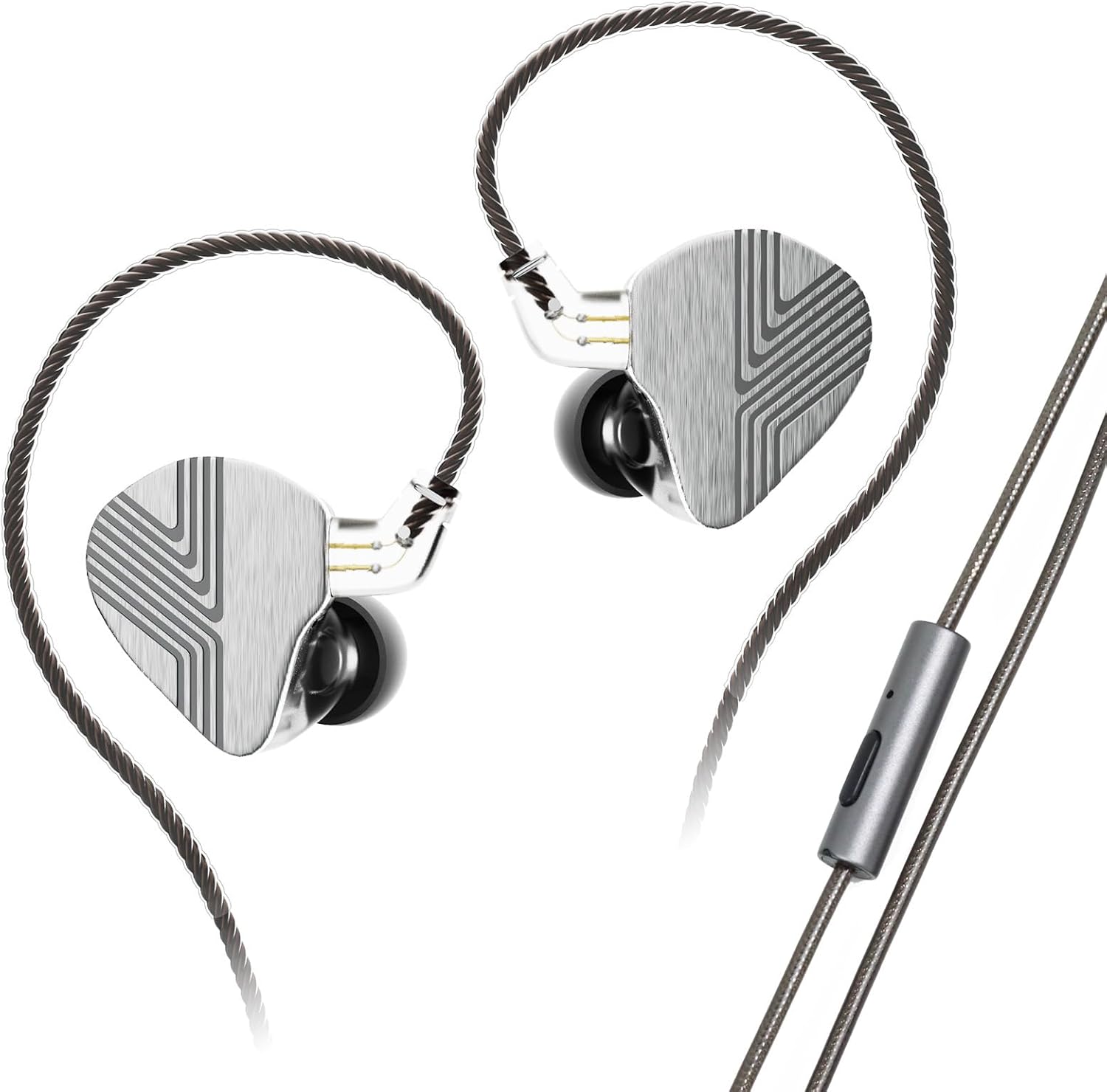
Image: The ARTTI R3 In-Ear Monitor Earphones, showcasing their sleek design and detachable cable.
What's in the Box
Please check the package contents to ensure all items are present:
- ARTTI R3 In-Ear Monitor Earphones (Left and Right units)
- Detachable 2-Pin 0.78mm Cable (Type-C with Mic variant)
- Ear Cushions (various sizes for optimal fit)
- Storage Bag
- User Manual (this document)
Product Overview
Dynamic Driver Technology
The ARTTI R3 features a 10mm beryllium-plated dynamic driver, engineered to deliver powerful low-frequency response, high resolution, and a wide dynamic range. This advanced driver ensures extended high frequencies and rich detail, making it ideal for critical listening.

Image: Illustration of the earphone's superior sound quality with a frequency response graph.
Premium Build and Ergonomics
Crafted from premium zinc alloy and skin-friendly resin, the ARTTI R3 earphones offer both durability and comfort. The ergonomic design ensures a stable and secure fit, preventing them from falling out during activity. Passive noise cancellation is also effectively achieved through its closed-back design.

Image: A person demonstrating the comfortable and stable wear of the ARTTI R3 earphones.
High-Quality Detachable Cable
The earphones come with a 1.2m four-core, 92-strand high-purity copper cable, ensuring high-quality audio transmission. It features gold-plated 0.78mm 2-pin connectors for easy detachment and replacement, and a Type-C plug with an integrated microphone for versatile connectivity.

Image: Close-up of the high-quality detachable cable and its various connector types.
Enhanced Audio Performance
Experience improved sound transparency, more textured low frequencies, and captivating vocals. The aluminum alloy nozzle contributes to clean and smooth mid-bass, while the mid-high frequencies exhibit excellent transient response and ductility, immersing you fully in your music.
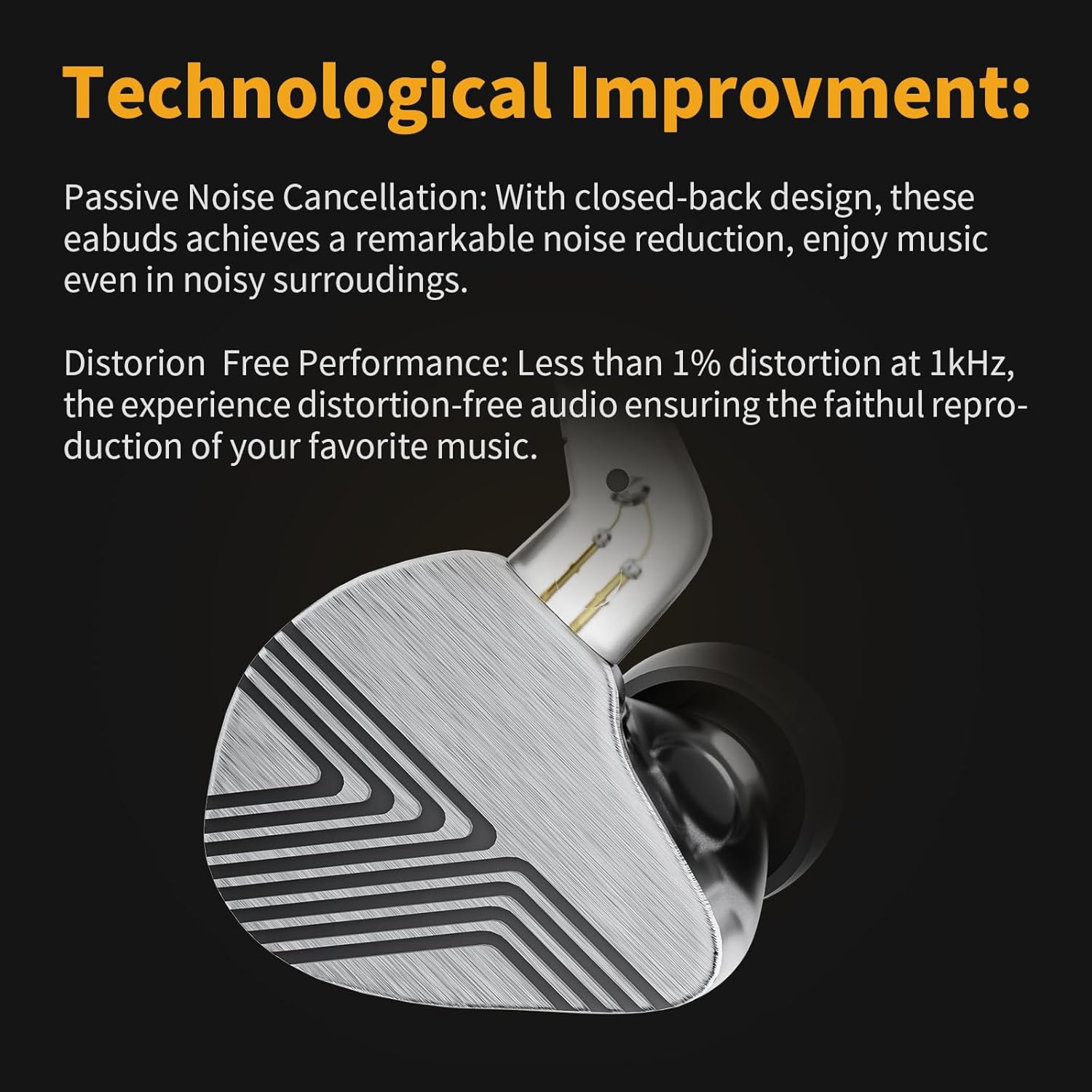
Image: Detail of the earphone's shell, illustrating its technological improvements for sound and noise cancellation.
Official Product Video
Video: An official overview of the ARTTI R3 In-Ear Monitor Earphones, highlighting key features and design.
Setup
1. Attaching the Cable
- Identify the left (L) and right (R) earphone units. The cable connectors are also marked L and R.
- Align the 2-pin connector on the cable with the corresponding socket on the earphone unit. Ensure the pins are correctly oriented.
- Gently push the connector into the socket until it is firmly seated. Do not force it.
- Repeat for the other earphone unit.
2. Selecting and Installing Ear Tips
- Choose the ear tip size that provides the best seal and comfort for your ears. A good seal is crucial for optimal sound quality and bass response.
- Gently push the selected ear tip onto the nozzle of the earphone until it is securely attached.
- Test different sizes to find your ideal fit.
Operating Instructions
1. Connecting to Your Device
Insert the Type-C plug of the cable into the corresponding port on your audio device (smartphone, tablet, laptop, etc.). Ensure the connection is secure.
2. Audio Playback
Once connected, you can begin playing audio from your device. Adjust the volume using your device's controls. The ARTTI R3 earphones are designed to deliver clear and balanced sound across various music genres.
3. Using the Microphone (Type-C with Mic variant)
The integrated microphone allows for hands-free calls and voice commands. Ensure your device recognizes the earphone's microphone as the input source. The inline remote control can be used for media control (play/pause, skip tracks) and call management (answer/end calls).
Maintenance
Proper maintenance will extend the lifespan and performance of your ARTTI R3 earphones.
- Cleaning: Regularly wipe the earphone shells and cable with a soft, dry cloth. For ear tips, remove them and clean with mild soap and water, then dry thoroughly before reattaching.
- Nozzle Cleaning: If sound quality degrades or becomes muffled, gently clean the earphone nozzles using a small brush or cotton swab to remove any earwax or debris. Be careful not to push debris further inside.
- Storage: When not in use, store the earphones in the provided storage bag to protect them from dust, dirt, and tangling.
- Avoid Extreme Conditions: Do not expose the earphones to extreme temperatures, humidity, or direct sunlight. Avoid contact with liquids.
Troubleshooting
| Problem | Possible Cause | Solution |
|---|---|---|
| No sound or low volume |
|
|
| Distorted or poor sound quality |
|
|
| Microphone not working |
|
|
Specifications
| Feature | Detail |
|---|---|
| Model | AR3 |
| Driver Unit | 10mm beryllium-plated dynamic driver |
| Impedance | 33Ω±1% (@1kHz) |
| Total Harmonic Distortion (THD) | ≤1% (@1kHz) |
| Sensitivity | 101±1 dB/mw (@1kHz) |
| Frequency Response Range | 20Hz-40kHz |
| Plug Specification | 0.78mm 2-pin |
| Cable Specifications | High-purity copper wire, 1.2m length (Type-C with microphone optional) |
| Noise Control | Passive Noise Cancellation |
| Material | Zinc alloy and resin (shells), Aluminum alloy (nozzle) |
| Item Weight | 0.1 Kilograms (approx. 3.52 ounces) |
Warranty and Support
For warranty information and technical support, please refer to the product's official listing page on Amazon or contact ARTTI customer service directly. Details regarding warranty periods and support channels are typically provided with your purchase documentation or on the manufacturer's website.
You can visit the ARTTI Store on Amazon for more information: ARTTI Store
Related Documents - AR3
 |
ARTTI T10 In-Ear Monitor Instruction Manual - Features, Precautions, and Support Comprehensive instruction manual for the ARTTI T10 In-Ear Monitor, covering frequency response, wearing instructions, important precautions, warranty information, and customer support channels. |
 |
EU Declaration of Conformity - ARTTI T10 Earphones Official EU Declaration of Conformity for ARTTI T10-3.5mm and ARTTI T10-4.4mm earphones by SHENZHEN FUJING ELECTRONICS COMPANY LTD, confirming compliance with EU EMC directive 2014/30/EU and harmonized standards EN 55035:2017+A11:2020 and EN 55032:2015+A11:2020+A1:2020. |
 |
R&S TS7124M RF Shielded Box User Manual Comprehensive user manual for the Rohde & Schwarz R&S TS7124M RF Shielded Box, detailing its features, setup, configuration, accessories, and maintenance for reliable RF interface performance testing. |
 |
TemRack iR Integrated Remote Racking Device User Manual | Terasaki & NHP User manual for the Terasaki TemRack iR Integrated Remote Racking Device, detailing installation, operation, maintenance, and troubleshooting for electrical safety and efficiency. Features remote racking for Air Circuit Breakers (ACBs). |
 |
DYNESS AR3.8-36V GC User Manual: 38.4V 100Ah Golf Cart Battery System User manual for the DYNESS AR3.8-36V GC, a 38.4V 100Ah LiFePO4 battery system designed for golf carts. Includes product parameters, usage, charging, connection instructions, FAQs, and precautions. |