
Introduction
Thank you for choosing the CHONCHOW Mini 60% Gaming Keyboard G31D. This compact 68-key keyboard is designed for gaming and office use, featuring vibrant RGB backlighting and a durable wired USB-C connection. This manual provides detailed instructions for setup, operation, maintenance, and troubleshooting to ensure optimal performance.
Package Contents
- CHONCHOW Mini 60% Gaming Keyboard G31D
- USB Type-C Cable
Setup
- Connect the Keyboard: Locate the USB Type-C port on the back of the keyboard. Connect one end of the provided USB Type-C cable to this port and the other end to an available USB port on your computer or gaming console.
- Automatic Driver Installation: The keyboard is plug-and-play. Your operating system (Windows, macOS, Xbox, PlayStation) should automatically detect and install the necessary drivers. No additional software is required.
- Placement: Position the keyboard comfortably on your desk. The compact 60% design saves desktop space.

Image: The CHONCHOW Mini 60% Gaming Keyboard connected to a device via its USB-C cable.
Operating Instructions
Keyboard Layout and Design
The CHONCHOW G31D features a mini 60% compact design with 68 keys, including separate arrow keys. This layout optimizes space while retaining essential functionality for both gaming and office tasks. The transparent keycaps allow for enhanced RGB backlighting visibility.

Image: Top-down view of the CHONCHOW Mini 60% Gaming Keyboard, illustrating its 68-key layout and compact dimensions (12.2 inches wide, 4.0 inches deep).

Image: The CHONCHOW Mini 60% Gaming Keyboard placed below a standard laptop keyboard, demonstrating its significantly smaller footprint.
RGB Backlight Control
The keyboard features 10 distinct RGB backlight effects. You can customize the lighting to suit your preference using the following key combinations:
- Change Backlight Effect: Press FN + Z / X / C / V / B / N / M / , / . / / to cycle through 10 different lighting modes.
- Adjust Brightness: Press FN + (Up Arrow) to increase brightness, and FN + (Down Arrow) to decrease brightness.
- Adjust Lighting Speed: Press FN + (Left Arrow) to slow down the lighting effect, and FN + (Right Arrow) to speed up the lighting effect.
- Turn Backlight On/Off: Press FN + ON/OFF key (located near the right Alt key) to toggle the backlight.

Image: The keyboard showcasing multiple RGB lighting patterns and colors, with indicators for brightness and color adjustment keys.

Image: A visual representation of the keyboard's rich RGB backlight effects, including controls for flashing speed and direction.
Video: A demonstration of the CHONCHOW 60% mini gaming keyboard's rainbow RGB backlit effects.
Multimedia and Function Keys
The keyboard utilizes the FN key in combination with other keys to access multimedia functions and special commands. Refer to the keycap legends for specific functions (e.g., FN+F1 for media player, FN+F7 for play/pause).
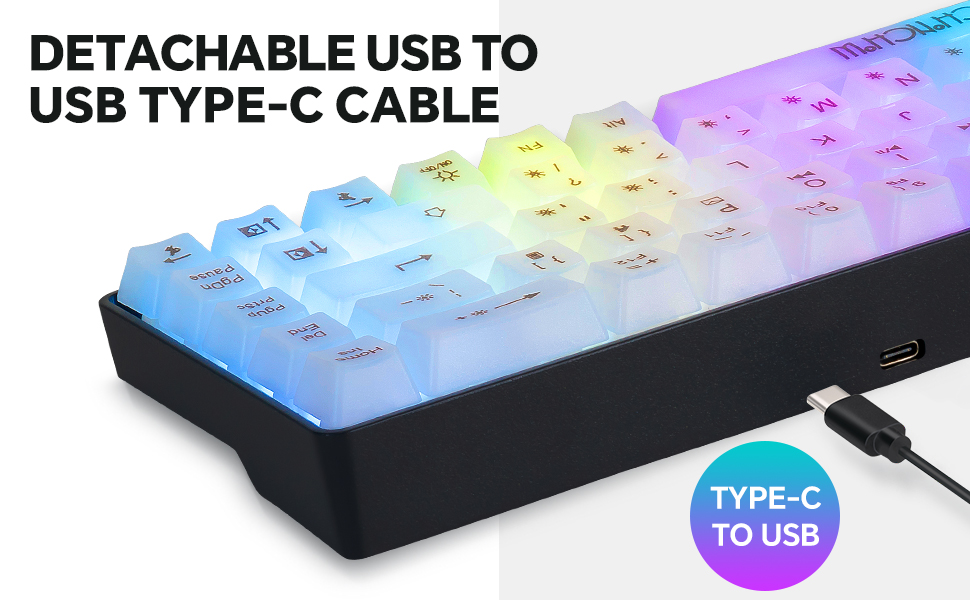
Image: An overview highlighting the CHONCHOW Mini RGB Keyboard's key features: 68-key layout, RGB backlight, anti-ghosting capability, and ergonomic design.
Ergonomic Design
The keyboard is designed with foldable feet, allowing you to adjust the typing angle for a more comfortable experience. The OEM keycaps feature a scientifically designed step height to reduce typing fatigue, making it suitable for extended use by gamers, office workers, and typists.
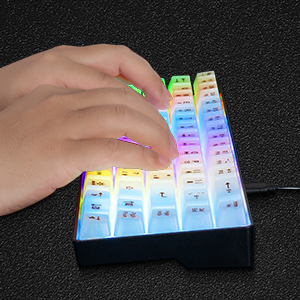
Image: Hands demonstrating typing on the keyboard, showcasing the comfortable and ergonomic keycap profile.
Maintenance
- Cleaning: Use a soft, dry cloth to wipe the keyboard surface. For deeper cleaning, gently remove keycaps (if applicable and designed for removal) and use compressed air to clear debris. Do not use harsh chemicals or abrasive materials.
- Storage: Store the keyboard in a cool, dry place away from direct sunlight and extreme temperatures.
- Cable Care: Avoid bending or twisting the USB-C cable excessively to prevent damage.
Troubleshooting
- Keyboard Not Responding:
- Ensure the USB-C cable is securely connected to both the keyboard and the computer/console.
- Try connecting the keyboard to a different USB port.
- Test the keyboard on another computer/console to rule out system-specific issues.
- Backlight Not Working:
- Press FN + ON/OFF key to ensure the backlight is not turned off.
- Adjust brightness using FN + (Up Arrow).
- Keys Not Registering Correctly:
- Ensure no debris is lodged under the keycaps.
- If specific keys are consistently failing, contact customer support.
Specifications
| Product Dimensions | 13.32 x 3.04 x 0.79 inches |
| Item Weight | 1.1 pounds |
| Model Number | G31D |
| Connectivity Technology | USB Wired (Type-C) |
| Special Features | Backlit, Hotkeys and Media Keys, Portable |
| Compatible Devices | Gaming Console, Laptop, Personal Computer, Tablet, Television (Windows 10/8/7/Vista/XP, Mac, PS3/PS4/PS5, Xbox) |
| Manufacturer | CHONCHOW |
Warranty and Support
CHONCHOW is committed to product quality. For any quality-related issues, we offer a 30-day refund or replacement policy and a 12-month warranty from the date of purchase. Please retain your proof of purchase for warranty claims.
For further assistance or inquiries, please contact CHONCHOW customer support through the retailer's platform or the official CHONCHOW website.