
Razor E100
Razor Black Label E100 Electric Scooter User Manual
Model: E100
Introduction
The Razor Black Label E100 Electric Scooter is designed for kids aged 8 and up, offering an exciting and efficient way to get around. Featuring a Power Core high-torque hub motor, an 8-inch pneumatic front tire, and an all-steel frame, this scooter combines performance with durability. This manual provides essential information for the safe and proper assembly, operation, and maintenance of your E100 electric scooter.
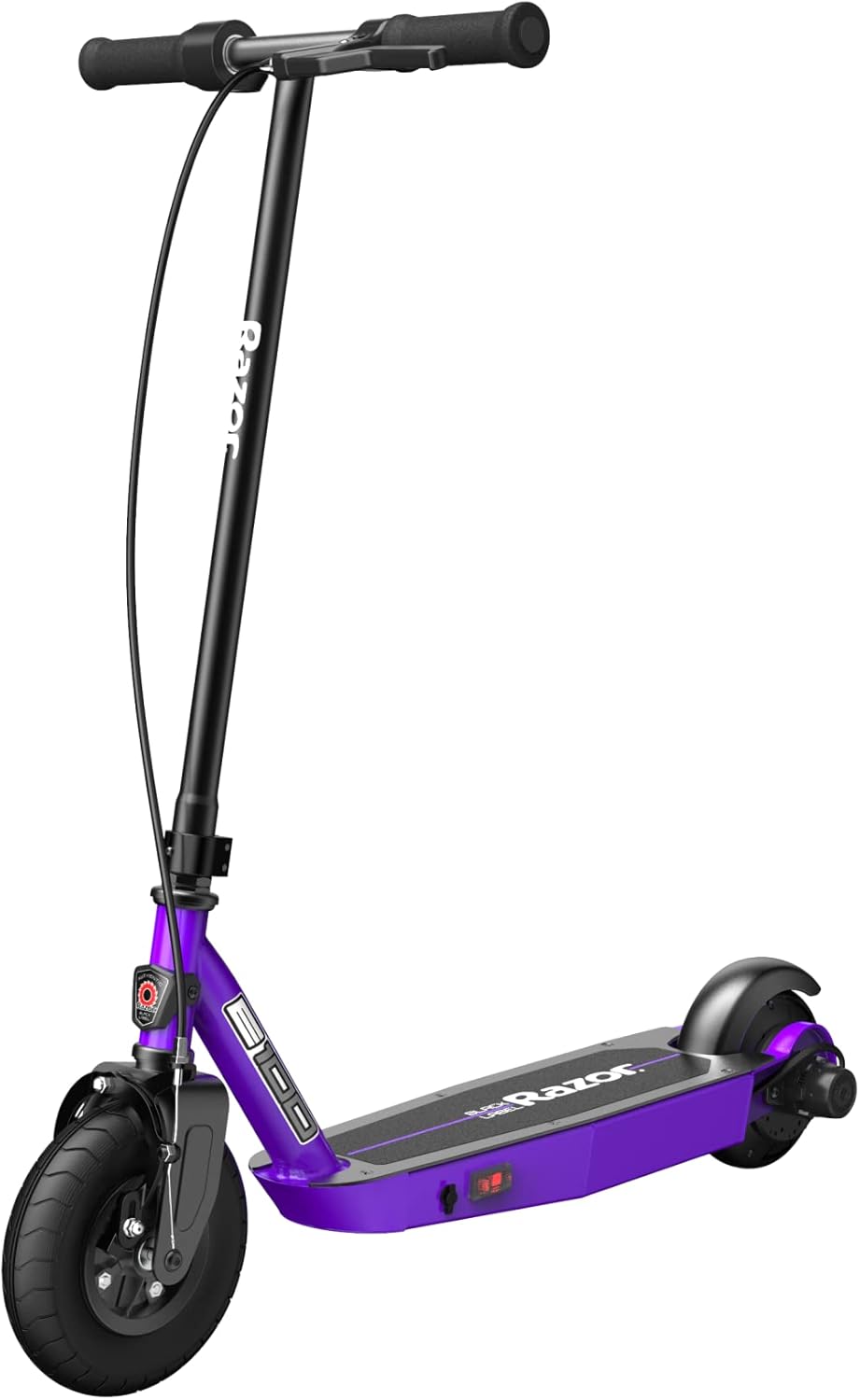
Figure 1: The Razor Black Label E100 Electric Scooter, showcasing its sleek design and robust build.
Safety Guidelines
Always prioritize safety when operating the electric scooter. Failure to follow these guidelines may result in serious injury.
- Age and Weight Restrictions: Recommended for riders aged 8 and up. The maximum rider weight is 120 pounds (54 kg).
- Protective Gear: Always wear a helmet, elbow pads, and knee pads. Appropriate footwear (laced shoes with rubber soles) is also recommended.
- Riding Environment: Ride in safe, open areas away from traffic, pedestrians, and obstacles. Avoid riding on wet, uneven, or slippery surfaces.
- Supervision: Young riders should always be supervised by an adult.
- UL2272 Certification: The electrical system is certified compliant with UL2272 by Guangdong UTL Co., LTD., an accredited testing lab, ensuring electrical safety.

Figure 2: The UL 2272 certification mark, indicating compliance with electrical safety standards.
Setup
Assembly
The Razor E100 Electric Scooter requires minimal assembly. Ensure all components are securely fastened before initial use. Refer to the included quick start guide for detailed assembly steps, typically involving attaching the handlebar to the main frame.
Initial Charging
Before the first ride, fully charge the scooter's battery for a minimum of 12 hours. Subsequent charges typically take approximately 35 minutes. Always use the charger provided by Razor. The charging port is located on the side of the scooter's deck.
Operating Instructions
Starting the Scooter
To activate the motor, first push off with your foot to gain a speed of at least 3 mph (5 km/h). Once moving, engage the thumb-activated throttle located on the handlebar. The Power Core high-torque hub motor will then provide assistance, propelling the scooter up to 10 mph (16 km/h).

Figure 3: The thumb-activated throttle, providing intuitive control over acceleration.
Braking
The E100 features a dual-braking system for reliable stopping power. You can use the hand-operated front brake lever on the handlebar for controlled deceleration. Additionally, a rear-fender brake can be engaged by pressing down on the rear fender with your foot. For optimal stopping, release the throttle before applying either brake.

Figure 4: The hand-operated front brake lever, part of the scooter's dual-braking system.
Ride Experience
The 8-inch pneumatic front tire is designed to absorb shocks and provide a smoother ride, even on slightly uneven terrain. The rear-wheel drive system enhances traction and steering stability. A full charge provides up to 35 minutes of continuous ride time, depending on rider weight, terrain, and riding style.
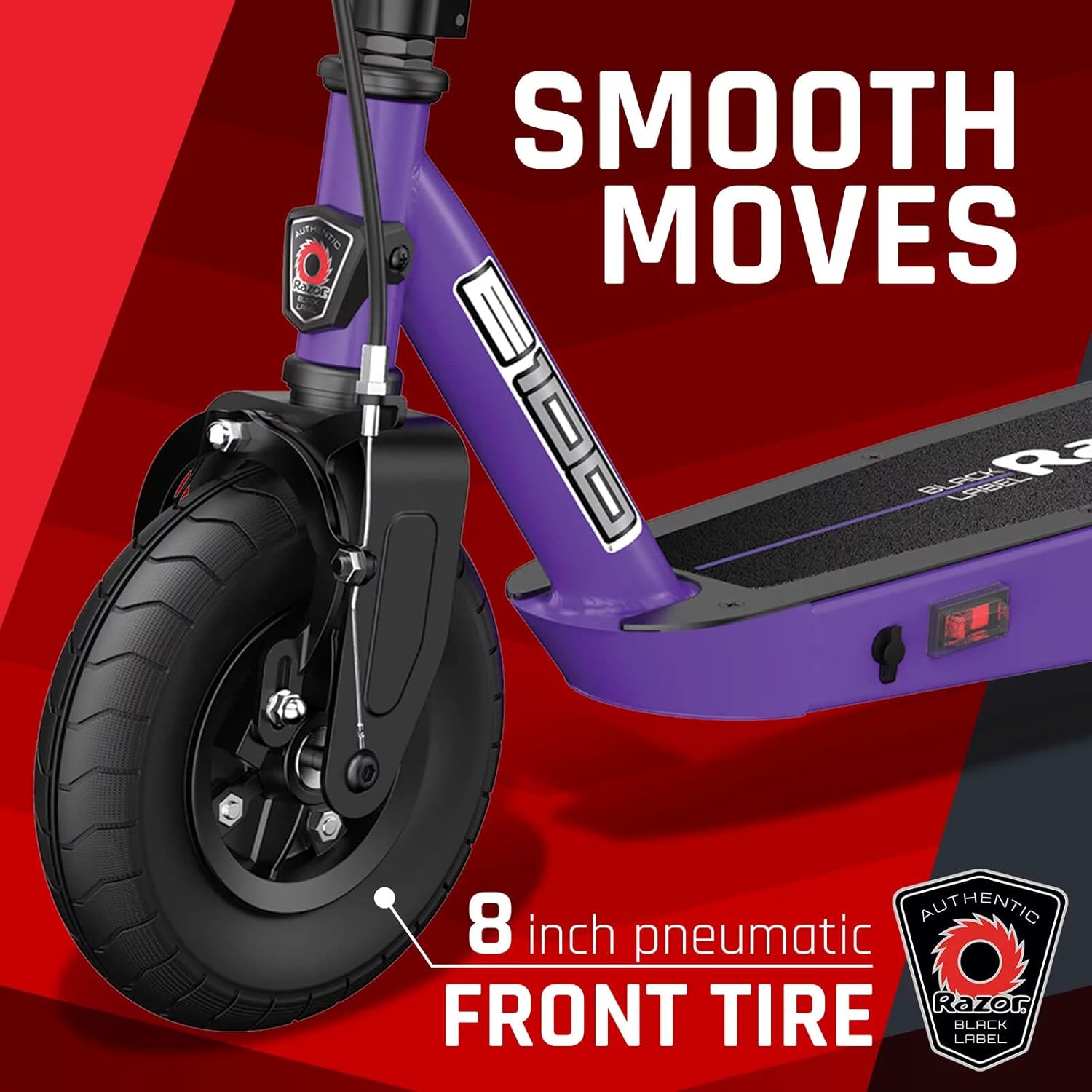
Figure 5: The 8-inch pneumatic front tire, contributing to a smooth and comfortable ride.
Maintenance
Regular maintenance ensures the longevity and safe operation of your Razor E100 Electric Scooter.
- Tire Pressure: Periodically check the air pressure in the pneumatic front tire. Maintain the recommended PSI (pounds per square inch) as indicated on the tire sidewall to ensure optimal performance and ride quality.
- Cleaning: Wipe down the scooter with a damp cloth after use. Avoid using harsh chemicals or abrasive cleaners. Do not spray water directly onto electrical components.
- Battery Care: Charge the battery after every use, even if only for a short period, to prolong its lifespan. Do not store the scooter with a completely discharged battery. If storing for an extended period, charge it once a month.
- General Inspection: Regularly inspect all nuts, bolts, and fasteners to ensure they are tight. Check the brake system for proper function and wear.
Troubleshooting
If you encounter issues with your Razor E100 Electric Scooter, consider the following common solutions:
- Scooter Not Turning On:
- Ensure the power switch is in the "ON" position.
- Check if the battery is fully charged.
- Verify all electrical connections are secure.
- Motor Not Engaging:
- Remember to push off to at least 3 mph (5 km/h) before engaging the throttle.
- Ensure the throttle is fully depressed.
- Check for any obstructions around the motor or wheels.
- Reduced Performance/Short Ride Time:
- The battery may not be fully charged or may be nearing the end of its lifespan.
- Riding on inclines or rough terrain can reduce ride time.
- Ensure the pneumatic tire is properly inflated.
For persistent issues or complex repairs, please contact Razor customer support.
Specifications
| Feature | Detail |
|---|---|
| Brand | Razor |
| Model Name | E100 |
| Color | Black Label |
| Age Range (Description) | Kids (8 and up) |
| Special Feature | Foldable |
| Weight Limit | 120 Pounds (54 kg) |
| Number of Wheels | 2 |
| Wheel Material | Polyurethane |
| Frame Material | Alloy Steel |
| Item Weight | 21.5 Pounds (9.75 kg) |
| Handlebar Type | Adjustable |
| Wheel Size | 8 Inches (200 mm) |
| Wheel Type | Pneumatic (Front) |
| Suspension Type | Front Suspension |
| Grip Type | Non-slip |
| Brake Style | Rear Braking (Fender) & Hand-operated Front Brake |
| Charging Time | Approx. 35 minutes (after initial 12-hour charge) |
| Maximum Distance Range | Up to 6.44 Kilometers (4 miles) or 35 minutes of continuous use |
| Manufacturer | Razor USA LLC |
| UPC | 845423023690 |
| Item Package Dimensions L x W x H | 34.15 x 16.6 x 7.5 inches |
| Package Weight | 11.98 Kilograms |
| Item Dimensions LxWxH | 33.62 x 15.75 x 35.03 inches |
| Included Components | Scooter, manual, charger |
Warranty
The Razor Black Label E100 Electric Scooter comes with a 90-day Limited Manufacturer Warranty. Please retain your proof of purchase for any warranty claims. For full details regarding warranty coverage and terms, refer to the official warranty documentation included with your product or visit the Razor website.
Support
For further assistance, technical support, or to purchase replacement parts, please contact Razor customer service. You can find contact information on the official Razor website or in the documentation provided with your scooter.
Related documentsE100


Ask a question about this manual
Ask about setup, troubleshooting, compatibility, parts, safety, or missing instructions. Manuals+ will review the question and use this page’s manual context to help answer it.