
1. Introduction
This manual provides instructions for the BENLYDESIGN S1000 OLED Digital Watch. Please read this manual carefully before using your watch to ensure proper operation and to maximize its lifespan. Keep this manual for future reference.
2. Product Overview
The BENLYDESIGN S1000 is a digital watch featuring an OLED display and a metal strap, designed with a retro-futuristic aesthetic. It displays time, date, and includes a lift-to-wake screen function.

Figure 2.1: Front view of the BENLYDESIGN S1000 OLED Digital Watch, showcasing the black metal casing and red OLED display.

Figure 2.2: Close-up view of the watch face, highlighting the 'SET' and 'MODE' buttons and the red OLED time display.

Figure 2.3: Rear view of the watch, displaying engraved information such as "STAINLESS STEEL BACK", "WATER RESISTANT 3 ATM", "BENLYDESIGN", and "S-1000".

Figure 2.4: Diagram illustrating the dimensions of the watch case (40.1mm width, 41.5mm length, 17.3mm height) and strap circumference (100mm-220mm), noting compatibility with 22mm width straps.
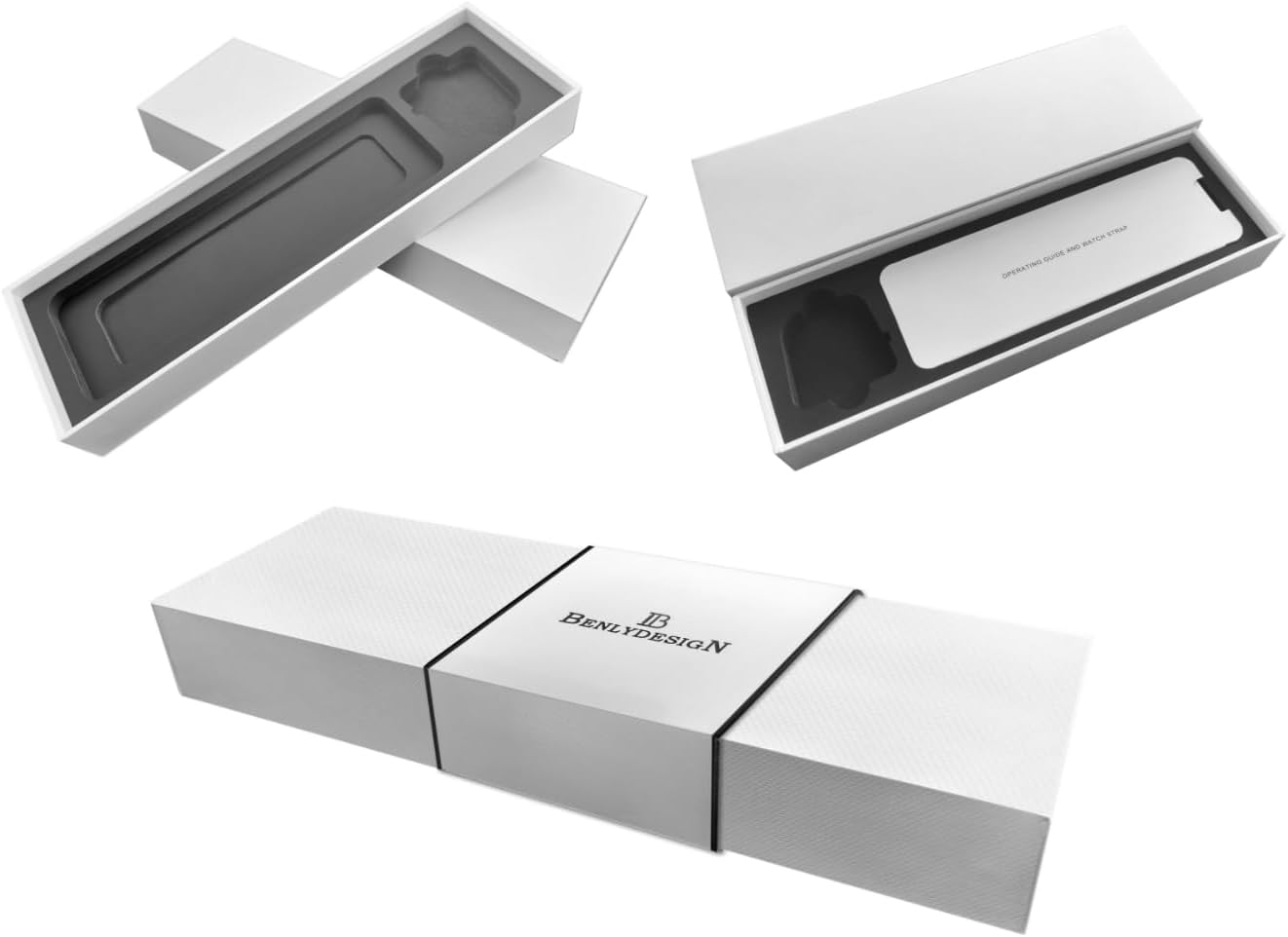
Figure 2.5: Image showing the watch's white packaging box, including the inner tray and instruction guide.
3. Setup
3.1 Attaching the Strap
The watch may come with the strap detached. To attach the metal strap:
- Locate the spring bars provided with the strap.
- Align one end of the spring bar with a lug hole on the watch case.
- Compress the spring bar and insert the other end into the opposite lug hole.
- Ensure both ends of the spring bar are securely seated in the lug holes by gently pulling on the strap.
Video 3.1: Demonstration of attaching the watch strap to the BENLYDESIGN S1000 watch. This video illustrates the process of securing the metal band to the watch case using spring bars.
3.2 Initial Power On
The watch is powered by a pre-installed Lithium Ion battery. To activate the display, press either the 'SET' or 'MODE' button located on the side of the watch.
4. Operating Instructions
4.1 Display Modes
The watch features multiple display modes. Press the 'MODE' button to cycle through them:
- Time Display: Shows hours, minutes, and seconds.
- Date Display: Shows day of the week, month, and day.
- Temperature Display: Shows the current temperature.
4.2 Setting Time and Date
To adjust the time and date settings:
- Press the 'MODE' button until the desired setting (Time or Date) is displayed.
- Press and hold the 'SET' button until the digits begin to flash.
- Use the 'MODE' button to adjust the flashing digit or selection.
- Press the 'SET' button again to move to the next adjustable segment.
- Once all settings are adjusted, press and hold the 'SET' button to save and exit the setting mode.
4.3 Lift-to-Wake Function
The watch is equipped with a lift-to-wake feature, designed to illuminate the display when you raise your wrist to view the time. This function can be toggled on or off. When active, "LT" may appear next to the time. If the display does not activate consistently with wrist movement, a manual button press ('SET' or 'MODE') will always illuminate the screen.
5. Maintenance
5.1 Cleaning
To clean your watch, wipe it gently with a soft, dry cloth. Avoid using harsh chemicals or abrasive materials, as these can damage the finish or the display.
5.2 Water Exposure
Important: Despite markings, this watch is not recommended for water exposure. Avoid wearing it while swimming, showering, or in situations where it may get wet. Moisture can damage internal components.
5.3 Battery
The watch uses one Lithium Ion battery (included). Battery replacement should be performed by a qualified technician to avoid damaging the watch's internal components or compromising its integrity.
6. Troubleshooting
- Display is blank:
Press either the 'SET' or 'MODE' button to activate the display. If it remains blank, the battery may be depleted or require professional inspection.
- Time/Date is incorrect:
Refer to Section 4.2 "Setting Time and Date" to adjust the settings.
- Lift-to-Wake function is inconsistent:
The lift-to-wake feature may require a specific wrist motion to activate. If it does not respond reliably, manually press a button to view the time. Ensure the "LT" indicator is visible on the display, indicating the feature is active.
- Strap is difficult to attach or secure:
Ensure the spring bars are correctly aligned and fully seated in the lug holes. If the clasp is problematic, inspect it for any obstructions or damage. Professional assistance may be required for strap adjustments or repairs.
7. Specifications
| Model Number | S1000 |
| Brand | BENLYDESIGN |
| Display Type | OLED Digital |
| Case Material | Metal (Stainless Steel Back) |
| Strap Type | Stainless Steel |
| Clasp Type | Buckle |
| Power Source | 1 Lithium Ion battery (included) |
| Dimensions (Case) | Approx. 40.1mm (W) x 41.5mm (L) x 17.3mm (H) |
| Strap Width Compatibility | 22mm |
| Water Resistance | Not recommended for water exposure. |
8. Warranty and Support
For warranty information or technical support, please contact BENLYDESIGN customer service. Refer to the product packaging or the seller's website for contact details. Please retain your proof of purchase for warranty claims.

