1. Introduction
This manual provides essential instructions for the safe and effective use of your Onerbl AC/DC Adapter, Model MDA60-220S24. This adapter is designed to provide reliable power to compatible devices, specifically BMC 3B Luna E-20C-H-O H60 L7000 MDA60-220S24 units. Please read this manual thoroughly before use and retain it for future reference.
2. Safety Information
To prevent electric shock, fire, or damage to the adapter or your device, observe the following safety precautions:
- Use the adapter only with devices specified as compatible.
- Do not expose the adapter to water, rain, or excessive moisture.
- Avoid using the adapter in extremely hot or cold environments.
- Do not disassemble or modify the adapter. Refer all servicing to qualified personnel.
- Ensure the power outlet is easily accessible and properly grounded.
- Disconnect the adapter from the power outlet when not in use for extended periods.
- Inspect the adapter and cables for any damage before each use. Do not use if damaged.
3. Package Contents
Verify that your package contains the following item:
- 1 x Onerbl AC/DC Adapter (Model: MDA60-220S24)
4. Product Overview
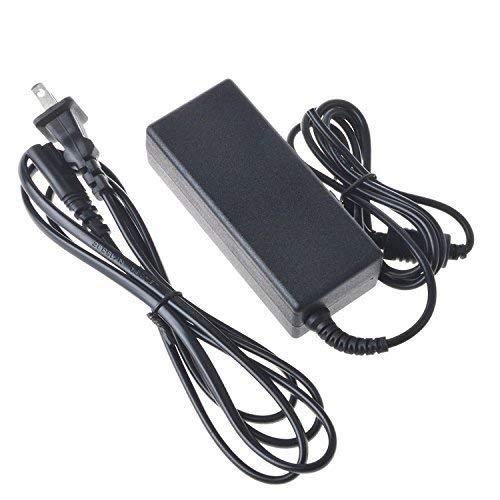
Image: The Onerbl AC/DC Adapter, featuring its main body and the distinctive 4-pin connector designed for compatible devices.
The Onerbl AC/DC Adapter is a high-quality replacement power charger designed for specific BMC 3B Luna devices. Key features include:
- Compatibility: Specifically designed for BMC 3B Luna E-20C-H-O H60 L7000 MDA60-220S24 units.
- Input: AC 100-240V 50/60Hz (Worldwide AC Input).
- Output: 24 Volts, 3 Amps.
- Connector: Features a 4-pin plug for secure connection.
- Protection: Includes Over Voltage Protection and Over Heat Protection.
- Quality: Tested units in great working condition, UL specification met.
5. Setup
- Verify Compatibility: Ensure your device is compatible with the Onerbl AC/DC Adapter Model MDA60-220S24 and requires a 24V, 3A output with a 4-pin connector.
- Connect to Device: Carefully insert the 4-pin connector of the adapter into the power input port of your compatible device. Ensure a firm and secure connection.
- Connect to Power Outlet: Plug the AC power cord of the adapter into a standard AC 100-240V 50/60Hz electrical wall outlet.
- Power On Device: Once connected, you may power on your device.
Note: Always connect the adapter to the device first, then to the wall outlet.
6. Operating Instructions
The Onerbl AC/DC Adapter operates automatically once connected. It converts the AC input power from the wall outlet into the DC power required by your device. There are no user-adjustable settings on the adapter itself.
- The adapter will supply power to your device or charge its battery (if applicable and supported by the device).
- Monitor your device's power indicator to confirm it is receiving power.
- Disconnect the adapter from the wall outlet before disconnecting it from your device.
7. Maintenance
Proper maintenance ensures the longevity and safe operation of your adapter:
- Cleaning: Use a soft, dry cloth to clean the adapter. Do not use liquid cleaners or aerosols.
- Storage: Store the adapter in a cool, dry place when not in use. Avoid wrapping the cable too tightly around the adapter.
- Inspection: Periodically inspect the adapter, cable, and connectors for any signs of wear, cuts, or damage.
- Ventilation: Ensure the adapter has adequate ventilation during operation. Do not cover it or place it in an enclosed space that could restrict airflow.
8. Troubleshooting
If you encounter issues with your Onerbl AC/DC Adapter, refer to the following common solutions:
| Problem | Possible Cause | Solution |
|---|---|---|
| Device not powering on/charging. |
|
|
| Adapter feels excessively hot. |
|
|
If the problem persists after trying these solutions, please contact customer support.
9. Specifications
| Brand | Onerbl |
| Model | MDA60-220S24 |
| Input Voltage | AC 100-240V, 50/60Hz |
| Output Voltage | 24 Volts |
| Output Current | 3 Amps |
| Connector Type | 4-pin |
| Compatible Devices | BMC 3B Luna E-20C-H-O H60 L7000 MDA60-220S24 |
| Special Features | Over Voltage Protection, Over Heat Protection, UL Certified |
| Mounting Type | Wall Mount |
10. Warranty and Support
This Onerbl AC/DC Adapter comes with a manufacturer's warranty. For specific warranty details and duration, please refer to the product packaging or contact your retailer. For technical support or further assistance, please reach out to Onerbl customer service through the contact information provided with your purchase or on the official Onerbl website.
