
pxton pxton 777S, pxton 888s, pxton 666s
Pxton 777S, 888S, and 666S Series Two-Way Radios User Manual
Model Numbers: PX-777S, PX-888S, PX-666S
1. Introduction
This manual provides detailed instructions for the safe and effective operation of your Pxton 777S, 888S, and 666S series two-way radios. Please read this manual thoroughly before using the device to ensure optimal performance and longevity.
2. Product Overview and Components
Familiarize yourself with the various parts of your Pxton two-way radio.
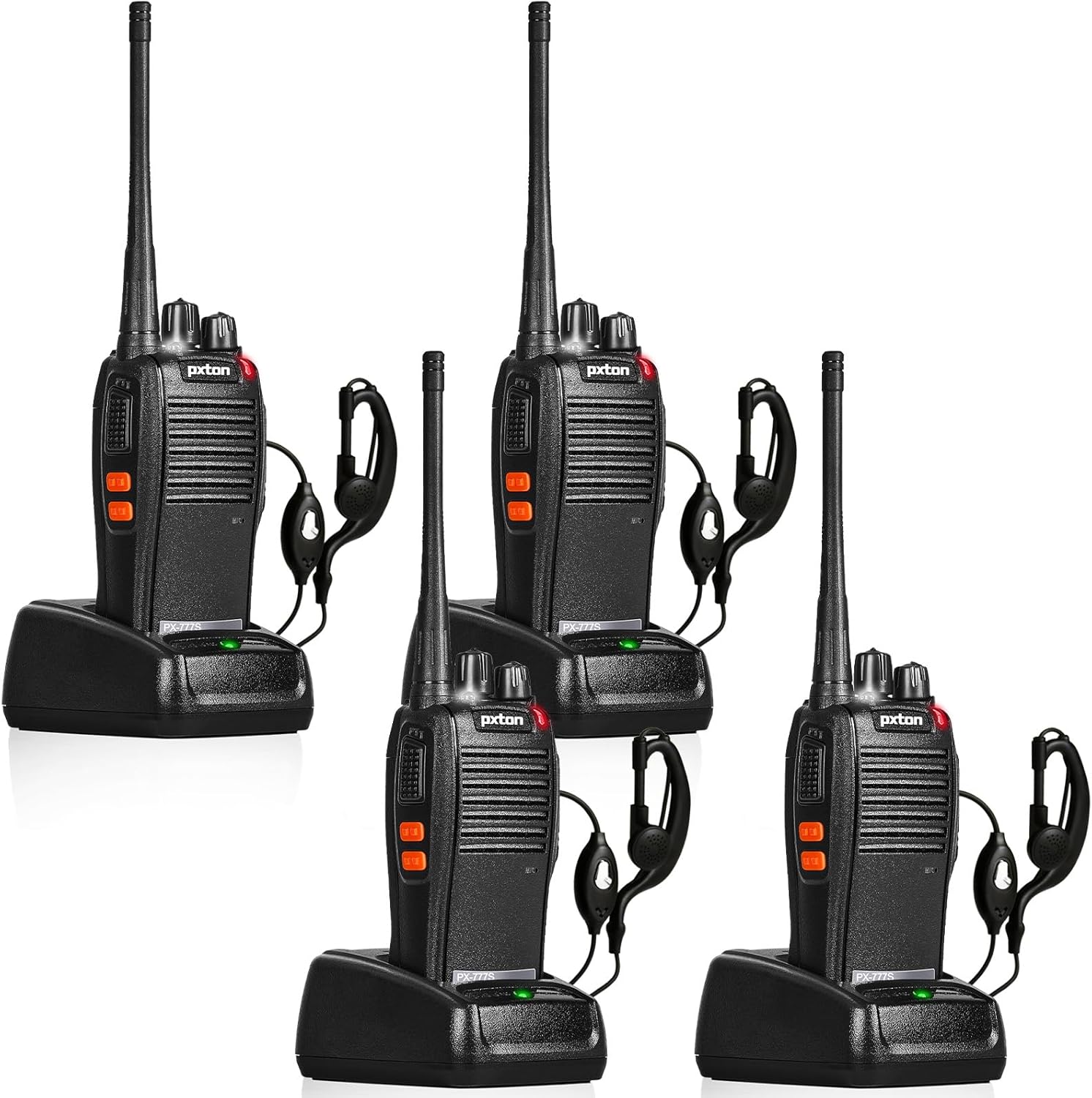
Figure 2.1: Pxton PX-777S Walkie-Talkie Components. This image illustrates the key parts of the radio, including the Integrated Sensitive Antenna, Flashlight, LED Indicator, PTT Button, Clear Speaker, Built-in Microphone, Power Switch/Volume Control, Channel Switch, SP/MIC Jacks, MONI Button, and Flashlight Button.
- Integrated Sensitive Antenna: For transmitting and receiving signals.
- Power Switch/Volume Control: Rotate to turn the radio on/off and adjust volume.
- Channel Switch: Rotate to select one of the 16 available channels.
- PTT (Push-to-Talk) Button: Press and hold to transmit, release to receive.
- MONI (Monitor) Button: Press to temporarily disable squelch and listen for weak signals.
- Flashlight Button: Activates the built-in LED flashlight.
- SP/MIC Jacks: Ports for connecting external speaker-microphones or earpieces.
- LED Indicator: Displays status (e.g., transmitting, receiving, low battery).
- Built-in Microphone: For voice input during transmission.
- Clear Speaker: For audio output.
3. Setup
3.1 Battery Installation and Charging
The walkie-talkie is equipped with a 1500mAh Li-ion battery. Ensure the battery is fully charged before first use.
- Install Battery: Align the battery with the compartment on the back of the radio and slide it into place until it clicks.
- Charge Battery: Place the radio into the provided charging cradle. Ensure the charging contacts on the radio align with those on the cradle. The LED indicator on the charger will show charging status.

Figure 3.1: Battery Specifications and Charging. This image displays the 1500mAh Li-ion battery, indicating a typical use time of 1-2 days, continuous use of 8-12 hours, and a full charging time of 3-4 hours. Standby time is 5-7 days.
A full charge typically takes 3-4 hours. Under normal usage, a full charge can provide up to 120 hours of standby time or up to 12 hours of continuous usage.
3.2 Attaching Accessories
- Earpiece/Speaker-Microphone: Insert the earpiece or speaker-microphone plug into the SP/MIC jacks on the side of the radio.
- Belt Clip: Attach the belt clip to the back of the radio using the provided screws for convenient carrying.
4. Operating Instructions
4.1 Basic Operation
- Power On/Off: Rotate the Power Switch/Volume Control knob clockwise to turn the radio on. Rotate counter-clockwise until a click is heard to turn it off.
- Adjust Volume: Rotate the Power Switch/Volume Control knob to adjust the listening volume.
- Select Channel: Rotate the Channel Switch knob to select one of the 16 available channels. Ensure all radios in your group are on the same channel for communication.
- Transmit (Talk): Press and hold the PTT (Push-to-Talk) button. Speak clearly into the microphone. Release the PTT button to listen for a response.
- Receive (Listen): When not transmitting, the radio is in receive mode.
4.2 Advanced Functions
- VOX (Voice Operated Transmit): Allows hands-free operation. When VOX is enabled and your voice reaches a certain sensitivity level, the radio will automatically transmit. The radio features 5 levels of VOX sensitivity adjustment.
- TOT (Time-Out Timer): Prevents a user from occupying a channel for too long. If transmission exceeds a preset time, the radio will stop transmitting and emit an alert tone.
- Emergency Alarm: Activates an audible alarm to signal distress. Consult your specific model's programming guide for activation methods.
- Noise Reduction: Enhances audio clarity by reducing background noise.
- Automatic Squelch: Automatically mutes weak signals or background noise to ensure clear communication.
- Low Battery Alert: The radio will indicate when the battery level is low, prompting you to recharge.
- Power-Saving Mode: Automatically reduces power consumption when the radio is idle to extend battery life.
- Scanning: Allows the radio to automatically scan through channels to find active conversations.
- Monitoring: Press the MONI button to temporarily disable squelch, allowing you to hear all signals on the current channel, including very weak ones.
- LED Flashlight: Press the Flashlight Button to turn the built-in LED flashlight on or off.
5. Maintenance
5.1 Battery Care
- Always use the original charger and battery provided by Pxton.
- Do not disassemble, short-circuit, or expose the battery to extreme temperatures or fire.
- Recharge the battery when the low battery alert is activated.
- If storing the radio for an extended period, charge the battery to approximately 50% and remove it from the radio.
5.2 Cleaning
- Clean the radio's surface with a soft, damp cloth. Do not use harsh chemicals or abrasive cleaners.
- Ensure the radio is dry before charging or operating.
6. Troubleshooting
| Problem | Possible Cause | Solution |
|---|---|---|
| No power | Battery depleted or not installed correctly | Charge the battery; ensure battery is properly installed. |
| Cannot transmit or receive | Incorrect channel; out of range; low battery | Verify channel setting; move closer to other radios; recharge battery. |
| Poor audio quality | Volume too low/high; interference; out of range | Adjust volume; move away from interference sources; move closer to other radios. |
| Radio beeps continuously | Low battery alert; TOT activated | Recharge battery; release PTT button if transmitting for too long. |
7. Specifications
| Feature | Detail |
|---|---|
| FCC ID | 2AX68GTR8 |
| Number of Channels | 16 |
| Battery Capacity | 1500mAh Li-ion |
| Battery Life (Typical Use) | 1-2 days |
| Battery Life (Continuous Use) | 8-12 hours |
| Full Charging Time | 3-4 hours |
| Standby Time | 5-7 days |
| Color | Black |
| Special Features | Keypad Lock, Lightweight, Long Range, VOX, TOT, Emergency Alarm, Noise Reduction, Automatic Squelch, Low Battery Alert, Power-Saving Mode, Scanning, Monitoring, LED Flashlight |
| Included Components | Walkie talkies, rechargeable batteries |
7.1 Compatibility
The Pxton PX-777S walkie-talkie is compatible with the PX-888S, PX-666S, and PX-888S Pro models. They can work together and use the same programming tools and programming cables (programming cable sold separately).
8. Various Applications
These two-way radios are suitable for a wide range of professional and recreational applications:

Figure 8.1: Suitable for Multiple Scenarios. This image illustrates the versatility of the walkie-talkies in settings such as mountaineering/hiking, school stadiums, police security teams, bars/ballrooms, car patrol, and various festivals/outdoor gatherings.
- Karaoke bars, nightclubs, hotels, malls, supermarkets
- Sports arenas, schools, restaurants, warehouses, construction sites
- Convenience stores, logistics, tourism, outdoor camping, hiking, resorts
- Security patrol, car patrol, emergency rescues
- Large-scale events like Christmas, Independence Day, Easter, Thanksgiving, Super Bowl, Oktoberfest, music festivals, and more.
9. Warranty and Support
Pxton offers a 30-day unconditional replacement and refund policy from the date of purchase. Additionally, lifelong after-sales service is provided for your product.
If you encounter any issues or have questions regarding your Pxton two-way radios, please do not hesitate to contact Pxton customer support. We are committed to helping you resolve any problems you may experience.
Related documentspxton 777S, pxton 888s, pxton 666s


Ask a question about this manual
Ask about setup, troubleshooting, compatibility, parts, safety, or missing instructions. Manuals+ will review the question and use this page’s manual context to help answer it.