
KMMKGG 15'' (rechargeable/Atomic/Backlight)-1
KMMKGG 15-inch Rechargeable Atomic Digital Wall Clock User Manual
Model: 15'' (rechargeable/Atomic/Backlight)-1
Introduction
Thank you for choosing the KMMKGG 15-inch Rechargeable Atomic Digital Wall Clock. This manual provides comprehensive instructions for the proper setup, operation, and maintenance of your new clock. Please read this manual thoroughly before use and retain it for future reference.
Safety Information
- Do not expose the clock to extreme temperatures, direct sunlight, or high humidity.
- Avoid dropping the clock or subjecting it to strong impacts.
- Use only the provided USB charging cable. Do not use damaged cables or chargers.
- Keep the clock away from water and other liquids.
- Do not attempt to disassemble or repair the clock yourself. Contact customer support for assistance.
- Dispose of the lithium polymer battery responsibly according to local regulations.
Package Contents
Please check the package for the following items:
- KMMKGG 15-inch Rechargeable Atomic Digital Wall Clock
- USB Charging Cable (9.8 feet)
- Mounting Hardware (screws, wall anchors, bubble spirit level, double-sided tape)
- User Manual (this document)
Product Overview
The KMMKGG Digital Wall Clock features a large, easy-to-read display with multiple functions, including time, date, and temperature. It is designed for convenience with a built-in rechargeable battery and automatic time synchronization.

Image: Front view of the KMMKGG Digital Wall Clock highlighting its 14.2" width, 5.9" height, 4.6" numbers, and various display features like clock time, alarm, DST, time zones, and temperature.
Key Features:
- Large Digital Display: 4.6-inch numbers for easy readability from a distance.
- Rechargeable Battery: Built-in lithium polymer battery, eliminating the need for constant battery replacements. Includes a 9.8-foot USB charging cable.
- Atomic Time Synchronization: Automatically sets and adjusts time via radio wave signals (WWVB). Supports PST, CST, MST, EST time zones.
- Automatic Backlight: Built-in ambient light sensor automatically illuminates the screen in dark environments. Two adjustable brightness levels (Low Light, High Light) or can be turned off.
- Temperature Display: Shows indoor temperature in Celsius (℃) or Fahrenheit (℉).
- Date Display: Displays month and date.
- Multiple Modes: Functions as a clock, alarm, and timer.
- Daylight Saving Time (DST): Automatic adjustment for DST.
- Easy Mounting: Designed for both wall mounting and tabletop use.
Setup
Initial Charging:
Before first use, fully charge the clock. Connect the provided USB charging cable to the clock's charging port (5V2A charging adapter not included) and a USB power source. The clock has a battery low display indicator to notify you when charging is needed.

Image: Close-up view of the clock's USB charging port and the included USB cable, illustrating how to connect for charging.
Mounting Options:
The clock can be placed on a tabletop or mounted on a wall.
Wall Mounting:
- Choose a suitable location on the wall.
- Use the provided mounting hardware (screws, wall anchors) and the bubble spirit level to ensure the clock is level.
- The clock features three small holes reserved for wall studs and a hanging hook for secure installation. Double-sided tape can also be used for additional stability.

Image: Rear view of the clock detailing the hanging holes, stable bracket, power switch, and charging port, along with instructions for using double-sided tape and a bubble spirit level for wall mounting.
Tabletop Placement:
Simply place the clock on a flat, stable surface. The integrated stable bracket allows for easy tabletop display.
Operating Instructions
The clock features intuitive setting buttons for easy operation.

Image: The KMMKGG clock showcasing its three primary modes: Timer, Clock, and Alarm, with illustrative backgrounds.
Power On/Off:
Locate the "POWER OFF/ON" switch on the back of the clock to turn it on or off.
Atomic Time Synchronization:
The clock automatically searches for radio wave signals (WWVB) to set the correct time. This process typically occurs daily. Ensure the clock is placed in an area with good signal reception.

Image: The KMMKGG clock displaying time, day, and temperature, with an illustration of radio wave signals transmitting from a map of the USA, indicating automatic time setting for PST, CST, MST, EST time zones.
If the atomic time synchronization fails or you are outside the reception area, you may need to set the time manually.
Manual Time and Date Setting:
Refer to the buttons on the back of the clock (e.g., SET, +/12/24, -/℃/℉).
- Press the SET button to enter setting mode.
- Use the +/12/24 and -/℃/℉ buttons to adjust values.
- Press SET again to confirm and move to the next setting.
- Settings typically include: Time Zone, Hour, Minute, Year, Month, Day.
12/24 Hour Format:
Press the +/12/24 button to switch between 12-hour and 24-hour display formats.
Temperature Display (℃/℉):
Press the -/℃/℉ button to switch the temperature display between Celsius (℃) and Fahrenheit (℉).
Brightness Adjustment:
The clock features an ambient light sensor that automatically adjusts backlight brightness. You can manually select between two levels (Low Light, High Light) or turn the backlight off.
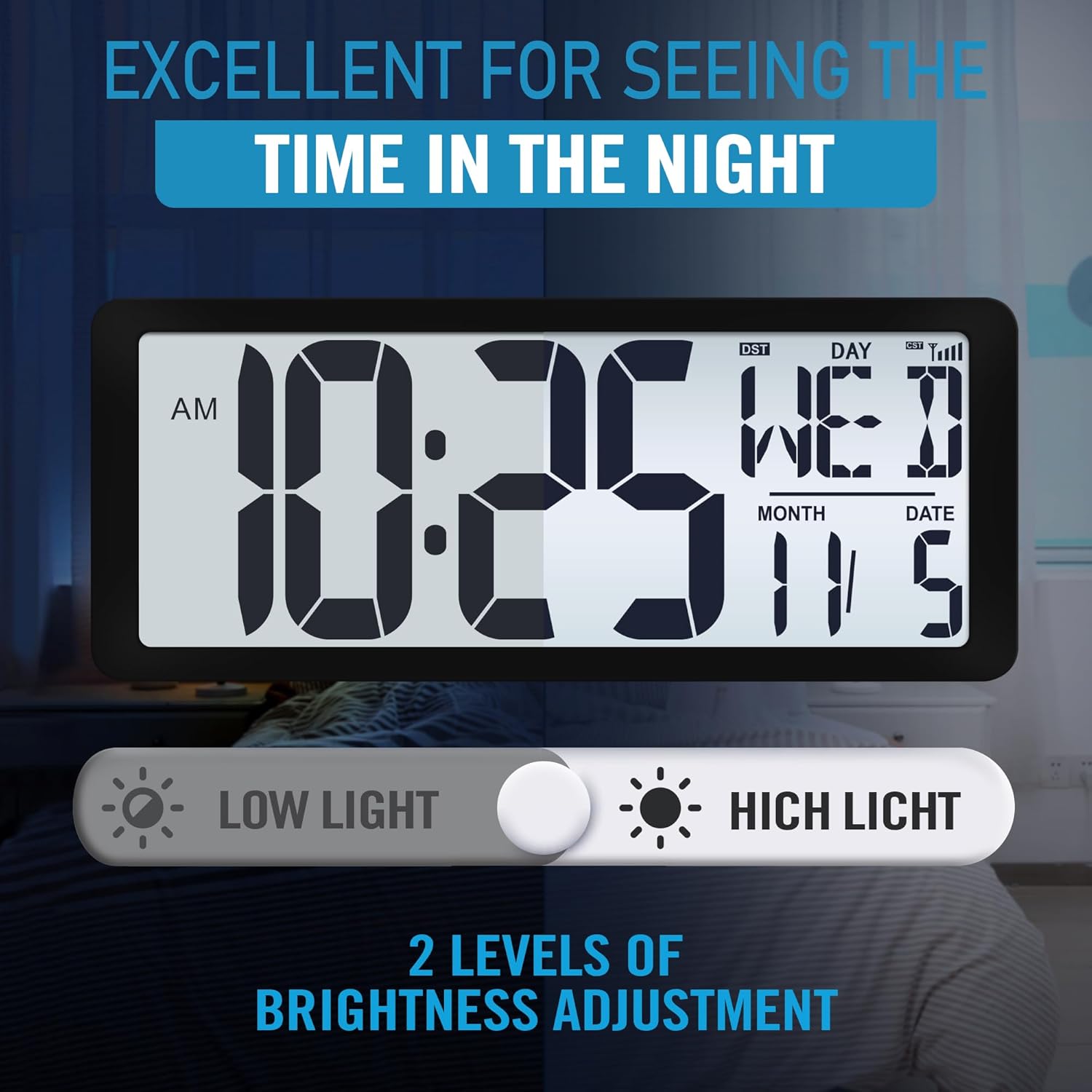
Image: The KMMKGG clock illustrating its two brightness settings: "Low Light" and "High Light," with a slider control.
Specific controls for brightness adjustment are usually located on the back of the clock or accessible via the SET menu.
Alarm Settings:
The clock supports up to three sets of alarm clocks. Use the ALARM button (or similar) to access and set alarms. Follow the on-screen prompts or refer to the specific button labels for setting alarm time and activating/deactivating alarms.
Timer Function:
The clock includes a countdown/count-up timer function. Activate the timer mode using the appropriate button (e.g., TIMER) and set the desired duration. The large display makes it suitable for use in various settings.

Image: The KMMKGG clock displaying a large digital timer, shown in an office meeting room setting.
Daylight Saving Time (DST):
The clock features automatic DST adjustment. Ensure the DST function is enabled if you reside in an area that observes Daylight Saving Time. This setting is usually found within the time setting menu.
Maintenance
- Cleaning: Wipe the clock with a soft, dry cloth. Do not use abrasive cleaners or solvents.
- Charging: Recharge the clock when the low battery indicator appears. Avoid overcharging or completely draining the battery for extended periods to prolong battery life.
- Storage: If storing the clock for a long period, ensure it is fully charged and stored in a cool, dry place.
Troubleshooting
| Problem | Possible Cause | Solution |
|---|---|---|
| Clock does not turn on. | Battery is depleted. Power switch is off. | Charge the clock using the USB cable. Ensure the "POWER OFF/ON" switch is in the ON position. |
| Time is incorrect or not setting automatically. | Poor atomic signal reception. Incorrect time zone setting. | Move the clock to a location with better signal reception (e.g., near a window, away from electronics). Manually set the time and ensure the correct time zone is selected. |
| Backlight is too dim or too bright. | Brightness level needs adjustment. | Adjust the brightness settings (Low Light/High Light) or turn off the automatic backlight feature if desired. |
| Temperature display is inaccurate. | Clock is exposed to direct heat/cold sources. | Ensure the clock is placed in a stable room temperature environment, away from vents or windows. |
| Charging light does not come on. | Faulty USB cable or power adapter. | Try using a different USB cable or a known working 5V2A USB power adapter. |
Specifications
| Brand | KMMKGG |
| Model | 15'' (rechargeable/Atomic/Backlight)-1 |
| Display Type | Multi-display Digital |
| Product Dimensions | 14.2" W x 5.9" H |
| Item Weight | 1.8 Pounds |
| Power Source | Lithium Polymer Battery Powered |
| Operation Mode | Atomic |
| Special Features | Adjustable Brightness, Daylight Saving, Large Display, Temperature Display, Cordless |
| Mounting Type | Wall Mount / Tabletop |
| Material Type | Plastic |
| Indoor/Outdoor Usage | Indoor |
Warranty and Support
Specific warranty information is not provided in this manual. For warranty details, technical support, or any questions regarding your KMMKGG Digital Wall Clock, please contact the retailer or manufacturer directly. Refer to your purchase documentation for contact information.
Ask a question about this manual
Ask about setup, troubleshooting, compatibility, parts, safety, or missing instructions. Manuals+ will review the question and use this page’s manual context to help answer it.