
1. Introduction
Thank you for choosing the QUBO Smart Bulb. This manual provides essential information for the safe and efficient use of your new smart bulb. Please read these instructions carefully before installation and operation, and retain them for future reference.
2. Safety Information
- Indoor Use Only: This smart bulb is designed for indoor use in dry locations. Do not expose to water or high humidity.
- Power Off Before Installation: Always ensure the power supply to the light fixture is turned off before installing or removing the bulb.
- Correct Base Type: Ensure the bulb base (B22D) matches your light fixture.
- Ventilation: Do not install the bulb in fully enclosed fixtures, as this may reduce its lifespan.
- Not for Emergency Lighting: This bulb is not intended for emergency exits or emergency lighting.
- Avoid Disassembly: Do not attempt to disassemble or modify the bulb. This will void the warranty.
3. Package Contents
- QUBO Smart Bulb (12W B22 LED)
- User Manual
4. Product Overview
The QUBO Smart Bulb offers advanced lighting control and smart home integration. Key features include:
- 12W B22 LED: Energy-efficient lighting.
- Wi-Fi & Bluetooth Connectivity: Seamless control via the Qubo App.
- 16 Million Colors (RGB): Customize your ambiance with a vast color spectrum.
- Tunable White Light: Adjust color temperature from Warm White (2700K) to Cool Day White (6500K).
- Dimmable: Adjust brightness from 10% to 100%.
- 18 Preset Scenes: Instant lighting moods for various occasions.
- Scheduler & Timer: Automate your lighting routines.
- Voice Control: Compatible with Amazon Alexa and Google Assistant.

Image: QUBO Smart Bulb highlighting its color, temperature, and dimming capabilities.
5. Setup
5.1. Physical Installation
- Turn off Power: Ensure the power switch to the light fixture is in the OFF position before proceeding.
- Install Bulb: Carefully screw the QUBO Smart Bulb into a standard B22D light socket. Do not overtighten.
- Turn on Power: Restore power to the light fixture. The bulb should light up.
5.2. App Download and Pairing
To unlock the full smart features, download the Qubo App and pair your bulb.
- Download Qubo App: Search for "Qubo App" on your smartphone's app store (Google Play Store for Android or Apple App Store for iOS) and install it.
- Create Account: Open the Qubo App and follow the on-screen instructions to create a new account or log in if you already have one.
- Add Device: In the Qubo App, tap the "+" icon or select the option to "Add Device." Choose "Smart Bulb" from the list of devices.
- Follow In-App Instructions: The app will guide you through the pairing process, which typically involves connecting the bulb to your home Wi-Fi network. Ensure your Wi-Fi network is 2.4GHz. The bulb also supports Bluetooth for initial setup.
- Confirm Pairing: Once successfully paired, the bulb will appear in your Qubo App, ready for control.
6. Operating Instructions
6.1. App Control
All primary functions of the QUBO Smart Bulb are controlled via the Qubo Mobile App.
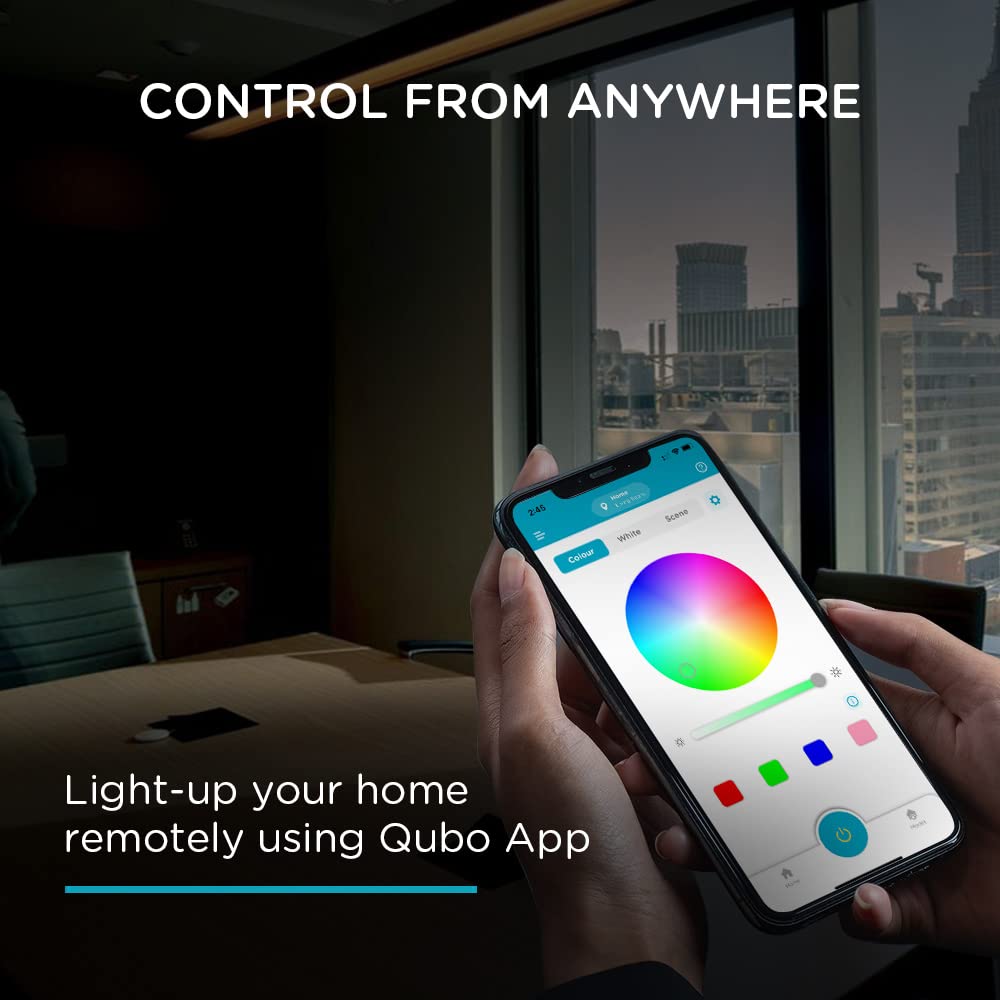
Image: Remote control of the smart bulb via the Qubo App.
6.2. Color Control (16 Million Colors)
From the Qubo App, navigate to the color selection interface. You can choose from 16 million RGB colors to match your mood or decor.

Image: Qubo App interface for color selection.
6.3. Brightness Adjustment
Use the brightness slider in the Qubo App to adjust the light intensity from 10% (dim) to 100% (bright).
6.4. Color Temperature Adjustment
In the Qubo App, select the white light mode to tune the color temperature. You can switch between Warm White (2700K) for a cozy atmosphere and Cool Day White (6500K) for a more energetic environment.

Image: Qubo App interface for adjusting white light temperature.
6.5. Preset Scenes
The Qubo App offers 18 pre-set scenes. Select a scene to instantly change the lighting to suit activities like 'Party', 'Diwali', 'Sunset', or 'Candlelight'.

Image: Qubo App interface displaying preset lighting scenes.
6.6. Scheduler & Timer
Set custom schedules and timers within the Qubo App to automate your lighting. For example, schedule the bulb to turn on at 6 PM and turn off at 6 AM daily.
6.7. Voice Control
Integrate your QUBO Smart Bulb with Amazon Alexa or Google Assistant for hands-free control. Ensure your bulb is linked to your smart assistant account through the respective app.
- Example Commands:
- "Alexa, turn on the living room light."
- "Hey Google, change the bedroom light to blue."
- "Alexa, dim the kitchen light to 50%."

Image: Demonstrating voice control with Amazon Alexa and Google Assistant.
7. Maintenance
- Cleaning: Ensure the bulb is cool and the power is off before cleaning. Wipe the bulb with a soft, dry cloth. Do not use liquid or abrasive cleaners.
- Storage: If storing the bulb for an extended period, keep it in a cool, dry place away from direct sunlight.
8. Troubleshooting
- Bulb not turning on: Check if the power switch is on and if the bulb is securely screwed into the socket. Test with another working bulb if possible.
- Bulb blinking frequently after power outage: The bulb may lose its configuration after a power cut. Reconfigure the bulb using the Qubo App.
- Unable to pair the bulb:
- Ensure your smartphone's Wi-Fi and Bluetooth are enabled.
- Verify your Wi-Fi network is 2.4GHz.
- Move closer to your Wi-Fi router during pairing.
- Try resetting the bulb by turning it off and on several times (e.g., 3-5 times) until it starts blinking, indicating pairing mode.
- App is slow or crashing: Ensure your Qubo App is updated to the latest version. Clear the app cache or reinstall the app if issues persist.
- Voice control not working:
- Confirm the bulb is connected to Wi-Fi and accessible via the Qubo App.
- Ensure your Qubo account is correctly linked to your Amazon Alexa or Google Assistant account.
- Check your internet connection.
- Bulb not dimming enough: The bulb has a specified dimming range (10% to 100%). It may not dim below 10%.
9. Specifications
| Feature | Specification |
|---|---|
| Brand | Qubo |
| Model Number | HLB16 |
| Light Type | LED |
| Wattage | 12 Watts |
| Bulb Base | B22D |
| Light Colour | Multicolor (16 Million RGB) |
| Colour Temperature | Tunable (2700K Warm White to 6500K Cool Day White) |
| White Brightness | 1200 Lumens |
| Control Method | Voice, App |
| Connectivity Technology | Wi-Fi, Bluetooth |
| Voltage | 220-240 Volts AC, 50 Hertz |
| Indoor/Outdoor Usage | Indoor |
| Item Weight | 71 Grams |
| Dimensions (W x H) | 7W x 13.6H Centimeters |
| Material | Plastic |
10. Warranty and Support
10.1. Warranty Information
The QUBO Smart Bulb comes with a 1-year manufacturer warranty from the date of purchase. This warranty covers manufacturing defects under normal use. Please retain your purchase receipt as proof of purchase.
10.2. Customer Support
For any queries, technical assistance, or warranty claims, please contact Hero Electronix Pvt Ltd customer support:
- Toll-free helpline number: 9319095757

